SCCM vs Intune is usually framed as a product contest with a winner. For a regulated enterprise, that framing is the trap. The question is not which endpoint management tool is better in the abstract. It is which of your device workloads can move to cloud management given your data-residency, air-gap, and audit obligations, which ones legitimately stay on Configuration Manager, and how you bridge the two without creating an audit gap in the middle. i3solutions has run that decision alongside endpoint teams at a defense manufacturer, a global investment firm, and a national healthcare system, and the answer is almost never all of one or all of the other. It is a governed split, decided workload by workload.

This guide is written for the VP of IT or the IT Director who already runs a mature Configuration Manager estate and is under pressure to modernize toward Intune without breaking compliance. It treats SCCM vs Intune as a governance and sequencing decision, gives you a framework to decide what moves and what stays, and names the workloads that regulated organizations should keep on Configuration Manager on purpose. Read it as a transition plan, not a scorecard.

Quick answer: how to decide SCCM vs Intune

For a regulated enterprise, SCCM vs Intune is not an either-or choice but a workload decision. Microsoft Intune is the cloud-native platform where all new device-management innovation now happens, and it handles most modern endpoint scenarios. Configuration Manager, formerly SCCM, remains fully supported for on-premises and complex workloads such as advanced operating-system deployment, deep application packaging, and server management. Most enterprises run both through co-management, moving cloud-eligible workloads to Intune while keeping the workloads their obligations or infrastructure require on Configuration Manager.

Key Takeaways

  • SCCM vs Intune is a workload-by-workload governance decision for a regulated enterprise, not a single product choice.
  • Configuration Manager, formerly SCCM, is not deprecated. Microsoft moved it to an annual release cadence starting with version 2609 in September 2026, with a stability-first and long-term-support focus.
  • Microsoft has stated that Intune is where all new device-management innovation now happens, so the long-term direction is clear even when the near-term answer is to keep some workloads on-premises.
  • Co-management runs both tools at once and lets you switch individual workloads to Intune on your own schedule, which makes it the bridge most regulated enterprises actually use.
  • The workloads that legitimately stay on Configuration Manager are the regulated and complex ones: air-gapped or offline environments, advanced OS task-sequence deployment, deep app packaging, and on-premises server management.

What the SCCM vs Intune Decision Actually Comes Down To for a Regulated Enterprise

For a regulated enterprise, SCCM vs Intune comes down to a governance decision about where each device workload should run, not a feature comparison you score and tally. When a regulated enterprise asks whether to move from Configuration Manager to Intune, it really asks three questions at once: which workloads are safe to manage from the cloud given our compliance obligations, which ones depend on capabilities or environments only Configuration Manager supports, and how do we run the transition without losing the audit trail in the handoff. Those are commercial and compliance decisions a VP of IT has to defend, and they are decided one workload at a time, not by declaring a winner.

The field gets this wrong because it runs the comparison as a product contest. Most published SCCM-versus-Intune pieces score the two tools on a feature grid, reach the conclusion that the cloud-native option is the future, and stop. For an enterprise with no regulatory exposure that may even be the right shortcut. For a regulated organization it hides the only question that matters, which is the same governance-first discipline we draw in our Governance-First vs Speed-First comparison: decide the obligation, then decide the tool. A migration that moves a workload to the cloud before the controls and evidence are in place does not modernize your estate. It creates an audit gap with no audit trail.

Where SCCM and Intune Each Stand in 2026

Get the current state right before you decide anything, because the SCCM-versus-Intune conversation carries a lot of outdated assumptions. The most common one, that Configuration Manager is being retired, is wrong, and building a transition plan on it leads to rushed, ungoverned migrations.

Configuration Manager today: supported, stable, and not going away

Configuration Manager, the product most people still call SCCM, is fully supported and has no announced end of life. As Microsoft’s Configuration Manager lifecycle documentation confirms, the product follows the Modern Lifecycle Policy. What changed is its release rhythm. Microsoft moved it to an annual release cadence starting with version 2609 in September 2026, aligned to the Windows client security and stability cycle, with each release carrying an 18-month support window. Microsoft’s stated direction is explicit: Configuration Manager continues to serve on-premises devices with a renewed focus on security, stability, and long-term support, while Intune is where new innovation happens. In practice, Configuration Manager is settling into a stability-first, long-term-support role rather than a frequent-feature role, which for a regulated estate is a feature, not a warning. (Verify the current version and lifecycle dates against Microsoft’s Configuration Manager lifecycle page before you plan upgrade windows.)

Intune today: cloud-native and where the investment goes

Microsoft Intune is the cloud-native endpoint management service, and Microsoft has stated plainly that all new device-management innovation now happens there. It handles the large majority of modern enterprise device-management scenarios, including policy, compliance, configuration, application delivery, and update management for Windows, plus mobile and cross-platform devices that Configuration Manager was never built to manage. For most knowledge-worker fleets, Intune is the destination. The open question for a regulated enterprise is never whether Intune is capable. It is whether a specific workload can move given the obligations attached to the devices and the data they touch.

Co-management: the bridge, not a half-measure

You do not have to choose all at once. Co-management runs the Configuration Manager client and Intune enrollment on the same Windows device at the same time, and it lets you switch individual workloads, such as compliance policies, device configuration, endpoint protection, and Windows Update, from Configuration Manager to Intune on your own schedule. As Microsoft’s co-management overview describes, Configuration Manager keeps managing every workload you have not switched, and you can pilot a workload against a small collection of devices before moving the rest. Both tools are typically included in Microsoft 365 E3 and E5 and in Enterprise Mobility and Security, though some co-management scenarios carry their own licensing nuances worth confirming. Co-management is not a temporary compromise you apologize for. For a regulated enterprise it is the mechanism that makes a phased, evidence-backed transition possible.

Map your endpoint workloads to the obligations attached to them before you switch a single one to the cloud, then run that workload-and-obligation mapping with a team that has done it inside regulated environments.

The Governance Questions That Decide Which Workloads Move

Decide each workload against the obligations attached to the devices and data it governs, not against a general preference for cloud or on-premises. Five questions separate the workloads that are safe to move from the ones that should stay, and they are the questions an assessor will ask you later.

Data residency and the service boundary

Where is the data allowed to live, and does moving a workload to the cloud move regulated data or its management metadata across a boundary your framework does not permit. For defense and federal work this is the decisive question, and it is where the GCC High and Sensitive Data Protection obligations come in: controlled unclassified information and the systems that manage it have to sit inside the right cloud environment, and not every workload or tenant is eligible. Answer this first, because it can take entire device populations off the cloud-eligible list before any other consideration applies.

Air-gapped and offline environments

Some environments have no path to the cloud by design. Air-gapped networks, classified enclaves, manufacturing floors, and disconnected sites cannot be managed by a service that assumes internet connectivity. These are not edge cases to be modernized away. They are exactly the environments Configuration Manager was built to manage and continues to manage, and a credible transition plan keeps them there rather than pretending they can move.

Audit, evidence, and the management trail

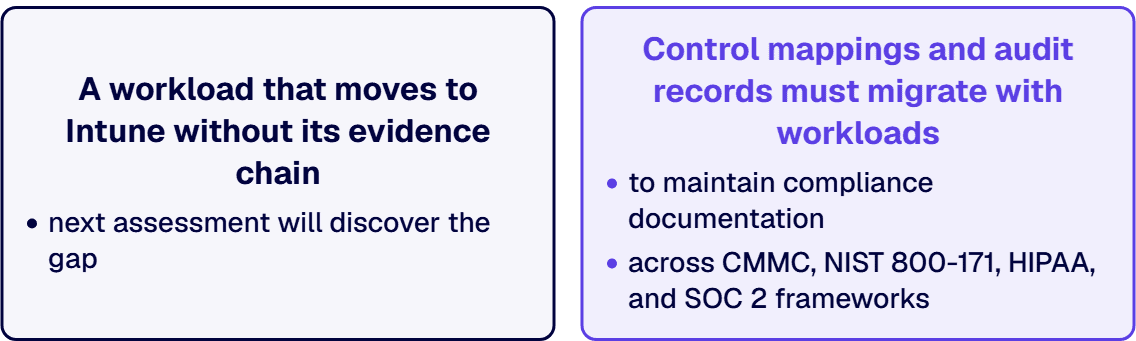
Whatever manages a device has to produce the evidence your framework requires: who changed what, when, and under which policy. When you switch a workload to Intune, the evidence and the control mapping have to move with it, not get dropped in the handoff. Mapping each workload to the controls and audit evidence your framework names, across CMMC, NIST 800-171, HIPAA, and SOC 2, is the Microsoft 365 Compliance Consulting work that keeps a transition defensible rather than disruptive.

Operating-system deployment and application complexity

Configuration Manager does things Intune was not designed to do. Complex operating-system deployment with granular task sequences, deep application packaging with dependencies and detection logic, and software metering are mature Configuration Manager capabilities that defense, aerospace, and manufacturing IT teams still rely on. Where a workload depends on them, moving it to the cloud is not a modernization win. It is a capability loss you would have to engineer around.

On-premises server management

Configuration Manager manages servers, not just user endpoints, and it does so on-premises with deployment and patch controls that regulated infrastructure teams depend on. Intune is a device-management service, not a server-management one. Where server management is the workload, Configuration Manager stays, and that is a deliberate architectural decision, not an unfinished migration.

A Workload-by-Workload Framework for the SCCM vs Intune Decision

Run the decision through one framework so every workload lands in a defensible place and the steering committee can see why. Sort each device workload into one of three dispositions against the five governance questions above.

Disposition 1: cloud-eligible, move to Intune

These are the workloads where the data, residency, and audit obligations are satisfied in the cloud and Intune already does the job well: compliance policy, device configuration, endpoint protection, and update management for connected, internet-capable Windows fleets, plus mobile and cross-platform devices. For most knowledge-worker populations this is the bulk of the estate, and it is where the long-term direction and the day-to-day management experience both point to Intune.

Disposition 2: keep on Configuration Manager

These are the workloads tied to an obligation or a capability the cloud cannot satisfy: air-gapped and offline environments, advanced OS task-sequence deployment, deep application packaging, on-premises server management, and any device population whose data-residency rules take it off the cloud-eligible list. Keeping these on Configuration Manager is the correct answer, not a delay. The skill is naming them precisely so they do not quietly expand to cover workloads that could and should move.

Disposition 3: co-manage during the transition

These are the workloads in motion: cloud-eligible in principle but mid-migration, or running on devices that also carry a keep-on-premises workload. Co-management is the home for these, with the workload switched to Intune for a pilot collection first, validated against the controls, then moved for the rest. The discipline is to treat co-management as a deliberate, time-bound state for each workload, not a permanent fog where no one is sure which tool is the authority.

A Deployment Sequence for a Governed SCCM to Intune Transition

Run the transition as a named, four-phase sequence so each phase has a deliverable and an exit criterion the steering committee can audit. i3solutions runs this as Discovery, Architecture, Build, and Optimize, and the structure is deliberately boring, because a transition a committee can audit is a transition that survives an audit.

Phase 1: Discovery

Inventory the estate the way an auditor would: every device population, every workload, the data classifications involved, and the residency, air-gap, and audit obligations attached to each. The deliverable is a workload inventory mapped to obligations. The exit criterion is a documented baseline of what you manage and what rules govern it, the artifact an assessor will ask for later.

Phase 2: Architecture

Sort every workload into cloud-eligible, keep-on-premises, or co-managed against the obligations Discovery surfaced, then design the co-management configuration: cloud identity through Microsoft Entra, pilot collections, and the cloud management gateway where on-premises clients need to reach the service. The deliverable is a target-state design and a phased plan. The exit criterion is a committee-approved architecture with the keep-on-premises workloads named and justified.

Phase 3: Build

Enable co-management, stand up the pilot rings, switch the first cloud-eligible workloads for the pilot collection, and wire the management evidence into your audit trail before you scale. The deliverable is a governed, co-managed environment for the initial cohort. The exit criterion is the first workloads live in Intune with controls and evidence verified, not assumed.

Phase 4: Optimize

Move the remaining cloud-eligible workloads on a measured cadence, validate each against the controls before and after the switch, and leave the keep-on-premises workloads on Configuration Manager by design. The deliverable is a transition that expands by evidence rather than by deadline. The exit criterion is a stable, audit-defensible end-state where every workload is managed by exactly one authority and the choice is documented.

Want a workload-by-workload transition plan your steering committee can sign off on? Contact our team and we will walk your estate through the framework with you.

When to Stay on Configuration Manager

A guide that only ever says move to the cloud is a sales pitch, not a decision aid. There are estates and workloads where the right call is to stay on Configuration Manager, and naming them is part of earning the trust to advise on the rest.

Stay if your devices live in an air-gapped or offline environment, because a cloud service cannot manage what it cannot reach, and forcing the move would mean abandoning management rather than modernizing it. Stay if a workload depends on advanced OS task-sequence deployment or deep application packaging that Configuration Manager does well and Intune does not yet match, because moving it would trade a working capability for a gap you would have to fill manually. Stay if the workload is on-premises server management, which is Configuration Manager territory, not Intune territory. And stay, for now, if your data-residency obligations take a device population off the cloud-eligible list, until the right cloud environment and tenant are in place. None of these is a permanent verdict. Each is a workload kept where it belongs while the rest of the estate moves, which is what a governed transition looks like.

How to Evaluate a Partner for an Endpoint Management Transition

If you bring in outside help for an SCCM to Intune transition, evaluate the partner on the dimensions that predict whether the migrated estate survives an audit, not on slide quality. First, regulated-sector delivery record: has the firm run governed endpoint transitions in environments with real compliance obligations, and can it name the control families it worked against. Second, governance depth: does the partner lead with the workload-and-obligation mapping, or does it lead with how fast it can move everything to the cloud. Third, knowledge transfer: will your team be able to run the co-managed environment after the engagement, or will you have bought a dependency.

That third dimension is where i3solutions frames its model as borrowed expertise. The point of the engagement is to leave your team able to run the governed, co-managed estate without us, not to install us permanently. As a Microsoft Solutions Partner since 1997 with 600+ implementations behind it, i3solutions runs this work under a practice it calls Enterprise Delivery Assurance, the operating discipline that keeps regulated programs on-time, in-scope, in-production.

Two patterns from regulated transitions show what governance-first looks like in practice. A defense contractor preparing for a CMMC assessment engaged i3 to keep operating-system deployment and server management for a controlled-unclassified-information enclave on Configuration Manager, with the 110 controls across 14 families of NIST SP 800-171 verified against the environment, while co-management moved only the connected corporate fleet to Intune; the air-gapped enclave never went near the cloud, by design. A financial-services firm under SOC 2 engaged i3 after an internal review found that a cloud-first push had started switching workloads to Intune with no record of which control evidence moved with them; the remediation was a workload-by-workload decision log that an examiner could follow, with the legacy imaging workload deliberately left on Configuration Manager. In both, the deliverable the buyer kept was the decision record, not just a migrated console.

About i3solutions and Governed Endpoint Management

i3solutions is a Microsoft Solutions Partner since 1997 with 600+ implementations delivered for regulated enterprises across aerospace, defense, financial services, and healthcare. Our Enterprise Delivery Assurance practice exists to keep complex Microsoft programs on-time, in-scope, in-production, with the governance and audit evidence regulated buyers are accountable for. We run SCCM to Intune transitions the way an examiner would want them run: obligations first, workloads sorted deliberately, and one management authority per workload with the choice documented.

Ready to turn the SCCM vs Intune question into a plan your auditors and your steering committee both accept? Leave with a workload disposition you can defend.

Frequently Asked Questions

The licensing answer is usually that you already own both. Configuration Manager and Microsoft Intune are typically included in Microsoft 365 E3 and E5 and in Enterprise Mobility and Security, so for most regulated enterprises the transition is not a new license purchase, though some co-management scenarios carry their own licensing nuances worth confirming with Microsoft. The real cost is the work, not the license: the discovery to inventory workloads against obligations, the architecture to decide what moves and what stays, the co-management setup, and the validation that each switched workload still produces the audit evidence your framework requires. Budget the transition as a governed project with its own line, because the organizations that fold it into licensing are the ones that discover the cost after a workload moves and the evidence does not follow.

No. Configuration Manager, the product formerly called SCCM, is fully supported and has no announced end of life. Microsoft moved it to an annual release cadence starting with version 2609 in September 2026, with each release supported for 18 months and a focus on security, stability, and long-term support rather than frequent new features. Microsoft has also said that all new device-management innovation now happens in Intune, so the long-term direction is clear, but that is a statement about where new capability is built, not a retirement notice for Configuration Manager. For regulated and complex on-premises workloads, Configuration Manager remains the supported tool.

Co-management runs the Configuration Manager client and Microsoft Intune enrollment on the same Windows device at once, and it lets you switch individual workloads, such as compliance policy, device configuration, endpoint protection, and Windows Update, from Configuration Manager to Intune on your own schedule. Configuration Manager keeps managing everything you have not switched. For most regulated enterprises co-management is the practical bridge, because it lets you move cloud-eligible workloads incrementally, pilot each one against a small group of devices first, and keep the workloads your obligations or infrastructure require on Configuration Manager, all without a disruptive cutover.

Keep the workloads tied to an obligation or capability the cloud cannot satisfy. That includes air-gapped and offline environments that a cloud service cannot reach, advanced operating-system deployment with complex task sequences, deep application packaging with dependencies, on-premises server management, and any device population whose data-residency rules take it off the cloud-eligible list. These are not migrations you have failed to finish. They are deliberate architectural decisions, and a credible transition plan names them explicitly so they do not expand to cover workloads that could and should move to Intune.

The honest answer is a planning range rather than a single number. Budget roughly six to twelve months for a mid-size environment and twelve to eighteen months for a larger one, with a regulated transition running at the deliberate end of that range because each workload is validated against its controls before and after it switches. The timeline is driven less by the tooling than by the governance: inventorying workloads against obligations, deciding dispositions, piloting each switched workload, and confirming the audit evidence moves with it. A phased, co-managed approach lets you show progress early without forcing a single high-risk cutover.

Related Reading

Michael Branson, Founder/COO, i3solutions

About the Author

By , Founder/COO, i3solutions

Michael Branson co-founded i3solutions 30 years ago and brings executive, operational, and technical perspective to organizations working in complex, secure, and mission-critical environments. His insights focus on business process consulting, automation, data analytics, collaboration, secure operating models, and the operational discipline required to turn technology investments into practical business systems with measurable value.