
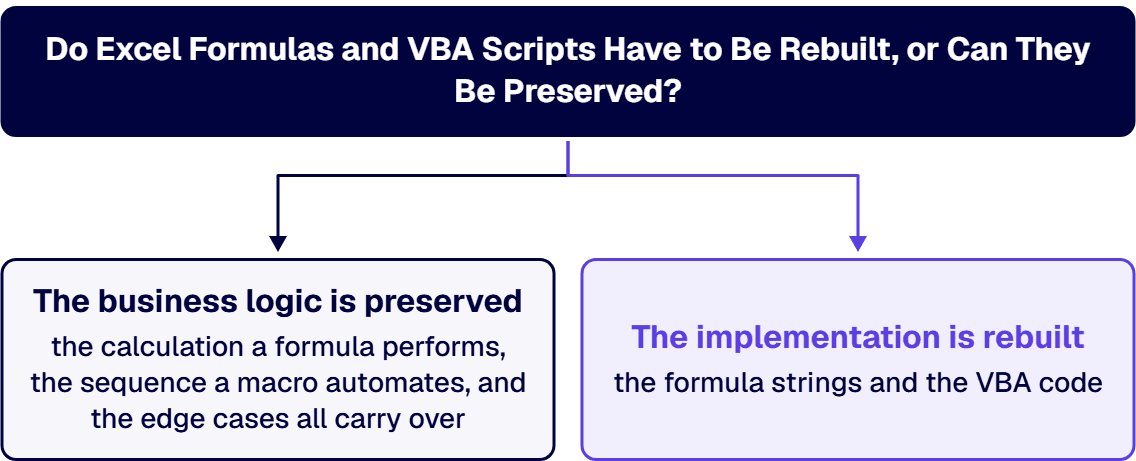
The business logic is preserved. The implementation is rebuilt, and the two are not the same thing. A formula and a macro are not the rule your business runs on, they are one expression of it in a desktop spreadsheet runtime, and no web application executes that runtime. So the calculation a formula performs, the sequence a macro automates, and the edge cases both encode all carry over, extracted and re-expressed in the target platform. The formula strings and the VBA code do not. Formulas port more cleanly than macros because a calculation is portable and Microsoft’s low-code formula language uses a similar expression style, while VBA is documented as a desktop technology that does not run in Excel on the web at all. The practical consequence is that the expensive part of the project is not writing new code. It is recovering the rules that live only inside the workbook, including the ones nobody remembers writing, and proving the new system produces the same answers before the old one is retired. Anyone who tells you the macros can simply be carried across is describing a lift-and-shift that the platform does not support.
Teams ask whether the formulas can be preserved because the workbook is the only place the rules are written down. That instinct is correct and the wording is not. What has to be preserved is the behavior: given these inputs, the system returns these outputs, and refuses these ones. Whether that behavior is delivered by an INDEX and MATCH pair, a Power Fx expression, or a stored procedure is an implementation choice you get to make once, at conversion time, and it is the only chance you will get to make it cheaply.
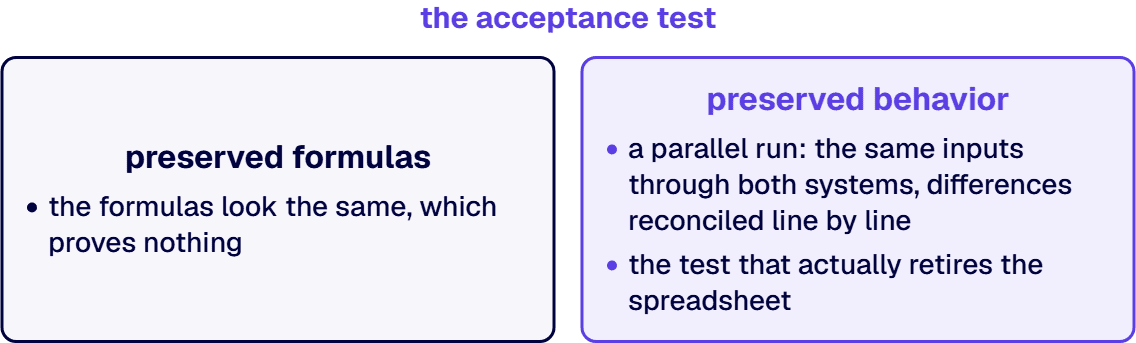
Framing it as behavior rather than syntax also changes what you test. If the goal is preserved formulas, the acceptance test is that the formulas look the same, which proves nothing. If the goal is preserved behavior, the acceptance test is a parallel run: the same inputs through both systems, differences reconciled line by line until they are zero or explained. That is the test that actually retires the spreadsheet.
This part is not a matter of opinion, and it is the single most useful thing to establish before scoping. In its comparison of Office Scripts and VBA macros, Microsoft states: “The fundamental difference is that VBA macros are developed for desktop solutions and Office Scripts are designed for secure, cross-platform, cloud-based solutions.” The platform support table on the same page lists VBA macros as not supported in Excel on the web.
The reason matters as much as the fact, because it explains why the gap cannot be closed by effort. Microsoft describes the security model plainly: “VBA macros have the same security clearance as Excel. This gives them full access to your desktop. Office Scripts only have access to the workbook, not the machine hosting the workbook.” A macro that writes to a network share, drives Outlook, opens another workbook, or shells out to a local executable is using exactly the desktop access a browser-hosted application does not have and is not going to be given. Those macros are not being ported. Their function is being re-implemented as a service.
Two further statements from the same document are worth carrying into scoping. “Currently, VBA offers a more complete coverage of Excel features, particularly those available on the desktop client,” which means a straight capability match should not be assumed. And “VBA doesn’t have a Power Automate connector,” which is why a scheduled or event-driven replacement for a macro is a redesign rather than a wrapper.
Formulas are the easier half, and they are still not a copy operation. A calculation is portable in a way desktop automation is not, and if the target is Microsoft’s low-code stack the expression style is familiar: Microsoft documents Power Fx as a low-code language written in Excel-like formula syntax. Familiar is not identical, and the differences are where the work sits.
Four categories account for most of the effort in practice.
Sort every macro into one of four dispositions before estimating anything. This is a two-week exercise on a large estate and it removes most of the risk from the number.
The disposition nobody wants to write down is the fourth one, and leaving it off the table is how conversion projects acquire scope that never had a business case.
It is not the code. It is that the workbook is the specification, and the specification is undocumented, partly wrong, and load-bearing. Three things reliably cost more than teams plan for.
Rules with no owner. Every large workbook contains a constant somebody typed into a cell in a year nobody remembers, and the person who knew why has left. You cannot re-express a rule you cannot explain, and you cannot safely drop it either. This is a business decision surfaced by a technical exercise, and it needs a named person to resolve rather than a developer to guess.
Behavior that was never intended. Rounding differences, a lookup that quietly returns the first match, a range that stopped growing when someone inserted a row. Users have been consuming the output for years, so the accidental behavior is now the expected behavior, and a faithful rebuild that fixes the bug will be reported as a defect. Decide deliberately, case by case, which accidents to preserve.
Proving equivalence. Parallel running is the only credible acceptance test, and it costs real time because differences have to be reconciled rather than waved through. Any plan that has the spreadsheet retired the week the application goes live has not budgeted for the reconciliation, which is the same as not budgeting for the project.
Stated as the facts they are. i3solutions applies its proprietary Data-Lift Framework to Excel modernization: extracting the business logic embedded in the workbook, eliminating hidden circular dependencies, and refactoring brittle macros. That is the extraction half of the answer at the top of this page, named. i3solutions Excel modernization work uses custom data-parsing scripts, Power Query ETL, and internally built schema-mapping tools.
On the target, and it is deliberately not one target: i3solutions converts macro-heavy Excel workbooks either to Power Apps canvas or model-driven applications on Dataverse, or to a custom web application on Azure App Service backed by Azure SQL. Which of those is right depends on the complexity of the logic, the integration surface, and the scale, and the comparison is set out in Excel-to-web rebuild versus Power Platform modernization. If the estate is mostly loose scripts rather than one workbook, script to Power Platform migration covers that shape. For the engagement behind that conversion, see Excel to web application consulting for regulated enterprises.
On outcomes, one engagement, stated as attested: When i3 rebuilt a spreadsheet-bound estimating process into a web application, it removed version-control errors across hundreds of estimates and cut approval cycles from five days to one. On the same work: The web-enabled estimating tool reduced rework by 30%, eliminating version mismatches and manual reconciliation across teams. Engineers now generate accurate cost estimates in a fraction of the time, saving approximately $250k annually in rework-related labor. The published account is the legacy Excel tool to web application case study. Note what the numbers are about. They are about version control and rework, not about the formulas, because the value of the conversion came from moving the process off a file, not from re-typing the calculations.
i3solutions is a Microsoft Solutions Partner. i3solutions has completed more than 600 Microsoft platform implementations. The engagement shape and the service around it sit in Excel to web application development.
Ask any firm bidding this work four questions, and score the answers rather than the enthusiasm.
The fourth question is the one that predicts whether the project finishes. A firm that has a specific answer has retired a spreadsheet before.
The logic is preserved and the formula strings are not. A calculation is portable, so what the formula computes carries over, but it is re-expressed against a data model rather than against cell positions. If the target is Microsoft’s low-code stack the expression style is familiar, because Microsoft documents Power Fx as a low-code language written in Excel-like formula syntax. Four categories take real work: formulas that address layout rather than data, circular or iterative calculations that need an explicit convergence rule, volatile and array behavior that is a property of the spreadsheet engine rather than a statement of intent, and formulas wrapped to swallow errors, each of which is hiding a condition that becomes an explicit validation rule with an owner.
No, not as code. Microsoft states that “The fundamental difference is that VBA macros are developed for desktop solutions and Office Scripts are designed for secure, cross-platform, cloud-based solutions,” and its platform support table lists VBA macros as not supported in Excel on the web. The reason is structural rather than a gap someone could close: “VBA macros have the same security clearance as Excel. This gives them full access to your desktop.” A macro that writes to a network share, drives another desktop application, or shells out to a local executable is using access a browser-hosted application does not have. What a macro does is re-implemented. The macro itself is not ported.
Fewer than teams expect, which is why the inventory pays for itself before any code is written. Sort every macro into four dispositions: retire, because a large share of macros in a mature workbook automate formatting, printing, and navigation the new application makes unnecessary; replace with a platform capability, for refresh routines, mail merges, approval routing, and scheduled recalculation; rebuild as application logic, for the macros that encode real business rules such as pricing, eligibility, allocation, and validation; and keep in Excel deliberately, where a genuinely analytical workbook should stay a workbook while the application owns the data and the process around it. Only the third group is expensive, and asking a bidder for its expected split is a fast test of whether it has done this before.
Recovering rules and proving equivalence, not writing code. Three costs are underestimated consistently. Rules with no owner, where a constant was typed into a cell years ago and the person who knew why has left, which is a business decision surfaced by a technical exercise rather than something a developer can resolve. Behavior that was never intended, such as rounding differences or a lookup quietly returning the first match, where users have consumed the output for so long that the accident is now the expectation and a faithful rebuild that fixes it gets reported as a defect. And parallel running, which is the only credible acceptance test and costs real calendar time because differences have to be reconciled rather than waved through.
It depends on the complexity of the logic, the integration surface, and the scale, and the honest answer is that both are legitimate. i3solutions converts macro-heavy Excel workbooks either to Power Apps canvas or model-driven applications on Dataverse, or to a custom web application on Azure App Service backed by Azure SQL. Logic that a formula canvas expresses cleanly, at moderate scale, with connectors that already exist, favors the low-code path. Heavy computation, high concurrency, or bespoke rules that need a typed language favor the custom build. The decision should be made once, in writing, with the reasoning recorded, because it is expensive to revisit after the data model is set.
Yes, and choosing that deliberately is often the better answer for genuinely analytical work. The pattern is that the web application owns the data, the process, and the audit trail, while Excel remains an analysis surface over governed data rather than the system of record. Where Excel stays in the picture, Microsoft’s Office Add-ins platform is the supported cross-platform extensibility model, in contrast to VBA which is documented as desktop-only. What this pattern must not become is a workbook that quietly regains its own copy of the data, because that reintroduces the version-control problem the conversion was meant to remove.

US-Based | Est. 1997
© i3solutions. All rights reserved.
US-Based | Est. 1997
© i3solutions. All rights reserved.


