
By Justin Bowen, Sr. Vice President, Delivery Services, i3solutions. Justin has spent more than 15 years at i3solutions and more than 25 years leading project, program, and product delivery across complex technology environments.
Hire an identity engineering firm that will run the move as a staged coexistence program, not a cutover date. The right partner inventories every application, policy, and provisioning flow before touching anything, keeps Okta and Microsoft Entra ID authenticating side by side while applications move in waves, translates your Okta sign-on policies into Conditional Access with an explicit parity map, plans MFA re-enrollment as a managed program, and keeps a tested rollback path open for every wave. If a consultant proposes a single migration weekend, keep looking. i3solutions regularly delivers Okta to Microsoft Entra ID migrations for enterprises. Our engineers are senior, US based, and work from Microsoft’s documented migration guidance rather than improvised scripts, which is what keeps users signing in on Monday morning.
This page covers what to require from any partner you evaluate, the mechanics that prevent broken access, the licensing implications, and how we deliver these programs.
The failure mode in identity migration is always the same: something authenticated yesterday and does not authenticate today. Put these six items in your RFP and require specific answers, not adjectives.

These programs succeed in phases, and the order matters.
1. Discovery and dependency mapping. Pull the full application list from Okta, classify each app by protocol, identify which have Entra gallery equivalents and which need custom app registrations, and map every provisioning flow and group rule. This phase also surfaces the apps nobody remembered, which are precisely the ones that break.
2. Directory and authentication foundation. If Okta currently federates your Microsoft 365 domain, the first move is usually taking authentication for that domain back: Microsoft Entra Connect with password hash synchronization in place, then staged rollout to shift pilot groups to managed authentication while the domain remains federated for everyone else. Microsoft documents this path step by step for Okta-federated tenants, including the pilot group approach.
3. Application cutover in waves. SAML and OIDC applications are re-pointed to Entra ID one at a time: gallery app or app registration on the Entra side, metadata exchanged, a test cohort verified, then the general population. SCIM provisioning is reconnected so joiner, mover, and leaver events keep flowing. Waves run from low-risk apps to the business-critical core, so process problems surface where they are cheap.
4. Policy translation. Each Okta sign-on policy is rebuilt as Conditional Access: network zones become named locations, device trust becomes device compliance signals from Intune, and session policies are mapped to sign-in frequency controls. The honest version of this work produces a decision log, because some constructs have no direct equivalent and someone accountable has to choose the replacement behavior.
5. MFA re-enrollment. Registration campaigns run ahead of each user wave, so no one hits an MFA prompt they cannot satisfy. Done well, this phase is boring, which is the goal.
6. Validation and decommission. Sign-in logs are checked per wave against the pre-migration baseline, and Okta comes down only after a defined quiet period with zero unresolved authentication failures. Governance work such as access reviews and entitlement management starts here, once identities are consolidated. Our Microsoft Entra ID governance services pick up exactly at this point.
When we are brought in to stabilize a migration that went sideways, the cause is almost always one of five things: a big-bang cutover with no coexistence period, sign-on policies copied by name instead of translated by behavior, MFA factors that did not transfer and were never re-registered, SWA and password-vaulted apps that were never inventoried, or no break-glass account when a Conditional Access policy locked out the administrators who could have fixed it. All five are preventable in the first two phases, which is why we refuse to compress discovery.
Entra ID licensing is public and worth pricing before you commit. As of Microsoft’s current published pricing, Entra ID P1 lists at $7.00 per user per month and Entra ID P2 at $10.00 per user per month, both paid yearly. P1 carries Conditional Access, which the policy translation work depends on. P2 adds risk-based Conditional Access through Identity Protection and Privileged Identity Management for admin roles. Microsoft 365 E3 includes P1 and E5 includes P2, so many enterprises already own the entitlement they need and the migration consolidates spend rather than adding it. Your partner should model this against your actual agreement, not a list-price table.
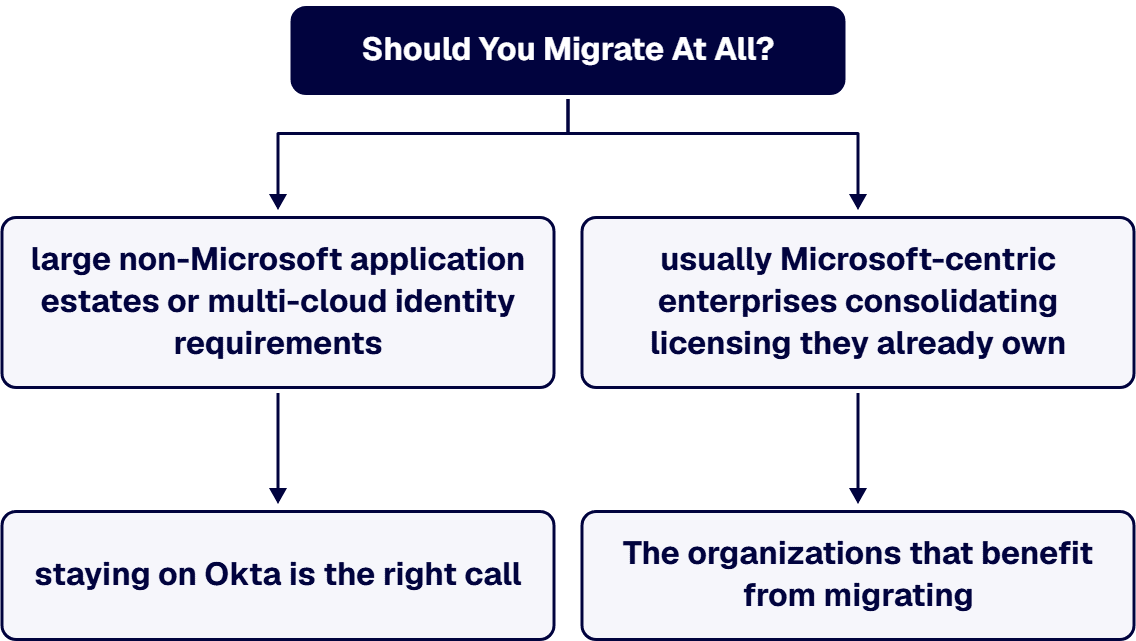
An honest answer first: not every organization should leave Okta. For some environments, particularly those with large non-Microsoft application estates or multi-cloud identity requirements, staying on Okta is the right call. We say that with a straight face because we implement and integrate Okta for clients where it is the right platform. The organizations that benefit from migrating are usually Microsoft-centric enterprises consolidating licensing they already own, unifying policy under Conditional Access, and reducing the number of identity control planes an auditor has to walk through. If you are still weighing the platforms themselves, our comparison of Okta vs Entra ID covers the decision in depth. Hire a partner who can argue both sides. A firm that only ever recommends migration is selling a project, not advice.
We deliver Okta to Entra ID migrations for enterprises in regulated and complex sectors, including aerospace and defense manufacturing, financial services, and healthcare. The work is led by senior US-based identity engineers, follows the staged coexistence model described above, and produces the artifacts your board and auditors will ask for: the application inventory, the Conditional Access parity map with its decision log, the wave plan with rollback procedures, and the validation evidence for each cutover. We run discovery first, we do not compress it, and we leave your team with documentation rather than dependency on us. Because we work across the Microsoft stack, the same team carries the downstream work: Intune device compliance signals for Conditional Access, and identity governance once the migration lands.
If you are evaluating partners, bring us your application count and your current Okta policy set. Schedule a Microsoft Entra ID Migration Consultation and we will walk through the wave plan we would propose and where the risk actually sits in your environment.
It scales with the number of federated applications and the complexity of your sign-on policies, not your headcount. Planning and discovery typically run a few weeks; application cutover then proceeds in waves, each validated before the next begins. A large estate with custom SAML apps, SWA apps, and intricate policy logic takes longer, and compressing it is how access breaks.
Not if the program is run on a coexistence model. Okta and Entra ID authenticate in parallel while applications move in waves, pilot cohorts validate each change before it reaches the general population, and every wave has a rehearsed rollback. The users most at risk are those with unregistered MFA factors, which is why re-enrollment campaigns run ahead of each wave rather than after it.
Yes. Okta Verify enrollments do not carry over. Users register Microsoft Authenticator, FIDO2 security keys, or Windows Hello for Business through Entra’s registration process, and temporary access passes cover users who hit trouble. Treat this as a managed campaign with communications and helpdesk readiness, not a mass email.
Conditional Access, which replaces your Okta sign-on policies, requires Entra ID P1. Risk-based policies and Privileged Identity Management require P2. Current Microsoft list pricing is $7.00 per user per month for P1 and $10.00 for P2, paid yearly, and Microsoft 365 E3 and E5 already include P1 and P2 respectively. Check your existing agreement before buying anything new.
Yes. The coexistence architecture that makes the migration safe also supports a deliberate hybrid end state, where a subset of applications stays on Okta long term. Most enterprises consolidate fully to reduce license spend and audit surface, but the wave model does not force that outcome. A good partner scopes the end state to your application estate, not to their statement of work.
Yes. Microsoft’s tutorial for moving an Office 365 tenant federated to Okta over to Entra ID authentication describes a staged migration in which you can test reverse federation access to the Okta applications that remain. Moved users do not sign in to two systems along the way: Microsoft says users targeted for staged rollout are not redirected to the federated sign-in page and are asked to sign in on the Microsoft Entra sign-in page instead. The one exception Microsoft documents is the move itself: a user newly added to staged rollout must complete one additional interactive sign-in with the existing federated method, and Microsoft’s recommended workaround is a Temporary Access Pass for that first sign-in. Users who have moved to managed authentication reach those applications through a Microsoft Entra application registered to link to the Okta home page. In Okta, Microsoft Entra ID is added as an identity provider, and Okta routing rules send those users to Entra ID to sign in. Okta’s documentation says the sign-in is evaluated against the rule’s criteria and the user is redirected to the sign-in screen for the chosen identity provider, so for the applications left on Okta, the sign-in those users see is the Entra ID one. Okta’s developer documentation calls this inbound federation: Okta sits between the application and the identity provider that authenticates the user. By default the setup matches each user’s user principal name in Okta to the one in Entra ID, so if the two differ, pick an attribute both directories share. Once your organization is comfortable with the managed authentication experience, Microsoft’s guidance is to defederate the domain from Okta. If you are still deciding which platform to keep, our comparison of Okta vs Entra ID covers that choice.
Microsoft’s documented path runs as four separate migrations, each with its own tutorial: federation, sync provisioning, applications, and sign-on policies. The applications tutorial starts by pulling an inventory from the Okta API. Scripts and utilities can speed the inventory and bulk application setup, but the policy translation into Conditional Access is a design decision no tool makes for you. Judge any migration tool by whether it produces a per-application inventory and a policy parity map you can review before cutover, not by a marketing claim of full automation. i3solutions has done hundreds of Okta to Entra ID conversions.
Recover super admin access first, because both paths start there. Okta’s help page on the self-service upgrade to Identity Engine states: “You must be a super admin to view and manage this process.” Okta’s developer guide says the upgrade hub lists action items that “you must complete before you can schedule your upgrade to Identity Engine.” The same hub “also identifies any customizations and testing that you need to do before your upgrade.” That review of the tenant’s applications, integrations and sign-on policies is largely the same inventory work a move to Entra ID begins with. If Entra ID is where you expect to land within your planning window, do that work once and point it at the migration. If Okta remains the better fit, the upgrade is a sound answer, and the question of whether to migrate at all, covered above, applies.

US-Based Microsoft System Integrator | Est. 1997
© i3solutions. All rights reserved.
US-Based Microsoft System Integrator | Est. 1997
© i3solutions. All rights reserved.


