
By Justin Bowen, Sr. Vice President, Delivery Services, i3solutions. Justin has spent more than 15 years at i3solutions and more than 25 years leading project, program, and product delivery across complex technology environments.
Short answer: You do not integrate ServiceNow with Microsoft 365 and Azure “without losing governance.” You choose which of four paths you are on, and you accept what each one does to your boundary. Microsoft states the position plainly for regulated tenants: third-party connectors “might involve storing, transmitting, and processing your organization’s customer data on third-party systems that are outside of the Power Automate US Government infrastructure and therefore are not covered by the Power Automate US Government compliance and data protection commitments.” ServiceNow is a third-party system. The governance question is not whether it sits outside your accreditation boundary. It does. The question is what you put across that line, and what evidence you keep.
ServiceNow’s own documentation will tell you how to connect. It will not tell you that. This page does.
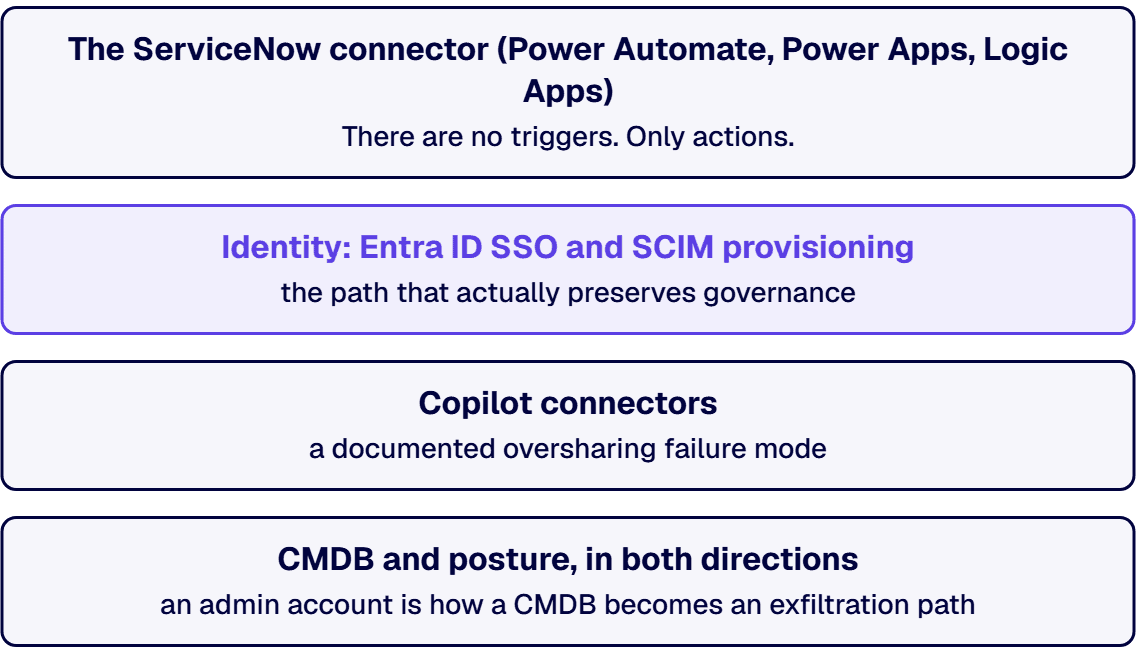
Microsoft publishes the ServiceNow connector. Note that Microsoft, not ServiceNow, is the publisher. Three facts from the connector reference that decide your architecture, and that no rival page mentions:
Gov-cloud detail that matters and is routinely garbled: the Logic Apps flavour of this connector is available in all Logic Apps regions except US Department of Defense (DoD). Also note the connector documentation’s own warning that it supports only instance URLs ending in service-now.com, and that alternative domains such as servicenowservices.com may fail, particularly with the newer ServiceNow domain in GCC, where Microsoft recommends Basic Authentication.
Do not confuse this with the Intune ServiceNow connector. They are different products with opposite government-cloud stories. Microsoft lists the Intune ServiceNow connector under “Intune features not available in GCC High and DoD,” in a table introduced by the sentence “The following features aren’t available and there’s currently no planning to support these features for GCC High and DoD environments.” If your service-desk design assumed Intune would talk to ServiceNow in GCC High, it will not, and there is no roadmap. Conflating the two connectors is the single easiest way to get this architecture wrong.
This is the path that actually preserves governance, because it puts Entra ID in charge of who exists in ServiceNow and who can sign in.
Integration - Multiple Provider Single Sign-On Installer plugin, and the administrator running the setup needs the security_admin role in ServiceNow.Microsoft’s SSO and provisioning tutorials both list availability for the US Government cloud. So identity, unlike the Intune connector, does cross into gov.
Microsoft now calls these Microsoft 365 Copilot connectors (the old “Graph connector” naming is retired). There are two for ServiceNow: ServiceNow Knowledge and ServiceNow Catalog. Knowledge indexes the kb_knowledge table with a default query filter of active=true^workflow_state=published, crawling incrementally every 15 minutes and fully once a day.
Now the part you must not skip. Microsoft documents an oversharing failure mode in this connector, and it is the strongest single argument for governing this integration deliberately. If a knowledge base sits in the HR Service Delivery (sn_hr_core) scope and the service account lacks sn_hr_core.content_reader or sn_hr_core.admin, the connector receives empty results rather than an error. It then interprets HR-restricted articles as having no access restrictions and indexes them as accessible to everyone. Microsoft’s own words for the consequence: sensitive HR content “such as compensation policies, benefits information, or disciplinary procedures” can appear “in Copilot and Microsoft Search results for unauthorized users.”
That is a permissions misconfiguration that fails open, silently, into the tool your whole company is about to start asking questions in. Least privilege on the integration account is not hygiene here. It is the control.
Going Azure into ServiceNow, the Service Graph Connector for Microsoft Azure is published by ServiceNow and pulls Azure resources into the ServiceNow CMDB. Going the other way, Microsoft ships the ServiceNow CMDB data connector in Microsoft Security Exposure Management, which ingests device, network adapter, and business application records. Its least-privilege ServiceNow role is cmdb_read. Use that role. The default instinct to hand an integration an admin account is how a CMDB becomes an exfiltration path.
There is an official ServiceNow connector for Microsoft Purview workflows. A number of pages will recommend it to you as your ServiceNow-to-governance answer. Read Microsoft’s own page before you believe them. It is marked “currently in preview,” it supports basic authentication only, with the credential in Azure Key Vault, and it sits on a classic surface that Microsoft states is “no longer taking on new customers” and is now in customer support mode.
Preview, basic-auth-only, and closed to new customers is not a governance foundation for a regulated enterprise. We do not build on it, and a page that recommends it to you has not read the documentation it is citing.
You cannot pull ServiceNow inside your Microsoft compliance boundary. You can do these five things, and they are what an assessor will ask for:
cmdb_read for posture. Scoped knowledge roles for Copilot indexing. Never an admin.i3solutions scopes ServiceNow-to-Microsoft work as integration architecture, because that is what it is:
i3solutions runs Microsoft-centric integration for regulated and compliance-bound organizations, and identity is where we usually start. i3solutions unified identity and automated provisioning across systems for 125,000 users by treating the interfaces as owned, governed contracts.
See our ServiceNow consulting and integration services, our Entra ID configuration and integration practice, or our Microsoft integration architecture work. If the pressure is coming from an ERP or CRM migration, start with who handles Microsoft integration under migration pressure. If the other system is SAP rather than ServiceNow, see who should do the SAP and SharePoint integration.
You accept that ServiceNow sits outside your Microsoft accreditation boundary and you govern the crossing. Microsoft states that third-party connectors might involve storing, transmitting, and processing customer data on third-party systems that are outside of the Power Automate US Government infrastructure and therefore are not covered by its compliance and data protection commitments. The five controls that hold: classify the ServiceNow connector into a Power Platform data policy group (Business, Non-business, or Blocked) at tenant scope; least-privilege the integration account, using cmdb_read for CMDB reads rather than an admin role; explicitly name which data crosses the line; put Entra ID SSO and SCIM group provisioning in front so joiner-mover-leaver is one process; and retain the evidence of who could see what, and when.
Both, depending on where you run it. Microsoft’s connector reference lists the ServiceNow connector as Premium in Power Automate, Power Apps, and Copilot Studio, and Standard in Azure Logic Apps. This is a genuine architecture and cost lever: the same integration built on Logic Apps does not consume a premium per-user entitlement. It is also why high-volume, transactional ServiceNow integration usually belongs in Logic Apps rather than in a per-user-licensed Power Automate flow.
No. Microsoft’s connector reference lists 19 actions (including Create Record, Update Record, Get Record, List Records, Get Knowledge Article, and Order item) and no triggers. ServiceNow cannot push an event to you through this connector, which means every integration on it is a polling design. Combine that with the published throttling limit of 600 API calls per connection per 60 seconds and your polling interval becomes a capacity decision you have to make deliberately, not a default you inherit.
Be precise about which connector. The Power Platform ServiceNow connector is listed as available in all Power Automate regions except China operated by 21Vianet, and the Logic Apps flavour is available in all Logic Apps regions except US Department of Defense. Separately, and this is the one that catches people, the Microsoft Intune ServiceNow connector is a different product, and Microsoft lists it among the Intune features that are not available in GCC High and DoD, in a table stating there is currently no planning to support these features in those environments. A service-desk design that assumed Intune would talk to ServiceNow in GCC High has no roadmap to stand on.
Yes, but only if you fix the permissions first, because the documented failure mode fails open. Microsoft’s ServiceNow Knowledge connector indexes the kb_knowledge table. If a knowledge base is in the HR Service Delivery (sn_hr_core) scope and the service account lacks sn_hr_core.content_reader or sn_hr_core.admin, the connector receives empty results rather than an error, interprets HR-restricted articles as having no access restrictions, and indexes them as accessible to all users. Microsoft states this can result in content such as compensation policies, benefits information, or disciplinary procedures appearing in Copilot and Microsoft Search results for unauthorized users. Grant the scoped roles explicitly before you index anything.
Not as a foundation for a regulated enterprise. The ServiceNow connector for Microsoft Purview workflows exists, but Microsoft’s own documentation marks it as currently in preview, it supports basic authentication only with the credential stored in Azure Key Vault, and it sits on the classic Purview workflow surface that Microsoft states is no longer taking on new customers and is now in customer support mode. Preview plus basic-auth-only plus closed to new customers is not a governance foundation. Any page recommending it as your ServiceNow governance answer has not read the documentation it is citing.
SSO is SAML and SP-initiated only. It requires the ServiceNow Integration - Multiple Provider Single Sign-On Installer plugin, and the administrator performing the configuration needs the security_admin role in ServiceNow. Provisioning is SCIM-based and can create users, remove users, keep user attributes synchronized, and provision groups and group memberships, which is what lets you drive ServiceNow access from an Entra ID group. Two prerequisites catch people late: the ServiceNow instance must be Calgary or higher, and self-hosted ServiceNow instances are not supported by the Entra provisioning connector.

US-Based Microsoft System Integrator | Est. 1997
© i3solutions. All rights reserved.
US-Based Microsoft System Integrator | Est. 1997
© i3solutions. All rights reserved.


