SSIS Migration to Azure: Modernizing Legacy ETL for Enterprises
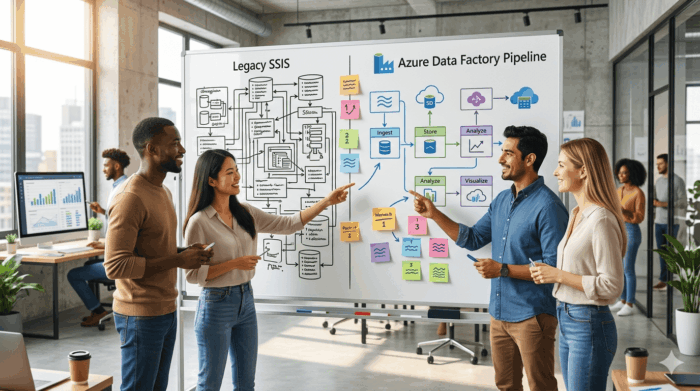
Organizations running Microsoft SQL Server Integration Services (SSIS) and other legacy ETL platforms face mounting pressure to modernize their data integration infrastructure. Rising maintenance costs, scalability limitations, and the need for cloud-native capabilities are driving enterprises to evaluate Azure-based integration services. Migrating critical ETL workloads requires careful planning, risk mitigation, and expertise in both legacy systems and modern Azure platforms — and the organizations that approach this migration systematically consistently outperform those that rush to lift-and-shift without a governance framework.
Key Takeaways
- Legacy SSIS environments face 30–40% cost increases during infrastructure refreshes, making Azure migration economically attractive while providing elastic scaling capabilities. Organizations maintaining on-premises ETL infrastructure report 35–50% higher total cost of ownership compared to cloud-native alternatives.
- Wave-based migration approaches balance risk management with delivery momentum by starting with low-complexity packages before tackling mission-critical workloads. This progressive approach enables teams to develop expertise and refine processes incrementally.
- Organizations can choose lift-and-shift approaches using SSIS Integration Runtime for rapid migration or redesign strategies that leverage native Azure Data Factory capabilities for maximum long-term value. The choice depends on timeline constraints, budget, and strategic objectives.
- Post-migration success requires new operational disciplines including consumption-based cost monitoring, automated scaling policies, and Git-based change control processes that were difficult to achieve with traditional SSIS packages.
- Azure integration services provide enhanced governance capabilities through Azure Purview data lineage tracking and automated data quality monitoring within pipelines, addressing compliance requirements that legacy SSIS environments cannot meet.
Quick Answer
Migrating SSIS and legacy ETL to Azure integration services addresses critical operational pressures including rising maintenance costs, scalability limitations, and the need for cloud-native capabilities. Organizations should prioritize workloads based on complexity, business criticality, and risk factors, then execute wave-based migrations using either lift-and-shift approaches for rapid migration or redesign strategies for maximum modernization benefits. Success requires comprehensive assessment, rigorous testing protocols, and post-migration governance frameworks that leverage Azure’s monitoring, cost management, and compliance capabilities.
Why Modernize Legacy ETL and SSIS: Risk and Cost Considerations
Support, Scalability, and Cost Pressures
Legacy ETL environments built on SSIS and similar platforms face mounting operational pressures. Microsoft’s strategic focus on cloud-first development has reduced investment in on-premises SSIS capabilities, while hardware refresh cycles drive infrastructure costs higher. Organizations experience significant cost increases when upgrading legacy SQL Server environments, with some reporting 30–40% increases in licensing and maintenance costs, making cloud migration economically attractive.
Scalability constraints become apparent as data volumes grow. SSIS packages designed for nightly batch processing struggle with modern requirements for near-real-time data movement and elastic compute scaling. The fixed infrastructure model limits organizations’ ability to handle peak workloads efficiently, requiring over-provisioning that drives up costs while leaving capacity underutilized during normal operations.
Need for Cloud, Analytics, and Real-Time Capabilities
Modern data strategies require integration platforms that support hybrid cloud architectures, advanced analytics workloads, and streaming data scenarios. Legacy ETL tools lack native connectivity to cloud data sources and struggle with semi-structured data formats common in modern applications. Organizations pursuing Digital Transformation initiatives need integration services that can consume APIs, process event streams, and support machine learning pipelines.
SSIS’s batch-oriented design philosophy conflicts with these requirements, creating architectural bottlenecks that limit an organization’s ability to respond to real-time business events.
Risk and Technical Debt of Legacy ETL Estates
Long-running SSIS environments accumulate significant technical debt. Package dependencies become complex webs that resist modification, while documentation lags behind implementation changes. Skills gaps emerge as fewer developers maintain expertise in legacy SSIS development patterns, creating operational risks and limiting the organization’s ability to enhance existing processes.
Regulatory compliance becomes more challenging when legacy systems cannot provide adequate audit trails or data lineage tracking. Modern governance frameworks require integration platforms that support automated compliance reporting and data quality monitoring — capabilities that are difficult to retrofit into aging SSIS implementations.
SSIS Modernization Urgency: Three Evaluation Criteria
- Infrastructure refresh timeline and costs: When is the next hardware or licensing renewal, and what cost increase is projected? Cloud migration often becomes economically superior at this inflection point.
- Skills availability and knowledge transfer risks: Are the developers who built your SSIS packages still available? What happens to critical workloads if key knowledge holders depart?
- Business requirements for real-time data and cloud integration: Are business units requesting capabilities that SSIS cannot deliver — API connectivity, streaming, event-driven processing, or cloud data source access?
Target Azure Integration and Data Services
Azure provides comprehensive integration services designed for modern data architectures. The platform supports both traditional ETL patterns and emerging integration scenarios through a unified service portfolio that enables organizations to modernize incrementally while maintaining operational continuity.
Azure Data Factory, Azure Synapse, and Related Services
Azure Data Factory serves as the primary ETL modernization target, offering visual pipeline development, extensive connector libraries, and managed compute scaling. The service provides SSIS Integration Runtime for lift-and-shift scenarios while enabling gradual modernization toward native Azure patterns that leverage cloud-native capabilities.
Azure Synapse Analytics extends integration capabilities with built-in data warehousing and analytics services. Organizations can consolidate ETL processing and analytical workloads within a single platform, reducing operational complexity while enabling advanced analytics scenarios that were difficult to implement with traditional SSIS architectures.
Integration with Azure Services and Data Platforms
Modern Azure integration architectures leverage Logic Apps for workflow orchestration, Event Hubs for streaming data ingestion, and Service Bus for reliable messaging. This ecosystem approach enables organizations to build resilient, scalable integration solutions that extend beyond traditional ETL boundaries, supporting event-driven architectures and real-time data processing scenarios.
Azure Purview provides enterprise data governance capabilities that legacy SSIS environments cannot match, including automated data discovery, classification, and lineage tracking across hybrid environments.
Security, Identity, and Network Considerations
Azure integration services provide enterprise-grade security features including managed identity authentication, private endpoint connectivity, and customer-managed encryption keys. Network isolation through virtual networks and private endpoints enables secure data movement while maintaining compliance with regulatory requirements. These capabilities exceed what organizations can implement cost-effectively in on-premises environments while reducing the security management burden on internal IT teams.
Assessing and Prioritizing SSIS and ETL Workloads
Successful modernization programs begin with comprehensive workload assessment. Organizations must catalog existing packages, understand data flow dependencies, and evaluate business criticality before planning migration approaches that balance risk management with delivery momentum.
Inventory and Classification of Packages and Jobs
Systematic package inventory involves documenting data sources, transformation logic, scheduling dependencies, and downstream consumers. Automated discovery tools can accelerate this process, but manual validation remains necessary for complex environments where package documentation is incomplete or outdated.
Classification schemes should consider technical complexity, business impact, and regulatory requirements. This taxonomy enables informed decision-making about migration priorities and approaches, ensuring that high-risk workloads receive appropriate attention while enabling rapid progress on straightforward migrations.
Complexity, Risk, and Business Criticality Scoring
Quantitative scoring frameworks help prioritize migration efforts based on objective criteria. Technical complexity metrics include package size, custom component usage, and external dependencies that require special handling during migration. Business criticality considers revenue impact, regulatory requirements, and operational dependencies that determine acceptable downtime windows.
Risk assessment evaluates factors such as documentation quality, developer knowledge, and testing coverage. High-risk, high-complexity packages require redesign rather than direct migration, while well-documented, straightforward packages can be migrated using lift-and-shift approaches.
Sequencing Migrations into Waves
Wave-based migration approaches balance risk management with delivery momentum. Initial waves focus on low-complexity, well-documented packages that provide learning opportunities without jeopardizing critical operations. This approach enables teams to develop expertise and refine processes before tackling mission-critical workloads.
Subsequent waves tackle increasingly complex scenarios as team expertise develops and migration patterns mature. This progressive approach enables organizations to build confidence while ensuring that lessons learned from early migrations inform approaches for more challenging workloads.
Lift-and-Shift (SSIS Integration Runtime)
Rapid migration with minimal code changes. Suits organizations with tight timelines or limited modernization budgets. Foregoes cloud-native benefits like elastic scaling and consumption-based pricing.
Best for: Time-constrained migrations, complex packages with limited documentation
Redesign (Native Azure Data Factory)
Leverages Azure Data Factory’s native capabilities for better performance and maintainability. Requires more upfront effort but delivers better long-term value through improved scalability and reduced operational overhead.
Best for: Strategic workloads, packages with clear documentation, long-term modernization programs
Migration Approaches and Patterns
Testing, Parallel Runs, and Cutover Strategies
Rigorous testing protocols ensure migration success while minimizing business disruption. Data validation frameworks compare source and target outputs across multiple execution cycles, while performance testing verifies that migrated workloads meet service level requirements under realistic load conditions.
Parallel run periods enable organizations to validate migrated solutions against production workloads before committing to cutover. Automated comparison tools accelerate validation while reducing manual testing effort, enabling confidence in migration accuracy without extending project timelines.
Decommissioning Legacy ETL Safely
Safe decommissioning requires careful dependency analysis and stakeholder communication. Organizations should maintain legacy environments in read-only mode during initial production periods, enabling rapid rollback if issues emerge while providing confidence in the migration’s success.
Documented decommissioning procedures ensure that infrastructure, licenses, and support contracts are terminated appropriately while preserving necessary audit trails and historical data access required for compliance purposes.
Governance and Operations Post-Migration
Successful SSIS and legacy ETL modernization extends beyond technical migration. Establishing robust governance frameworks and operational practices ensures your Azure integration services deliver sustained value while maintaining enterprise-grade reliability and compliance standards.
Monitoring, Cost Management, and Performance Tuning
Azure Data Factory and related integration services provide comprehensive monitoring capabilities that surpass traditional SSIS logging. Azure Monitor integration enables real-time pipeline monitoring, automated alerting on failures or performance degradation, and detailed execution metrics across your entire integration estate.
Cost management becomes more granular and actionable in Azure. Unlike fixed on-premises infrastructure costs, Azure integration services operate on consumption-based pricing models. This requires new disciplines around cost monitoring and optimization: establish cost budgets and alerts for each integration workload, and implement automated scaling policies to prevent runaway costs during peak processing periods.
Performance tuning in Azure integration services differs significantly from SSIS optimization. Focus on pipeline parallelization, data movement unit (DMU) optimization for copy activities, and integration runtime sizing. Regular performance reviews should evaluate execution patterns, identify bottlenecks, and adjust resource allocation based on actual usage patterns rather than peak capacity planning.
Change Control and Documentation
Modern Azure integration services require updated change control processes that leverage cloud-native capabilities. Implement Git-based source control for all Azure Data Factory pipelines, datasets, and linked services. This enables proper versioning, peer review processes, and automated deployment pipelines that were difficult to achieve with traditional SSIS packages.
Establish environment promotion workflows that automatically deploy changes through development, testing, and production environments. Azure DevOps integration enables CI/CD practices that reduce manual deployment risks and ensure consistent configurations across environments.
Aligning ETL Operations with Enterprise Data Governance
Azure integration services provide enhanced data governance capabilities that should be integrated with existing enterprise data governance frameworks. Azure Purview integration enables automatic data lineage tracking across your modernized integration estate, providing visibility that was challenging to achieve with legacy SSIS implementations.
Implement data quality monitoring within your Azure Data Factory pipelines using built-in data flow capabilities. Establish data quality thresholds that automatically halt pipeline execution when data quality issues are detected, preventing downstream data corruption. Security governance requires Azure Key Vault integration for all connection strings and sensitive configuration data, with role-based access control policies that align with your organization’s data access governance policies.
How i3solutions Delivers SSIS and ETL Modernization on Azure
i3solutions follows a structured approach to SSIS and legacy ETL modernization that reduces delivery risk, strengthens governance, and improves production reliability. Our methodology addresses the unique challenges regulated enterprises face when migrating critical data integration workloads to Azure.
Assessment and Roadmap Development
Our Azure developers begin with comprehensive inventory and analysis of existing SSIS packages and legacy ETL workloads. We conduct automated discovery across SQL Server environments to catalog packages, jobs, and dependencies, then apply complexity scoring based on transformation logic, external connections, and custom components.
Each workload receives business criticality and technical risk assessments, considering data volume, processing frequency, downstream system dependencies, and regulatory requirements. This analysis informs migration wave sequencing, with low-risk, high-value packages selected for initial pilots that build organizational confidence while delivering measurable value. We develop detailed roadmaps that specify target Azure services for each workload category: simple data movement operations migrate to Azure Data Factory, while complex analytical workloads benefit from Azure Synapse Analytics pipelines.
Pilot Migrations and Scale-Out Delivery
Pilot migrations validate our approach while building organizational confidence in Azure integration services. We select 3–5 representative packages spanning different complexity levels and business functions, allowing teams to experience the full migration lifecycle on manageable workloads before tackling mission-critical processes.
Our results speak to the approach: a Fortune 500 financial services company reduced ETL infrastructure costs by 35% after migrating 180 SSIS packages to Azure Data Factory over an 8-month period. A healthcare organization improved ETL job reliability from 87% to 99.2% success rate after modernizing legacy Integration Services packages. A retail client reduced average ETL processing time by 45% when migrating from SSIS to Azure Data Factory with parallel processing capabilities.
Ongoing Optimization and Support for Azure Integration Services
Post-migration optimization focuses on maximizing Azure integration services value while ensuring reliable operations. We implement comprehensive monitoring using Azure Monitor and Log Analytics, establishing alerting for pipeline failures, performance degradation, and cost anomalies.
Cost optimization receives particular attention: cloud-based integration services can generate unexpected expenses without proper governance. We establish resource scheduling, right-sizing recommendations, and usage monitoring to maintain predictable operational costs while meeting performance requirements. An energy sector client eliminated technical debt from 15-year-old SSIS packages, reducing maintenance hours by 60% annually through our ongoing optimization approach.
Frequently Asked Questions: SSIS Migration to Azure
How long does a typical SSIS to Azure migration take for large enterprises?
Migration timelines depend on the number and complexity of packages, but most enterprises complete migrations in 6–18 months using wave-based approaches. Simple packages can migrate in weeks, while complex workloads requiring redesign take 3–6 months per wave.
What are the main cost differences between on-premises SSIS and Azure Data Factory?
Azure Data Factory uses consumption-based pricing rather than fixed infrastructure costs. While this can reduce costs by 30–50% for variable workloads, it requires new cost management disciplines and monitoring to prevent unexpected expenses during peak processing periods.
Can SSIS packages be migrated to Azure without code changes?
Yes, using Azure-SSIS Integration Runtime enables lift-and-shift migration with minimal code changes. Redesigning packages using native Azure Data Factory activities delivers better performance, scalability, and cost optimization benefits, but requires more upfront investment.
How do you handle SSIS packages with custom components during migration?
Custom components require special handling and drive redesign decisions. Simple custom components can be replaced with native Azure Data Factory activities, while complex components need rewriting or replacement with Azure Functions or other cloud-native services.
What security considerations are important when migrating ETL workloads to Azure?
Key security considerations include implementing Azure Key Vault for connection strings, configuring private endpoints for network isolation, establishing role-based access control (RBAC), and ensuring customer-managed encryption keys meet regulatory requirements.
How do you ensure data quality and validation during SSIS migration?
Migration validation involves automated data comparison tools, parallel run periods, and comprehensive testing protocols. Data validation frameworks compare source and target outputs across multiple execution cycles while performance testing verifies service level requirements.
What happens to existing SSIS jobs and schedules after migration?
SSIS job schedules migrate to Azure Data Factory triggers or Azure Logic Apps for more complex orchestration scenarios. The migration process includes mapping existing SQL Agent jobs to appropriate Azure scheduling mechanisms while maintaining operational continuity.
How do you handle rollback scenarios if migration issues occur?
Safe migration practices include maintaining legacy environments in read-only mode during initial production periods, implementing automated rollback procedures, and establishing clear success criteria before decommissioning original systems.

Scot co-founded i3solutions nearly 30 years ago with a clear focus: US-based expert teams delivering complex solutions and strategic advisory across the full Microsoft stack. He writes about the patterns he sees working with enterprise organizations in regulated industries, from platform adoption and enterprise integration to the operational decisions that determine whether technology investments actually deliver.
Leave a Comment