
By Scot Johnson, Founder / CEO, i3solutions
Scot Johnson co-founded i3solutions 30 years ago with a focus on expert-led delivery, strategic advisory, and complex Microsoft-centered solutions for organizations where technology decisions carry operational, financial, and mission risk. His insights focus on the leadership, governance, integration, automation, data, and delivery decisions that determine whether technology investments become reliable business systems.
A Dynamics 365 Finance and Supply Chain Management implementation at US enterprise scale is a two-part budget: recurring licensing at Microsoft’s published $210.00 per user per month for each core application, and a one-time implementation that published US partner estimates put at $150,000 to $500,000 or more for the Finance module, and $250,000 to $750,000 or more for an enterprise program above 100 users. The number you can defend to a board is set less by user count than by four structural drivers: how much integrates with the ERP, the condition of the data you migrate, how tightly you govern customization, and how much audit-ready configuration the deployment carries.
That is the honest answer in three sentences. The rest of this page is a cost-decision framework for the Finance and Supply Chain modules specifically, formerly Finance and Operations, and how they differ from the broader picture in our Dynamics 365 implementation cost overview. It answers the question that decides the program: what separates a defensible budget from one that fails after go-live.
Microsoft’s published US list price is $210.00 per user per month, paid yearly, for both Dynamics 365 Finance and Dynamics 365 Supply Chain Management, with Premium tiers of each at $300.00. Licensing is a recurring subscription, separate from the one-time implementation, and over a three-year horizon the two are usually the same order of magnitude. Before pricing the implementation, check whether Dynamics 365 Supply Chain fits FDA lot and serial traceability if your products are regulated.
These are the figures on Microsoft’s Dynamics 365 Finance and Supply Chain Management pricing pages, accessed July 2026; confirm them before you build the business case, because Microsoft adjusted list prices in both 2024 and 2025. Two points reshape the per-user math. First, attach licensing: a user who already holds a qualifying base application and also needs the second module is licensed for it at a reduced attach price rather than a second full seat, so a user running both Finance and Supply Chain is not two full licenses. Microsoft does not publish the attach figure directly, so confirm it with your licensing desk. Second, the population is rarely uniform: a real estate is a core of full users on the $210.00 applications and a long tail of light users who only approve or read, so model the role mix before multiplying. Add the two line items starter budgets miss: Dataverse and operational storage beyond the included capacity, billed per gigabyte per month, and the sandbox environments mature application lifecycle management requires.
Published US partner estimates put a Dynamics 365 Finance implementation at $150,000 to $500,000 or more, on a 6 to 12 month timeline, and an enterprise program above 100 users at $250,000 to $750,000 or more. Supply Chain Management sits at the upper end of any comparable band because its warehouse, inventory, and manufacturing surfaces touch more external systems than Finance alone.
These bands come from ERP Software Blog’s 2026 US implementation guide, and they are a sanity check, not a quote. Their most useful signal is directional: if a proposal for a Finance and Supply Chain program lands well below the published band for your size, the scope has almost certainly been cut in data migration, integration, or testing, where you will pay for it later.
The money does not spread evenly, and knowing where it concentrates lets you challenge an estimate line by line. In a Finance and Supply Chain program the weight sits in the integration, data-migration, and testing phases, not in the software configuration everyone pictures.

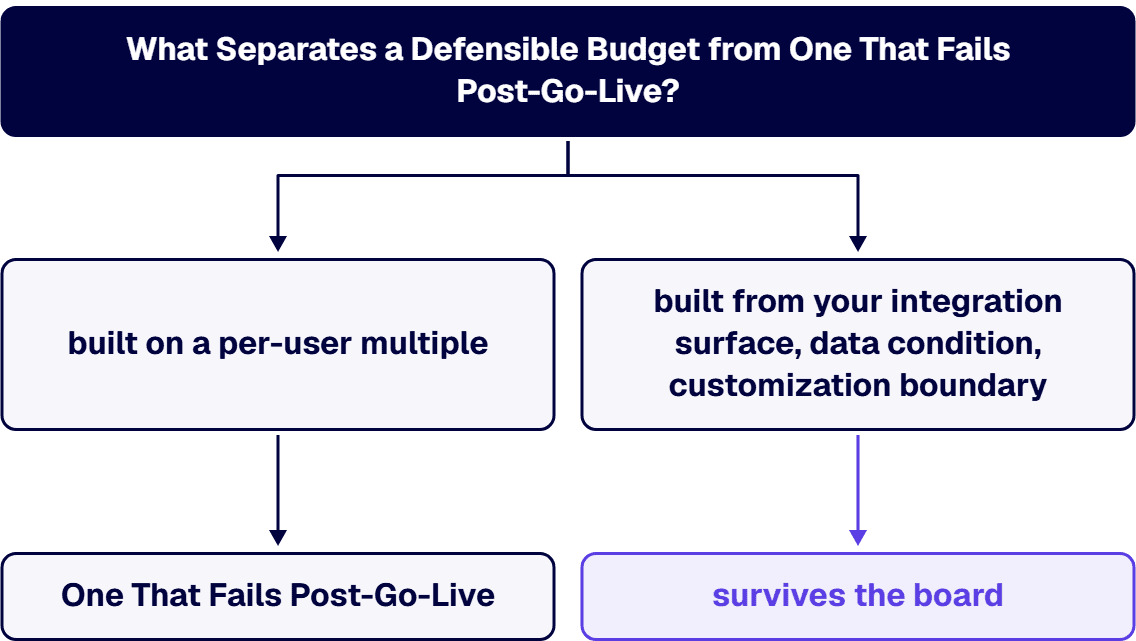
User count is the variable everyone asks about and the one that matters least; beyond a few hundred users, licensing scales linearly and implementation cost barely moves with headcount. The real drivers are structural, and a budget that names the four below survives the board while one built on a per-user multiple does not.
i3solutions approaches Dynamics 365 Finance and Supply Chain as senior US-based Microsoft engineers rather than as a license reseller, and that changes how the estimate is built. We scope the integration and data layers first, because that is where enterprise variance lives, and we put a fixed-scope discovery phase in front of any implementation commitment so the number you take to the board is derived from your systems, not from a published band. We scope the audit-ready configuration up front rather than as post-go-live remediation, drawing on delivery experience in regulated sectors including aerospace and defense manufacturing and financial services, where a Finance configuration has to survive external audit scrutiny. Delivery is phased with explicit exit ramps: each phase produces a testable increment and a decision record, so the program can be defended at audit and redirected without sunk-cost drama.
Our bias is configuration over customization, and where custom work is genuinely required we build it against Microsoft’s application lifecycle guidance so it survives platform updates without a standing maintenance tax. All of our Dynamics 365 developers and consultants are US-based, and organizations that need to blend our engineers with an in-house team can hire Dynamics 365 developers from us directly, often the fastest way to rescue a program that is over budget without restarting procurement. As a Microsoft Solutions Partner, what moves our pricing is the same list that drives every honest estimate: integration count, data condition, the customization boundary, and audit-ready configuration. What we do not do is quote a number before discovery has touched your actual systems.
Microsoft’s published US list price is $210.00 per user per month, paid yearly, for both Dynamics 365 Finance and Dynamics 365 Supply Chain Management, with Premium tiers at $300.00 each. A user who needs both modules pays one base license plus the second at a reduced attach price, not two full seats, so model the actual role mix rather than multiplying headcount by the base price.
Published US partner estimates put a Dynamics 365 Finance implementation at $150,000 to $500,000 or more, and an enterprise program above 100 users at $250,000 to $750,000 or more, on a 6 to 12 month timeline. Supply Chain Management typically lands at the upper end because it integrates with more external systems than Finance.
Because the licensing buys the platform and the implementation makes it fit your business. The budget concentrates in integration, data migration, and testing, and those phases scale with the complexity of your systems and the condition of your data, not with the number of users.
A budget survives the board when it is built from your actual integration surface, data condition, customization boundary, and audit-ready configuration requirements rather than from a per-user multiple. A fixed-scope discovery phase that produces those four numbers converts a published range into a figure you can defend.
Yes, in three defensible ways: hold the customization boundary where the process is not a differentiator; phase the rollout by entity or region so early increments fund confidence in later ones; and clean the data before migration rather than during user acceptance testing. Cutting integration, testing, or audit-ready configuration also lowers the quote, and reliably raises the total cost of the program.

US-Based | Est. 1997
© i3solutions. All rights reserved.
US-Based | Est. 1997
© i3solutions. All rights reserved.


