
Power Platform DLP Policy Administration for Regulated Enterprises
Power Platform DLP policy administration breaks at the audit moment because most regulated-enterprise teams approach vendor evaluation as a configuration-tooling comparison when the actual decision is a compliance-evidence operating model. For IT Directors and CISOs at regulated enterprises operating under CMMC, NIST 800-171, HIPAA, or FedRAMP, DLP policy administration is the compliance-evidence layer that translates Microsoft’s connector-classification controls into audit-ready artifacts that map to specific regulatory practices. As a Microsoft Gold Partner since 1997 with 600+ Microsoft platform implementations across aerospace and defense, financial services, and healthcare, i3solutions has designed and operated Power Platform DLP policy programs that survive auditor review for clients in those sectors. This guide walks through the seven-component DLP policy taxonomy that holds up at enterprise scale, the four-framework regulatory cross-map auditors actually use, the audit-evidence artifacts that translate DLP policy state into the documentation an assessor recognizes, and the partner-engagement boundary that distinguishes when an in-house team can carry the work and when borrowed expertise from senior architects accelerates the program.
Quick Answer
Power Platform DLP policy administration is the discipline of designing a seven-component connector-classification taxonomy, operating it through quarterly attestation cycles, and producing the audit-evidence artifacts that map DLP policy state to CMMC, NIST 800-171, HIPAA, and FedRAMP control families. The artifacts are what auditors recognize; the taxonomy is what makes them defensible.
What Power Platform DLP Policy Actually Controls, and Where Administration Breaks at Enterprise Scale
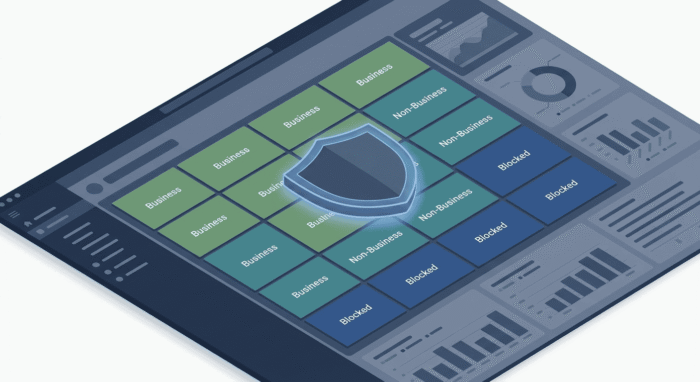
Power Platform DLP policy operates by classifying every connector available to Power Apps and Power Automate into one of three categories at policy-evaluation time. The policy then prevents flows and apps from combining connectors that sit in different non-compatible classifications, which is how compliance programs enforce information-flow boundaries at the connector level and how auditors recognize the boundary is operative. A flow that attempts to read from a Business-classified data source and write to a Non-Business-classified destination is blocked at runtime and surfaces as a DLP policy violation in the maker’s run history. The mechanism is straightforward. The administration is not.
Most regulated-enterprise IT teams discover the gap when their Power Platform footprint crosses the threshold between tactical experiment and production-scope platform. A makers community of fifty across two environments is manageable with default policies. A makers community of four hundred across six environments with three tenant boundaries and a dozen subsidiaries on different compliance scopes breaks every assumption baked into the default configuration.
The Three Connector Classifications and What They Actually Do at Runtime
Microsoft’s DLP framework for Power Platform classifies every connector into one of three groups.
Connectors appropriate for organizational data movement: SharePoint Online, Microsoft Dataverse, Microsoft 365 Outlook, Office 365 Groups, Teams, Excel Online, OneDrive for Business, and other Microsoft 365 first-party connectors typically sit here for regulated enterprises.
Connectors that may handle organizational data but cross a trust boundary: Salesforce, ServiceNow, SAP, third-party SaaS connectors. These are not blocked but cannot combine with Business connectors in the same flow without explicit policy allowance.
Connectors that may not run at all under the policy: consumer connectors (Twitter, Gmail consumer, Facebook), unsanctioned cloud storage (Dropbox, Box consumer tier), and any connector the compliance program has determined no business case justifies.
Runtime enforcement is per-flow and per-app. The policy mechanism does not inspect message contents, does not read data classification labels, and does not differentiate between PHI in a connector versus a customer-list export in the same connector. This matters because regulated-enterprise DLP programs come from compliance frameworks that classify data, not connectors. Translating a CMMC AC.L2-3.1.3 control statement about controlling the flow of CUI into a Power Platform connector-classification policy requires explicit mapping no Microsoft documentation page provides. That mapping is what compliance auditors want to see, and it is the work the DLP policy administration program produces.
Why DLP Policy Administration Fails to Scale Across Multi-Environment Deployments
Multi-environment deployments break four common DLP policy administration assumptions.
Default DLP policies apply tenant-wide, then environment-specific policies layer on top. Without explicit taxonomy design, the layering becomes inconsistent within months of footprint growth. For the broader environment-strategy context, see Power Platform Center of Excellence.
Without a documented exception governance process, exception requests get approved ad-hoc. Six months later the auditor asks why a Non-Business connector is in your Business group for the Sales environment and no one can answer because the approval was a Slack message in 2024 that no one preserved.
Custom connectors are how regulated enterprises wrap internal APIs, partner APIs, and ERP-integration endpoints. The default policy classification places custom connectors in a separate handling group; without explicit classification, custom connectors may bypass DLP enforcement entirely. Discovery typically happens at audit time.
B2B collaboration, parent-subsidiary tenant relationships, and defense-industrial-base supply chain integration introduce a connector-classification dimension the default policy framework was not designed for. Configuring this correctly requires explicit cross-tenant policy design.
These four failure modes together produce the operational reality that most regulated-enterprise Power Platform DLP policy administration programs are technically configured but not compliance-defensible.
Configuring DLP in the Admin Center vs PowerShell vs Tenant Settings
Three administrative surfaces matter. The admin center UI is the default surface for tenant-wide baselines, environment-specific policies on a small number of environments, and one-off exception handling — its limits surface at scale. The Power Platform admin PowerShell module is the scriptable surface for bulk operations, automated audit-evidence export, and policy attribute access the UI does not expose; regulated-enterprise programs at meaningful scale lean on PowerShell for quarterly attestation cycles. Tenant-level connector administration settings govern which connectors are available for DLP classification and how cross-tenant scenarios are handled at the trust-boundary level — these change rarely but always with auditor implications.
For broader Power Automate security configuration context surrounding DLP policy administration, see Securing Power Automate in High-Risk Industries.
The Compliance Cross-Map: DLP Policy Administration Against CMMC, NIST 800-171, HIPAA, and FedRAMP
DLP policy state, expressed in Microsoft’s connector-classification framework, does not directly answer auditor questions. Auditors ask “show evidence of control implementation for AC.L2-3.1.3” or “show evidence of HIPAA Security Rule technical safeguard 164.312(a)(1).” The DLP policy administration program’s job is to translate DLP state into the evidence answers, with the mapping documented explicitly enough that any qualified assessor can verify it without help from i3 or from the IT team that built it.
CMMC Level 2 Controls That DLP Policy Enforcement Provides Evidence For
Three practices are directly addressable by Power Platform DLP policy administration evidence:
Control the flow of CUI in accordance with approved authorizations. The audit-evidence artifact is the connector classification inventory tied to the CUI authorization policy by reference, plus the quarterly DLP-violation log demonstrating the enforcement is operating.
Deny network communications traffic by default and allow by exception. DLP evidence is the explicit Blocked classification list plus the documented exception governance for any connector that moved from Blocked to Non-Business or Business.
Adjacent evidence: connectors that operate against removable media or removable-media-adjacent services (consumer cloud storage, USB-bridge integrations) belong in the Blocked classification, and the connector inventory’s evidence of these being Blocked supports the broader MP.L2-3.8.7 control narrative.
NIST 800-171 and HIPAA Technical Safeguards Anchored by DLP Policy Taxonomy
NIST 800-171 r2 controls 3.1.3 and 3.13.6 are the same controls CMMC Level 2 imports as AC.L2-3.1.3 and SC.L2-3.13.6. Defense-industrial-base prime contractors typically operate under NIST 800-171 r2 directly (DFARS 252.204-7012 self-attestation) and CMMC Level 2 as a layered assessment regime. The evidence artifacts overlap substantially; the audit-evidence translation work needs to support both framings without producing two parallel artifact sets.
HIPAA Security Rule technical safeguard 164.312(a)(1) Access Control is adjacent rather than central to most DLP controls. Healthcare regulated-enterprise Power Platform programs treat DLP policy administration as one of several technical safeguards collectively supporting the 164.312(a)(1) control narrative, with the connector classification inventory and exception-governance log positioned as supporting evidence.
FedRAMP Moderate baseline AC-4 Information Flow Enforcement with control enhancements AC-4(4), AC-4(8), and AC-4(21) is directly addressed by Power Platform DLP policy administration evidence at the AC-4 base control. FedRAMP Moderate authorization packages typically present DLP policy administration evidence as part of the AC-4 control implementation narrative, with cross-references to SC-7 Boundary Protection and SC-8 Transmission Confidentiality.
The pattern across all four frameworks is consistent: the connector classification inventory plus the exception-governance log plus the quarterly DLP-violation reconciliation are the core artifacts; the framing changes per framework but the evidence base does not.
Translating DLP Policy State Into Audit-Evidence Artifacts Auditors Recognize
Six artifacts cover the audit-evidence requirements across CMMC, NIST 800-171, HIPAA, and FedRAMP scope.
Enumerates every connector, its classification, environment scope, policy-document reference, and date of last review. The artifact assessors ask for first — typically runs to several hundred rows for regulated-enterprise tenants.
Records every exception approval since the prior quarterly review: requester, connector involved, business case, approving authority, date approved, expiration date if applicable. The answer to “why is connector X in classification Y for environment Z.”
Records every DLP policy violation observed in run history during the quarter: the maker, the flow or app, the violation type, the date, and the disposition. Demonstrates the enforcement is operating against the actual flow population.
Lists every custom connector with the classification rationale and the data source or destination the connector reaches. Closes the gap where custom connectors bypass DLP enforcement by default.
Documents every B2B, subsidiary, or partner-integration scenario where connector-mediated data flow crosses tenant boundaries, with the policy stance, cross-tenant trust-boundary documentation, and cross-references to the partner’s compliance attestation.
Summarizes the prior quarter’s DLP policy administration state, names the IT Director or CISO signing the attestation, and signals open items requiring follow-up. The artifact that survives the longest in audit trails and that auditors reach for first for a single-document summary.
Designing and Configuring the DLP Policy Taxonomy
A DLP policy taxonomy that holds up at enterprise scale has seven components. The taxonomy is not a Microsoft framework or a Power Platform Center of Excellence Starter Kit module — it is the operating-model abstraction that i3solutions has refined through Power Platform DLP engagements across aerospace and defense, financial services, and healthcare programs and that audit-defensible programs converge on regardless of starting state.
The taxonomy design methodology has four phases: assess (the current DLP state against the seven taxonomy components and the tenant’s compliance scope), design (the seven components against the operating model and assemble the connector inventory baseline), validate (the designed taxonomy against the four-framework regulatory cross-map and audit assessor expectations), and operate (the taxonomy through the audit-evidence cadence and the change-control discipline). The four phases are sequential at engagement start and become parallel cadences once the program reaches operating steady-state.
The Seven-Component DLP Policy Taxonomy
Tenant-Level Baseline Policies
The default DLP policy applied at the tenant scope when no environment-specific policy overrides it. Conservative by design: Blocked includes consumer cloud storage and consumer social connectors; Business is limited to first-party Microsoft 365 connectors plus explicitly classified internal connectors. Baseline changes go through a documented review cycle.
Environment-Level Overrides
Per-environment refinements that tighten or loosen the baseline based on the environment’s compliance scope, maker community, and data sensitivity. Production environments handling CUI receive the tightest overrides; sandbox environments may receive looser overrides for legitimate learning use cases with explicit policy documenting the scope.
Connector Classification Governance
The process for adding, reclassifying, or removing a connector from a classification. New Microsoft-released connectors enter the Non-Business classification by default until explicitly reviewed; third-party SaaS connectors enter Blocked until business case justifies promotion. Reclassification requires the same governance as initial classification.
Custom Connector Handling
Policy and process for treating connectors built in-house, by partners, or by vendors specifically for the tenant. Custom connectors are explicitly classified at creation time, registered in the custom connector classification register, and subject to a more frequent review cadence than first-party connectors.
Exempt Scenarios
Documented business scenarios where standard policy enforcement is relaxed for a specific identified business reason. Common scenarios: emergency-response flows, senior-executive-approved temporary cross-classification flows for M&A scenarios, partner-integration flows with documented cross-tenant trust boundaries. Each exempt scenario is enumerated with the policy stance and review cadence.
Exception Request Workflow
The process for makers to request a temporary or permanent exception when a legitimate business flow requires a non-default connector combination. The workflow names the requesting authority, the approving authority, the expiration mechanism if applicable, the documentation requirement, and the audit-evidence implications.
Cross-Tenant B2B and External Sharing
The policy stance for B2B collaboration scenarios, parent-subsidiary tenant relationships, defense-industrial-base supply chain integration, and any other scenario where Power Platform connector-mediated flows cross tenant boundaries. Cross-tenant policy is documented at the trust-boundary level with cross-references to the partner’s compliance attestation, the data-handling agreement, and the relevant component-1-through-6 policy implications.
Configuring Tenant-Level Baseline Policies and Environment-Level Overrides
Configuration of the tenant-level baseline (Component 1) happens in the Power Platform admin center under Policies > Data policies > New policy at tenant scope. For regulated-enterprise tenants, the initial baseline configuration typically takes a senior administrator four to six hours including connector inventory review against the tenant’s compliance scope. The configuration changes are version-controlled by exporting the policy via PowerShell using Get-DlpPolicy and committing the export to the Power Platform application lifecycle management discipline alongside other policy-as-code artifacts. For broader Power Platform governance framework context, see Power Platform Governance.
Environment-level overrides (Component 2) are configured per environment in the same Data policies surface but with environment scope rather than tenant scope. For regulated-enterprise programs operating across many environments, the override design pattern is typically a small number of override templates (typically three to five: one for production environments handling CUI, one for production environments outside CUI scope, one for sandbox, one for partner-integration) applied consistently across environments fitting each template’s profile.
Custom Connectors, Exemptions, and Cross-Tenant Sharing: Where Compliance Posture Breaks
The three taxonomy components most prone to compliance posture degradation are Component 4 (custom connectors), Component 5 (exempt scenarios), and Component 7 (cross-tenant B2B). These three components are where regulated-enterprise programs most frequently surface audit findings.
Custom connectors fail compliance posture when they are created without explicit classification at creation time. The Power Platform admin center does not force a classification step at custom connector creation; a custom connector created by a maker with admin-tier permissions enters the tenant in an unclassified state and operates in a default-allow posture until explicitly classified. The fix is process: every custom connector creation triggers a classification review within five business days; unreviewed custom connectors revert to Blocked automatically through PowerShell-driven enforcement.
Exempt scenarios fail compliance posture when the exemption documentation is incomplete or stale. A scenario approved in 2024 for a specific due-diligence project may still be operating in 2026 against connectors used by a different team for a different purpose. The fix is review cadence: every exempt scenario is reviewed at least annually, with the review either renewing the exemption with updated documentation or retiring it.
Cross-tenant B2B fails compliance posture when the partner’s compliance attestation lapses or when the partner’s DLP policy state changes in ways the regulated tenant’s policy did not anticipate. The fix is partner-attestation linkage: cross-tenant policy entries carry the partner’s most recent attestation date and a renewal trigger that surfaces when the attestation is within ninety days of expiration.
A defense contractor in the DoD supply chain operating with 1,800 makers across seven environments discovered during its first internal DLP audit that roughly 23% of their Power Automate flows used a non-compliant data path combining GCC High SharePoint with commercial Outlook for compliance reporting. The taxonomy redesign separated GCC High and commercial connector pools at the policy level using the seven-component pattern above, eliminating the non-compliant flow pattern within the operating cycle following the audit finding and producing the audit-evidence artifacts in the form CMMC Level 2 assessors recognized.
Auditing DLP Policy Effectiveness and Producing Compliance Evidence
The audit-evidence artifacts are the deliverables; auditing DLP policy effectiveness is the process that produces them and the discipline that keeps them current. The audit work breaks into two patterns: continuous operational auditing (watching for DLP violations in run history and dispositioning them on a working cadence) and quarterly compliance auditing (reconciling DLP state against policy intent and producing the attestation memo).
The Three Failure Mode Signatures DLP Violations Leave in Run History
DLP violations surface in run history with distinguishable signatures that indicate which of three operational failure modes is in play.
A maker built a new flow that combines connectors the policy disallows. The flow fails at design time with a DLP policy violation banner. Zero runtime violations because the flow never deployed.
Fix: maker education and the exception request workflow at Component 6.
A flow that previously ran successfully now fails at runtime because the DLP policy tightened after the flow deployed. Runtime signature: policy-violation event with a timestamp after the policy change date.
Fix: flow remediation or exception request. High counts after a policy tightening signal the policy change rolled out without adequate maker communication.
A flow fails intermittently when specific data triggers the connector classification mismatch. The runtime signature is the policy-violation event tied to specific data values rather than to the flow definition.
Fix: taxonomy-level — the custom connector or cross-tenant policy needs explicit treatment the default tenant policy lacks.
Audit-defensible programs report the violation distribution stable around mostly maker-error (expected operational background) with low policy-drift (indicating policy changes roll out cleanly) and low data-context (indicating the taxonomy is comprehensive enough to anticipate scenarios).
Sampling, Attestation, and Exception Review Patterns for Quarterly Audit Cycles
Quarterly compliance auditing runs three patterns in sequence.
Sampling pattern: Select a representative ten percent of environments (or all environments if the tenant operates under twenty), pull the DLP policy state via PowerShell, compare against the policy-document intent, and document any divergence with disposition. For each sampled environment, pull a sample of flows (typically five to ten) and verify the connector usage matches the environment’s policy stance.
Attestation pattern: The quarterly memo summarizes the sampling pattern’s findings, names the IT Director or CISO signing, references the prior quarter’s open items and their disposition, and names the current quarter’s open items and the planned disposition. Brief by design (typically one to three pages); the supporting artifacts carry the operational detail.
Exception review pattern: Every exempt scenario at Component 5 is reviewed quarterly. The review asks four questions: is the business case still valid, is the documented scope still accurate, is the policy stance still appropriate, and is the review-or-expiration cadence still right. Each scenario either renews with updated documentation or retires.
A regional financial services firm preparing for SOC 2 Type II renewal needed audit-evidence artifacts proving DLP policy enforcement across 240 production flows running in a three-environment Power Platform deployment. The connector-classification attestation log produced quarterly via PowerShell automation, mapping each production flow to its connector pairings and DLP policy state at the attestation date, became the auditor’s primary evidence trail for the SOC 2 trust services criteria CC6.1 access control objective, replacing roughly three weeks of manual flow-by-flow documentation that had consumed the IT team in the prior cycle.
Evaluating a Power Platform DLP Policy Administration Partner: When to Handle In-House versus Engage Outside Expertise
Most regulated enterprises can handle some portion of Power Platform DLP policy administration in-house, and most also benefit from borrowed expertise from senior architects for at least the taxonomy design and the initial audit-evidence artifact build. The decision is rarely binary.
Three Signals That Indicate the Partner-Engagement Boundary
The team can configure DLP policies in the admin center fluently but has never produced the audit-evidence artifacts in the form an assessor expects. The partner engagement is typically scoped to taxonomy design plus artifact build, with the in-house team operating the program after handoff.
CMMC Level 2 audit prep, FedRAMP authorization package readiness review, HIPAA Security Risk Assessment renewal, or DFARS annual self-attestation cycles all generate this signal. The partner engagement is typically scoped to accelerate the artifact build-out to meet the audit timeline, with knowledge transfer baked in.
Multi-tenant scenarios, environment proliferation, custom connector inventory growing beyond ad-hoc review capacity, or cross-pillar coordination with broader Microsoft 365 compliance programs becoming complex. The partner engagement is scoped to operating model redesign across the full taxonomy.
How i3solutions Structures Power Platform DLP Policy Administration Engagements
The i3solutions engagement structure for Power Platform DLP policy administration is artifact-led. Engagements produce the seven-component taxonomy, the six audit-evidence artifacts, the quarterly operating cadence, and the in-house operator enablement that closes out the engagement. Engagement scope adapts to which of the three signals prompted the engagement.
i3solutions has run Power Platform DLP policy administration engagements for clients across aerospace and defense, financial services, and healthcare, including Pratt and Whitney, Brown Advisory, and Kaiser Permanente. The pattern recognition from 600+ Microsoft platform implementations produces taxonomy designs that hold up under CMMC, NIST 800-171, HIPAA, and FedRAMP audit review and operating cadences the in-house team can sustain after engagement handoff.
Frequently Asked Questions
How much does Power Platform DLP policy administration cost to set up and operate at enterprise scale?
Power Platform DLP policy administration setup cost for regulated enterprises depends on the existing state, the compliance scope, and the engagement structure. A taxonomy design and initial audit-evidence artifact build for a tenant with a moderate-complexity Power Platform footprint (two to four hundred makers, six to twelve environments, a dozen custom connectors, single compliance framework) is scoped as a defined professional services engagement; i3solutions provides specific pricing during the Power Platform advisory discussion based on the tenant’s actual state. Operating cost after setup is primarily the quarterly cadence, which most in-house teams absorb within their existing Power Platform administrator capacity once the taxonomy and artifact templates are established.
How do you change DLP policy in Power Platform without disrupting active flows and apps?
DLP policy changes that tighten classifications carry runtime disruption risk for flows and apps that depend on the connector combinations the change disallows. The audit-defensible approach has four parts: announce the change in advance with a maker communication naming the specific connectors moving and the change date (typically two weeks for non-urgent changes, seventy-two hours for urgent compliance-driven changes); stage the change through a non-production environment first to identify affected flows; apply in production with a maker-facing watch period where the DLP violation log surfaces affected flows; and record the change and the affected-flow disposition in the next quarterly attestation memo.
Is DLP compliance required for CMMC, NIST 800-171, HIPAA, or FedRAMP?
DLP policy administration is not named explicitly as a required practice in any of the four frameworks, but DLP policy administration evidence is what auditors expect for the information-flow-enforcement controls each framework includes. CMMC Level 2 practice AC.L2-3.1.3 and NIST 800-171 r2 control 3.1.3 are the most directly addressed; HIPAA Security Rule technical safeguard 164.312(a)(1) is adjacent; FedRAMP Moderate AC-4 is addressed by Power Platform DLP evidence paired with adjacent boundary-protection evidence. The pragmatic answer: if the tenant operates under any of these four frameworks and has a Power Platform footprint of meaningful size, audit-defensible DLP policy administration is required in practice even though no framework writes the requirement in DLP-specific language.
Power Platform DLP policy administration that survives auditor review is the difference between a Power Platform program operating under audit risk and a Power Platform program operating under audit confidence. i3solutions has designed and operated DLP policy administration programs for regulated enterprises across aerospace and defense, financial services, and healthcare, with the pattern recognition from 600+ Microsoft platform implementations behind every engagement.
Leave a Comment