
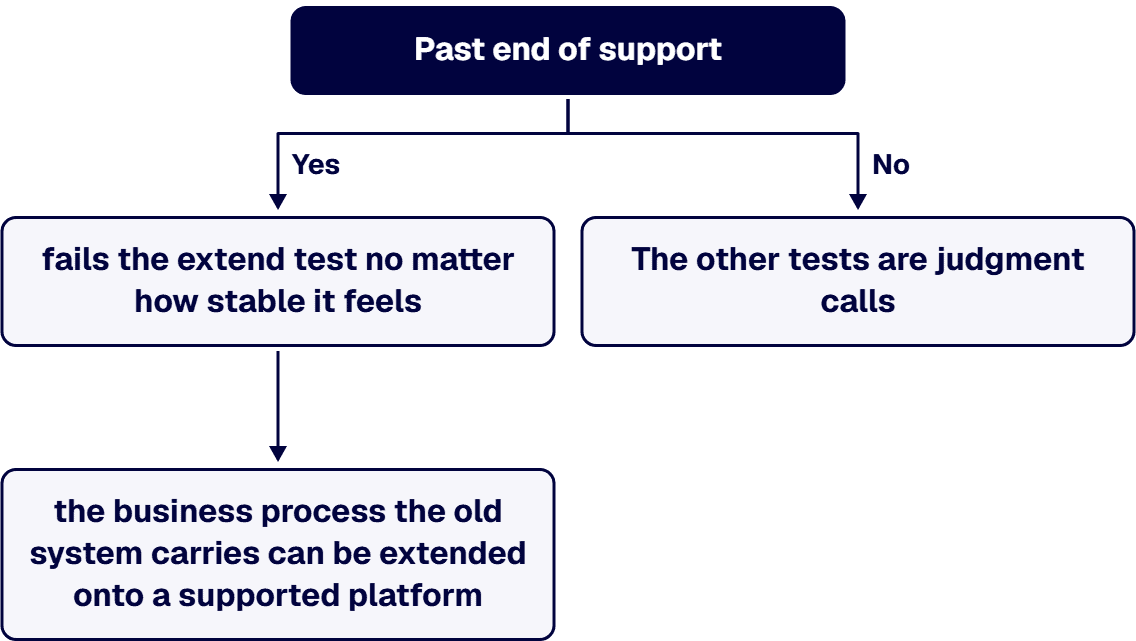
Stable and extensible are different properties, and most estates have the first without the second. Answer the question per system rather than per estate, against four tests: supportability, dependency count, evidence obligation, and change-failure behavior. One of the four is a matter of public record rather than judgment. Microsoft’s Ending Support in 2026 lifecycle page, read 2026-08-22, lists SharePoint Server 2016, SharePoint Server 2019, SharePoint Designer 2013, InfoPath 2013, Project Server 2016, Project Server 2019, SQL Server 2016, and Dynamics GP 2016 as reaching End of Support on July 14, 2026. A system past end of support fails the extend test no matter how stable it feels, because “no new security updates” is not a property you can engineer around. The other three tests are judgment calls, and they resolve into a disposition per system: extend, wrap, rebuild, or retire. A single verdict for the whole estate is almost always the wrong shape of answer.
Stability is a statement about unplanned failures: how often the thing breaks when nobody touches it. Extensibility is a statement about planned change: whether the system can absorb a new obligation at a cost you can predict before you commit to it. They are measured differently, they fail differently, and one does not imply the other.
The uncomfortable case is the system that is stable because nobody changes it. Its uptime is excellent. Its change-failure rate is unknown, because there have been no changes. Every person who understood its integration surface has left. It is not stable in any sense that helps you decide whether to build the next three years of business capability on top of it. It is dormant, which reads as stable right up until the moment you ask it to do something new.
Two questions separate the cases in about five minutes, and they are worth asking before any assessment is scoped:
This test is first because it is the only one that does not require an assessment to answer. It is published, dated, and binary, and for a large number of Microsoft-centered estates it resolved five weeks ago.
Microsoft’s Ending Support in 2026 page, read 2026-08-22, groups the following under “Products reaching End of Support” with an End of Support date of July 14, 2026: Dynamics GP 2016, Dynamics GP 2016 R2, InfoPath 2013, Project Server 2016, Project Server 2019, SharePoint Designer 2013, SharePoint Server 2016, SharePoint Server 2019, SQL Server 2014 Extended Security Updates Year 2, and SQL Server 2016. The page states that “Upon retirement or end of support, there will be no new security updates, non-security updates, free or paid assisted support options or online technical content updates.”
The individual product pages express the same boundary as a timestamp. The SharePoint Server 2016 lifecycle page lists a Mainstream End Date of 7/14/2021 and an Extended End Date that Microsoft’s end of support list gives as July 14, 2026, and the SharePoint Server 2019 page lists a Mainstream End Date of 1/10/2024 and the same Extended End Date. Both follow the Fixed Lifecycle Policy. It is one boundary described two ways, not two dates.
A few more from the same Ending Support in 2026 page land inside the same planning horizon and are easy to miss because they sit in different parts of the estate: Dynamics CRM 2016 reached End of Support on January 13, 2026; Dynamics NAV 2016 and Dynamics C5 2016 on April 14, 2026; Office LTSC 2021, Windows 10 2016 LTSB, and Windows Server 2012 and 2012 R2 Extended Security Update Year 3 on October 13, 2026.
How to read this test. Past end of support, “extend” is not a decision you get to make about the platform. It is still a decision you can make about the capability: the business process the old system carries can be extended onto a supported platform. The SharePoint Server Subscription Edition lifecycle page, read the same day, lists it under the Modern Lifecycle Policy with a Retirement Date of “In Support,” which is what a live extend target looks like. Confusing the platform question with the capability question is what produces the false choice in the room: nobody wants to replace a business process that works, and nobody has to.
That argument runs on adjectives because nobody has produced the count, and it can be settled in a week. Fragmentation has two countable dimensions: how many platforms hold a piece of the workflow, and how many integration points join them.
Those counts are how modernization work is actually scoped. At i3solutions, a Stabilization Protocol engagement (Phase 1 dependency mapping plus Phase 2 risk-sequenced triage) typically costs between $85,000 and $175,000 for enterprises running four to six Microsoft platforms with 40 to 120 integration touchpoints. That band is worth reading as a diagnostic rather than a price: an estate in it is one where the dependency map does not exist yet and has to be built before any extend-versus-replace call can be defended.
The sequence matters more than the number. Typical Stage 1 dependency mapping for a mid-market regulated enterprise runs between $45,000 and $120,000 depending on estate size; the Stage 2 risk-sequenced migration plan runs between $30,000 and $75,000 depending on the phases involved; the Stage 3 stabilization plan and the migration execution that follows scope to the engagement. Dependency mapping is Stage 1 because a disposition assigned before the map exists is a guess wearing a schedule.
What to count, concretely:
That is the moment the third test gets failed, and it arrives long after the extension shipped. In a regulated estate, an extension inherits the compliance obligation of whatever it attaches to, and the obligation stays invisible until somebody asks for the artifacts. It is also where the assumption that extending is automatically the cheaper option comes apart. Regulated-industry SharePoint modernization carries roughly 25 to 35 percent cost overhead versus commercial work for equivalent scope, driven by control mappings, audit-trail discipline, and zero-downtime cutover patterns. That overhead does not stop at the boundary of the original system; it applies to whatever you attach.
An extension bolted onto a system whose audit trail is assembled by hand does not inherit a cheap obligation. It inherits an expensive one, and it usually makes the manual work larger, because there is now more scope to document on the same annual cycle.
The practical question: if you extend this system, can it produce the artifacts for the new scope at the same grain, on the same cadence, without new manual effort? If the answer needs a person and a spreadsheet, price that manual step per reporting cycle and add it to the extension estimate. Build estimates price construction. They do not price the annual proof cycle that follows it.
The last test is behavioral and it is the one that most reliably separates an estate that can be extended from one that cannot. It is not “does it break.” It is “what happens downstream when we deliberately change one thing.”
Three signals are worth collecting before any decision, and all three are available from history rather than from a new study:
The four tests do not average into a verdict. They sort each system into one of four dispositions, and a healthy estate typically contains all four at once.
The reason the estate-wide answer fails is visible in the table: “extend” and “rebuild” are frequently both correct in the same estate, for different systems, in the same quarter. A single verdict forces one of them onto systems where it does not fit, and the cost of that mistake is paid quietly over the following two years.
Running the four tests is an assessment, not a project, and it should be scoped as one. For reference points from i3solutions engagements:
i3solutions delivers through its Expert Delivery Model, a four-phase methodology (discovery, architecture, build, and knowledge transfer) with explicit exit criteria and delivery assurance at every handoff. For this decision, the phase that matters is the first one, and the exit criterion is specific: a named disposition for every system in scope, with the finding that produced it.
An estate-wide verdict. “The systems are fine” and “the systems need replacing” are both estate-wide claims, and an estate is not a system. The correction is mechanical: produce a list, assign a disposition per row, and require the finding that justifies it next to it. Once each system has a disposition, the retire decisions are covered in enterprise system consolidation.
Extending onto a platform that is out of support. This is the expensive one, because it looks like the cheap option on the day it is chosen. The build lands, it works, and the platform underneath it has no security updates. The extension then has to be redone inside the migration that was deferred, and it is paid for twice.
The upside of getting the disposition right is not theoretical. One IT systems analysis for a federal housing agency identified about $1.5 million in savings and led to processing roughly 35 percent faster by finding the real constraints. One modernization retired about $500K a year. One integration for a commercial real-estate operator processed work about 40% faster while retaining roughly 90% of historical data, and that speed repeats on every cycle, not once. When i3solutions rebuilt a spreadsheet-bound estimating process into a web application, it removed version-control errors across hundreds of estimates and cut approval cycles from five days to one. In each case the value came from correctly identifying which systems were the constraint, not from replacing everything.
When a leadership team cannot agree on whether an estate can be extended, the disagreement is almost never about the estate. It is that four different tests are being run informally, in four heads, and no one has produced the row-by-row list that would let the tests be compared. An outside read is useful mainly because it forces that list to exist, with a named disposition and the finding behind it, before anyone commits budget to a direction.
That list is also the thing you take into a committee. Most of the people who have to approve an extend-versus-replace decision were not in the technical conversations, and what convinces them is not a recommendation. It is a supportability date they can check against a vendor page, a touchpoint count, and a clear statement of which systems the decision does not apply to. A short scoping conversation before committing budget is usually enough to establish whether the list can be produced in a week or needs a full dependency map first.
You will get a straight answer either way, including the answer that the current estate is in support, is not meaningfully fragmented, and should be extended rather than touched. That is a common finding and a legitimate outcome of the work.

US-Based Microsoft System Integrator | Est. 1997
© i3solutions. All rights reserved.
US-Based Microsoft System Integrator | Est. 1997
© i3solutions. All rights reserved.


