Microsoft Application Backlog Surge Capacity Teams


IT leaders in large organizations face an uncomfortable truth: their application backlog has grown beyond what internal teams can reasonably tackle. Business units submit dozens of requests monthly for Power Platform apps, SharePoint modernization, workflow automation, and system integrations. Meanwhile, existing systems require constant maintenance, security updates, and compliance reviews that consume most available development capacity. Internal teams spend 60–70% of their time on operational support and keeping-the-lights-on activities, leaving minimal bandwidth for new development. When dedicated agile teams are brought in strategically, organizations typically see their backlog reduction accelerate by 200–300% while maintaining the governance standards that internal teams have established.

Key Takeaways

  • Internal teams spend 60–70% of their time on operational support, leaving minimal capacity for new development. Surge capacity pods focus exclusively on backlog items without operational interruptions or context-switching overhead.
  • Average time-to-hire for senior Microsoft developers ranges from 4–8 months, while external pod deployment can begin within 2–4 weeks, making surge capacity faster and more flexible than permanent hiring for addressing a defined backlog.
  • Companies using dedicated pods for Power Platform backlogs report 3–5x faster delivery velocity compared to internal teams juggling multiple priorities, because pod members work exclusively on backlog items without interruption.
  • Governance-first approaches to surge capacity reduce security review cycles from 4–6 weeks to 1–2 weeks per deliverable by following established architectural patterns, turning security reviews into verification rather than discovery.
  • Organizations that establish clear definition of ready and done criteria see 85%+ on-time delivery rates from surge capacity teams versus 70–80% for ad-hoc external resources.
  • Structured backlog reduction using external teams typically costs 20–30% less than equivalent permanent hires when accounting for benefits, training, and ramp-up time – and eliminates the long-term cost commitment risk of over-hiring for a temporary surge.

Quick Answer

Organizations with 12–18 month application backlogs can achieve 40–60% reduction within 6 months using dedicated Microsoft-specialist surge capacity teams instead of permanent hires. The key is deploying focused pods that operate under existing governance frameworks while targeting low-to-medium risk work like Power Platform apps, SharePoint modernization, and Dynamics 365 customizations that can execute in parallel without disrupting core operations.

The Backlog Reality in Large Microsoft-Centric Enterprises

Dozens of Competing Requests Across Business Units

Finance wants automated expense reporting workflows. Operations needs real-time dashboard visibility into manufacturing metrics. HR requires employee onboarding apps that integrate with existing systems. Sales demands CRM customizations that improve pipeline visibility. Each request appears reasonable in isolation, but collectively they create an 18+ month queue that frustrates stakeholders and undermines IT’s credibility.

Business units begin building shadow IT solutions or purchasing redundant SaaS tools because official channels cannot deliver within acceptable timeframes. This fragmentation increases security risk, creates data silos, and multiplies long-term maintenance burden. The pattern repeats across industries: organizations with mature Microsoft 365 and Power Platform foundations generate more requests than their internal capacity can satisfy.

Internal Teams Stuck on Operational Work

Senior Microsoft developers spend disproportionate time on maintenance activities that prevent them from tackling new initiatives. Legacy SharePoint sites require security patches and permission reviews. Power Platform environments need governance policy updates and capacity monitoring. Dynamics 365 customizations require testing after Microsoft releases quarterly updates.

This operational overhead is not optional – it represents the cost of maintaining a stable, compliant Microsoft environment. However, it creates a resource allocation problem where the most skilled team members become trapped in support cycles rather than delivering business value through new applications. Internal teams also face context-switching overhead when they attempt to balance operational responsibilities with project work, reducing overall velocity and extending project timelines unpredictably.

Why Hiring More Full-Time Employees Is Not Always the Answer

Budget, Headcount, and Time-to-Hire Constraints

Enterprise hiring processes impose significant delays on backlog resolution. Senior Microsoft developers command $130K–$180K base salaries plus benefits, training costs, and equipment. Headcount approvals require CFO sign-off and often compete with other strategic initiatives for budget allocation. Average time-to-hire for senior Microsoft developers ranges from 4–8 months, while external pod deployment can begin within 2–4 weeks. During the recruitment period, backlogs continue growing and stakeholder frustration increases.

Risk of Over-Hiring for a Temporary Surge

Application backlogs often represent temporary capacity mismatches rather than permanent staffing gaps. Business units may submit multiple years of accumulated requests simultaneously when new platforms become available. Market conditions, regulatory changes, or strategic initiatives can create spikes in application demand that normalize over 12–18 months.

Permanent hires create long-term cost commitments that may exceed actual need once backlogs clear. Organizations risk over-staffing scenarios where expensive senior developers lack sufficient challenging work, leading to retention problems and budget inefficiency. Surge capacity requirements also vary by technology platform and project type – building permanent teams with all necessary specializations becomes cost-prohibitive for most organizations.


Explore Dedicated Surge Capacity Pods

i3solutions provides dedicated Microsoft-specialist surge capacity teams that operate under your governance framework and deliver measurable backlog reduction within 60–90 days - without permanent hiring commitments. Power Platform, SharePoint, Dynamics 365, and custom .NET development. US-based senior resources only.

Surge Capacity Using Dedicated Microsoft-Specialist Teams

Structuring 6–18 Month Pods to Attack Defined Backlogs

Effective surge capacity pods are structured around specific backlog themes rather than generic development capacity. A Power Platform pod might focus exclusively on automating manual processes across finance and operations departments. A SharePoint modernization pod tackles document management and collaboration improvements. A Dynamics 365 integration pod addresses data flow and reporting gaps between business systems.

Pod duration typically ranges from 6–18 months depending on backlog size and complexity. Six-month engagements work well for focused initiatives like Excel-to-web conversions or Power Automate workflow implementations. Twelve to eighteen-month engagements suit larger modernization efforts that require multiple phases, such as comprehensive SharePoint intranet rebuilds or enterprise-wide Power Platform governance implementation.

Companies using dedicated pods for Power Platform backlogs report 3–5x faster delivery velocity compared to internal teams juggling multiple priorities. This acceleration comes from sustained focus: pod members work exclusively on backlog items without interruption from operational support requests or competing initiatives.

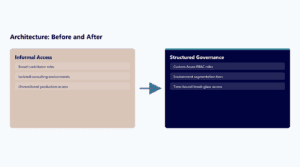
Operating Under a Governance-First, Architecture-Led Blueprint

Surge capacity teams must operate within established governance frameworks to maintain security, compliance, and long-term maintainability. This means starting each engagement with architecture definition and governance alignment before any development begins. Governance-first approaches reduce security review cycles from 4–6 weeks to 1–2 weeks per deliverable – when external teams understand and follow established patterns for data access, user permissions, and deployment processes, security reviews become verification rather than discovery.

The architecture-led blueprint includes standard patterns for common backlog items: Power Apps canvas app templates, Power Automate workflow patterns, SharePoint site templates, and data integration standards. Companies maintaining architectural blueprints see 60% fewer rework cycles when using external development pods.

Targeting the Right Work: Power Platform, SharePoint, Dynamics 365, and Custom .NET

Low- to Medium-Risk Work That Can Execute in Parallel

Power Platform applications represent the ideal surge capacity workload: they are typically departmental in scope, follow established governance patterns, and can be built independently of each other. Examples include expense reporting apps, equipment request workflows, training management systems, and departmental dashboards. These applications deliver immediate business value without requiring changes to core enterprise systems.

SharePoint modernization projects also work well for surge capacity – particularly intranet updates, document library reorganization, and collaboration site improvements. Dynamics 365 customizations and integrations represent medium-risk work suitable for experienced surge capacity teams: custom fields, workflow modifications, and reporting enhancements can significantly improve business processes without affecting core CRM or ERP functionality.

Critical Dependencies That Must Stay with Core Teams

Certain types of work should remain with internal teams regardless of backlog pressure. Core infrastructure changes, security policy modifications, and enterprise architecture decisions require deep organizational knowledge and long-term accountability that external teams cannot provide.

The decision framework focuses on blast radius and recovery complexity. If an application failure would affect only the requesting department and can be resolved within normal business hours, it is suitable for surge capacity. If failure would cascade to other systems or require emergency response procedures, it should remain with internal teams or receive additional oversight and testing protocols.

Prioritization and Planning for Backlog Execution

Grouping Items into Thematic Waves

Thematic grouping allows surge capacity teams to develop domain expertise that accelerates delivery across related projects. A finance-focused wave might include expense reporting, budget tracking, vendor management, and financial dashboard applications. Each subsequent application benefits from the team’s growing understanding of finance department workflows, data sources, and user requirements.

Platform-based grouping works well for organizations with diverse application needs but consistent technology preferences. A Power Platform wave addresses all Power Apps and Power Automate requests across departments, building reusable components and governance patterns that benefit every application. Department-based grouping suits organizations where individual departments have multiple related requests, allowing the surge capacity team to understand operational workflows comprehensively.

Establishing Definition of Ready, Definition of Done, and Acceptance Criteria

Organizations that establish clear definition of ready and done criteria see 85%+ on-time delivery rates from surge capacity teams. These definitions create shared understanding between business stakeholders, internal IT teams, and external surge capacity resources about what constitutes a complete, acceptable deliverable.

Acceptance Criteria Framework for Surge Capacity Deliverables

  • Functional testing requirements and pass/fail thresholds
  • Security review checkpoints and approval workflows
  • Performance benchmarks for applications under expected load
  • Documentation standards including technical specifications and user guides
  • Training requirements for end users and internal support teams
  • Rollback procedures and contingency planning for production issues

Case Snapshot: Clearing a Power Platform and Excel-to-Web Backlog

A mid-sized aerospace manufacturer faced a 24-month Power Platform backlog spanning quality control documentation, supplier onboarding workflows, and departmental reporting automation. Rather than hiring additional permanent staff, the organization deployed a dedicated 4-person Microsoft specialist pod for 10 months to systematically clear the accumulated requests.

The pod created a standardized Power Apps template that included consistent navigation, security integration, and data validation patterns – reducing development time for subsequent applications by 40–50% while ensuring visual consistency and security compliance across all deliverables. Data architecture standardization established common Dataverse table structures for typical business entities that could be extended for specific use cases.

As the pod gained momentum, delivery velocity increased from 2 applications per month to 4 to 5 applications per month by month six. The organization reduced their 24-month Power Platform backlog to 6 months of remaining work within 10 months of pod deployment – a net reduction of 18 months in accumulated requests. Quality control automation reduced documentation processing time from 4 hours to 30 minutes per inspection report. Supplier onboarding workflows eliminated 2 to 3 weeks of manual coordination per new vendor. Stakeholder satisfaction scores increased from 2.3/5.0 to 4.1/5.0 on questions related to IT responsiveness and delivery predictability.

Measuring the Impact of Surge Capacity

The primary surge capacity metric is backlog burn-down rate measured against original timeline projections. Beyond raw velocity, business outcome metrics demonstrate the value of cleared backlog items – with average process efficiency improvements of 60–70% across delivered applications and payback periods ranging from 4 to 8 months.

Delivery Metrics

  • Monthly backlog burn-down rate vs new request intake
  • Average time from request to production deployment
  • Percentage of deliverables accepted without rework
Business Outcome Metrics

  • Business process efficiency improvements in time savings
  • User adoption rates within 90 days of delivery
  • Reduction in shadow IT purchases and workaround solutions

How i3solutions Provides Microsoft Surge Capacity Teams

i3solutions structures surge capacity engagements around dedicated Microsoft-specialist pods that integrate seamlessly with your existing governance frameworks and delivery processes. Our approach provides complete team units with established working relationships, proven delivery patterns, and deep Microsoft ecosystem expertise that requires minimal ramp-up time.

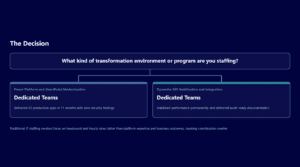
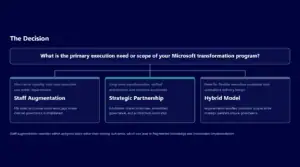
Backlog Pods are dedicated 2 to 4 person teams focused exclusively on clearing defined segments of your application backlog, operating independently within your governance framework while delivering 8 to 15 related backlog items over 6 to 12 months. Modernization Waves tackle larger transformation initiatives that span multiple platforms or business units over 6 to 18 months with larger team structures including architects, migration specialists, and change management support. Co-Delivery models embed our specialists within your existing teams to provide surge capacity while building internal expertise – particularly well-suited for organizations that want to maintain primary ownership while accelerating delivery timelines.

Every engagement includes comprehensive handover planning from project initiation. Technical documentation includes source code repositories, environment configuration guides, security implementation details, and troubleshooting procedures for each delivered application. Knowledge transfer occurs through structured sessions that combine technical walkthroughs with hands-on operational training, ensuring smooth transition to internal ownership without post-engagement support dependency.


Schedule a Backlog Assessment Consultation

Tell us about your Microsoft application backlog and we will show you exactly which items are best suited for surge capacity, what a dedicated pod structure looks like for your environment, and what a realistic 6-month burn-down plan looks like for your highest-priority requests. No commitment required.

Frequently Asked Questions: Microsoft Application Backlog Surge Capacity

What happens if the surge capacity team delivers applications that don’t meet our security or compliance requirements?

Surge capacity teams operating under governance frameworks maintain 95%+ acceptance rates on deliverables versus 70–80% for ad-hoc external resources. This high success rate comes from starting each engagement with architecture definition and governance alignment before development begins. Each deliverable goes through your existing security review process, but governance-first approaches reduce review cycles from 4–6 weeks to 1–2 weeks because teams follow pre-approved patterns rather than requiring custom security analysis.

When is surge capacity not the right fit for clearing an application backlog?

Surge capacity works best for well-defined, low-to-medium risk projects that can execute independently. It is not suitable when your backlog consists primarily of core infrastructure changes, security policy modifications, or applications requiring deep organizational knowledge. If backlog items lack clear requirements, have undefined data sources, or require extensive discovery phases, requirements definition should be completed before deploying external teams. Organizations without established governance frameworks should invest in those foundations first to maximize surge capacity effectiveness.

What does the first 30 days look like when engaging a surge capacity pod?

The first month focuses on governance alignment and pattern establishment rather than immediate development. Weeks 1 to 2 involve architecture review, security framework alignment, and backlog prioritization into thematic waves. Weeks 3 to 4 include creating reusable templates, establishing ALM processes, and building the first pilot application that validates patterns. This governance investment enables rapid scaling – delivery velocity typically increases from 2 applications per month to 4 to 5 applications per month by month six. Your internal team should expect to dedicate 10 to 15 hours per week during this setup phase.

What specific deliverables prove that the surge capacity engagement is delivering value?

Every engagement produces measurable artifacts including backlog burn-down metrics, completed applications with full documentation, and business outcome measurements. You receive source code repositories, environment configuration guides, security implementation details, and troubleshooting procedures for each delivered application. Technical documentation includes architectural decisions, deployment procedures, and operational requirements that enable smooth transition to internal ownership without ongoing support dependency.

What governance controls ensure we maintain oversight without slowing down delivery?

Effective governance accelerates delivery rather than constraining it by establishing clear patterns that eliminate decision-making delays. We operate within your existing ALM processes, security boundaries, and approval workflows. Governance controls include architectural blueprints defining standard patterns, definition of ready criteria ensuring backlog items include sufficient detail, and definition of done standards specifying testing and documentation requirements. Companies maintaining these governance frameworks see 60% fewer rework cycles and 85%+ on-time delivery rates.

Scot Johnson, President and CEO of i3solutions

Scot Johnson – President & CEO, i3solutions
Scot co-founded i3solutions nearly 30 years ago with a clear focus: US-based expert teams delivering complex solutions and strategic advisory across the full Microsoft stack. He writes about the patterns he sees working with enterprise organizations in regulated industries, from platform adoption and enterprise integration to the operational decisions that determine whether technology investments actually deliver.

View LinkedIn Profile

CONTACT US

Leave a Comment

Your feedback is valuable for us. Your email will not be published.

Please wait...