
Here’s what the score measures and what a scoped modernization path looks like.












You’ve seen your complexity score. It measures how much logic, risk, and dependency has accumulated in the file: formula depth, external links, macros, and the number of processes that rely on it.
It’s the same pattern we’ve seen across 1,500+ Microsoft engagements since 1997: a spreadsheet that started as a workaround becomes infrastructure the business depends on.
Complexity in a working spreadsheet moves in one direction:
The score won’t improve on its own. The variable you control is when the rebuild starts.
For 30 years, i3solutions has rebuilt complex Excel processes into secure Microsoft applications. What you get:
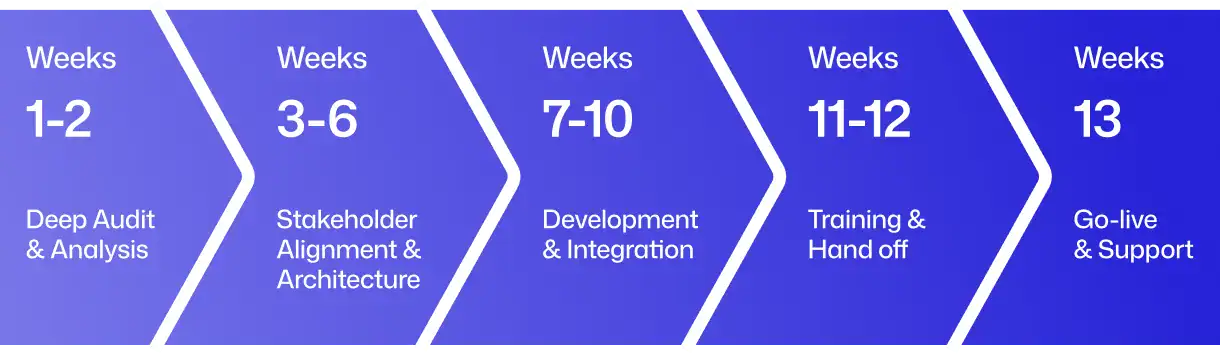
The path from audit to go-live in 13 weeks:
Book a 45-minute session with a modernization advisor. We’ll walk through your results and scope what a rebuild would take.

US-Based | Est. 1997
© i3solutions. All rights reserved.
US-Based | Est. 1997
© i3solutions. All rights reserved.


