
Workflow and form modernization initiatives often begin with visible pain points: slow approvals, outdated forms, disconnected spreadsheets, manual routing, legacy workflow tools, or aging platforms such as InfoPath, SharePoint Designer workflows, Access databases, and BizTalk-based process dependencies. Over time, these processes become operational dependencies, supporting business-critical work without clear ownership, integration strategy, lifecycle governance, or a sustainable modernization path. The organization keeps moving, but the process becomes harder to audit, harder to change, and harder to support.
i3solutions modernizes workflows and forms inside Microsoft environments by replacing fragile manual processes and outdated workflow dependencies with governed, integrated, and supportable solutions. Our teams evaluate how work moves through the organization, where data is captured, where decisions occur, where exceptions are handled, and where legacy dependencies create operational risk. From there, we design and deliver workflow and form modernization solutions aligned to enterprise architecture, security requirements, integration needs, and long-term operational ownership.
The goal is not to digitize old forms or automate broken processes exactly as they exist today. The goal is to create workflow and form solutions that improve reliability, strengthen governance, reduce manual effort, support auditability, and remain owned inside the enterprise operating model.
Workflow and form modernization requires more than converting paper, email, spreadsheets, or legacy forms into new screens. i3solutions evaluates workflow logic, approval paths, data dependencies, security requirements, legacy platform constraints, and Microsoft platform fit before implementation begins.
Workflow and form modernization rarely breaks down because the tools lack capability. It breaks down when organizations modernize the surface of a process without addressing how work is routed, governed, integrated, audited, and supported.
Many organizations begin by replacing a form or automating a single approval path. That may solve the immediate request, but it often leaves the larger operating problem intact. Data still moves manually between systems. Exceptions still depend on individual knowledge. Ownership remains unclear. Reporting remains disconnected from the process. Security and access models are applied inconsistently across departments.
These breakdowns become more visible as workflow volume increases, regulatory expectations grow, or teams attempt to scale automation across the enterprise.
Legacy forms often reflect years of accumulated workarounds. Fields added to satisfy one department. Approvals inserted to address a past issue. Attachments became substitutes for system integration. When these forms are recreated in a modern tool without process review, the organization simply moves old friction into a new interface.
Effective modernization requires clarity around what information is needed, who owns the decision, which systems require the data, and how exceptions are handled.
Automated workflows introduce risk when ownership is unclear. Someone must own the business logic, platform configuration, approval rules, escalation paths, and production support model. Without defined ownership, workflows become difficult to change, troubleshoot, or defend.
This issue is common when workflows are created by business teams, inherited from former employees, or built quickly to solve a short-term operational need.

Outdated workflow and form technologies often remain in place because they still support important business processes. InfoPath forms, SharePoint Designer workflows, Access-based processes, and legacy integration dependencies continue to route work, capture data, trigger approvals, or support downstream activity even when they no longer align with enterprise governance, support, or standards.
The modernization issue is not only the age of the tool. The larger issue is whether the dependency still supports secure access, lifecycle control, auditability, integration visibility, and long-term ownership.
Forms frequently collect information that belongs in enterprise systems. When data remains trapped in emails, spreadsheets, SharePoint lists, or disconnected form submissions, teams rely on manual re-entry, reconciliation, and follow-up. This increases error rates and weakens visibility.
Modern workflow and form solutions need clear data structures, integration paths, and system-of-record decisions. Otherwise, the form becomes another source of fragmentation.

Approvals, exceptions, changes, and handoffs often need evidence. Legacy workflows and manual forms rarely provide reliable audit trails without additional effort. Teams may know that a process occurred, but struggle to prove who approved it, what changed, when it changed, and which records were used to make the decision.
Modernized workflows need traceability built into the process, not reconstruction after the fact.
Many form and workflow processes depend on employees who understand hidden rules, informal exceptions, spreadsheet logic, or undocumented approval paths. When those people leave, change roles, or become unavailable, the process becomes fragile.
Modernization should move critical logic out of individual memory and into governed systems, documented workflows, and supportable operating models.

Workflow and form modernization is often mistaken for form replacement, workflow automation, or low-code development. At the enterprise level, it is broader than that. It is the redesign of how information is captured, routed, approved, integrated, monitored, and governed across business processes.
A modern form is not just a better interface. It is an entry point into a controlled process. A modern workflow is not just an automated sequence. It is an operational structure that defines ownership, approvals, data flow, exception handling, audit evidence, and support responsibility.
For many organizations, this also means addressing outdated workflow and form dependencies, including InfoPath, SharePoint Designer workflows, Access-based processes, legacy approval tools, and brittle integration patterns that no longer support enterprise governance or long-term maintainability.
For Microsoft-centric organizations, workflow and form modernization often involves several connected decisions. Some processes belong in Power Apps and Power Automate. Some belong in SharePoint, Microsoft Forms, or Dynamics 365. Others require Dataverse, Azure, .NET, or a custom application model. The right answer depends on process complexity, data sensitivity, integration requirements, lifecycle needs, and long-term ownership.
i3solutions approaches workflow and form modernization as an enterprise operating decision. Our teams determine where existing forms, approvals, spreadsheets, manual processes, and legacy dependencies create friction or risk, then define the architecture, platform path, and delivery model required to modernize responsibly.
Modernization at this level creates more than efficiency. It improves process reliability, strengthens accountability, reduces shadow systems, and gives IT leaders a clearer path for governing business-critical workflows inside the Microsoft environment.
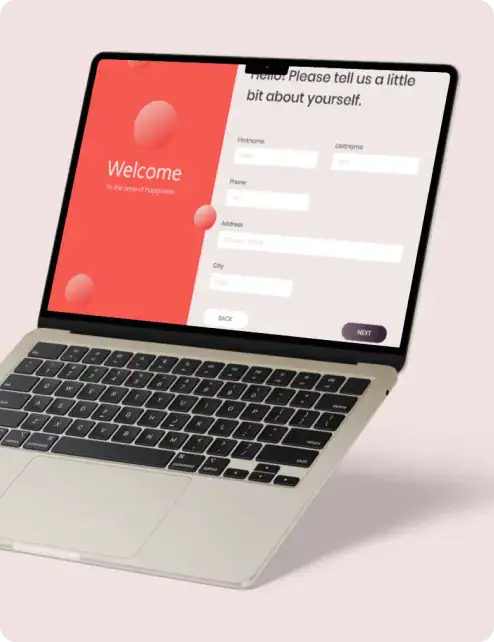
Workflow and form modernization decisions should reflect process ownership, data flow, integration needs, security requirements, legacy dependencies, and long-term supportability. i3solutions defines the modernization path before workflows are rebuilt, automated, or moved into new Microsoft platforms.
i3solutions structures workflow and form modernization around practical enterprise execution. The work begins by identifying how the process operates today, where risk has accumulated, and which parts of the workflow require redesign before automation or replacement begins.
Our approach is designed for organizations that need modernization to fit inside existing Microsoft environments, governance models, and operating standards. Technology selection comes after process understanding, not before it.
Modernization begins with a clear view of the current process. i3solutions reviews existing forms, routing logic, approval paths, data sources, manual handoffs, reporting needs, exception scenarios, and legacy platform dependencies. This assessment surfaces where the process is slow, fragile, duplicative, unsupported, or difficult to defend.
The goal is to distinguish between what should be preserved, redesigned, and retired from the operating model. Many legacy workflows contain business logic worth retaining, but that logic often needs a stronger technical and governance foundation.
Once workflow requirements are understood, i3solutions evaluates the appropriate Microsoft platform path. Some workflows are best suited for Power Platform. Others require SharePoint modernization, Dynamics 365 alignment, Dataverse-backed applications, Azure services, or custom application development.
This stage defines the architecture needed to support workflow reliability, security, integration, and lifecycle ownership. Platform fit is based on process complexity, data sensitivity, user roles, reporting needs, and long-term maintainability.
Workflow and form design translates process requirements into structured user experiences, approval paths, data capture models, and system interactions. i3solutions designs forms around the work being performed, not simply the fields that existed in the legacy version.
This includes role-based views, validation rules, conditional logic, escalation paths, notification patterns, exception handling, and reporting requirements. The design must support both the end user and the operational teams responsible for governance and support.

Implementation focuses on building workflow and form solutions inside the approved Microsoft environment. Depending on the scenario, this may include Power Apps, Power Automate, SharePoint, Microsoft Forms, Dataverse, Dynamics 365, Azure, .NET, or integrated custom applications.
Workflows often depend on data from multiple systems, and modernized processes must reduce manual movement of information across platforms. i3solutions designs integration patterns that support reliability, security, and operational visibility.

Modernized workflows must be tested against real operational scenarios before production use. i3solutions validates routing logic, role behavior, exception handling, data integrity, permissions, notifications, and integration performance.
Documentation and knowledge transfer are part of delivery, not a final afterthought. Internal teams need to understand how workflows operate, where dependencies exist, how changes are managed, and how issues are resolved after launch.
Workflow and form modernization often touches processes that teams use every day. These may include approvals, onboarding, compliance reviews, financial tracking, customer intake, case routing, document submissions, reporting updates, or operational requests. Disrupting these processes creates immediate business impact.
i3solutions designs modernization around operational continuity. Legacy workflows are evaluated before replacement, and transitions are sequenced to reduce unnecessary disruption. In many cases, modernization occurs through phased delivery, where the highest-risk or highest-value parts of the process are stabilized first.
This approach preserves what already works while addressing the areas that create friction, risk, or support burden. Some workflows require a full rebuild. Others require targeted changes to forms, data models, integration points, approval logic, or ownership structures. The modernization path should reflect actual operational need rather than a default preference for replacement.
A controlled transition also reduces user resistance. Teams are more likely to adopt modernized workflows when the new process reflects how work moves, removes manual burden, and provides clearer status visibility. Adoption improves when modernization reduces confusion rather than introducing another disconnected tool.
Modernization should not move forward on assumptions. i3solutions evaluates the systems, workflows, data dependencies, and operational constraints that determine what should change first, what should remain stable, and where risk needs to be controlled before execution begins.
Workflow and form modernization frequently involves sensitive operational data, role-based decisions, regulated records, internal approvals, and access to systems that support critical business functions. Security, trust, and delivery accountability need to be established before modernization work begins.
i3solutions delivers workflow and form modernization through senior, US-based teams experienced in Microsoft-centric enterprise environments. Our work aligns workflow design with identity models, access controls, audit requirements, data boundaries, documentation standards, and operational ownership from the start.
Security is built into how workflows are designed and delivered. Role-based access, approval authority, data visibility, change control, and audit traceability are treated as process requirements, not technical add-ons. This is especially important when modernization involves legacy dependencies that still control approvals, sensitive data, records, or system-to-system handoffs.
For regulated and risk-sensitive organizations, this discipline matters. A workflow that routes approvals, captures sensitive information, or supports compliance activity must be defensible. Modernization should make the process easier to operate and easier to audit.
Workflow and form modernization is often the first step toward broader enterprise improvement. Manual forms, spreadsheet-supported workflows, outdated workflow tools, and email-based approvals frequently reveal larger constraints around data quality, system integration, identity, reporting, and platform governance.
Modernizing these workflows creates foundations that support future initiatives. When information is captured consistently, routed through governed processes, and integrated with the right systems, organizations gain stronger data for analytics, better visibility into operations, and more reliable inputs for automation and AI.
Without these foundations, advanced initiatives often stall. AI pilots struggle when source data is inconsistent. Analytics programs weaken when workflow data lives in disconnected files. Automation efforts become fragile when processes lack clear ownership or exception handling. Cloud and application modernization efforts become harder when legacy workflow dependencies remain undocumented.
i3solutions modernizes workflows and forms with this future state in mind. The immediate goal may be to replace a form, stabilize an approval path, reduce manual work, or address a legacy dependency. The broader value comes from creating workflow structures that support scale, governance, reporting, and future enterprise capability.

Workflow and form modernization spans multiple Microsoft platforms and delivery models. i3solutions designs the modernization path based on process complexity, governance requirements, integration needs, legacy constraints, and long-term ownership.
Outdated workflow and form technologies often remain in place because they still support important business processes. InfoPath forms, SharePoint Designer workflows, Access-based processes, and legacy integration dependencies may continue to route work, capture data, or trigger downstream activity even when they no longer align with enterprise governance, support, or platform standards.
i3solutions evaluates these dependencies as part of the broader workflow and form modernization path. The focus is not only replacing a tool, but determining how the process should operate, where the data should live, how approvals should be governed, and which Microsoft platform pattern best supports long-term ownership.
Some spreadsheet processes require a governed web application when the logic is complex, users are distributed, data needs structure, or the process requires secure multi-user access.
i3solutions converts critical spreadsheet logic into web-based applications with role-based access, structured data, workflow routing, reporting visibility, and integration with enterprise systems. This approach is useful when Excel has become an unofficial application that needs application-grade architecture and support.


Many workflow modernization efforts start with business-critical spreadsheets that have grown beyond Excel’s intended role. These spreadsheets often support approvals, reporting, forecasting, tracking, reconciliation, or operational decisions that require stronger governance and system ownership.
For Excel-driven processes, i3solutions evaluates whether the right path is stabilization, workflow automation, database conversion, Power Platform, or a governed web application. This ensures spreadsheet modernization decisions are based on operational risk, process complexity, data requirements, and long-term supportability.
i3solutions’ workflow and form modernization services are designed for Microsoft-centric organizations where manual processes, legacy forms, approval paths, spreadsheet-supported workflows, and outdated workflow dependencies have become difficult to govern, scale, or support.
This service is best aligned to enterprise IT leaders who need practical modernization across daily business processes without losing control over identity, data, integration, auditability, or long-term ownership.
Best Fit Scenarios
Less Suited for Purely Tactical Needs
i3solutions is best aligned to modernization initiatives that require practical technical execution, Microsoft platform expertise, and a clear connection between business priorities, enterprise standards, and long-term system value.
Workflow and form modernization requires more than familiarity with Microsoft tools. It requires experience with enterprise process design, application architecture, integration, identity, governance, and delivery risk.
i3solutions brings 30 years of Microsoft platform and enterprise delivery experience to modernization work that sits at the intersection of business process and IT ownership. Our teams understand how workflow decisions affect security, data quality, reporting, supportability, and long-term platform strategy.
We work across the Microsoft ecosystem, including SharePoint, Power Platform, Microsoft 365, Dynamics 365, Azure, Dataverse, and custom .NET applications. That breadth matters because workflow modernization rarely belongs to a single tool. The right solution depends on how the process operates, where data lives, which systems are involved, and who owns the workflow after deployment.
i3solutions also approaches modernization with senior delivery discipline. We define requirements, platform fit, governance needs, integration dependencies, legacy constraints, and support models before build decisions harden. This reduces the risk of replacing one fragile workflow with another.
For enterprise IT leaders, the value is not simply faster workflow automation. The value is a modernization path that strengthens daily operations, improves auditability, preserves control, and fits the Microsoft environment already in place.

Real-world case studies and expert perspectives showing how organizations operationalize Microsoft platforms with governance, scale, and confidence.
Redundant systems sat maintained separately across dispersed offices worldwide, keeping critical documents and expertise out of reach for whoever needed them next. i3solutions built one organization-wide SharePoint intranet with shared document libraries and automated workflows, replacing those systems globally.
A well-defined performance and salary review process existed on paper, but managers across global business units didn't consistently follow it. i3solutions automated reviews so merit increases calculate by job grade and appraisals route without paper, keeping every manager on time...
Workflow and form modernization services replace or redesign outdated manual processes, legacy forms, approval paths, spreadsheet-supported workflows, and outdated workflow dependencies. The goal is to improve reliability, governance, integration, auditability, and long-term ownership inside the enterprise environment.
No. Power Platform is often a strong fit, especially for Microsoft-centric organizations, but it is not always the right answer. i3solutions evaluates process complexity, data requirements, governance needs, integration dependencies, and support models before recommending Power Platform, SharePoint, Dataverse, Microsoft Forms, Azure, custom applications, or a hybrid approach.
Common examples include InfoPath forms, SharePoint forms, PDF forms, Excel-based forms, Access-based forms, email templates, intake forms, approval forms, inspection forms, onboarding forms, compliance forms, and operational request forms.
Yes. These technologies often appear as part of broader workflow and form modernization efforts when they still support approvals, data capture, routing, or process logic. i3solutions evaluates the business process, data dependencies, integration needs, governance requirements, and long-term ownership model before defining the appropriate modernization path.
Spreadsheet-supported workflows are evaluated based on business criticality, data complexity, process ownership, and integration requirements. Some spreadsheets are stabilized, some are connected to governed workflows, and others are converted into databases, Power Platform solutions, or custom web applications.
i3solutions reduces risk by assessing workflow logic, dependencies, user roles, integrations, permissions, audit needs, legacy constraints, and support requirements before implementation. Delivery is structured around phased modernization, validation, documentation, and operational handoff.
Existing business logic is reviewed, documented, and evaluated before modernization. Logic that remains valid is preserved in a more maintainable structure. Logic that reflects outdated workarounds or unsupported practices is redesigned with stakeholder input and governance alignment.
Yes. Workflow and form modernization often improves auditability by introducing role-based access, approval traceability, logging, structured records, and clearer ownership. i3solutions designs these controls into the workflow architecture rather than treating them as post-deployment additions.
i3solutions works inside existing enterprise operating models, platform standards, and governance structures. Our teams coordinate with IT, security, compliance, business stakeholders, and platform owners to ensure workflow modernization aligns with the broader Microsoft environment.

US-Based Microsoft System Integrator | Est. 1997
© i3solutions. All rights reserved.
US-Based Microsoft System Integrator | Est. 1997
© i3solutions. All rights reserved.


