
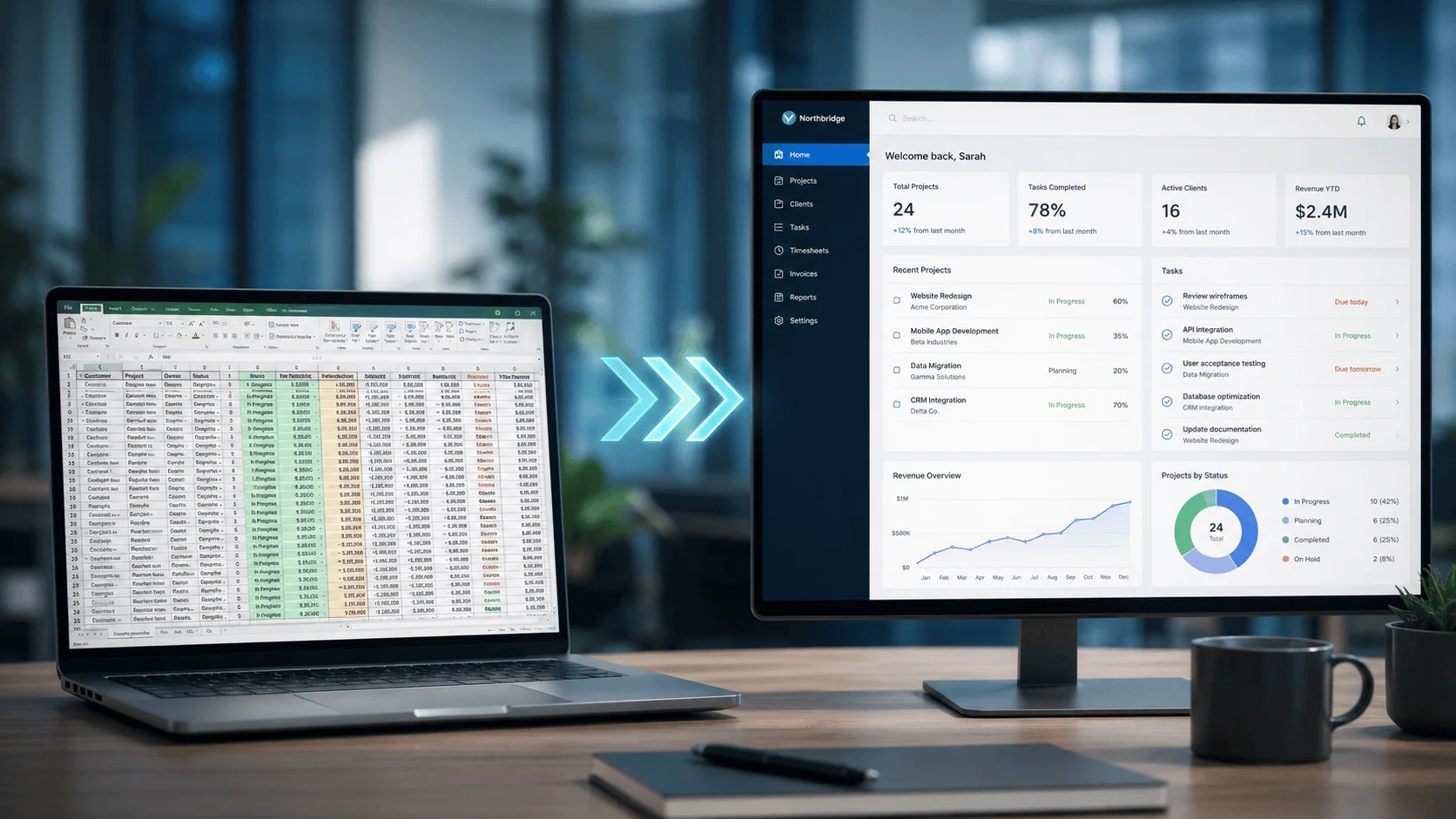
If you are an IT Director or a VP of IT, you rarely get a clean request to replace a spreadsheet. You get a symptom. A monthly reconciliation that took three days instead of one. A version mix-up that reached a customer before anyone caught it. An audit question about a number, and nobody could say who entered it or when. The spreadsheet behind each of those is doing a job it was never designed to do, and the real decision in front of you is whether that specific Excel process has outgrown the format. That decision is not a matter of taste, and it is not a referendum on Excel. It comes down to a short list of signals.
Replace an Excel process with a custom web application when the spreadsheet has stopped being one person’s tool and become a shared system of record: several people edit it, the business depends on it, and it has to be auditable. Those are the signals that the spreadsheet’s flexibility has turned into risk and rework. Until a process crosses that line, Excel is the right tool and replacing it is over-engineering. The decision is about which side of the line a specific process sits on, not about Excel in general.
The first signal is that the spreadsheet has become a multi-user system of record. A workbook built for one analyst is fine; a workbook that several people open, edit, and depend on has quietly become shared infrastructure without any of the controls shared infrastructure needs. Once more than one person is the source of truth, the format is working against you.
The second signal is that the process sits inside a regulated or audited workflow. The moment a number in that spreadsheet has to be provable after the fact, attributable to a person and a time, the spreadsheet is a liability, because a shared workbook cannot produce that evidence. If an auditor will ever ask how a figure got there, the format has already failed the test.
The third signal is that manual effort and rework are consuming real hours. The cost of an outgrown spreadsheet is rarely a single dramatic failure; it is a steady tax of re-keying, reconciling, chasing the current version, and fixing what broke. That tax is invisible on any budget line, which is exactly why it runs for years. When you add up the hours, the spreadsheet is usually the most expensive software the organization is not paying a license for.
The fourth signal is that the process is load-bearing. If the business stalls when the spreadsheet breaks, when its owner is on leave, or when a file corrupts, then a tool with no redundancy, no access control, and no support is sitting under something that matters. Load-bearing work belongs on an application you can govern and support, not on a file in someone’s drive.
When several of those signals are present, the replacement is not a technology upgrade; it pays for itself in recovered time. i3solutions replaced a legacy Excel tool with a custom web application for a global aerospace and defense manufacturer, and the result was concrete: engineers got back about 8 hours each per month, the productivity gain came to about 1.1 million dollars a year, and approval cycles that had taken 5 days were cut to 1. The point of those numbers is not their size. It is that the return showed up as engineer hours returned to engineering and decisions made in a day instead of a week, which is the form of return a CFO and an engineering lead both recognize.
It is just as important to say when not to replace Excel, because over-correcting is its own waste. If a spreadsheet is one person’s analysis tool, a model someone builds to think through a problem, or a disposable calculation, Excel is the right tool and rebuilding it as an application is effort spent against no real risk. Flexibility is the whole point of those workbooks, and a structured application would only get in the way. The line is specific: replace the spreadsheet that has become a shared, auditable, load-bearing system of record, and leave the analyst’s scratchpad alone.
Every formula workaround, manual data transfer, and unversioned copy adds operational exposure that compounds silently. i3solutions delivers senior-level Excel-to-web application development services that convert business-critical spreadsheet workflows into governed, scalable web applications built for enterprise environments.
Assess i3solutions Excel-to-Web ServicesSo treat the decision as a test, not a preference. Run the process in front of you against the four signals. If it trips one, watch it. If it trips several, it has already crossed the line, and the cost of waiting is not zero; it is the hours and the errors the spreadsheet keeps producing every month until it is replaced.
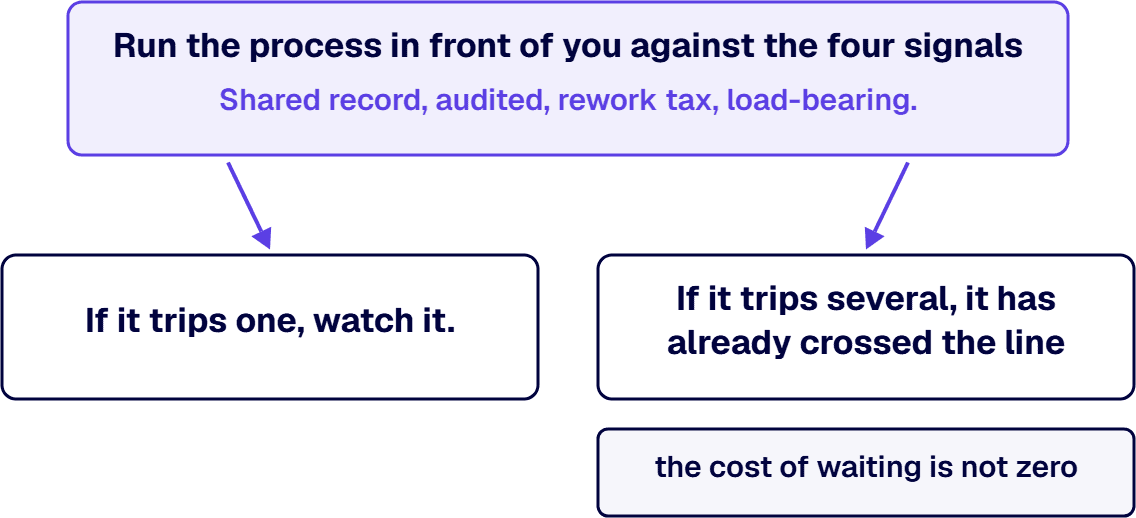
Deciding when a spreadsheet has become a system that needs to be governed.
Figure 1
| Signal | The question to ask | It has crossed the line when |
|---|---|---|
| Shared system of record | Do several people edit and depend on the same file? | More than one person treats it as the source of truth. |
| Regulated or audited | Must its numbers be provable after the fact? | An auditor could reasonably ask how a figure got there. |
| Manual rework tax | How many hours go to re-keying, reconciling, and version-chasing? | The recovered hours would fund the rebuild. |
| Load-bearing | Does the business stall if the file breaks or its owner is out? | Critical work sits on a file with no control and no support. |
Figure 2
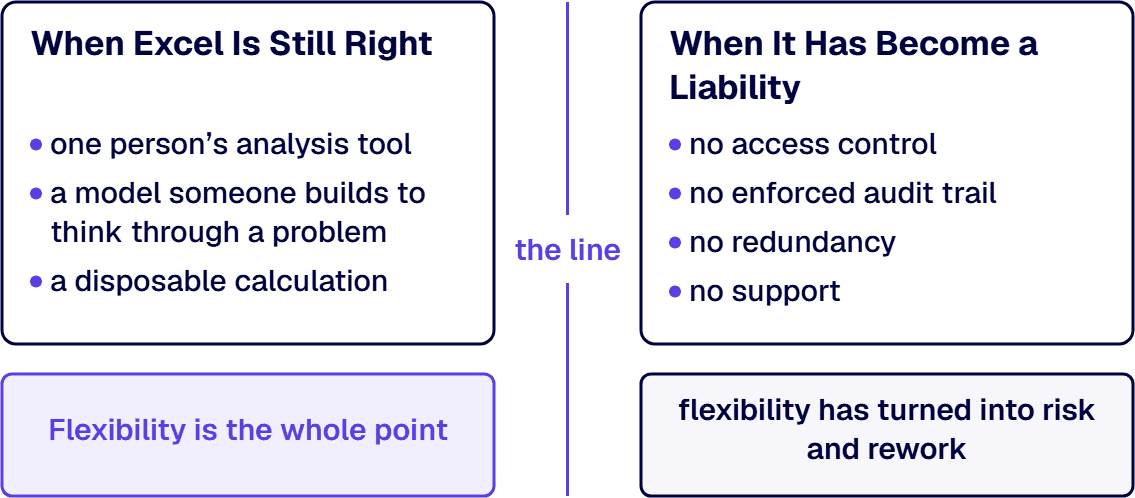
Figure 3
Has this spreadsheet become a shared, auditable, load-bearing system of record?
It has crossed the line
Replace it with a governed application. For a global aerospace and defense manufacturer, i3solutions’ web application returned about 8 hours per engineer each month, roughly 1.1 million dollars a year, and cut approvals from 5 days to 1.
It is still a scratchpad
Leave it in Excel. Rebuilding disposable analysis is cost against no real risk; the mistake here is over-correcting.
Figure 4

Michael Branson co-founded i3solutions 30 years ago and brings executive, operational, and technical perspective to organizations working in complex, secure, and mission-critical environments. His insights focus on business process consulting, automation, data analytics, collaboration, secure operating models, and the operational discipline required to turn technology investments into practical business systems with measurable value.
View LinkedIn ProfileWhen the spreadsheet has become a shared system of record rather than one person’s tool. The practical signals are that several people depend on and edit it, the process is regulated or audited so its numbers must be provable, manual rework is consuming real hours, and the business stalls if the file breaks. When several of those are true, the spreadsheet’s flexibility has become risk, and a structured application is the right move.
Count the tax the spreadsheet is already charging. The cost is rarely one failure; it is the steady hours lost to re-keying, reconciling, chasing the current version, and fixing what broke, none of which appears on a budget line. When that recovered time is the basis, the case is concrete: for a global aerospace and defense manufacturer, i3solutions’ web application returned about 8 hours per engineer each month and about 1.1 million dollars a year in productivity, with approval cycles cut from 5 days to 1.
Yes. If a spreadsheet is one person’s analysis tool, a model built to think through a problem, or a disposable calculation, Excel is the right tool and rebuilding it as an application is effort against no real risk. Flexibility is the point of those workbooks. The replacement decision applies to the spreadsheet that has become a shared, auditable, load-bearing system of record, not to the analyst’s scratchpad.
A shared, business-critical spreadsheet has no access control, no enforced audit trail, no redundancy, and no support, while carrying work the organization depends on. The risks are an audit finding when a number cannot be attributed, a costly error from an undetected formula or version problem, and an outage when the file corrupts or its owner is unavailable. The longer it stays load-bearing, the larger that exposure grows.
It depends on the complexity of the process and the integrations involved, which is why the honest first step is a scoping conversation rather than a quoted timeline. What is consistent is that the replacement is scoped to the specific process that has outgrown the spreadsheet, so the work targets the system of record causing the risk and rework, not a wholesale rebuild of every workbook in the organization.


Business-critical Excel workflows that started as one person's solution are now embedded in daily operations with no version control, no access governance, and no continuity plan. i3solutions' senior application development advisors work with IT leaders who already know the spreadsheet is a liability and need a structured path to a governed web application.
Talk to an Application Development Advisor
US-Based Microsoft System Integrator | Est. 1997
© i3solutions. All rights reserved.
US-Based Microsoft System Integrator | Est. 1997
© i3solutions. All rights reserved.


