
Michael Branson
Every fact in these takeaways is drawn from CISA’s BOD 26-04 and its implementation guidance, and from Microsoft Learn’s remediation guide, Windows Autopatch FAQ and Intune government service description, all re-read on October 19, 2026:
The memo from the CIO’s office carried a number, three days, and one question under it: does Intune already do this, and does it matter which government cloud the tenant sits in? The number is real, but it is conditional. CISA attaches it to four criteria and to forensic triage, not to every patch, and the Microsoft tools that carry it work differently in GCC than in GCC High or DoD, according to CISA’s BOD 26-04 and Microsoft Learn. This guide sets out what CISA requires and by when, who it binds, the two Microsoft workflows that carry the timeline, where the government cloud changes the answer, and the tagging work underneath all of it.
An agency that schedules every patch on one monthly ring is working to a model CISA has now replaced. CISA’s BOD 26-04: Prioritizing Security Updates Based on Risk, issued June 10, 2026, sets three phases, and Phase III is the one with a compliance date. It tells agencies to “Remediate each vulnerability as quickly as possible and no later than the timelines set forth in Table 1: Remediation Timelines.” Counted from the June 10, 2026 issuance, that phase applies from December 7, 2026. The same directive supersedes and revokes BOD 19-02 and BOD 22-01, according to CISA, so a program still organized around the old catalog deadlines is working to rules that no longer stand.
Which vulnerabilities land in the fastest tier is decided by four questions that CISA lists in BOD 26-04, each answered per vulnerability:
The top of the scale is stated in CISA’s implementation guidance for BOD 26-04: “Agencies must then identify whether the vulnerability meets the remediation threshold in fewer than three days and requires forensic triage to assess whether the systems or network infrastructure have been impacted or compromised.” That is the only day count this guide states. The remaining day counts sit in CISA’s Table 1 on CISA’s own pages; confirm them there before you write an internal due date for any tier below the top one.
A contractor’s IT director who reads the directive looks for one sentence, and it is conditional. CISA’s BOD 26-04 states: “Unless directed by the governing procurement contract, this Directive does not apply to contractors, but FCEB agencies must review all contracts to determine what modifications are necessary to comply with the required actions of this Directive, in consultation with the Contracting Officer.” The answer for any one contractor therefore sits in its contract, and the route to it runs through the agency’s Contracting Officer. This guide does not say whether a given contract carries the requirement.
Defender flags a KEV-listed vulnerability on a publicly exposed server, and the question becomes how that finding turns into dated work on the IT side. Microsoft’s guide to remediating vulnerabilities with Defender Vulnerability Management describes a hand-off, not an automatic fix: “Security admins like you can request for the IT Administrator to remediate a vulnerability from the Recommendation pages to Intune.”
The request form carries the fields a tiered timeline needs. Microsoft’s remediation guide states: “Fill out the form, including what you are requesting remediation for, whether to open a ticket in Intune, priority, due date, and optional notes.” Set the due date to the tier that CISA’s four criteria put the vulnerability in, not to a flat internal service level.
Choose the request option with care. Microsoft’s remediation guide states: “If you choose the attention required remediation option, you can’t select a due date because that option doesn’t create a remediation action to track.” For a vulnerability on a timed tier, that option leaves nothing to track against the deadline.
The Intune side has a prerequisite. Microsoft’s remediation guide states: “If you have the Intune connection enabled, you get an option to create an Intune security task when creating a remediation request.” According to Microsoft Learn, that connection is off by default and is turned on in the Microsoft Defender portal under Settings, Endpoints, General, Advanced features.
Once submitted, the request is tracked in two places. Microsoft’s remediation guide states: “A security task is created that can be tracked on a Remediation page, and a remediation ticket is created in Microsoft Intune.” The due date is a field on that ticket and is visible on the Remediation page; Microsoft’s page does not describe it as an enforcement mechanism, so the team’s own review of open tickets against their due dates is what holds the timeline.
The second workflow keeps Windows devices current before a request is needed at all. Microsoft’s overview of Windows Autopatch states: “Using Windows quality and feature update reports, you can monitor and remediate managed devices that are Not up to Date and resolve any device alerts to bring managed devices back into compliance.” Where Autopatch is available, use those reports to find the devices that are Not up to Date, and use the remediation request for the specific vulnerability that the four criteria put on a clock.
The same agency can have Windows Autopatch in one tenant and no Autopatch at all in another, depending on which government cloud the tenant sits in. In GCC, Microsoft’s Windows Autopatch FAQ states: “Windows Autopatch is included automatically for Government Community Cloud (GCC) customers using Microsoft 365 G3 GCC, Microsoft 365 GCC G5, or Microsoft 365 GCC G5 without WDATP/CAS Unified.” GCC also runs on the same Intune service that commercial customers use. Microsoft’s Intune for US Government GCC High and DoD service description states: “GCC is the same instance as Microsoft Intune in the commercial space.”
In GCC High and DoD, Microsoft’s Windows Autopatch FAQ states: “Windows Autopatch is not currently supported in US Government Community Cloud High (GCC High) or Department of Defense (DoD) environments.” The Intune page goes further. Microsoft’s Intune for US Government GCC High and DoD service description states: “The following features are currently not available and aren’t supported in GCC High and DoD clouds.” On that page, last updated October 2, 2026 and re-read for this guide on October 19, 2026, the list under that sentence names Windows Autopatch, Feature updates for Windows in Intune, Quality updates for Windows in Intune, Expedite updates for Windows in Intune and Driver updates for Windows in Intune. In GCC High and DoD, then, neither Windows Autopatch nor those four update policies is available to carry BOD 26-04’s timeline. The Microsoft pages read for this guide do not name a replacement for them, so confirm with Microsoft how Windows updates will reach GCC High and DoD devices before you commit a due date that depends on them.
What stays in place across all three clouds is the request side of the workflow. Microsoft’s page on Defender for Endpoint for US Government customers states: “This offering is available to GCC, GCC High, and DoD customers and is based on the same prevention, detection, investigation, and remediation as the commercial version.” Its table lists Defender Vulnerability Management core and premium capabilities for GCC, GCC High and DoD, and its note, as read on October 19, 2026, names two Defender Vulnerability Management functions that are not available in those clouds: Report inaccuracy and Request CVE support. The remediation request is not one of the two. Intune itself serves GCC High and DoD from a separate government instance: Microsoft’s Intune service description states: “In the government cloud, the Intune service instance is shared with GCC High and DoD tenants.”
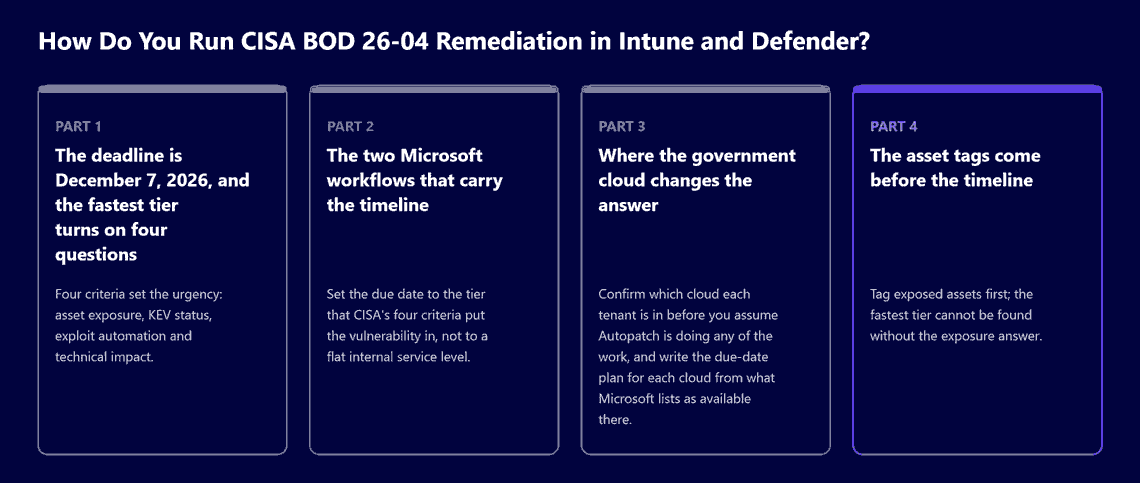
Confirm which cloud each tenant is in before you assume Autopatch is doing any of the work, and write the due-date plan for each cloud from what Microsoft lists as available there.
An agency that has not tagged its internet-facing assets cannot say which vulnerabilities meet the Asset Exposure criterion, so it cannot say which ones are on the fastest clock. CISA’s BOD 26-04 tells agencies to “Continuously identify and tag all agency-owned assets that can be reached from outside the agency network and using a routable IP address.” According to CISA, the tags must include:
Reporting runs on its own clock. CISA’s BOD 26-04 states: “Agencies that have not fully automated their vulnerability reporting through the CDM Program must regularly report this information to CISA every seven days using a CISA-approved, machine-readable format and following CISA reporting instructions.” This guide’s own recommendation, not CISA’s: build the exposure tag first, because the fastest tier cannot be identified for an asset whose exposure is unknown.
Some readers should stop and start somewhere else.
Hold anyone who builds it, internal or external, to these criteria:
i3solutions plans and runs governed Azure and Microsoft 365 migrations with senior, U.S.-based engineers. For BOD 26-04 the work is a project: assess the tenant’s Intune, Defender Vulnerability Management and Windows Autopatch set-up against CISA’s four criteria, design the asset-tagging taxonomy, configure the remediation-request-to-Intune workflow and its due dates, confirm which government cloud each tenant is in and what Microsoft lists as available there, test the response time, and hand the configuration and runbooks to the agency’s own team, with embedded specialists where that team needs them. The agency’s team runs the remediation program after the hand-off. i3solutions plans and runs Intune migrations for enterprises moving domain-joined Windows devices off on-premises Group Policy. i3solutions is a Microsoft Solutions Partner. i3solutions has been a Microsoft Partner with 30 years of enterprise technology delivery experience and has delivered 1,500+ Microsoft engagements across aerospace and defense, financial services, and health sciences.
For how this fits wider governance work, see enterprise governance and compliance solutions.
According to CISA, BOD 26-04: Prioritizing Security Updates Based on Risk was issued June 10, 2026, supersedes and revokes BOD 19-02 and BOD 22-01, and requires Federal Civilian Executive Branch agencies to remediate each vulnerability no later than the timelines in its Table 1, with that phase applying from December 7, 2026.
According to CISA, urgency turns on Asset Exposure (is the asset publicly exposed), KEV Status (is the vulnerability on the Known Exploited Vulnerabilities Catalog), Exploit Automation (can an adversary automate every step of exploitation) and Technical Impact (does an adversary gain partial or total control). According to CISA’s implementation guidance, a vulnerability that meets the remediation threshold in fewer than three days also requires forensic triage.
According to CISA, unless directed by the governing procurement contract, BOD 26-04 does not apply to contractors, but FCEB agencies must review all contracts to determine what modifications are necessary, in consultation with the Contracting Officer. Whether a specific contract carries it is answered by that contract.
No. According to Microsoft Learn, a security admin requests remediation from the Defender Vulnerability Management Recommendation pages, the request carries a priority and a due date, and it creates a remediation ticket in Microsoft Intune for the IT administrator; the attention required option creates no action to track and takes no due date.
No. According to Microsoft Learn, Windows Autopatch is not currently supported in GCC High or DoD, and the Intune government service description, last updated October 2, 2026, lists Windows Autopatch and the Feature, Quality, Expedite and Driver update policies for Windows in Intune as currently not available in GCC High and DoD. According to Microsoft Learn, Windows Autopatch is included automatically in GCC for Microsoft 365 G3 GCC, Microsoft 365 GCC G5, or Microsoft 365 GCC G5 without WDATP/CAS Unified, and its reports show the devices that are Not up to Date.
According to Microsoft Learn, Defender Vulnerability Management core and premium capabilities are listed for GCC, GCC High and DoD, and the page names two functions that are not available there: Report inaccuracy and Request CVE support. The remediation request is not one of the two, and Microsoft Learn describes Intune for GCC High and DoD as a shared government-cloud instance.

US-Based Microsoft System Integrator | Est. 1997
© i3solutions. All rights reserved.
US-Based Microsoft System Integrator | Est. 1997
© i3solutions. All rights reserved.


