
Michael Branson
Every fact in these takeaways is drawn from OMB M-26-18, Microsoft’s External ID FAQ and Microsoft Learn’s custom OpenID Connect setup page, all re-read at their source in October 2026, except where a line says it is this guide’s own rule:
If you are the IT leader whose agency must answer the Login.gov mandate, the order of the work is set by the memo’s dates. The first deadline an IT director answers for is the inventory of public-facing websites with authentication, reported to OMB within 60 days of August 31, 2026 (about October 30, 2026) under OMB M-26-18, and in an agency that had not budgeted for it, that clock started before the budget did. Somewhere on the team, someone has already said the natural thing: we run on Microsoft, so we will put Entra External ID in front of Login.gov and be done. That assumption decides a year of work, and it is the one to check first. OMB M-26-18, titled “Scaling Use of Login.gov to Deliver a Universal Sign-on for Public Services,” sets the dates. This guide sets out what the memo requires, which sites it reaches, where Microsoft Entra External ID does and does not fit, and the order to make the decisions in.
If your team reads the memo as a request to offer Login.gov on one flagship site, it will under-scope the work. Section I.A of OMB M-26-18 states that “As required by law, agencies must offer Login.gov, the single sign-on identity platform developed by the Administrator of General Services, as a sign-on option for all in-scope public-facing websites” and the requirement is the whole in-scope estate, not a pilot site. The same section states that an agency that cannot meet the requirement by the deadlines “must submit a notice to the Office of Management and Budget (OMB) by the applicable deadline identifying the operational requirements that prevent the agency from meeting the requirement,” and that the notice must carry a personal certification from the head of the agency.
The memo also narrows who is bound. According to OMB M-26-18, in a footnote to Section I.A: “The Login.gov statutory mandate and accompanying certification requirement do not apply to the Department of War (DoW), a national security system, or an element of the intelligence community” and it adds: “However, DoW is encouraged to offer Login.gov for public-facing websites that require user authentication to the extent practicable.” An agency that serves both civilian and defense-adjacent missions checks which of its sites fall on which side of that line before assuming the exclusion covers the whole estate; that is this guide’s planning note, not OMB’s.
The deployment date an agency faces depends on a tag that an agency’s sites may not carry yet, so the order of the dates matters as much as the dates. The appendix of OMB M-26-18 lists the agency actions in the numbered list that follows; each date in brackets is this guide’s own arithmetic from the memo’s August 31, 2026 date, labeled CALCULATED, and is not the memo’s wording:
The memo’s footnotes to the two deployment actions state: “This action is not required of DoW or elements of the intelligence community, or with respect to any national security system.” The term high impact service provider is defined in 5 U.S.C. Section 321, as a footnote in the memo states; whether a given service is one is OMB’s designation, and this guide does not decide it for any agency. The same appendix, per OMB M-26-18, also asks agencies to adopt GSA’s Login.gov implementation best practices within one year, to the extent practicable, for existing public-facing websites that already offer Login.gov.
This guide’s planning rule, not OMB’s: build one punch list keyed to these dates, with the inventory first, because every later date depends on knowing which sites are in scope and which of them serve a High Impact Service Provider.
The failure mode in scoping is tearing out identity that was never in scope, or missing a site that was. According to OMB M-26-18, in a footnote, “public-facing” means “intended to be accessed and used by members of the public, rather than by Federal Government employees or contractors acting on behalf of an agency.” If you own a public-facing service at an agency, the memo’s scope text decides whether that service is in or out. The memo applies to public-facing agency websites for services the public reaches through user authentication, and it states that it “does not apply to public-facing websites for services accessed solely by: 1) organizations, or individuals acting on behalf of an organization (e.g., businesses, state and local governments); or 2) individuals acting on behalf of another individual.”
That means a workforce sign-in for employees and contractors, running on Microsoft Entra ID, is not what the memo reaches, and it stays where it is. Decision rule, this guide’s: inventory every public-facing site with authentication first, record for each one whether the public or an organization uses it and whether it belongs to an OMB-designated High Impact Service Provider service, and make no Microsoft platform decision until that tag exists, because the tag decides whether the one-year date or the later one applies. The memo, per OMB M-26-18, makes agency Chief Information Officers responsible for coordinating the 60-day report.
If your public-facing applications run in a government tenant, the tempting plan puts a Microsoft-native front door inside it. Microsoft’s own answer rules that out. Microsoft’s External ID FAQ asks “Will External ID support Microsoft Entra US Government Cloud?” and answers: “External ID currently supports public clouds only.”
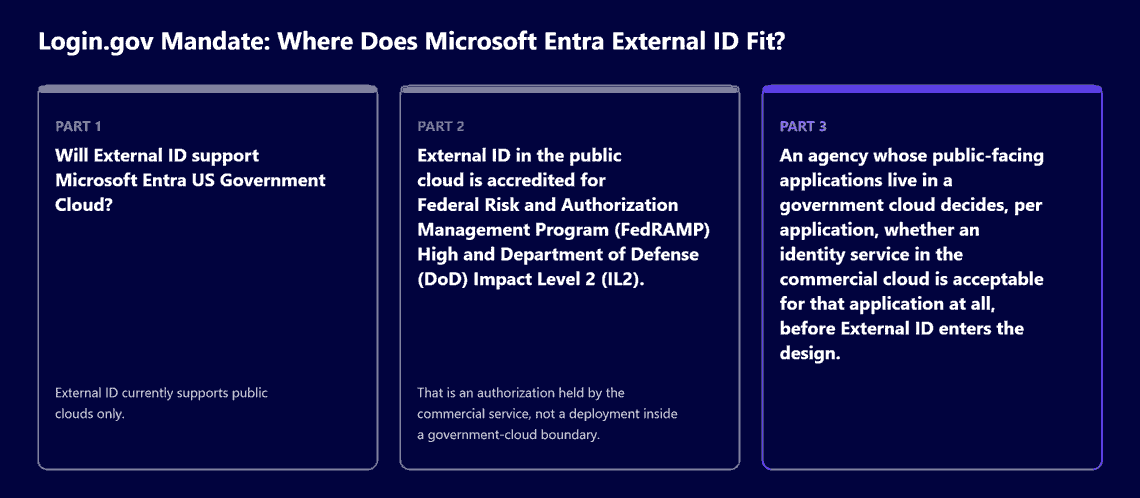
That is the first fact, and it is about where the service runs: External ID is not available as a tenant in GCC, GCC High or DoD. The second fact is separate and should not be read as the first. The same Microsoft FAQ states: “External ID in the public cloud is accredited for Federal Risk and Authorization Management Program (FedRAMP) High and Department of Defense (DoD) Impact Level 2 (IL2).” That is an authorization held by the commercial service, not a deployment inside a government-cloud boundary. An agency whose public-facing applications live in a government cloud decides, per application, whether an identity service in the commercial cloud is acceptable for that application at all, before External ID enters the design.
When a team plans to put External ID in front of Login.gov, the pieces line up on paper. According to Microsoft Learn’s External ID overview, sign-in options include a “custom OIDC identity provider” and apps in an external tenant can use “OpenID Connect (OIDC) or Security Assertion Markup Language (SAML) protocol for authentication and single sign-on” and Login.gov’s developer documentation describes Login.gov as an OpenID Connect identity provider.
The detail sits in Microsoft’s setup page. Microsoft Learn’s custom OpenID Connect setup page for External ID lists a fixed set of settings: well-known endpoint, issuer URI, client ID, client authentication method, client secret, scope, response type and a claims mapping. It lists no field for acr_values or for any other custom authorization parameter. The same Microsoft page states: “Currently, only the code response type is supported. id_token and token aren’t supported.” On client authentication, it states: “client_secret_post and client_secret_jwt authentication methods are supported. Although the admin center UI might display private_key_jwt as an option, this method isn’t currently supported and shouldn’t be selected.” It also states that “the client_secret_basic client authentication method isn’t supported.”
Login.gov documents its own side. Login.gov’s getting started page states: “Login.gov supports two ways of authenticating clients: private_key_jwt and PKCE.” Login.gov’s authorization documentation sets out how a relying party requests a service level and an authentication assurance level at sign-in.
This guide does not conclude from those pages whether the federation works; it concludes that it has to be proven. As of October 2026, pairing Login.gov with External ID’s built-in OpenID Connect setup is not a documented, supported path on Microsoft Learn. This guide’s planning rule, not Microsoft’s: before any design is committed, test in a non-production tenant against Login.gov’s sandbox whether the identity assurance level (IAL) and authentication assurance level (AAL) request your DIRM process selects, and the client authentication Login.gov accepts, can pass through the tenant’s configuration. If they cannot, the integration is scoped as custom engineering, or External ID stays out of that application’s sign-in path.
If your agency wants to keep an existing sign-in beside Login.gov, the memo allows it, narrowly, and the conditions are written down. Section I.C of OMB M-26-18 states: “When use of Login.gov is required under Section I.A or I.B, agencies may also offer other authentication or identity verification solutions in order to: 1) meet specific use cases that Login.gov is unable to fully meet” or “2) avoid imposing additional burden on a significant population of users” and those are the only two reasons it gives.
The same section attaches duties to any solution kept. According to OMB M-26-18, “Agencies must phase out identity solutions that do not meet this description and should routinely reevaluate the need for continued use of solutions other than Login.gov” and when offering other solutions, “agencies must promote Login.gov as the default option for new account creation for any user population that Login.gov is able to serve.” If your agency runs a Microsoft sign-in beside Login.gov for a service, the memo’s parity duty applies to it: “agencies must seek to maximize parity in assurance level selection for authentication and identity verification between Login.gov and the other solution(s).”
Decision rule, this guide’s: any Microsoft-based sign-in kept in place for the public is justified in writing against one of the two conditions, with the user population named, Login.gov set as the default for new accounts, and the assurance levels matched. A sign-in that cannot be justified that way is on the phase-out list, not the keep list.
The DIRM process is the agency’s own documented risk decision, not a Microsoft product, and treating it as a tool purchase is how it goes wrong. According to OMB M-26-18, Section II, agencies “must consider the impact of those decisions on users and avoid friction that is unjustified by the risk profile of the service or transaction” and “must adequately document their risk-based decisions” and the appendix ties the process to NIST SP 800-63-4, including selection of assurance levels.
Where a public-facing application runs on Microsoft, its sign-in records and access policies are evidence inputs to that documentation; they are not the process itself. The assurance levels the process selects are the same levels the federation test in this guide has to carry, which is why this guide runs the DIRM work before the integration design is fixed.
If your decision is one of the cases in this list, start somewhere else. Each case in this list rests on the scope and exclusion text of OMB M-26-18 or on this guide’s own carve:
When you bring in internal or external support, hold it to evidence rather than assurances. Each ask in this list maps to a requirement in OMB M-26-18 or to the Microsoft documentation cited in this guide:
If your agency has to offer Login.gov on its in-scope public-facing sites and decide where Microsoft identity sits around it, i3solutions governs identity and access for regulated Microsoft estates with senior, U.S.-based engineers and leaves an audit-defensible record. For this mandate, that means a project, with embedded specialists where your team needs them, that inventories the in-scope sites, supports the documentation of the DIRM process, and designs the Microsoft-side identity architecture (Microsoft Entra ID, Entra External ID where it fits, or a narrowly scoped Section I.C exception) around Login.gov as the default sign-on. i3solutions does not operate Login.gov, which GSA runs, and does not designate High Impact Service Providers, which OMB does. i3solutions is a Microsoft Systems Integrator that implements identity and access management solutions for enterprises in regulated industries. i3solutions has been a Microsoft Partner with 30 years of enterprise technology delivery experience and has delivered 1,500+ Microsoft engagements across aerospace and defense, financial services, and health sciences.
For how this fits the wider identity program, see identity and access management solutions. If you are a contractor weighing outside support for this work, see IAM implementation for government contractors.
According to OMB M-26-18, agencies must offer Login.gov as a sign-on option for all in-scope public-facing websites, report an inventory of existing public-facing websites that have authentication within 60 days, conduct a Digital Identity Risk Management process within 240 days, and deploy Login.gov on the existing in-scope websites of OMB-designated High Impact Service Provider services within one year or submit a notice to OMB.
According to OMB M-26-18, within one year of the memo’s August 31, 2026 date, which this guide calculates as about August 31, 2027. By then an agency deploys Login.gov on all existing in-scope websites of OMB-designated High Impact Service Provider services or submits a notice to OMB. Whether a service is a High Impact Service Provider is OMB’s designation.
Beside Login.gov, not instead of it, and only on stated conditions. According to OMB M-26-18, agencies may also offer other solutions to meet specific use cases that Login.gov is unable to fully meet or to avoid imposing additional burden on a significant population of users; they must phase out solutions that do not meet that description, promote Login.gov as the default for new account creation, and seek parity in assurance level selection.
Not from inside the government cloud. According to Microsoft’s External ID FAQ, “External ID currently supports public clouds only.” The same FAQ states that “External ID in the public cloud is accredited for Federal Risk and Authorization Management Program (FedRAMP) High and Department of Defense (DoD) Impact Level 2 (IL2).” According to OMB M-26-18, Login.gov remains the sign-on option agencies must offer, so External ID could only sit beside it under the memo’s Section I.C conditions.
As of October 2026 it is not a documented, supported path on Microsoft Learn. According to Microsoft Learn, the External ID custom OpenID Connect setup lists no field for acr_values or other custom authorization parameters, supports only the code response type, and supports client_secret_post and client_secret_jwt but not private_key_jwt; according to Login.gov’s developer documentation, Login.gov supports private_key_jwt and PKCE. This guide’s rule is to test the assurance-level request and client authentication in a sandbox before committing.
If your agency is building its 60-day list, start with every public-facing website that has authentication: according to OMB M-26-18, the report covers all existing public-facing websites that have authentication, where public-facing means intended for members of the public rather than Federal Government employees or contractors acting for an agency. This guide adds tagging each site with its user population and whether it serves an OMB-designated High Impact Service Provider service.

US-Based Microsoft System Integrator | Est. 1997
© i3solutions. All rights reserved.
US-Based Microsoft System Integrator | Est. 1997
© i3solutions. All rights reserved.


