
By Michael Branson
Every takeaway in this section is drawn from Microsoft’s Azure update on the NSG flow logs retirement, Microsoft Learn’s overview of flow logging for network security groups, its virtual network flow logs overview, its migration guide and its traffic analytics schema, all re-read on drafting day:
Someone on the network team tried to turn on flow logging for a new subnet’s network security group and could not create it. A little later, a Microsoft Learn banner said the whole feature retires and that Azure deletes the flow log resources, which reads as if every network-traffic record an auditor might ask for goes with them. Microsoft Learn’s overview of flow logging for network security groups says otherwise about the stored records. This guide sets out what already stopped, what retires on September 30, 2027, what is not deleted, and how to move the audit evidence and the SIEM feed to virtual network flow logs without a gap in either.
The first thing to know is that part of this change is already in effect. Microsoft’s Azure update on the NSG flow logs retirement states that “you’ll no longer be able to create new NSG flow logs starting June 30th, 2025”, so a team that cannot create a new NSG flow log today is seeing the retirement work as announced, not a fault in its subscription. The same update names the end date: “On September 30th 2027, network security group (NSG) flow logs in Azure Network Watcher will be retired.”
Microsoft Learn’s overview of flow logging for network security groups states the date the same way, “Network security group (NSG) flow logs retire on September 30, 2027.” It states the creation stop plainly: “Because the feature is retiring, it no longer supports new NSG flow logs creation.” And it states what happens on the date itself: “After the retirement date, Azure no longer supports traffic analytics enabled for NSG flow logs, and deletes existing NSG flow log resources in your subscriptions.” The same Azure update puts the instruction in one line: “To avoid service disruptions, migrate to virtual network flow logs by September 30th, 2027”.
This guide’s own planning rule, not Microsoft’s: treat June 30, 2025 as already binding and September 30, 2027 as the hard cutover date, not the day planning starts, because a migration that finishes on the retirement date leaves no time to find the query or alert rule that quietly stopped matching. Both dates are from Microsoft’s Azure update on the NSG flow logs retirement.
The deletion Microsoft describes is narrower than it first reads. Microsoft Learn’s overview of flow logging for network security groups follows the retirement sentence with this one: “However, Azure doesn’t delete existing NSG flow log records from Azure Storage, and they continue to follow their configured retention policies.” Microsoft’s Network Watcher FAQ shows the same split from another angle: asked whether a network security group with flow logging enabled can be deleted, it answers yes and adds, “The associated flow log resource will be deleted too.”
This guide’s reading of those two Microsoft statements, labelled as ours: retirement deletes the flow log resource and stops new logging; it does not, by itself, delete the records already written to your storage account. That is not the same as saying nothing is lost. The stored records still follow whatever retention you configured, and Microsoft Learn’s overview of flow logging for network security groups notes that “NSG flow logs have a retention feature that allows deleting the logs automatically up to a year after their creation.” If your auditors need network-traffic records older than your current retention setting allows, that is your storage account’s setting to review now, not something the retirement decides for you.
The method decision turns on how uniform your current NSG flow logging is. Microsoft Learn’s guide to migrating to virtual network flow logs recommends its migration script when flow logging is not enabled on every network interface or subnet in a virtual network, or when the NSG flow logs in a virtual network carry different configurations you want to keep, and recommends Azure Policy when the same network security group and the same flow log configuration apply across a virtual network, or when you want flow logging at the virtual network level.
Microsoft’s migration script is a PowerShell script you download from the Migrate flow logs page under Network Watcher in the Azure portal, scoped to the subscriptions and regions you select. It runs an analysis first, and according to Microsoft Learn’s migration guide, “The report lists the number of network security group flow logs that will be disabled and the number of virtual network flow logs that are created to replace them.” Four of Microsoft’s own conditions on it belong in your change record before anyone runs it:
Azure Policy’s built-in pair works differently. According to Microsoft Learn’s guide to auditing and deploying virtual network flow logs with Azure Policy, “The first policy flags any virtual network that doesn’t have flow logging enabled.” The same guide continues: “The second policy automatically deploys virtual network flow logs to virtual networks that don’t have flow logging enabled.” This guide’s own reading, not Microsoft’s: the audit policy is also the cheapest way to build the inventory, because it lists the virtual networks with no flow logging across a subscription before you decide anything else.
A self-inflicted cost to avoid in this migration is running both kinds of logging on the same traffic. Microsoft Learn’s virtual network flow logs overview states: “We recommend disabling network security group flow logs before enabling virtual network flow logs on the same underlying workloads to avoid duplicate traffic recording and additional costs.” The same page sets expectations on volume, because the new logging sees more: “This broader scope supports additional use cases and traffic patterns, which may result in higher log volumes compared to more narrowly scoped flow logging configurations.”
This guide’s own sequencing, not a sequence Microsoft publishes: confirm the replacement’s destination, queries and alert rules first, then disable NSG flow logging and enable virtual network flow logging for one workload at a time, then read the new data end to end before moving to the next workload. Microsoft’s own virtual network flow logs overview also states that “Virtual network flow logs overcome some of the limitations of Network security group flow logs and are more cost efficient.” Higher volume from a broader scope and Microsoft’s statement on cost efficiency can both hold for your estate; budget from your own first weeks of data, not from either sentence alone.
Some workloads have no replacement path today. Microsoft Learn’s virtual network flow logs overview states: “Currently, these Azure services don’t support virtual network flow logs:” and lists Azure Container Instances, Azure Container Apps, Azure Logic Apps, Azure Functions, Azure DNS Private Resolver, App Service, Azure Database for MariaDB, Azure Database for MySQL, Azure Database for PostgreSQL, Azure SQL Managed Instance, Azure NetApp Files and Microsoft Power Platform. It adds a specific note: “App services deployed under an Azure App Service plan don’t support virtual network flow logs.” Where an audit relied on network-traffic evidence for one of those workloads, your auditors need to hear that from you, with the Microsoft page, before the retirement date rather than after.
Two further changes in shape come from the same Microsoft page. The scope is wider: “Virtual Network flow logs operate at the virtual network level and therefore capture traffic for resources such as gateways by default.” And key rotation now touches logging: “If you change or rotate the customer-managed encryption keys to your storage account, virtual network flow logs stop working.” This guide’s planning rule, labelled as ours: inventory the workloads with no virtual network flow logs path, and add flow logging to the change-control checklist for any customer-managed key rotation on the storage account that receives the logs.
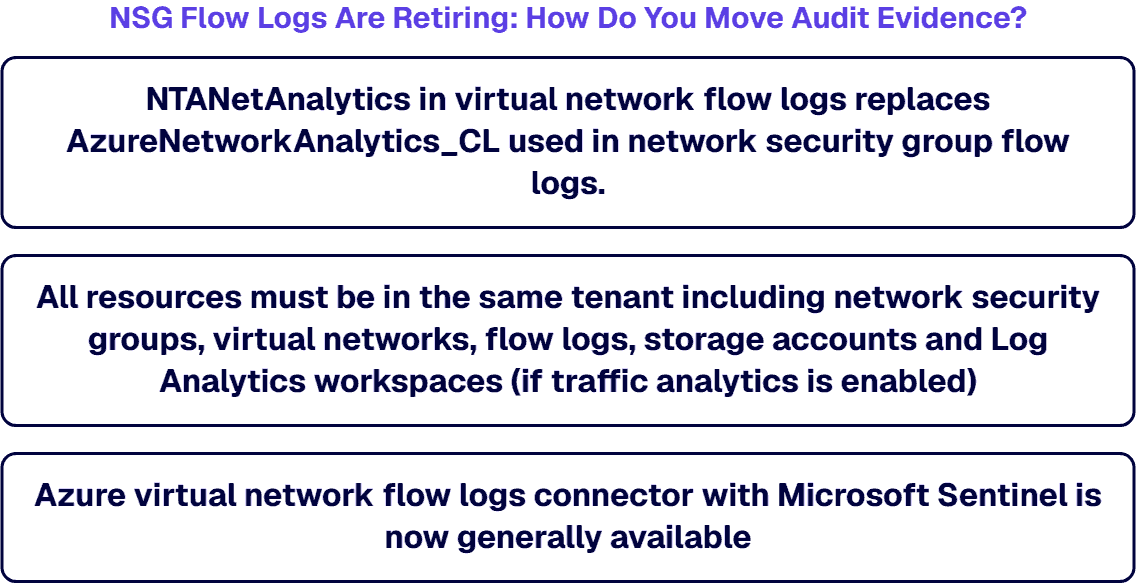
The part of this migration that can break without an error message is not the logging itself; it is everything built on top of it. Microsoft Learn’s traffic analytics schema states: “NTANetAnalytics in virtual network flow logs replaces AzureNetworkAnalytics_CL used in network security group flow logs.” This guide’s reading of that sentence, labelled as ours: any saved Log Analytics query, workbook, alert rule or SIEM integration keyed to AzureNetworkAnalytics_CL stops matching new data once a workload’s traffic is logged by virtual network flow logs, and has to be rewritten against NTANetAnalytics, field by field, before the old logging is switched off for that workload.
A feed that reads raw files from storage changes too. Microsoft Learn’s overview of flow logging for network security groups places NSG flow log files in the insights-logs-networksecuritygroupflowevent container, and Microsoft Learn’s guide to managing virtual network flow logs places virtual network flow log files in the insights-logs-flowlogflowevent container, so any export job or ingestion path pointed at the old container needs a new path.
Microsoft’s Network Watcher FAQ sets one constraint on where the pieces can live: “All resources must be in the same tenant including network security groups (network security group flow logs), virtual networks (virtual network flow logs), flow logs, storage accounts and Log Analytics workspaces (if traffic analytics is enabled).”
For a team whose SIEM is Microsoft Sentinel, Microsoft has a native path. Microsoft’s release communication on the connector states: “Azure virtual network flow logs connector with Microsoft Sentinel is now generally available, enabling you to seamlessly export and analyze network traffic data within your security operations workflows.” The same release communication lists its general availability as May 2026. This guide does not compare or recommend SIEM or log-management platforms; if your feed runs to another platform, confirm with that platform’s owner which table or container it reads, using the Microsoft table and container names this guide cites.
If any of your Azure workloads run in Azure Government regions, check the region before you plan a SIEM feed or an audit report that depends on traffic analytics there. The availability table in Microsoft Learn’s virtual network flow logs overview, read in September 2026, lists Azure Government regions against virtual network flow logs, traffic analytics and a Log Analytics workspace. US Gov Arizona, US Gov Texas and US Gov Virginia are marked for virtual network flow logs, traffic analytics and a Log Analytics workspace. US DoD Central, US DoD East and US Gov Iowa are marked for virtual network flow logs only, with no mark for traffic analytics or a Log Analytics workspace.
This guide’s reading of that table, labelled as ours: in US DoD Central, US DoD East and US Gov Iowa the replacement logging is listed, but the analytics layer built on it is not listed in the same region, so a SIEM feed or audit report that depends on traffic analytics there needs a different design or a confirmed answer from Microsoft. Confirm current availability for your own region against the table in Microsoft Learn’s virtual network flow logs overview before you plan; this guide makes no claim of parity across Azure Government regions.
i3solutions plans and runs governed Azure and Microsoft 365 migrations with senior, U.S.-based engineers. For this retirement, that means a project, with embedded specialists where your team needs them, that inventories which subscriptions and virtual networks still depend on NSG flow logs, plans and runs the cutover with Microsoft’s migration script or its built-in policy pair, sequences the change to avoid duplicate logging and cost, rebuilds the Log Analytics queries, workbooks, alert rules and Microsoft Sentinel detection rules against the renamed table, and documents the change for your auditors. i3solutions maps governance to named control families, enforces it in the platform through Entra ID, Purview, and Azure Policy, and evidences it continuously rather than reconstructing it at audit. For how that governance practice is set out, see enterprise governance and compliance. i3solutions has built and monitored a Microsoft Sentinel deployment. i3solutions has been a Microsoft Partner with 30 years of enterprise technology delivery experience and has delivered 1,500+ Microsoft engagements across aerospace and defense, financial services, and health sciences.
An i3solutions engagement does not produce managed-service ownership, a replacement for the internal team, open-ended scope expansion, or vendor lock-in. Running the SIEM or the security operations center day to day stays with your team; the project hands over the rebuilt queries, alert rules and audit records for your team to run.
For how this fits the wider Azure estate, see Azure development services.
Not every estate needs this work, and it is worth checking before you start. If no subscription has NSG flow logs enabled today, the retirement does not reach you through this path. If every relevant workload is already on virtual network flow logs, the remaining questions are the services that do not support them and the table rename, each covered in its own section of this guide; check those and move on. If the real question is whether to stand up Microsoft Sentinel as a program, including workspace design and retention cost, that is a broader governance decision than this page makes. If the real question is which SIEM or log-management platform to adopt, that is a product decision this guide does not make. And if the real question is who runs the SIEM or the security operations center on an ongoing basis, that is not an i3solutions offering.
According to Microsoft Learn, network security group (NSG) flow logs are retiring. The section above on what already stopped and what retires next quotes the date.
No. According to Microsoft’s Azure update on the retirement, you can no longer create new NSG flow logs; new flow logging goes on virtual network flow logs. The section above on what already stopped and what retires next quotes the date.
Not by itself. According to Microsoft Learn, after the retirement date Azure deletes existing NSG flow log resources in your subscriptions but does not delete existing NSG flow log records from Azure Storage, which continue to follow their configured retention policies. Those retention policies can still delete records on their own schedule, so check the retention setting on your storage account.
According to Microsoft Learn, virtual network flow logs replace them, and Microsoft recommends disabling NSG flow logs before enabling virtual network flow logs on the same workloads to avoid duplicate traffic recording and additional costs. According to Microsoft Learn, some services, including App Service and Azure Functions, do not support virtual network flow logs today.
Yes. According to Microsoft Learn’s traffic analytics schema, NTANetAnalytics in virtual network flow logs replaces AzureNetworkAnalytics_CL used in network security group flow logs, so saved queries, workbooks, alert rules and SIEM integrations built on the old table need rebuilding.
According to Microsoft Learn’s availability table, read in September 2026, virtual network flow logs are listed in every Azure Government region shown, but traffic analytics and a Log Analytics workspace are listed only in US Gov Arizona, US Gov Texas and US Gov Virginia, not in US DoD Central, US DoD East or US Gov Iowa. Confirm current availability for your own region before planning a traffic analytics feed there.

US-Based Microsoft System Integrator | Est. 1997
© i3solutions. All rights reserved.
US-Based Microsoft System Integrator | Est. 1997
© i3solutions. All rights reserved.


