
Michael Branson
Quick answer. As of October 2026, yes, BES Cyber System Information can be stored in a cloud service under NERC’s CIP-011-3, effective January 1, 2024, and its companion CIP-004-7, provided your information protection program identifies it, protects it with methods such as encryption and key management, and your access management program authorizes, verifies at least every 15 calendar months and revokes every individual’s provisioned access, including any access the cloud provider’s personnel have. Microsoft states that Azure and Azure Government are “suitable for registered entities deploying certain workloads subject to compliance with NERC CIP standards, including BCSI workloads”, that its NERC guidance “is directly applicable to Azure only”, and, for Microsoft 365, “If you’re interested in deploying BCSI in Office 365 (Microsoft 365), contact your Microsoft account team for assistance.” Compliance stays with you: NERC’s cloud guidance says the provider’s security roles “do not suggest or imply transference of compliance responsibilities from the Responsible Entity to a third-party”, and Microsoft says “you’re ultimately responsible for compliance with NERC CIP standards according to your own facts and circumstances.”
The question rarely arrives as a policy decision. It arrives as a request from engineering to put one-line diagrams, procedures and configuration files in SharePoint and Teams, or from a project that wants Azure for analysis work. One camp says BES Cyber System Information can never leave the building; another says the cloud provider has already settled the question. Neither answer survives an audit. NERC’s cloud guidance says CIP-011-3 and CIP-004-7 were modified “to clarify and provide a secure path towards utilization of modern” off-premises storage and analysis systems such as cloud services, with a program behind them. This guide sets out what NERC’s standards and its cloud guidance ask, what Microsoft states for Azure and for Microsoft 365, and which controls and evidence carry each requirement. Whether a given program meets a requirement is the registered entity’s determination and its auditor’s, not this guide’s.
A program written to the wrong version of the standard fails on its first read, so settle the versions before the architecture. According to NERC’s version history for its successor standard, the CIP-011-3 entry lists an effective date of 1/1/2024. NERC’s version histories show CIP-004-7 and CIP-011-3 adopted by the NERC Board of Trustees on 8/12/21 and each approved in one FERC order dated 12/7/21, Docket No. RD21-6-000; the CIP-004-7 row reads “FERC Order issued approving CIP-004-7” and its purpose line reads “Revised to enhance BES reliability for entities to manage their BCSI.”
Both standards came through one implementation plan. NERC’s Implementation Plan, Project 2019-02 BES Cyber System Information Access Management gives each the same rule: “the standard shall become effective on the first day of the first calendar quarter that is twenty-four (24) months after the effective date of the applicable governmental authority’s order approving the standard”. CIP-004-7 itself says “Effective Dates: See Implementation Plan for CIP-004-7.”
Successors are already approved. According to NERC’s version history in CIP-011-4.1, a FERC order approving CIP-011-4.1 was issued on March 19, 2026, Docket No. RM24-8-000. NERC’s Implementation Plan, Project 2016-02 Modifications to CIP Standards lists CIP-004-7 and CIP-011-3 among the standards requested for retirement and says the revised standards “shall become effective on the later of: (1) April 1, 2026; or (2) the first day of the first calendar quarter that is twenty-four (24) months after the effective date of the applicable governmental authority’s order approving the Revised CIP Standards and Definitions”. According to NERC, the information protection and access management wording in CIP-011-4.1 and CIP-004-8 carries forward, with Shared Cyber Infrastructure (SCI) added to the systems each part applies to.
Write the program to CIP-011-3 and CIP-004-7 now, and take the successors’ effective date from NERC’s standard pages for your jurisdiction rather than computing it, because the BCSI obligations carry forward either way.
The failure to avoid is moving files first and deciding afterward which of them were BCSI. NERC’s CIP-011-3 Requirement R1 opens: “Each Responsible Entity shall implement one or more documented information protection program(s) for BES Cyber System Information (BCSI)”. Its Part 1.1 asks for “Method(s) to identify BCSI.” and NERC’s measures for that part still include “Storage locations identified for housing BCSI in the entity’s information protection program.”
NERC’s Usage of Cloud Solutions for BES Cyber System Information (BCSI) guidance, dated June 21, 2023, turns that into cloud examples. A designated location can be “a specific site or folder within an application that has been designated as a BCSI repository.” Its other examples include “File-level tagging via metadata or labels” and “Application-level whereby the entire application has been designated as a BCSI storage location”. In Microsoft 365 terms, that is a designated SharePoint site or Teams team, a sensitivity label, or both.
Part 1.2 of NERC’s CIP-011-3 asks for “Method(s) to protect and securely handle BCSI to mitigate risks of compromising confidentiality.” Its measures list, as examples of evidence for off-premise BCSI, “Implementation of electronic technical method(s) to protect electronic BCSI (e.g., data masking, encryption, hashing, tokenization, cipher, electronic key management)” and “Implementation of administrative method(s) to protect BCSI (e.g., vendor service risk assessments, business agreements).” Encryption is one listed technical example, beside administrative methods; the program chooses and documents the mix.
Two Microsoft 365 controls map to the encryption and key-management examples. Microsoft’s Overview of Service encryption with Microsoft Purview Customer Key says “Customer Key helps you meet compliance or regulatory requirements by letting you control the root encryption keys at the application level.” and that its coverage “includes data from Microsoft Exchange, SharePoint, OneDrive, Teams, and Windows 365 Cloud PCs (Enterprise)”. Microsoft’s What is Double Key Encryption (DKE)? says “It uses two keys to protect data; one key in your control and a second key you store securely in Microsoft Azure.” and “Viewing data protected with Double Key Encryption requires access to both keys.”
NERC’s guidance also lists “Technical tools that prevent BCSI from being transmitted in clear text outside of an encrypted container” as a technical method. Data loss prevention policies do that job in Microsoft 365; tuning them so they block BCSI without flooding users is a separate piece of work.
Designate the BCSI locations and labels before migration, not after, so the first file that lands already sits inside the program.
Once BCSI sits encrypted in a cloud service, the next question an auditor asks is who can use the key. According to NERC’s cloud guidance, its evidence examples for CIP-011-3 Part 1.2 name four key arrangements and what each needs:
Microsoft’s Azure Government page for NERC, NERC CIP standards and cloud computing, last updated May 2023, says “You can use customer-managed keys (CMK) with Azure Key Vault to have sole control over encryption keys stored in HSMs.” Microsoft’s What is Azure Key Vault Managed HSM? says “Azure Key Vault Managed HSM (Hardware Security Module) is a fully managed, highly available, single-tenant, standards-compliant cloud service that enables you to safeguard cryptographic keys for your cloud applications, using FIPS 140-3 Level 3 validated HSMs.”
Customer-held keys do not mean the service stops processing the data. The Customer Key overview says “You explicitly authorize Microsoft 365 to use your encryption keys to deliver value-added services like eDiscovery, anti-malware, anti-spam, and search indexing.” That authorization belongs in the information protection program as a recorded decision. Double Key Encryption is the Microsoft 365 option where viewing content needs a key you hold.
The same Azure Government page says “Azure Government provides an extra layer of protection to registered entities through contractual commitments regarding storage of customer data in the United States and limiting potential access to systems processing customer data to screened US persons.” What a move from Azure commercial to Azure Government involves is covered in Azure Government migration.
Pick the key arrangement per BCSI location and write down who can use each key, because NERC’s CIP-004-7 lists encryption keys among the forms of provisioned access.
The access list an auditor reads is longer than the membership of your SharePoint site. NERC’s CIP-004-7 Requirement R6 says “To be considered access to BCSI in the context of this requirement, an individual has both the ability to obtain and use BCSI.” It continues: “Provisioned access is to be considered the result of the specific actions taken to provide an individual(s) the means to access BCSI (e.g., may include physical keys or access cards, user accounts and associated rights and privileges, encryption keys).”
NERC’s cloud guidance says “If CSP personnel has access to BCSI in the Overlay and/or the Underlay, then this should be accounted for and addressed by the Responsible Entity’s Information Protection Program.” It names access paths to identify, including “eDiscovery tools typically utilized by legal staff”, “Administrator roles within the cloud environment that provide access to BCSI” and “Emergency/ Break-Glass accounts that provide access to BCSI.” Which eDiscovery tier a legal team uses is its own decision; for this program, what matters is that every eDiscovery role that can search a BCSI location is on the access list.
For software services, NERC’s guidance works through three scenarios:
Customer Lockbox is Microsoft’s approval step for engineer access. Microsoft’s Microsoft Purview Customer Lockbox page says “Customer Lockbox ensures that Microsoft can’t access your content to do service operations without your explicit approval.” and “Customer Lockbox supports requests to access data in Exchange Online, SharePoint, OneDrive, Teams, and Windows 365.” For Azure, Microsoft’s Customer Lockbox for Microsoft Azure says it “provides an interface for your organization to review and approve or reject customer data access requests.” Microsoft’s NERC page adds that “Cloud service providers and third-party vendors aren’t subject to NERC CIP standards”, which is why the entity’s program has to carry the provider’s access.
List every role, tool and support path that can reach a BCSI location, and assign each one either to a CIP-004-7 R6 authorization or to the CIP-011-3 program.
Access management fails in the cloud when groups grow by copy and no one can say who approved whom. NERC’s CIP-004-7 Requirement R6 reads: “Each Responsible Entity shall implement one or more documented access management program(s) to authorize, verify, and revoke provisioned access to BCSI”. The three parts read:
NERC’s guidance says the verification should cover shared break-glass accounts, and that exception reports can serve as evidence if the entity can show the logic behind them. Among its evidence examples is “Evidence of an access review of each role and the associated individuals with provisioned access.” Microsoft’s What are access reviews? page says “User access can be reviewed regularly to make sure only the right people have continued access.” For revocation, NERC’s guidance tells entities whose cloud accounts synchronize from an on-premises directory to review the synchronization cycles against NERC’s next-calendar-day deadline, and to change break-glass passwords a terminated person may know.
Administrator access is the hardest part to keep small. Activating administrator roles only when needed, for a set time, keeps standing administrative access to BCSI locations to a short list the review can read. How i3solutions approaches identity as a governed capability is set out in identity and access management.
Make the BCSI groups the unit of review, so the periodic verification is one report, and wire termination to group removal so revocation does not wait on a ticket queue.
When the program document goes to the CIP Senior Manager, each requirement part should point to a control and to the evidence it leaves. The first column is NERC’s text; the control columns are this guide’s mapping, resting on NERC’s guidance and Microsoft’s pages cited in this guide; the evidence column names records NERC’s guidance lists as examples.
| NERC requirement part | What NERC asks | Microsoft 365 control | Azure control | Evidence the entity keeps |
|---|---|---|---|---|
| CIP-011-3 Part 1.1, identify | “Method(s) to identify BCSI.” | Designated SharePoint sites or Teams teams; sensitivity labels (“File-level tagging via metadata or labels”) | A designated subscription or resource group (“A designated container/space within a CSP-provided environment”) | The program’s list of designated BCSI locations and labels |
| CIP-011-3 Part 1.2, protect (technical) | “Method(s) to protect and securely handle BCSI to mitigate risks of compromising confidentiality.” | Customer Key for service encryption; Double Key Encryption for labeled items; data loss prevention | Customer-managed keys in Azure Key Vault or Managed HSM | Key and encryption configuration records, per location |
| CIP-011-3 Part 1.2, protect (administrative) | “Implementation of administrative method(s) to protect BCSI (e.g., vendor service risk assessments, business agreements).” | Service agreement terms and provider risk assessment | Service agreement terms and provider risk assessment | Agreements, risk assessments and third-party audit reports; NERC’s guidance names “FedRAMP Audit reports, SOC 2 Type 2 reports or similar” |
| CIP-004-7 Part 6.1, authorize | “Prior to provisioning, authorize (unless already authorized according to Part 4.1.) based on need, as determined by the Responsible Entity, except for CIP Exceptional Circumstances:” | Approval before a user is added to a BCSI group | Approval before a role assignment on a BCSI resource | Dated authorization records |
| CIP-004-7 Part 6.2, verify | According to NERC, “Verify at least once every 15 calendar months that all individuals with provisioned access to BCSI:” | Access reviews on BCSI groups | Access reviews on BCSI role assignments | Completed review records and reconciliation actions |
| CIP-004-7 Part 6.3, revoke | “by the end of the next calendar day following the effective date of the termination action.” | Group removal and account disablement tied to termination | Role removal tied to termination | Termination date, revocation record with date and time |
| Provider personnel access | “If CSP personnel has access to BCSI in the Overlay and/or the Underlay, then this should be accounted for and addressed by the Responsible Entity’s Information Protection Program.” | Customer Lockbox for Microsoft 365 | Customer Lockbox for Microsoft Azure | Customer Lockbox request and approval log, or the scenario evidence NERC’s guidance lists |
| Key custody | “Provisioned access is to be considered the result of the specific actions taken to provide an individual(s) the means to access BCSI (e.g., may include physical keys or access cards, user accounts and associated rights and privileges, encryption keys).” | Customer Key or Double Key Encryption, with named key custodians | Customer-managed keys in Azure Key Vault or Managed HSM, with named key custodians | Key access list and the detection or notification records NERC’s guidance describes |
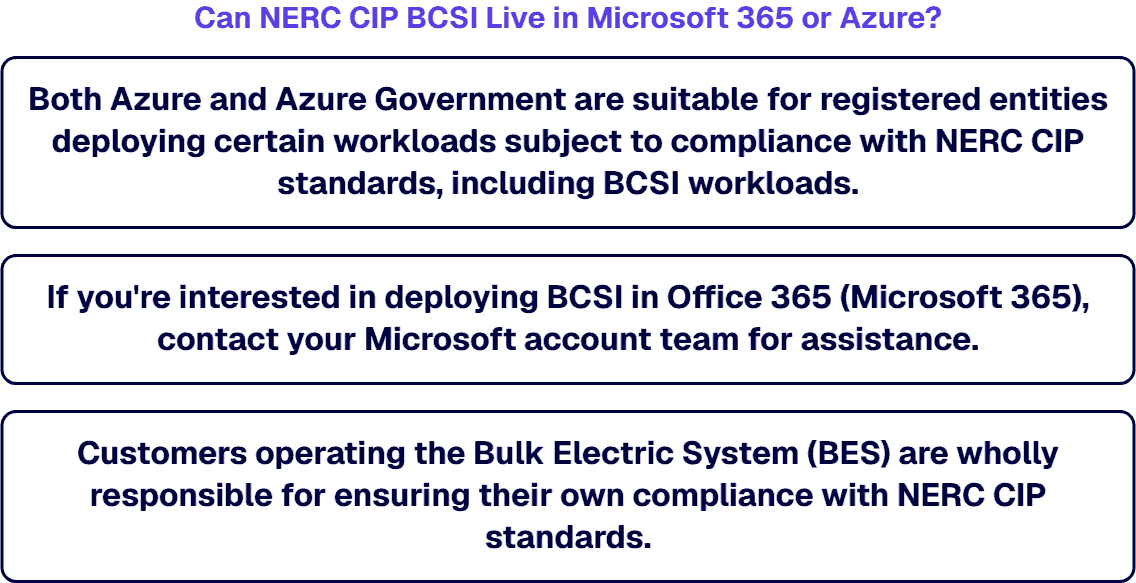
Before BCSI moves into SharePoint, Teams or Exchange, read Microsoft’s two NERC pages for what they cover. Microsoft’s North American Electric Reliability Corporation (NERC) compliance page, last updated April 20, 2023, says “Neither Azure nor Azure Government constitutes a BES or BES Cyber Asset; however, both Azure and Azure Government are suitable for registered entities deploying certain workloads subject to compliance with NERC CIP standards, including BCSI workloads.” The same page says “Information in this article, including all referenced guidance documents, is directly applicable to Azure only.” and “If you’re interested in deploying BCSI in Office 365 (Microsoft 365), contact your Microsoft account team for assistance.”
That page also says “NERC reviewed Azure control implementation details and FedRAMP audit evidence related to NERC CIP-004-6 and CIP-011-2 standards that are applicable to BCSI.” CIP-004-6 and CIP-011-2 are the versions CIP-004-7 and CIP-011-3 replaced; according to NERC, CIP-011-3 took effect on January 1, 2024. Read that review as history, not as a review of the current standards. The page also says “You can download the Cloud implementation guide for NERC audits under a non-disclosure agreement (NDA) from the Service Trust Portal (STP).”
Microsoft’s Azure Government NERC page places the design work with you: “you’re responsible for designing your applications to use end-to-end data encryption that meets NERC CIP standards requirements. Microsoft doesn’t inspect or approve your Azure applications.” It also says “Customers operating the Bulk Electric System (BES) are wholly responsible for ensuring their own compliance with NERC CIP standards.”
For Microsoft 365, NERC’s own cloud guidance is the working reference: its appendix lists “Microsoft 365 (includes apps such as SharePoint Online, Exchange Online, Teams, etc.)” as an example of software as a service, and lists Microsoft Azure under both platform and infrastructure services, while saying the list “should not be considered as an endorsement of any kind.”
Ask the Microsoft account team for the Microsoft 365 position in writing before BCSI moves into SharePoint, Teams or Exchange, and file it with the program.
Some readers should stop and answer an earlier question first.
If a BCSI program in Microsoft 365 or Azure is going to hold up, someone has to design, configure and evidence its controls. i3solutions designs platform-aligned governance for Microsoft environments with Entra ID, Purview and Azure Policy. i3solutions maps governance to named control families, enforces it in the platform through Entra ID, Purview, and Azure Policy, and evidences it continuously rather than reconstructing it at audit. i3solutions governs identity and access for regulated Microsoft estates with senior, U.S.-based engineers and leaves an audit-defensible record.
For a registered entity, that work is the control set in the requirement-to-control table: designated BCSI locations and labels, encryption and customer-held keys, Entra ID access provisioning, access reviews and revocation, Customer Lockbox, Azure Policy, and the evidence the platform produces in its audit logs and access review records. Where BCSI repositories have to move, i3solutions plans and runs governed Azure and Microsoft 365 migrations with senior, U.S.-based engineers. As a Microsoft-focused application development and integration firm, i3solutions also connects those controls to the systems around them. The work is delivered as a project by senior, US-based people, with embedded specialists inside your team where it needs them. Whether the program meets NERC’s requirements stays your determination and your auditor’s.
Microsoft 365 compliance work under other regimes is covered in Microsoft 365 compliance consulting. The wider governance practice is described in enterprise governance and compliance.
The standards allow it with a program behind it; Microsoft’s NERC guidance covers Azure only. NERC’s CIP-011-3 requires “one or more documented information protection program(s) for BES Cyber System Information (BCSI)”, and NERC’s cloud guidance lists “Microsoft 365 (includes apps such as SharePoint Online, Exchange Online, Teams, etc.)” as an example of software as a service. Microsoft says its NERC article “is directly applicable to Azure only” and “If you’re interested in deploying BCSI in Office 365 (Microsoft 365), contact your Microsoft account team for assistance.”
Encryption is one listed example, not the only method. NERC’s CIP-011-3 asks for “Method(s) to protect and securely handle BCSI to mitigate risks of compromising confidentiality.” Its measures list “Implementation of electronic technical method(s) to protect electronic BCSI (e.g., data masking, encryption, hashing, tokenization, cipher, electronic key management)” beside “Implementation of administrative method(s) to protect BCSI (e.g., vendor service risk assessments, business agreements).”
Only if they can obtain and use it, and the program must account for it either way. NERC’s CIP-004-7 says “To be considered access to BCSI in the context of this requirement, an individual has both the ability to obtain and use BCSI.” NERC’s cloud guidance says “If CSP personnel has access to BCSI in the Overlay and/or the Underlay, then this should be accounted for and addressed by the Responsible Entity’s Information Protection Program.” Microsoft says “Customer Lockbox ensures that Microsoft can’t access your content to do service operations without your explicit approval.”
CIP-004-7 and CIP-011-3, with successors approved but taking effect under NERC’s implementation plan. According to NERC’s version history, the CIP-011-3 entry lists an effective date of 1/1/2024, and CIP-004-7 was approved in the same FERC order dated 12/7/21. According to NERC’s version history, a FERC order approving CIP-011-4.1 was issued on March 19, 2026, and NERC’s implementation plan says the revised standards “shall become effective on the later of: (1) April 1, 2026; or (2) the first day of the first calendar quarter that is twenty-four (24) months after the effective date of the applicable governmental authority’s order approving the Revised CIP Standards and Definitions”.
No. Microsoft says “Cloud service providers and third-party vendors aren’t subject to NERC CIP standards” and “you’re ultimately responsible for compliance with NERC CIP standards according to your own facts and circumstances.” Its Azure Government page says “Customers operating the Bulk Electric System (BES) are wholly responsible for ensuring their own compliance with NERC CIP standards.” NERC’s cloud guidance says the provider’s security roles “do not suggest or imply transference of compliance responsibilities from the Responsible Entity to a third-party.”

US-Based Microsoft System Integrator | Est. 1997
© i3solutions. All rights reserved.
US-Based Microsoft System Integrator | Est. 1997
© i3solutions. All rights reserved.


