
Michael Branson
If the regulatory affairs or accounting team has just handed IT the Part 125 schedule and asked whether Microsoft Purview can enforce it across SharePoint, OneDrive, Teams and Exchange, you are holding two documents written for different purposes. The schedule is a table of record descriptions and retention periods, some counted in years, some tied to an order or a retired plant. Purview’s file plan is a list of retention labels, each with a start point, a period and a disposition. This guide puts the regulation’s own words beside Microsoft’s so the mapping can be argued row by row. Every regulatory quotation in this guide is read from the eCFR text of 18 CFR Part 125 in September 2026, and every Microsoft quotation from Microsoft Learn the same month.
Before you build a single label, confirm the schedule is yours. Section 125.1 prescribes the part as the regulations governing “the preservation of records by public utilities subject to the jurisdiction of the Commission and by licensees holding licenses issued by the Commission”. That is an electric public utility or a holder of a Commission license, such as a hydroelectric licensee. Part 125’s text does not name interstate natural gas pipelines; a pipeline operator’s record obligations are a separate question for its own counsel. Section 125.2(a)(1) sets the reach inside the company: the regulations “apply to all books of account and other records prepared by or on behalf of the public utility or licensee”. Whether a given company and a given record fall under the part is a question for your regulatory affairs office and counsel, and the file plan starts after that answer.
When the schedule arrives as a spreadsheet, it looks like one uniform list, and it is not. The schedule in section 125.3 runs from item 1, reports to stockholders, to item 42, advertising, grouped under headings such as Corporate and General, Information Technology Management, General Accounting Records, Operations and Maintenance, Plant and Depreciation, Revenue Accounting and Collection, Tax and Treasury. Section 125.2(a) adds three rules that sit outside any single row. Where another Commission regulation sets a different period, “the records should be retained for the longer of the retention periods”. “Records other than those listed in the schedule may be destroyed at the option of the public utility or licensee”, with the regulation’s own provisos for records used in place of listed ones. And the part is not to be read as excusing other Federal or State record keeping requirements. This guide works four entries in detail; the full schedule in section 125.3 governs every row it lists.
If every schedule row becomes the same kind of label, the file plan misfits the rows with the longest or event-tied periods. Microsoft’s file plan page describes the settings each label carries: “Based on identifies how or when the retention period begins.” and “Disposition type identifies what happens to the content at the end of the retention period.” Its values include “Review required”. The records management page separates three label types: “You use retention labels to mark items as a record, or a regulatory record.” and “A standard retention label has retention settings and actions but doesn’t mark items as a record or a regulatory record.” The four entries in the table show the four shapes a Part 125 retention period takes. The right-hand column is i3solutions’ reading of how each shape maps, not a mapping Microsoft or the Commission states.
When a row is event-based, the event has to exist in Purview as well as in the plant ledger. Microsoft’s event-based retention page states that “The event triggers the start of the retention period”, that “Asset ID is simply another document property that’s available in SharePoint and OneDrive.”, and that “If an asset ID isn’t entered, all content with labels of that event type get the same retention date applied to them.” For item 21 that means a plant or facility identifier on the documents before the first retirement event is created, or one retirement would start the clock on every facility’s drawings.
Before you mark the long rows as regulatory records, read Microsoft’s caution on the records management page. After a regulatory record label is applied, “not even a global administrator, can remove the label”, and “The retention period can’t be made shorter after the label is saved, only extended.” The same page adds: “These labels aren’t supported by auto-labeling policies, and must be applied by using retention label policies.” and “Because of the restrictions and irreversible actions, make sure you really do need to use regulatory records before you select this option for your retention labels.” Which Part 125 rows carry that setting is a decision for the records and regulatory team, made row by row and written into the file plan.
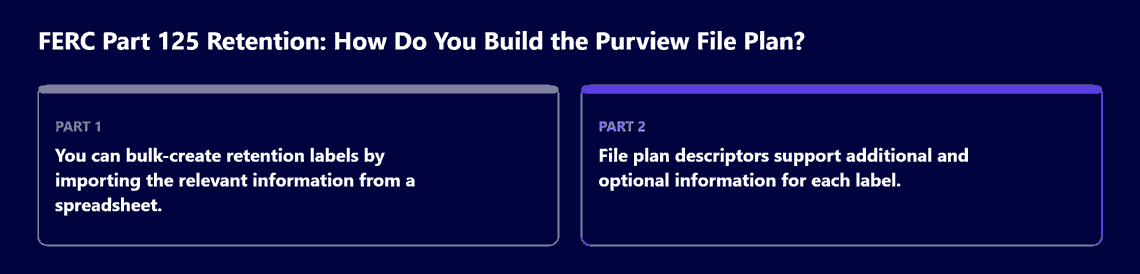
When the schedule has to become labels in bulk, the file plan is where the two documents meet. Microsoft’s file plan page states: “You can bulk-create retention labels by importing the relevant information from a spreadsheet.” and “File plan descriptors support additional and optional information for each label.” It names out-of-box values for four descriptors (Business function/department, Category, Authority type and Provision/citation) and a Reference ID descriptor “which you can use as a unique value to your organization”. For the citation it adds: “This property specifies the jurisdiction or agency that’s displayed in the Provision/citation file plan descriptor.”
In i3solutions’ reading, each Part 125 row fills those columns in the same way. The Reference ID carries the schedule’s own item number, such as 125.3-16(a), so every label traces to one row. Category carries the schedule heading, such as Plant and Depreciation, and Business function/department names the team that owns the records. Authority type records that the source is a federal regulation. Provision/citation carries 18 CFR 125.3 and the item number, with FERC as the jurisdiction or agency. Where section 125.2(a) makes a longer period govern, the row records which rule set the period, so a reviewer can see why the label differs from the schedule. The general crosswalk from a record-category file plan to Purview’s descriptors is covered in a separate i3solutions guide, Mapping a DoD 5015.2-Style File Plan onto Microsoft Purview Records Management.
If the project plan treats the file plan as the whole Part 125 program, several obligations in section 125.2 have no label setting at all. The part requires each utility or licensee to “designate one or more persons with official responsibility to supervise the utility’s or licensee’s program for preservation and the authorized destruction of its records”. It asks for “reasonable protection for records subject to the regulations in this part from damage by fire, floods, and other hazards”. On storage media it states: “The storage media must have a life expectancy at least equal to the applicable record retention period provided in § 125.3 unless there is a quality transfer from one media to another with no loss of data.” and “Each transfer of data from one media to another must be verified for accuracy and documented.” When records are lost early, a certified statement “must be filed with the Commission within ninety (90) days from the date of discovery of the destruction”. And: “Public utilities and licensees must arrange, file, and index records so records may be readily identified and made available to Commission representatives.” A file plan’s Reference ID and citation columns can support that index. The supervisory designation, the loss statement and the paper and off-platform records remain the program’s own work.
If your tenant already runs in GCC High for other reasons, check the dated feature table before you plan around a records feature. Microsoft’s Plan for Microsoft Purview – GCC High deployments page, dated May 2025, lists File plan manager, Regulatory records, Disposition review and Proof of disposal as “Available”, Multi-stage disposition review as “Rolling out”, and Graph APIs for Records Management as “In development”. Part 125 is a FERC rule and names no cloud, so this table matters only to a utility that is already in GCC High, and it should be re-read at build time.
If the records still live in a Documentum or OpenText content server, the first decision is the migration, and that belongs to a separate i3solutions guide, Documentum or OpenText Content Server to SharePoint Online: A Migration Guide That Keeps Records Under Microsoft Purview. If a rate case or a proceeding is open, the schedule’s periods are floors, not end dates. Section 125.2(k) states that “the utility must retain the appropriate records to support the costs and adjustments proposed in the current or next rate case”, and section 125.2(l) states that “if a public utility or licensee is involved in pending litigation, complaint procedures, proceedings remanded by the court, or governmental proceedings, it must retain all relevant records”. A file plan built only from the schedule’s periods needs a hold process beside it for those cases. And if the records at issue sit under a different regulator’s schedule, such as a state commission’s, section 125.2(a) points to the longer period, and that schedule has to be read as well.
When a utility or licensee brings the Part 125 schedule to i3solutions, the work starts with the schedule rows set beside the content already in SharePoint, OneDrive, Teams and Exchange, so each row’s owner, start point and label type can be named before a label is created. i3solutions maps governance to named control families, enforces it in the platform through Entra ID, Purview, and Azure Policy, and evidences it continuously rather than reconstructing it at audit. The service is described on Hire Microsoft Purview Compliance Consultants, and the determination of what Part 125 asks of your company stays with your regulatory affairs and accounting staff.
If your company is an interstate natural gas pipeline, Part 125’s text does not name you. Section 125.1 covers “public utilities subject to the jurisdiction of the Commission” and “licensees holding licenses issued by the Commission”, and your regulatory affairs office confirms which records fall under it.
When a schedule has to become retention labels, the file plan is where they are created and described. Microsoft’s file plan page states: “File plan lets you include more information as part of your retention labels.” and “You can bulk-create retention labels by importing the relevant information from a spreadsheet.”
If the label marks items as a regulatory record, no. Microsoft’s records management page states that after such a label is applied, “not even a global administrator, can remove the label”, and that a standard retention label “doesn’t mark items as a record or a regulatory record.”
If your tenant is in GCC High, Microsoft’s GCC High planning page, dated May 2025, lists File plan manager, Regulatory records and Disposition review as “Available” and Multi-stage disposition review as “Rolling out”.
When the labels are in place, section 125.2 still asks for a designated supervisory official, protected storage, storage media rules, an index of records, and the certified statement and its deadline that section 125.2 sets when records are lost early.

US-Based Microsoft System Integrator | Est. 1997
© i3solutions. All rights reserved.
US-Based Microsoft System Integrator | Est. 1997
© i3solutions. All rights reserved.


