
By Michael Branson
As of October 2026, the HIPAA Security Rule’s contingency plan standard at 45 CFR 164.308(a)(7) requires a data backup plan, a disaster recovery plan and an emergency mode operation plan, and makes testing and revision procedures and an applications and data criticality analysis addressable, but it names no product, so whether Microsoft 365 retention, versions or Microsoft 365 Backup meet those requirements is the covered entity’s own determination. No Microsoft feature writes the emergency mode operation plan or the test record, an addressable specification is either implemented or documented with an equivalent alternative, the plan’s documentation is kept 6 years under 45 CFR 164.316, and Microsoft says using its services does not on its own achieve HIPAA compliance.
The risk analysis comes back with two lines against the Microsoft 365 tenant, the data backup plan and the disaster recovery plan, both marked Required, and the team’s answer so far has been that Purview retention is on and Microsoft keeps copies. A vendor has already said that answer fails HIPAA and that their product fixes it. You suspect retention is not what the regulation means by retrievable exact copies, and that procedures to restore any loss of data means something written down and tested, but you cannot yet defend either reading, and the emergency mode operation plan for Microsoft 365 has never been written at all. Go wrong one way and an investigation asks for the plan and the last test, and you hold a retention policy and a slide. Go wrong the other way and you buy a product the regulation never names, and still have no written plan, no criticality analysis and no test record. This guide takes the five parts of the standard one at a time, sets each against what Microsoft 365 produces in Microsoft’s own words, and leaves the determinations where the regulation puts them: with the covered entity.
If the plan starts from the product the tenant already runs, it starts in the wrong place: the standard is written about emergencies and procedures, and it names no technology. § 164.308 Administrative safeguards sets it in paragraph (a)(7)(i): “Establish (and implement as needed) policies and procedures for responding to an emergency or other occurrence (for example, fire, vandalism, system failure, and natural disaster) that damages systems that contain electronic protected health information.”
Paragraph (a)(7)(ii) of § 164.308 Administrative safeguards then lists five implementation specifications, three Required and two Addressable, each marked by the regulation itself:
The two markers carry different duties, and § 164.306 Security standards: General rules spells them out in paragraph (d). For a Required specification, “a covered entity or business associate must implement the implementation specifications.” For an Addressable one, the entity must “Assess whether each implementation specification is a reasonable and appropriate safeguard in its environment, when analyzed with reference to the likely contribution to protecting electronic protected health information”, and where it decides not to implement it, “Document why it would not be reasonable and appropriate to implement the implementation specification” and “Implement an equivalent alternative measure if reasonable and appropriate.” Addressable is a decision the entity makes and writes down, never a line it can leave blank.
A plan also has a paper trail with its own clock. The contingency plan’s policies and procedures are documentation under § 164.316 Policies and procedures and documentation requirements, and paragraph (b)(2)(i) reads: “Retain the documentation required by paragraph (b)(1) of this section for 6 years from the date of its creation or the date when it last was in effect, whichever is later.” That rule is about the documentation, not about how long ePHI content itself is kept.
Every one of these decisions answers to the risk analysis in paragraph (a)(1)(ii)(A) of § 164.308 Administrative safeguards: “Risk analysis (Required). Conduct an accurate and thorough assessment of the potential risks and vulnerabilities to the confidentiality, integrity, and availability of electronic protected health information held by the covered entity or business associate.” The source note for 45 CFR § 164.308 in the 2024 edition cites an amendment published on January 25, 2013. HHS has proposed changes to the Security Rule, and this guide describes the rule in force. For the technical safeguards mapped to Microsoft 365, which sit in a different section of the same subpart, see Microsoft 365 compliance consulting. A sound first step: list the five specifications with their status, and give each one a named owner and a named document before any tool is chosen.
When someone asks where the retrievable exact copy of a mailbox lives, an answer that Purview retention is on answers a question about preservation, and the specification asks about retrieval. § 164.308 Administrative safeguards asks for procedures “to create and maintain retrievable exact copies of electronic protected health information,” and names no product, so whether Microsoft 365 retention, versions, legal holds or Microsoft 365 Backup produce a retrievable exact copy for a given repository is the covered entity’s own determination, made in its risk analysis with its security officer; a separate guide compares what each Microsoft 365 feature restores. Before the plan names a tool, write down for each ePHI repository which copy the plan relies on, where that copy sits, who can delete it and how it is retrieved, and record that choice in the risk analysis.
A disaster recovery plan that fails can be one sentence long: it names a product and stops. § 164.308 Administrative safeguards asks for “procedures to restore any loss of data”, which means a written sequence someone can follow on a bad day, not a licence. The physical safeguards point at the same plan: § 164.310 Physical safeguards carries “Contingency operations (Addressable). Establish (and implement as needed) procedures that allow facility access in support of restoration of lost data under the disaster recovery plan and emergency mode operations plan in the event of an emergency.”
Microsoft’s Frequently asked questions about Microsoft 365 Backup marks two edges the procedure has to account for. Versions let individual users roll back their own files, but that method “doesn’t scale well for large-scale ransomware attacks where an admin needs to orchestrate the recovery.” And people leave: “When a user is deleted from Microsoft Entra ID, the backup of the OneDrive account or Exchange mailbox is retained for one year from the date the backup was created.” A leaver’s mailbox is a restore scenario the plan has to name, not discover.
There is also a second route to the same backup storage, through applications other publishers build on it, and Microsoft’s Overview of Microsoft 365 Backup describes it: “For a partner application, operation of the Microsoft 365 Backup tool will be managed and paid for entirely through the partner’s application.” Whichever route the entity takes, the procedure is still the entity’s to write. Write down who declares a loss, which copy restores which repository, in what order (taken from the criticality analysis), and how the restore is confirmed complete before anyone is told the data is back.
If Microsoft 365 is unavailable to a clinic on a Monday morning, the question is not where the copies are but how the work goes on, and that is the one plan no backup produces. § 164.308 Administrative safeguards asks for procedures “to enable continuation of critical business processes for protection of the security of electronic protected health information while operating in emergency mode.” Microsoft is explicit about whose job that is. Its Health Insurance Portability and Accountability Act (HIPAA) & Health Information Technology for Economic and Clinical Health (HITECH) Act page states: “Your organization is responsible for ensuring that you have an adequate compliance program and internal processes in place, and that your particular use of Microsoft services aligns with your obligations under HIPAA and the HITECH Act.”
So the emergency mode operation plan is written by the entity, and the Microsoft 365 part of it should answer four things. Name them in the plan, following § 164.308 Administrative safeguards:
§ 164.308 Administrative safeguards makes two specifications Addressable: “Implement procedures for periodic testing and revision of contingency plans.” and “Assess the relative criticality of specific applications and data in support of other contingency plan components.” Under § 164.306 Security standards: General rules, an entity that decides either one is not reasonable and appropriate in its environment must document why and implement an equivalent alternative measure if reasonable and appropriate. The regulation sets no test frequency and no restore time; those are the entity’s to set and to defend.
Criticality comes first because everything else depends on it. § 164.308 Administrative safeguards ties it to the “other contingency plan components”, and in Microsoft 365 that means it decides which repositories the backup scope covers and in what order the disaster recovery procedure restores them. Rank applications and data by criticality before setting backup scope or restore order. Run and record restore tests and plan revisions on the schedule the entity sets, or document the equivalent alternative. Keep every version of the plan and every test record for the 6 years § 164.316 Policies and procedures and documentation requirements requires.
The vendor slide that says HIPAA requires a third-party backup of Microsoft 365 is making a claim the regulation’s text does not make: § 164.308 Administrative safeguards asks for plans and procedures and names no product. Microsoft’s own position is set out on its Health Insurance Portability and Accountability Act (HIPAA) & Health Information Technology for Economic and Clinical Health (HITECH) Act page, which states: “When a covered entity engages the services of a cloud service provider, such as Microsoft, the cloud service provider is a business associate under HIPAA.”
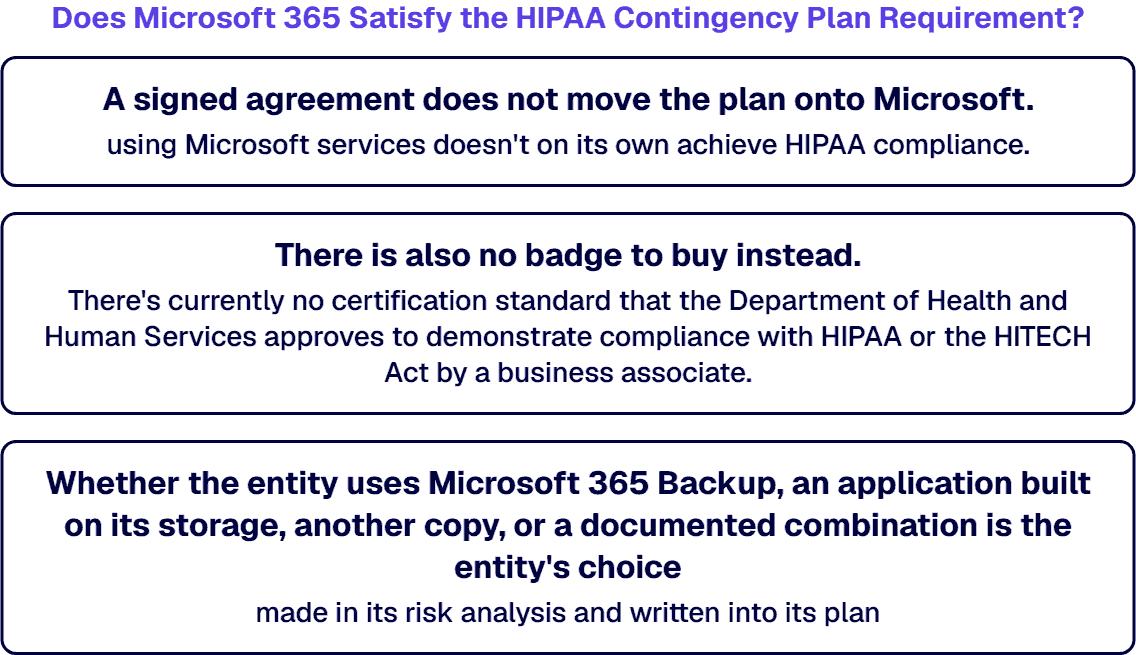
A signed agreement does not move the plan onto Microsoft. Microsoft’s Health Insurance Portability and Accountability Act (HIPAA) & Health Information Technology for Economic and Clinical Health (HITECH) Act page states: “However, using Microsoft services doesn’t on its own achieve HIPAA compliance.”
There is also no badge to buy instead. Microsoft’s Health Insurance Portability and Accountability Act (HIPAA) & Health Information Technology for Economic and Clinical Health (HITECH) Act page states: “There’s currently no certification standard that the Department of Health and Human Services approves to demonstrate compliance with HIPAA or the HITECH Act by a business associate.”
On the backup question specifically, Microsoft’s Frequently asked questions about Microsoft 365 Backup asks whether its stance on shared responsibility for data protection has changed, and answers: “No, we still have the same point of view, but are now offering more tools to help organizations achieve those goals and responsibilities.” Whether the entity uses Microsoft 365 Backup, an application built on its storage, another copy, or a documented combination is the entity’s choice, made in its risk analysis and written into its plan.
If your situation matches one of these cases, start somewhere else first. The regulation’s scope, set out in § 164.308 Administrative safeguards, reaches every system that contains electronic protected health information, and Microsoft’s Health Insurance Portability and Accountability Act (HIPAA) & Health Information Technology for Economic and Clinical Health (HITECH) Act page sets the limits on what its services settle, as quoted in the section on Microsoft’s Business Associate Agreement.
Whoever works with the covered entity to build its contingency plan for Microsoft 365, hold the work to criteria drawn from § 164.308 Administrative safeguards and § 164.316 Policies and procedures and documentation requirements:
i3solutions maps your Microsoft environment against CMMC Level 2 (110 controls), HIPAA administrative safeguards, and SOC 2 access control frameworks, producing audit-ready documentation that satisfies assessors, not just internal IT teams. i3solutions maps governance to named control families, enforces it in the platform through Entra ID, Purview, and Azure Policy, and evidences it continuously rather than reconstructing it at audit. The work described in this guide is delivered as a project, with specialists embedded in your team where it needs them: mapping the Microsoft 365 estate against the contingency plan standard, running the applications and data criticality analysis with the entity’s owners, designing the retention, version and Microsoft 365 Backup scope the entity chooses, and documenting the procedures for the entity to adopt, test and keep. i3solutions has been a Microsoft Partner with 30 years of enterprise technology delivery experience and has delivered 1,500+ Microsoft engagements across aerospace and defense, financial services, and health sciences. Delivery is senior and US-based. An i3solutions project engagement does not by itself include ongoing support of what it delivers, which i3solutions scopes separately as Application Managed Services, and it is not a replacement for the internal team, open-ended scope expansion, or vendor lock-in.
45 CFR 164.308(a)(7)(ii)(A) reads: “Data backup plan (Required). Establish and implement procedures to create and maintain retrievable exact copies of electronic protected health information.” The regulation names no product and sets no further test for what counts as a retrievable exact copy, so whether a given Microsoft 365 feature, such as Purview retention, produces one for a given repository is the covered entity’s own determination, made in its risk analysis. Neither the regulation nor Microsoft states that a retention policy is, by itself, a data backup plan.
Yes. According to 45 CFR 164.308, the contingency plan is a standard of the Security Rule, three of its five implementation specifications (the data backup plan, the disaster recovery plan and the emergency mode operation plan) are Required, and testing and revision procedures and the applications and data criticality analysis are Addressable.
No. According to 45 CFR 164.306, an addressable specification is assessed as a reasonable and appropriate safeguard in the entity’s environment, and an entity that decides not to implement it documents why and implements an equivalent alternative measure if reasonable and appropriate.
The regulation names no product. According to 45 CFR 164.308, the data backup plan and the disaster recovery plan are procedures the covered entity establishes, and which copies and tools they rely on is the entity’s choice. According to Microsoft Learn, Microsoft’s view of shared responsibility for data protection has not changed, and it now offers more tools for organizations to meet those responsibilities.
No, not on its own. According to Microsoft Learn, a cloud service provider such as Microsoft is a business associate under HIPAA, using Microsoft services does not on its own achieve HIPAA compliance, and there is currently no certification standard that the Department of Health and Human Services approves for a business associate to demonstrate compliance.
According to 45 CFR 164.316, the documentation is retained for 6 years from the date of its creation or the date when it last was in effect, whichever is later.

US-Based Microsoft System Integrator | Est. 1997
© i3solutions. All rights reserved.
US-Based Microsoft System Integrator | Est. 1997
© i3solutions. All rights reserved.


