

Power Apps for external users is an architecture decision before a product decision. The route chosen (guest-shared Power App, Power Pages site, or custom portal) determines which directory admits the person, where data resides, how licensing scales, and who re-certifies access afterward. Identity decisions override licensing considerations, because incorrect directory placement creates governance liabilities that outlast any purchase.
The foundational question is which of three routes admits the external person, because that selection determines which identity type is admitted, where data must reside, how licensing scales, and who re-certifies access after launch. A guest user becomes an Azure B2B object in your tenant, so any group, access package, or conditional access policy that targets your directory now reaches them. That reach is why the identity decision outranks the licensing decision, and it is why the wrong route is expensive to unwind after go-live.
| Route | Identity type | Data location | Evidence source |
|---|---|---|---|
| Guest-shared Power App | Guest in employee tenant | Existing environment | Microsoft Entra admin center guest list |
| Power Pages site | Anonymous or provider-authenticated visitor | Separate Dataverse database | Power Pages security workspace |
| Custom portal | Application-registered identity | Your application’s data layer | Entra app registration sign-in log |
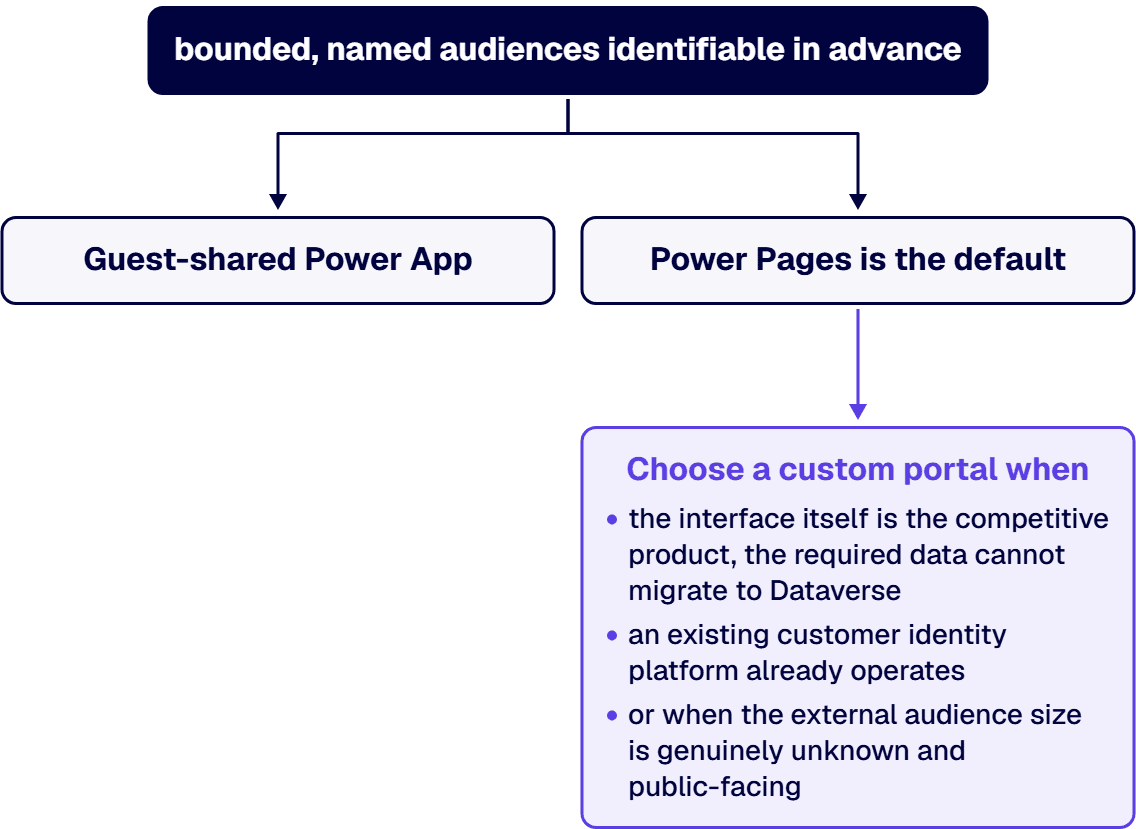
Custom portals are the answer when the interface itself is the competitive product, when the required data cannot migrate to Dataverse, when an existing customer identity platform already operates, or when the external audience size is genuinely unknown and public-facing. For one such build, see Modernizing Information Sharing for Students and Institutions, a custom portal i3solutions built for a global graduate-education nonprofit, with streamlined registration for students and content for school professionals.
Custom portals require the organization to own sign-in surfaces, session handling, authorization models, patching cycles, and after-hours support. Those are real ongoing costs that appear nowhere on the license line, and they are the reason the custom-portal answer is right much less often than proposals suggest.
Microsoft Entra External ID splits into two configurations that answer different questions.
Workforce configuration covers business guests. Guests authenticate through their home organization; your organization verifies eligibility. No credentials sit with you. But any directory-targeting policy now reaches these guests, which is the exposure most tenants underestimate.
External configuration covers customer access. It manages consumer and business-customer applications independently of employee resources. This is the configuration that suits public or semi-public audiences.
Default settings permit all organizational users to invite external collaborators, which creates sprawl over time. Restricting invitation rights to named roles is a Phase 0 step, not a nice-to-have.
An enterprise Power Apps build still carries delegation limits, solution layering, and identity decisions that junior teams discover in production. i3solutions’ Power Platform specialists are senior-level, 100% US-based, and build inside enterprise governance from day one.
Environments are the container for apps with different security requirements and target audiences, and they have specific limits worth naming. External-facing assets need dedicated environments. Apps can only connect to data sources deployed within that environment. Data replicas require the same ownership, review cycles, and classification as the originals: a replica governed loosely is a copy of the original problem with fewer people watching it. Environment isolation complements tenant-level boundaries rather than replacing them.
Guests accessing Dataverse-connected apps require appropriate Power Apps licenses (except in Teams environments). Per-app plans cannot transfer across tenants. Power Apps Mobile does not support Microsoft Entra direct federation. Users in different tenants need separate browser sessions. Each of these compounds the cost calculation beyond per-seat pricing, and each is easier to reason about at architecture time than after cohorts are enrolled.
External access needs active re-certification because the reason for the access expires. Supplier contracts end. Audit engagements close. Joint programs dissolve without anyone sending a notification. The access does not close itself.
Re-certification capability prerequisites: Microsoft Entra ID P2 or Microsoft Entra ID Governance licenses enable access reviews. Automatic recurring reviews for guest users across Microsoft 365 groups can be configured, but the license has to be in place first.
Reviewer assignment: designate internal sponsors per external organization on established cycles rather than reactive schedules. The route decides where reviewers work: directory for guests, Power Pages security workspace for sites, or the systems your team built for custom portals.
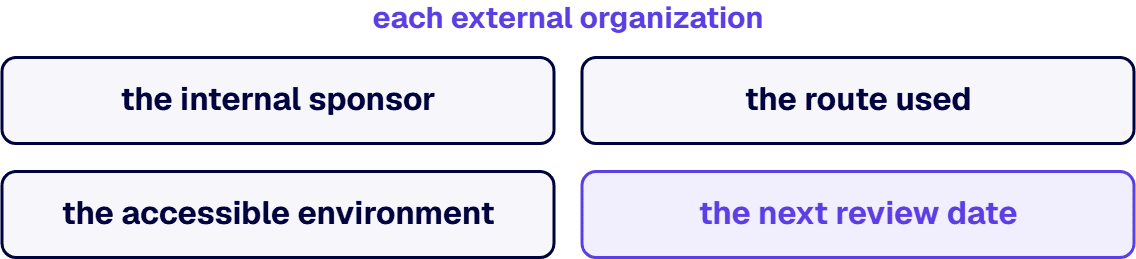
Essential documentation: record each external organization, the internal sponsor, the route used, the accessible environment, and the next review date before launch. Everything after launch runs off that record.
If the external organizations have not been enumerated yet, this framework has no targets. If a single external contact needs access to isolated information, a one-off share may be all that is required, and the architecture pass here is disproportionate. And if the platform decision between Power Platform and alternatives is still open, that decision is upstream of this one; running this framework twice does not settle it once.
i3solutions has delivered on the Microsoft stack since 1997, with senior, 100 percent US-based teams working under the compliance standards regulated environments require. External-access architecture runs the same discipline every governance-first program does: pick the route deliberately, record the sponsor and the review cadence per external organization, and treat re-certification as part of the operating model rather than an admin task nobody owns.

Michael Branson co-founded i3solutions 30 years ago and brings executive, operational, and technical perspective to organizations working in complex, secure, and mission-critical environments. His insights focus on business process consulting, automation, data analytics, collaboration, secure operating models, and the operational discipline required to turn technology investments into practical business systems with measurable value.
Connect on LinkedInPower Apps supports external users through business-to-business guest sharing for bounded, named audiences identifiable in advance. Scaling stops working when audiences become open populations, because per-seat licensing, directory membership, and review burdens all grow proportionally with headcount without diminishing costs.
Guest-shared Power Apps admit guest objects into the employee directory with evidence in Microsoft Entra. Power Pages sites admit visitors held outside the directory with evidence in the design studio. Custom portals use the application's own authentication with evidence in the app registration sign-in log plus authorization exports the team maintains.
Power Pages is the default. Choose a custom portal when design is a competitive advantage, when required data will not migrate to Dataverse, when the organization already operates a customer identity platform, or when the audience is a genuinely public one of unknown size. Custom portals mean the organization owns sign-in surfaces, session handling, authorization models, patching, and after-hours support.
Microsoft Entra External ID splits into two configurations. Workforce configuration covers business guests, who authenticate through their home organization; no credentials sit with you, but any directory-targeting policy now reaches them. External configuration covers customer applications and is managed separately from employees. The critical distinction is whose directory holds the resulting record, not who performs authentication.
Internal sponsors designated per external organization, working on predetermined cycles. Microsoft Entra ID P2 or Microsoft Entra ID Governance enables automatic recurring reviews. Reviewers work in the directory for guests, in the Power Pages security workspace for sites, and in the systems the team built for custom portals.
For each external organization: the internal sponsor, the route used, the environment reached, and the next review date. Everything after launch runs off that record, and re-certification is the mechanism that keeps access from outliving the reason for it.
Dataverse, release control, support ownership, and licensing sized to the real user population are decisions that hold the application up for years. i3solutions' senior Power Platform advisors work with IT leaders who want those decisions made once, correctly, by people who have made them before.
Talk to a Senior Power Platform Advisor
US-Based Microsoft System Integrator | Est. 1997
© i3solutions. All rights reserved.
US-Based Microsoft System Integrator | Est. 1997
© i3solutions. All rights reserved.


