
Michael Branson
When the crews still work from spreadsheets, paper forms or an aging dispatch tool and the business wants one system for work orders, scheduling and the record of each job, IT gets three questions before any demo: what technicians see when the signal drops, who controls company data on the phone in their pocket, and which cloud the work must run in. This checklist answers each from Microsoft Learn, so the shortlist decision is one you can defend. Microsoft’s Set up frontline workers in your organization page describes who the app is for: “Frontline workers are people in your organization who are primarily scheduled for onsite jobs and who use the Dynamics 365 Field Service mobile app for their work.” It adds “Each frontline worker must have a Field Service license assigned through the Microsoft 365 admin center.” Which license a technician or a contractor needs, and what it costs, is covered in Dynamics 365 licensing costs.
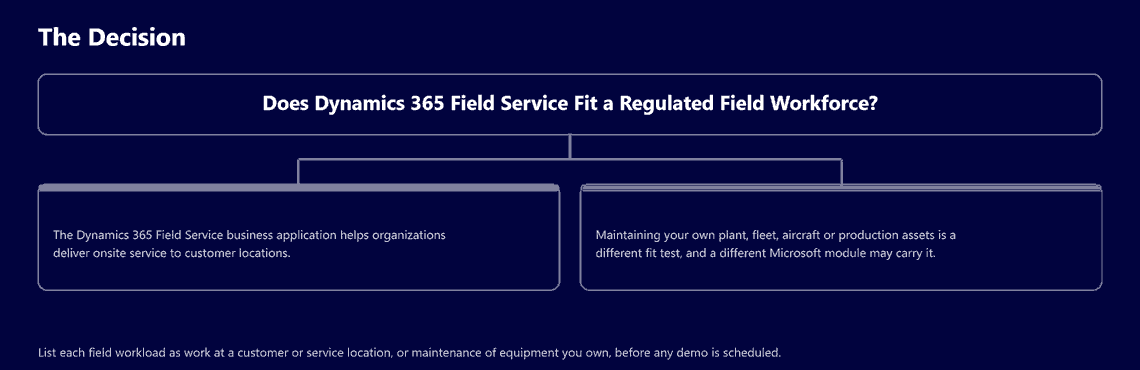
If no one has yet sorted the field workload by whose equipment it is and where the work happens, sort it before the first demo, because Field Service is built for one of those cases. Microsoft’s Overview of Dynamics 365 Field Service says “The Dynamics 365 Field Service business application helps organizations deliver onsite service to customer locations.” Among its capabilities it lists “Work orders to define the service work needed primarily (but not exclusively) at customer locations.”
Microsoft’s own examples on that page include a medical device manufacturer that services the machines it sells to hospitals and clinics, a fiber optic cable utility company that dispatches technicians to outages, an in-home health care provider that schedules and dispatches care workers, and a facilities manager that maintains heating and cooling equipment.
List each field workload as work at a customer or service location, or maintenance of equipment you own, before any demo is scheduled. Maintaining your own plant, fleet, aircraft or production assets is a different fit test, and a different Microsoft module may carry it.
If crews work underground, in rural service areas or inside buildings with no coverage, the offline design decides the fit, and Microsoft documents it as a configuration, not a default. Microsoft’s Dynamics 365 Field Service mobile app overview says “When an administrator configures offline capabilities, technicians can continue to access and update work data without an internet connection.” Its Work offline and update offline data page says “An administrator has to configure the offline profile for the app before technicians can download the data.”
The same two pages set the limit plainly. The mobile app overview says “The refreshed mobile experience doesn’t currently support working offline.” The offline page says “The new mobile experience doesn’t support working offline.” A crew that must keep working without a signal cannot be given the refreshed experience as Microsoft documents it today.
What reaches the device is set by the offline profile. Microsoft’s Set up the mobile offline profile page says “The booking filter downloads active bookings assigned to the current user if the booking starts or ends today or within the next seven days.” It also says “Field Service updates can change the default profile, so review the profile in your environment for the current tables, filters, relationships, and intervals.” Its Best practices and limitations for the offline profile page says “Changes on the device are stored locally, and then uploaded automatically when an Internet connection becomes available.” It says not to use “All records” as a table filter, and to “avoid wide date ranges”. Inspections work offline too: the Inspections overview says “Technicians can view and fill out inspections on their mobile phones or tablets without internet access.”
Pick the mobile experience per crew by where that crew works, and write the offline profile as a requirement before the pilot: which records reach the device, how far ahead, and how often they sync. A profile left to go-live is a profile no one tested underground.
If technicians carry their own phones, or company phones that leave the building every day, decide who controls the company data on them before the pilot starts. Microsoft’s offline best-practices page says “The Field Service mobile app follows the same architecture and security as a Power Apps mobile app.” Its Manage the Field Service mobile app with Intune page says “Intune is a separate Microsoft service that isn’t included with Field Service.” Among what Intune adds, that page lists “Limit sharing of corporate data among apps by restricting data leakage through cut, copy, paste, and save as.” and “Provide encryption at rest.”
Location is the second policy. Microsoft’s Enable location tracking for mobile technicians page says “Location signals are sent to the server at predefined intervals. Schedulers can visualize technicians’ locations on the schedule board and see their location history.”
Decide company-owned versus personal devices, the app protection policy and the location-tracking policy before the pilot, and budget Intune as its own service. This checklist makes no statement about whether those Intune capabilities are available for the app in GCC High or DoD; confirm that with Microsoft for your cloud. Whether a sector rule or a labor rule applies to device control or location history is a determination for your organization with its regulator and counsel.
When an auditor or a customer asks what was done to a piece of equipment, the answer has to come from the work order, not from a technician’s memory, so test the records before you test the screens. Microsoft’s Work with customer assets page says “Field Service asset management includes which equipment is located at a functional location and the service history of all past and present work orders for each asset.” It also says “Field Service supports hierarchical asset structures.”
Recurring work comes from agreements. The Customer agreements overview says “Field Service agreements let organizations automatically generate work orders and invoices with predefined details, frequencies, and date ranges.” It also says “An agreement is intended to be executed at a single location represented by the service account.”
Inspections and job templates carry the structure. The inspections page says “Field Service inspections are digital forms that technicians use to quickly and easily answer a list of questions as part of a work order.” and “Inspection answers are stored in Microsoft Dataverse, making it easy to report on results and fit inspections into your automated business processes.” Microsoft’s Work order incident type overview says “Incident types are service templates that users can use to quickly create work orders for the most common types of jobs that your organization performs.” Its Define service-level agreements (SLAs) for work orders page says “Service-level agreements (SLAs) define service expectations such as arrival and resolution times.”
Device data and scheduling complete the picture. The Connected Field Service overview says “Connect with devices and collect real-time data on their performance and condition to detect potential issues early.” The Universal Resource Scheduling for Dynamics 365 Field Service overview says “In other words, Field Service defines what needs to be done and where, while Universal Resource Scheduling defines who can perform the work and when.”
Name the records an auditor or customer will ask for after a job, and test in the demo that each one is produced by the work order, the inspection or the asset history. This checklist makes no statement that any record satisfies a regulator; that is a determination for your organization with its regulator and counsel.
If your contracts or your data put Field Service in a US government cloud, start from Microsoft’s feature table, not from the commercial feature list. Microsoft’s Dynamics 365 Field Service in US government clouds page, last updated August 28, 2026, says “The following table lists which Field Service services are currently supported in each cloud.” In that table, Dynamics 365 Field Service, Connected Field Service, the Android, iOS and Windows mobile application rows and Universal Resource Scheduling are marked available in GCC, GCC High and DoD. Resource Scheduling Optimization, the Scheduling Operations Agent, Field Service Rentals, the Field Service and Project Operations integration, the Field Service Portal, Field Service Custom Controls and the Universal Scheduling Service are marked not available in all three. The page says “Exceptions exist to the principle of maintaining product functional parity within the U.S. government clouds.” and “Microsoft continues to evaluate these services and capabilities for inclusion and updates in future releases.”
Microsoft’s Dynamics 365 US Government page, last updated October 6, 2026, lists Dynamics 365 Field Service in its GCC, GCC High and DoD columns and says “Check back monthly for important updates.” It also says “Only Microsoft administrators who are U.S. citizens can access Dynamics 365 US Government customer content.” For add-ons it draws a boundary: “These third-party applications and services might involve storing, transmitting, and processing your organization’s customer data on third-party systems that are outside of the Power Platform and Dynamics 365 apps Engagement infrastructure and therefore aren’t covered by the Power Platform and Dynamics 365 apps compliance and data protection commitments.”
Before design, mark every feature the plan relies on against your cloud’s column, and ask of every add-on where it stores data. The Field Service table has no row for Copilot features, so this checklist makes no statement about them in any government cloud; confirm with Microsoft. The full GCC High app list and the defense cost picture are covered in Dynamics 365 implementation costs for defense contractors.
If the field workforce consumes parts, carries truck stock or bills through an ERP, the integration path is part of the fit, and one path has an end date. Microsoft’s Integrate Dynamics 365 Field Service and Supply Chain Management page says “Dynamics 365 Field Service includes basic inventory capabilities to manage technician truck stock, track asset service history, or document returns.” It also says “Field Service is built on Dataverse and uses dual-write to write changes between Dynamics 365 Supply Chain Management and Dataverse.” For complex pricing, multiple currencies or advanced procurement, Microsoft’s Overview of inventory, purchasing, and returns page recommends: “Integrate with an ERP system such as Dynamics 365 Supply Chain Management.”
The dated change sits on Microsoft’s Field Service integration with finance and operations applications page: “The Field Service integration with finance and operations applications won’t be available after February 28, 2027. This capability is transitioning to the Field Service and Project Operations integration.” Microsoft’s Field Service government table lists the Field Service and Project Operations integration as not available in GCC, GCC High and DoD. The 2027 change is covered in depth in Dynamics 365 Field Service integration retirement.
A buyer in a US government cloud that relies on the finance and operations integration names its replacement path before February 28, 2027, and confirms with Microsoft which integration mechanisms are available in its cloud; this checklist makes no statement about dual-write availability in GCC High or DoD.
i3solutions builds Dynamics 365 integrations using named Microsoft mechanisms including Dataverse, dual write, virtual tables, Azure Logic Apps, Azure Service Bus, and Power Automate connectors.
If any of these situations describes the plan, the checklist changes shape:
When the demo is booked, hand the presenter the same checklist and ask for the last column to be filled with evidence from your own work. The second column comes from Microsoft Learn as cited in this checklist; the fourth is the test you run.
A yes in the third column is where the test starts, not where it ends, because Microsoft says exceptions to functional parity exist in the government clouds.
Where a row needs an add-on or a separate system, apply three rules before it is scored:
The spreadsheet history the crews leave behind is its own project; moving business-critical data off spreadsheets is covered in Excel to database migration consulting.
When this checklist has to be run before a demo or a request for proposal, i3solutions runs it with you against your own crews, devices and cloud, and fills the table from your records rather than from a generic list. i3solutions implements and integrates Dynamics 365. i3solutions customizes Dynamics 365 Field Service to align with your own business logic, workflows and user interface requirements.
i3solutions has delivered Dynamics 365 integration engagements for regulated enterprises across healthcare, defense and aerospace manufacturing, and financial services. i3solutions has completed more than 20 Dynamics 365 integration engagements.
Staffing is stated plainly. All i3solutions Dynamics 365 developers and consultants are U.S.-based. Work runs as project delivery, and embedded specialists can join your own team for the design, configuration and testing that follow the checklist. The wider service line is described on Enterprise Dynamics 365 Development Services That Align CRM and ERP to How You Operate.
Yes, once it is configured, but not in the refreshed experience. Microsoft Learn says “When an administrator configures offline capabilities, technicians can continue to access and update work data without an internet connection.” and “An administrator has to configure the offline profile for the app before technicians can download the data.” It also says “The refreshed mobile experience doesn’t currently support working offline.”
Microsoft’s Field Service government table on Microsoft Learn, last updated August 28, 2026, marks Resource Scheduling Optimization, the Scheduling Operations Agent, Field Service Rentals, the Field Service and Project Operations integration, the Field Service Portal, Field Service Custom Controls and the Universal Scheduling Service as not available in GCC, GCC High and DoD. It says “Microsoft continues to evaluate these services and capabilities for inclusion and updates in future releases.”
No. Microsoft Learn says “Intune is a separate Microsoft service that isn’t included with Field Service.”
It ends and moves to another integration. Microsoft Learn says “The Field Service integration with finance and operations applications won’t be available after February 28, 2027. This capability is transitioning to the Field Service and Project Operations integration.” Microsoft’s Field Service government table lists the Field Service and Project Operations integration as not available in GCC, GCC High and DoD.

US-Based Microsoft System Integrator | Est. 1997
© i3solutions. All rights reserved.
US-Based Microsoft System Integrator | Est. 1997
© i3solutions. All rights reserved.


