
By Michael Branson
When an assessor asks where BitLocker recovery keys are escrowed, or a ticket shows that the App-V infrastructure has not been patched in months, the console behind both is one Microsoft stopped supporting in April. A console that still works is not the same as a console that is still supported. This guide sets out what Microsoft ended on April 14, 2026 and what it did not, where Microsoft puts recovery-key escrow and packaged applications instead, and the order that moves the most exposure first. Whether a given estate meets a particular control is the organization’s own determination and its assessor’s, not this guide’s.
The components ended together, but they did different jobs, and one piece of App-V did not end at all.
Microsoft’s lifecycle page Ending Support in 2026 lists the products “governed by the Fixed Policy” that end support during the year. The Microsoft Desktop Optimization Pack (MDOP) entries in its April 14, 2026 row are Microsoft Advanced Group Policy Management 4.0, Microsoft Application Virtualization 5.0 and 5.1, Microsoft Application Virtualization Hosting 5.0 and 5.1 for Windows Desktops, Microsoft BitLocker Administration and Monitoring 2.5, Microsoft Diagnostics and Recovery Toolset 10.0, and User Experience Virtualization (UE-V) 2.1.
The product pages say the same thing in plainer words. Microsoft’s lifecycle page for Microsoft Application Virtualization 5.0 notes “Support for this product has been extended through April 14, 2026.” The lifecycle page for Microsoft BitLocker Administration and Monitoring 2.5 gives the same extended end date. Microsoft’s App-V overview, Application Virtualization (App-V) for Windows client overview, still carries the note it published in advance: “Extended support for MDOP ends on April 14, 2026.” That date has passed, so an estate still running any of these components has been running them outside Microsoft support since April.
What did not end is the App-V client in Windows 10 and Windows 11. The same Microsoft App-V overview says the App-V client follows the lifecycle of its Windows version, and fixed extended support for App-V server continues through October 9, 2029. The practical reading is that the packaged applications on the desktop still have a supported client while the MDOP releases and hosting components that surrounded them do not.
Advanced Group Policy Management, Diagnostics and Recovery Toolset and UE-V share the April 14, 2026 date. None of the Microsoft pages cited in this guide names a replacement for them, so this guide names none; list them in the inventory and decide each one on its own facts.
If a device asks for its recovery key tomorrow, the service desk will look it up wherever the key was escrowed, and in an estate that has not moved, that is still an MBAM database behind a console Microsoft no longer supports. A Microsoft Community Hub guide by ms-foxworks, Migrating BitLocker Recovery Key Management from ConfigMgr to Intune: A Practical Guide (May 18, 2025), describes a common starting point: “In many organizations, BitLocker encryption and key management is handled via MBAM Standalone or the Configuration Manager BitLocker feature.”
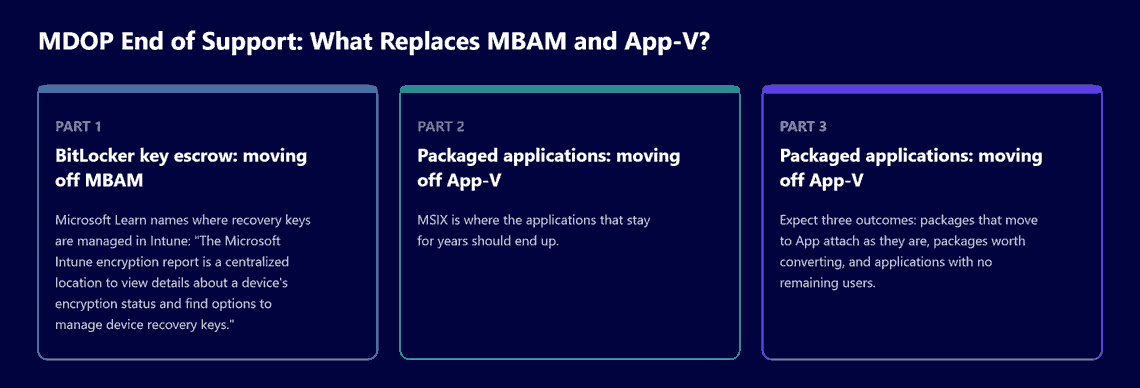
Microsoft Learn names where recovery keys are managed in Intune: “The Microsoft Intune encryption report is a centralized location to view details about a device’s encryption status and find options to manage device recovery keys.” It adds a condition worth reading before planning: “The recovery key options that are available depend on the type of device you’re viewing.” For Windows, the same page, Monitor device encryption with Intune, says “For Windows devices, Intune only shows Status details for devices that run the Windows 10 April 2019 Update or later, or Windows 11.” A device on an older build will not show the detail an assessor asks to see, so the device inventory comes before the cutover.
The order of the move matters more than any single setting. The same Community Hub guide, written for “Entra-Hybrid-Joined devices that are co-managed”, starts with the workload, not the policy: “First, set Endpoint Protection workload authority to Intune. Assign your devices to a staging collection.” It notes that this step “will not immediately change BitLocker policies on the device” and “prepares the system to receive policy from Intune.” It also states that “Intune does not require the MBAM-Agent to manage and control Disk-Encryption”. That walkthrough is a practitioner guide, not formal product documentation, and its author states that “The sample scripts are not supported under any Microsoft standard support program or service.” This guide takes the order of work from it and nothing command-level.
Call the move complete when every device’s recovery key is visible in the Intune encryption report, the service desk retrieves keys there rather than in MBAM, and the MBAM console is switched off without anyone asking for it. i3solutions’ standing BitLocker management work sits on its Intune readiness services page.
The App-V plan stalls on one assumption: that every package has to be rebuilt as MSIX before the MDOP App-V infrastructure can be retired. Microsoft’s own announcement points the other way. In Announcing App-V support in App attach on the Microsoft Community Hub (JimMoyle, November 19, 2024), Microsoft acknowledged that “the impending April 2026 deprecation is weighing heavily on IT pros” and announced that “Microsoft Application Virtualization (App-V) for Windows is now supported by App attach in Azure Virtual Desktop”. The same post says “IT admins can now manage and deploy their App-V applications just as easily as they would with MSIX or AppX packages” and that “App-V is shifting to an extended support phase, making it easier for admins to move their business-critical applications to Azure Virtual Desktop using App attach.”
Read together, those statements mean the existing App-V packages are what App attach delivers, so conversion to MSIX is a later, per-application decision rather than the first step. That is this guide’s reading of Microsoft’s announcement; Microsoft’s own recommendation in Application Virtualization (App-V) for Windows client overview is: “We recommend looking at Azure Virtual Desktop with MSIX app attach.”
MSIX is where the applications that stay for years should end up. Microsoft’s What is MSIX? says: “MSIX is the modern Windows app packaging format. It gives any Windows app a reliable, clean install and uninstall, automatic updates, and access to Windows platform features that require a package identity.” Expect three outcomes: packages that move to App attach as they are, packages worth converting, and applications with no remaining users. Test each package before it moves; neither route promises that every package behaves the same way it did on the old infrastructure.
Keep the client distinction straight in every status report. According to Microsoft, the MDOP App-V releases and App-V Hosting for Windows Desktops ended on April 14, 2026; the App-V client follows the lifecycle of its Windows version, and fixed extended support for App-V server continues through October 9, 2029. Calling the whole of App-V unsupported overstates the problem and pushes teams into an MSIX rebuild on a timetable no one set.
If everything moves at once, the largest effort holds up the smallest one, so the order of work moves the most exposure first and defers the largest effort until the estate is on supported ground.
Some questions arrive with the words BitLocker or App-V in them when the decision behind them is a different one.
When an outside team carries this work, or your own team does, the same questions separate a plan from a guess.
When a regulated IT team takes this on, it needs a project with an end date: the inventory, the escrow move into Intune, and the App-V move to App attach or MSIX, with embedded specialists where the internal team needs more hands for a period. i3solutions plans and runs Intune migrations for enterprises moving domain-joined Windows devices off on-premises Group Policy. i3solutions has been a Microsoft Partner with 30 years of enterprise technology delivery experience and has delivered 1,500+ Microsoft engagements across aerospace and defense, financial services, and health sciences. The people who do the work are senior and based in the US. An i3solutions project engagement does not by itself include ongoing support of what it delivers, which i3solutions scopes separately as Application Managed Services, and it is not a replacement for the internal team, open-ended scope expansion, or vendor lock-in. This work sits within i3solutions’ modernization services.
According to Microsoft’s lifecycle list, Microsoft BitLocker Administration and Monitoring has reached its end of support, and Microsoft’s App-V overview says extended support for MDOP has ended. This guide makes no claim about how long an unsupported console keeps running.
In Intune, Microsoft Learn says “The Microsoft Intune encryption report is a centralized location to view details about a device’s encryption status and find options to manage device recovery keys.” According to the same page, a Windows device on an older build will not show its Status details.
No conversion is the first step. Microsoft announced that “Microsoft Application Virtualization (App-V) for Windows is now supported by App attach in Azure Virtual Desktop” and that “IT admins can now manage and deploy their App-V applications just as easily as they would with MSIX or AppX packages”. Converting to MSIX remains a later, per-application decision; test each package before it moves.
No. Microsoft’s App-V overview says the App-V client follows the lifecycle of its Windows version, and App-V server remains in fixed extended support. According to Microsoft’s lifecycle list, the MDOP releases of App-V and App-V Hosting for Windows Desktops are the parts that reached their end of support.
Microsoft says “MSIX is the modern Windows app packaging format. It gives any Windows app a reliable, clean install and uninstall, automatic updates, and access to Windows platform features that require a package identity.”

US-Based Microsoft System Integrator | Est. 1997
© i3solutions. All rights reserved.
US-Based Microsoft System Integrator | Est. 1997
© i3solutions. All rights reserved.


