
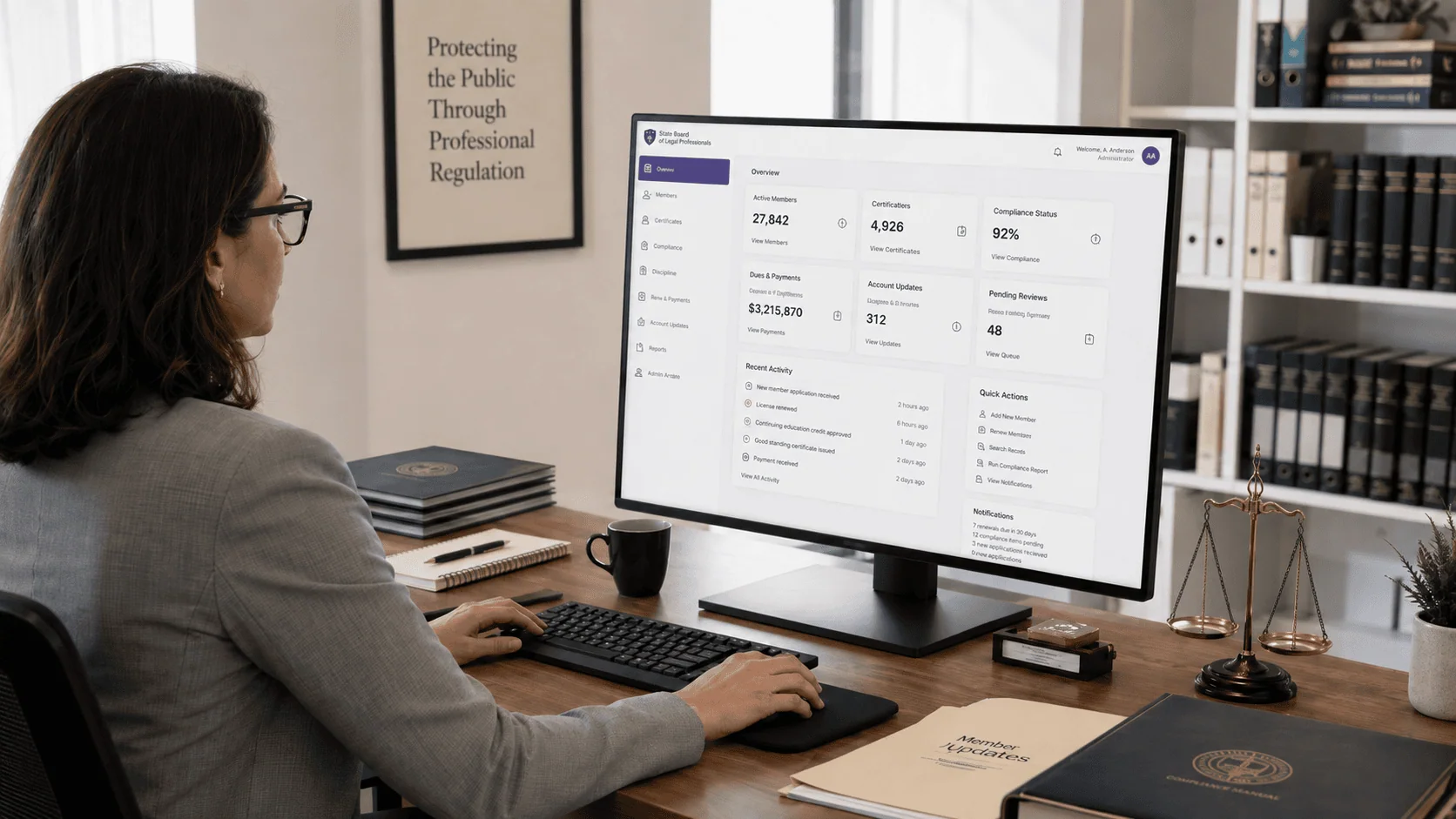
An outdated legacy membership and accounting system was growing increasingly unreliable and hard to maintain.
The client, a state legal-profession regulatory agency under the state’s highest court, oversees the regulation and management of over 50,000 legal professionals across the state. The organization maintains legal standards, oversees service quality, and supports the judicial system. When the system that runs a regulator’s core operations becomes unreliable, the exposure is institutional, not just technical, and that is what the agency faced with its outdated legacy membership management system. Maintenance difficulties and system unreliability were threatening its ability to meet organizational needs.
The legacy system also lacked flexibility and the capacity for integration with external systems, which held back the agency’s ability to deliver new functionality, automate key processes, and improve the experience of the people using it. As operational needs expanded, the agency needed two more things the old environment could not give it: a unified interface for multiple departments, and a migration path off the legacy environment that would not interrupt the work of regulating over 50,000 legal professionals while it happened.
A state legal regulator’s membership and accounting system, overseeing more than 50,000 licensed professionals, had grown too unreliable to depend on. i3solutions spent fifteen months on systems analysis before rebuilding it on SQL Server with role-based security and automated dues processing.
Dues payments and account updates now process automatically with real-time updates, member and financial records live in one secure SQL Server database under role-based permissions, and non-technical staff can handle routine administrative updates themselves instead of routing them through IT.
A Regulator Cannot Run on a System It Cannot Depend On
The agency regulates over 50,000 legal professionals for a state’s highest court. Membership status, certifications, and compliance records are not internal conveniences at that scale; they are the record the judicial system relies on. An outdated membership management system that is getting harder to maintain and less reliable to run puts that record at risk on a schedule nobody controls, which is why the trigger here was institutional exposure rather than a feature request.
The second half of the trigger was forward-looking. The legacy platform had no capacity for integration with external systems, so every new requirement arrived as a manual workaround instead of a change to the system. As the agency’s operational needs expanded, the gap widened rather than held, and the decision moved from maintaining the old environment to replacing it with one that could absorb what came next.
This regulator’s existing workflows were fully mapped before the replacement platform was designed, so staff didn’t have to relearn their jobs. If system replacement is on your roadmap, that sequencing is what determines whether adoption is smooth or painful.
Every Year on the Legacy System Added Another Manual Workaround
Leaving the legacy system in place carried two compounding costs. The first was maintenance: an outdated platform that was already difficult to maintain and unreliable in operation, absorbing effort that produced no new capability. The second was accumulation. Because the system could not integrate with external platforms or automate key processes, the work it could not do stayed with people, in manual spreadsheets and redundant data entry, with duplicate entries spread across multiple accounting systems.
The replacement carried its own risk, and it was the one the agency could least afford. Staff who regulate over 50,000 legal professionals were fluent in a legacy terminal system. A migration that forced them to relearn their daily work would trade a reliability problem for a productivity problem, so continuity of the interface mattered as much as the capabilities behind it.
One Interface for Multiple Departments, Without Retraining the People Using It
The agency needed a single interface serving multiple departments, which meant the platform had to hold membership management, certification tracking, and financial transactions in one place while keeping access to sensitive data properly bounded. That was answered with role-based security and permissions rather than a single shared level of access, so staff work inside what their role allows and membership data stays protected while remaining available to the people responsible for it.
The usability constraint was equally firm. Staff came from a legacy terminal system, so the new platform had to accommodate different levels of expertise at once: standard Windows menus for some, the shortcut keys familiar from the legacy terminal system for others, departmental toolbars, and a dynamic navigation window. The engagement also had to cover a smooth migration from the legacy environment onto Microsoft .NET over SQL Server, not a rebuild alongside it.
Senior Microsoft Specialists with Proven Delivery Depth
The requirements defined the vendor profile. The agency needed a partner who would map its business workflows before designing anything, build a membership and accounting platform on the Microsoft stack with role-based security and batch integration in it from the start, and carry a legacy terminal system’s navigation habits forward into a modern interface. That is full-lifecycle custom application development against a live regulatory operation, not product configuration.
The agency engaged i3solutions, a Microsoft Partner with 30 years of delivery experience and 1,500+ Microsoft engagements, delivered by an all-senior, all US-based delivery team. That profile matched the work: senior engineers who have built membership, certification, and financial records systems on Microsoft .NET and SQL Server repeatedly, and who could commit to a 15-month systems analysis before writing the first line of the replacement.
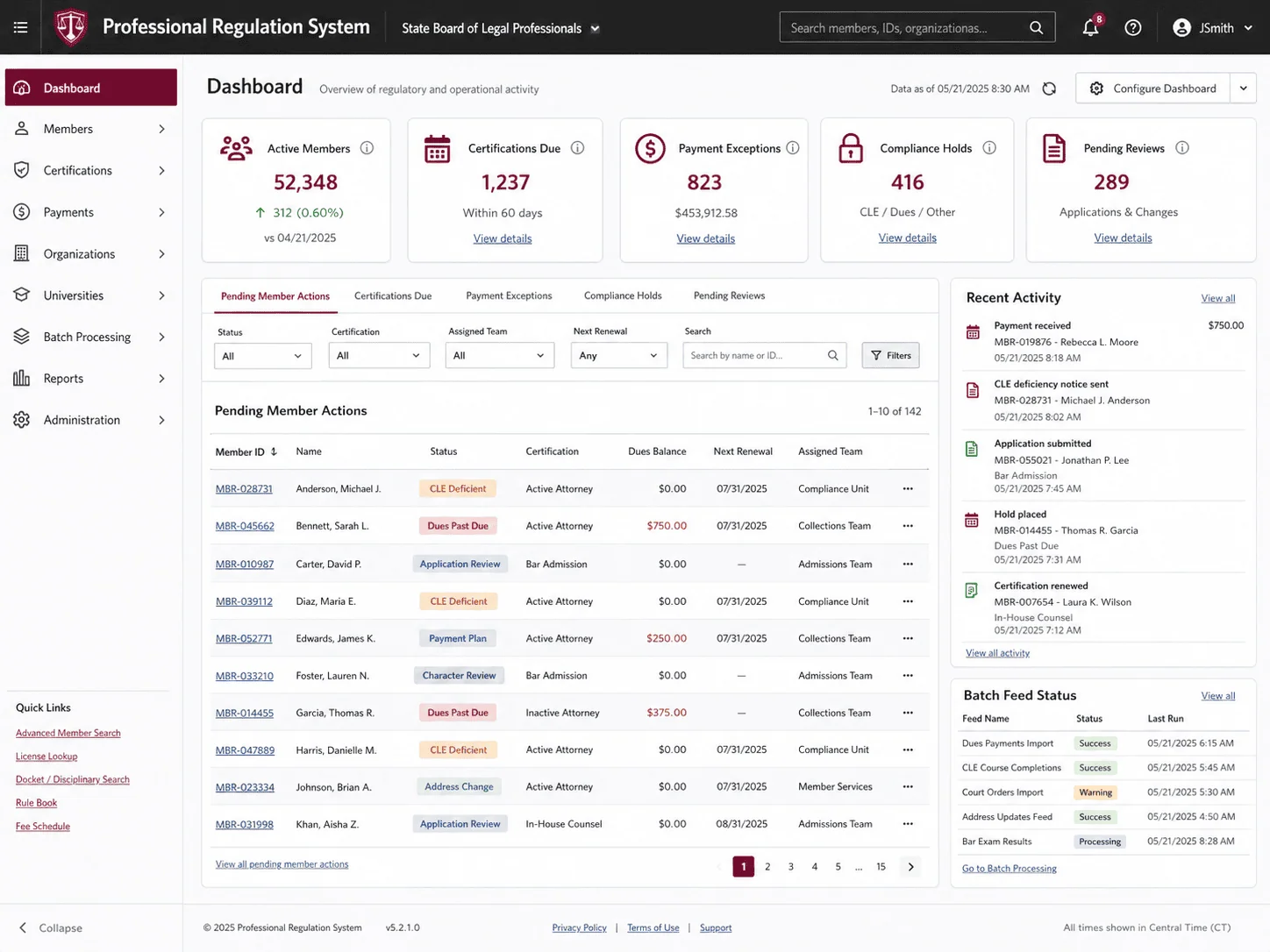
i3solutions designed and implemented an integrated membership information system: a membership management and accounting platform powered by Microsoft’s .NET Framework, centralized on a secure Microsoft SQL Server database, serving multiple departments through one interface.
PHASE 01
Comprehensive IT Systems Analysis
The engagement began with a comprehensive IT systems analysis, a 15-month process of analyzing and mapping the agency’s existing business workflows and systems. i3solutions gathered detailed requirements so the system would meet current operational demands and leave room for future growth and integration with external platforms.
PHASE 02
Platform Design on .NET and SQL Server
The system was architected as a single, intuitive user interface built with the latest Microsoft .NET technologies, centralized on a secure Microsoft SQL Server database. Role-based security and permissions were designed into the platform to manage access to sensitive data across the departments that share it.
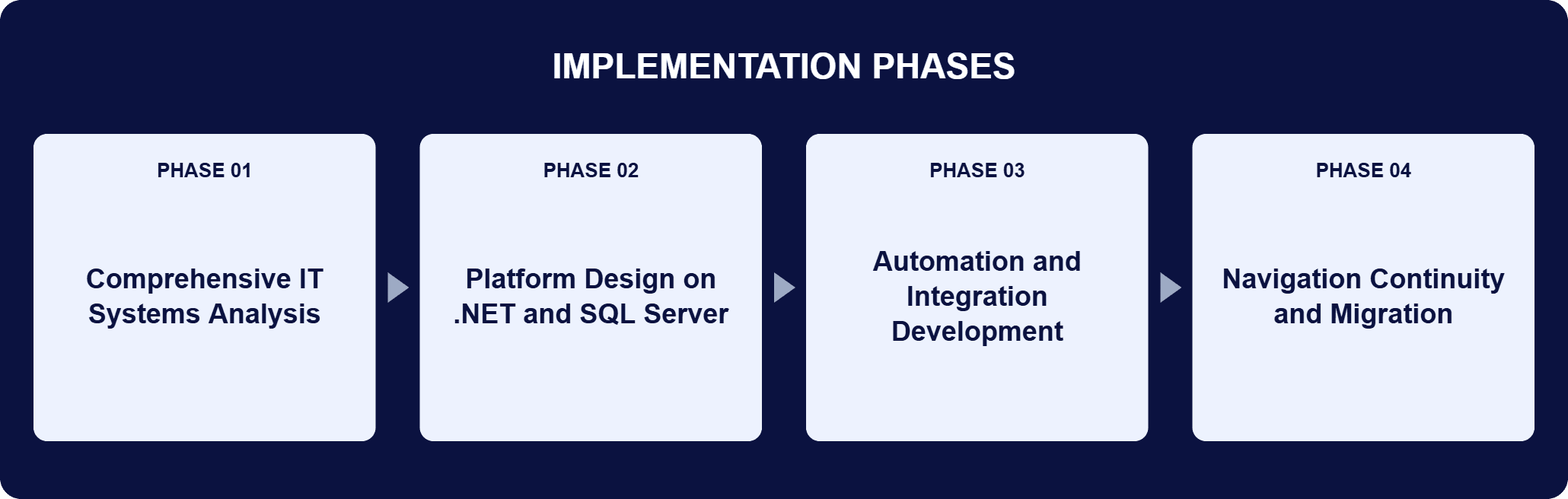
PHASE 03
Automation and Integration Development
i3solutions built the automated processes that handle dues payments and member account updates, the self-service administrative functions that let staff make updates without IT involvement, and the external data feeds and integrated batch processing that keep financial processes and member-related activities current in real time.
PHASE 04
Navigation Continuity and Migration
Navigation was built for users with different levels of expertise: standard Windows menus, shortcut keys familiar from the legacy terminal system, departmental toolbars, and a dynamic navigation window. The agency migrated from the legacy environment onto the new platform with staff continuity preserved and daily operations kept running.
The platform is a Microsoft .NET application over a Microsoft SQL Server database, and each layer answers something the legacy system could not do. .NET builds the application framework carrying the user interface, the business logic, and the role-based security features, so one interface serves multiple departments instead of a separate tool per group. SQL Server is the central database holding membership data, financial transactions, and compliance records, and it supports batch processing, external data feeds, and high-performance queries. Role-based security and permissions govern access to sensitive data, so staff manage memberships, certifications, and financial transactions inside the boundary their role defines. Automation sits on top of that: dues payments and member account updates run without manual handling, which removes the manual spreadsheets and redundant data entry the agency had been carrying and cuts duplicate entries across multiple accounting systems. External data feeds and an integrated batch processing system keep financial processes and member-related activities accurate in real time, while built-in self-service administrative functions let non-technical staff make updates without involving IT.
Built for the Next Decade of Growth
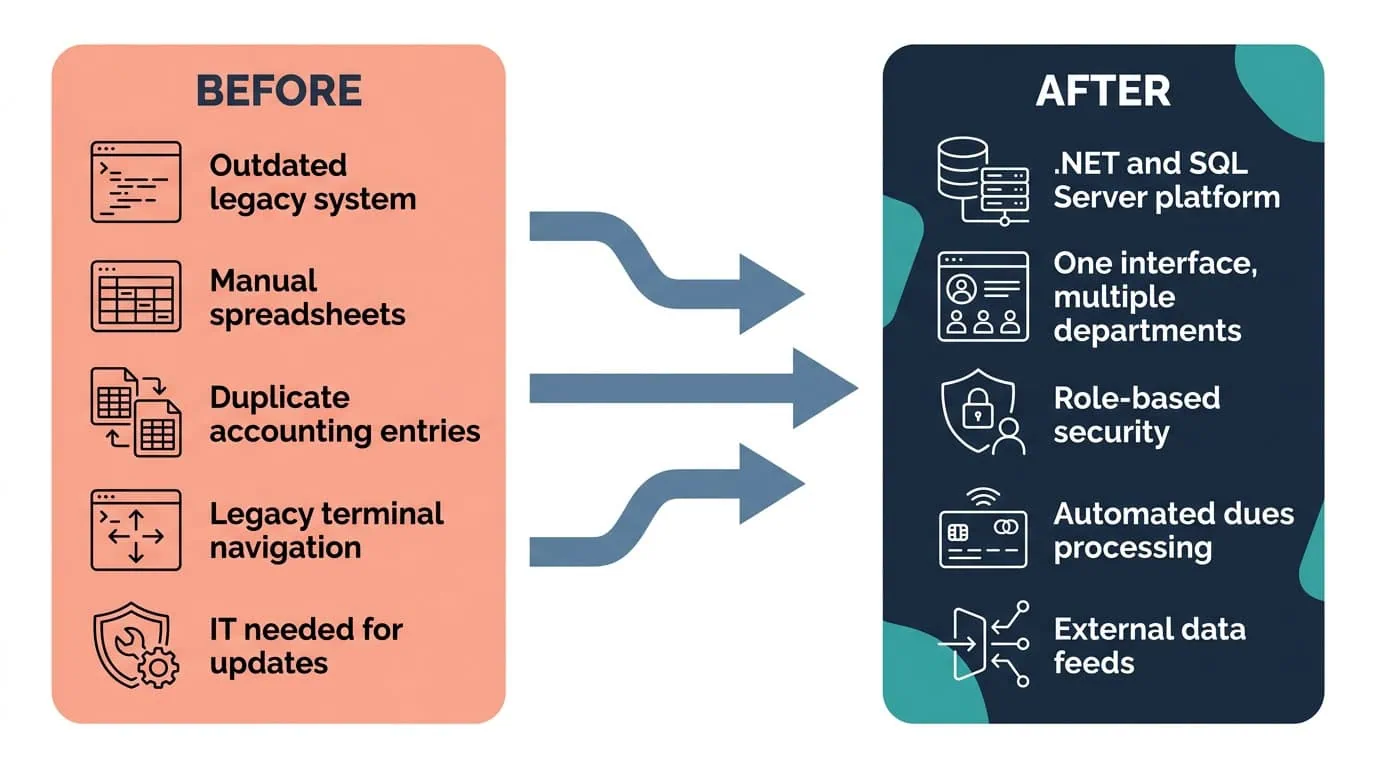
A Microsoft .NET and SQL Server platform with role-based security and automated dues processing replaced manual handling and redundant data entry.
| Outcome | Before | After |
|---|---|---|
| Membership platform reliability | Outdated legacy system with maintenance difficulties and unreliability | Microsoft .NET and SQL Server platform sized for future membership growth and upgrades |
| Dues payments and member account updates | Manual handling, prone to manual errors | Automated processing with real-time updates |
| Member and financial records | Manual spreadsheets, redundant data entry, duplicate entries across multiple accounting systems | One secure central SQL Server database under role-based permissions |
| Routine administrative updates | Required IT involvement | Built-in self-service administrative functions used by non-technical staff |
| Integration with external systems | Legacy system lacked the capacity for it | External data feeds with an integrated batch processing system |
| Staff navigation after migration | Legacy terminal system | Windows menus, legacy shortcut keys, departmental toolbars, and a dynamic navigation window on a single screen |
The agency’s own summary of the result is operational rather than numeric: reduced maintenance costs and improved customer responsiveness, automated payment processing and member account updates, improved scalability and reliability, enhanced staff productivity from a user-friendly interface, and reduced IT involvement thanks to built-in administrative tools. Eliminating the outdated legacy system and adopting automated workflows cut system maintenance effort and cost, and faster access to membership data lets staff answer customer inquiries promptly with fewer delays and errors.
The productivity change came from two decisions that are easy to underrate. Role-based dashboards, familiar shortcut keys, and centralized member data views put compliance records, payment histories, member profiles, universities, and non-member organizations on a single screen, which shortened training time and the time spent on routine tasks. Built-in self-service functions then let non-technical users update member records, handle payment issues, and track compliance without IT assistance, which lowered the IT team’s workload and shortened the turnaround on day-to-day updates. The agency has no published percentage or dollar figure attached to any of these outcomes, and none is claimed here.
This engagement is relevant for
Less relevant for
Membership, Certification, and Financial Operations on One Dependable Platform
The engagement established that a regulator can replace the system its operations depend on without asking its staff to relearn their jobs. Fifteen months of systems analysis mapped the agency’s existing business workflows before anything was designed, and the resulting platform put membership management, certifications, and financial transactions on Microsoft .NET over a secure SQL Server database, with role-based security and permissions deciding who reaches what.
Automated dues and member account processing, external data feeds, and integrated batch processing replaced the manual spreadsheets, redundant data entry, and duplicate entries across multiple accounting systems. Navigation carried the legacy terminal system’s shortcut keys forward alongside Windows menus, departmental toolbars, and a dynamic navigation window, and the platform it moved onto is built to absorb membership growth, new features, and upgrades without another costly overhaul.
An integrated membership information system: a membership management and accounting platform built on Microsoft .NET and SQL Server, with role-based security and a single interface serving multiple departments. Agency staff manage memberships, certifications, and financial transactions in one place, and automated processes handle work that used to be manual, including dues payments and member account updates. The database is a secure Microsoft SQL Server instance holding membership data, financial transactions, and compliance records, and supporting batch processing, external data feeds, and high-performance queries. The platform replaced an outdated legacy membership management system whose maintenance difficulties and unreliability were threatening the agency’s ability to meet organizational needs, and it removed the manual spreadsheets and redundant data entry that had grown up around that system, including duplicate entries across multiple accounting systems.
By understanding the operation before designing the replacement. This engagement spent 15 months analyzing and mapping the agency’s existing business workflows and systems, so the requirements came from how the work actually ran rather than from a feature list. That analysis then shaped three design decisions. Access is governed by role-based security and permissions, because a platform holding a regulator’s membership and financial data cannot use one flat level of access. Automation is applied where manual handling was producing errors, specifically dues payments and member account updates. And navigation is built for the people already doing the job, which is why the legacy terminal system’s shortcut keys were carried forward alongside modern menus and toolbars.
Dues payments and member account updates run automatically, and self-service administrative functions let non-technical staff update member records, handle payment issues, and track compliance without IT involvement. Those two changes cover most of the work that previously required manual handling. Automating dues and account updates removed a class of manual error and allowed real-time updates instead of batches of hand entry, and it also removed the manual spreadsheets and redundant data entry the agency had accumulated, including duplicate entries across multiple accounting systems. The self-service layer changed who does the work rather than only how fast it happens: routine updates that used to open an IT request are now handled by the staff who own the record. External data feeds and an integrated batch processing system keep financial processes and member-related activities accurate in real time.
The engagement began with a comprehensive IT systems analysis, a 15-month process of analyzing and mapping the agency’s existing business workflows and systems, so the new platform met current operational demands and could integrate with external systems. Fifteen months is a substantial commitment before a line of the replacement is written, and it was proportionate to what was being replaced: the system of record for a body regulating over 50,000 legal professionals, with certification and financial processes attached to it. The analysis produced the detailed requirements behind the platform’s scope, its role-based security model, and its integration design, and it is the reason the system was built with flexibility for future growth rather than only to match what the legacy environment already did.
No. The new system kept navigation familiar, including shortcut keys carried over from the legacy terminal system, alongside standard Windows menus, departmental toolbars, and a dynamic navigation window, minimizing disruption to daily operations. That was a deliberate design constraint rather than a convenience. The platform had to accommodate users with different levels of expertise at the same time, so someone who had worked the legacy terminal system for years could keep their muscle memory while a newer user works from menus and toolbars. Staff also reach frequently used information from a single, easily navigable screen: member profiles, compliance statuses, universities, and non-member organizations. The result was a transition into a modern platform that did not cost the agency the fluency its staff already had.
Through external data feeds and an integrated batch processing system, which is precisely the capacity the legacy platform lacked. The old system had no capability for integration with external systems, so new functionality and process automation kept arriving as manual work. In the replacement, the feeds and batch processing let the agency manage financial processes and member-related activities in real time, keeping critical information accurate and accessible rather than reconciled after the fact. SQL Server carries that load as the central database, supporting batch processing, external data feeds, and high-performance queries alongside the membership, financial, and compliance records it stores. Integration capability was also a forward-looking requirement from the systems analysis: the platform was built so future integration with external platforms is a configuration question rather than another rebuild.
i3solutions is a Microsoft Partner with 30 years of delivery experience and 1,500+ Microsoft engagements, with every engagement staffed by an all-senior, all US-based delivery team. That profile fits a replacement like this one, where the system being replaced is a regulator’s operational record and there is no acceptable version of getting it wrong. This engagement is representative of the pattern: 15 months of systems analysis before design, a membership and accounting platform on Microsoft .NET over a secure SQL Server database, role-based security and permissions, automated dues and account processing, external data feeds with batch processing, and a migration that carried the legacy system’s shortcut keys forward so staff kept working. For organizations weighing this class of work, a short scoping conversation establishes what the equivalent replacement would take in your environment.
Keeping the legacy terminal system’s shortcut keys alongside the new interface is what preserved staff continuity through the transition. We can talk through what a comparable transition plan would look like for your organization.

US-Based | Est. 1997
© i3solutions. All rights reserved.
US-Based | Est. 1997
© i3solutions. All rights reserved.


