

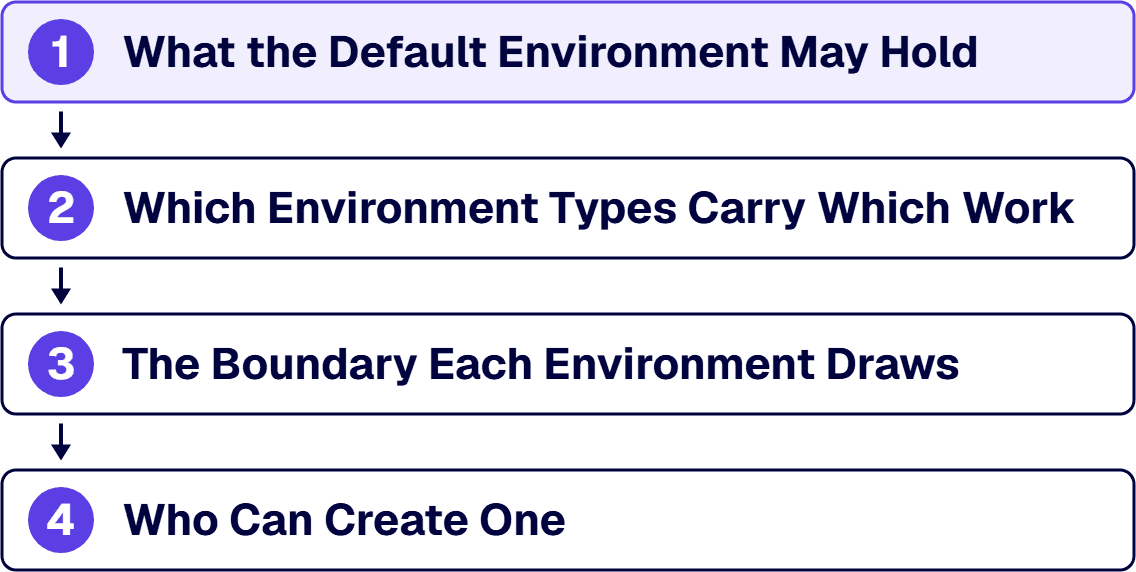
A Power Platform environment strategy requires four decisions in order: what the default environment may hold, which environment types carry which work, the boundary each environment draws, and creation authority. The order matters because the default environment's stated purpose constrains the other three. Without explicit decisions, the default environment absorbs all work, and Microsoft documents it as intended for experimentation, not for production workloads.
The problem appears in two scenarios. First, an inventory reveals production applications coexisting with experimental ones in the default environment. Second, a new program requires architects to specify deployment locations, access controls, and succession plans. Both situations require the same artifact: the written statement that names every environment the tenant runs, the purpose each one serves, and the person who may create the next one.
Four decisions precede default-environment absorption: permitted default environment contents, environment type assignments, boundary specifications, and creation authority. The order matters because the default environment’s stated purpose constrains the other three.
Microsoft automatically creates one default environment per tenant where all users in that tenant share it. Critically, all licensed users hold the environment maker role in it.
Microsoft documents the default environment as intended for experimentation, exploration, and lightweight app trial development, and states it should not be used for production workloads. Yet no mechanism prevents production deployments there. The core issue is that shared environments force all workloads into the strictest required posture, where production and experimental applications coexist, both inherit production-level governance requirements and reduced isolation.
Microsoft’s recommendation is to minimize use of the default environment as much as possible and that makers should instead build in their own isolated environments. The mechanism is default environment routing: an administrator setting that redirects new resources away from the shared space.
Critical constraints: the default environment cannot be deleted; access cannot be blocked; what it holds can be minimized through configuration. Evidence for current state is available through Power Platform admin center exports showing all applications and flows currently in the default environment.
| Environment Type | Microsoft documentation | Strategy must decide |
|---|---|---|
| Default | Experimentation, exploration, lightweight trial; no backup guarantees; not for production | Allowed contents and promotion pathways |
| Production | Permanent organizational work; for business-critical environments | Workload qualification and approval authority |
| Sandbox | Nonproduction with copy and reset; development and testing separation | Per-production-environment count and reset boundaries |
| Trial | 30-day expiration; one per user maximum | Whether makers may create them |
| Developer | Individual workspace for Developer Plan licensees | Permission status and exit criteria |
Workloads can occupy multiple types simultaneously; the stricter recovery and audit requirement wins because incorrect choices cannot be corrected without migration.
i3solutions has delivered Microsoft platform work for regulated enterprises across 1,500+ engagements. Every Power Platform engagement is staffed with senior, 100% US-based specialists operating under the compliance standards those environments require.
An environment boundary is four independently administered elements.
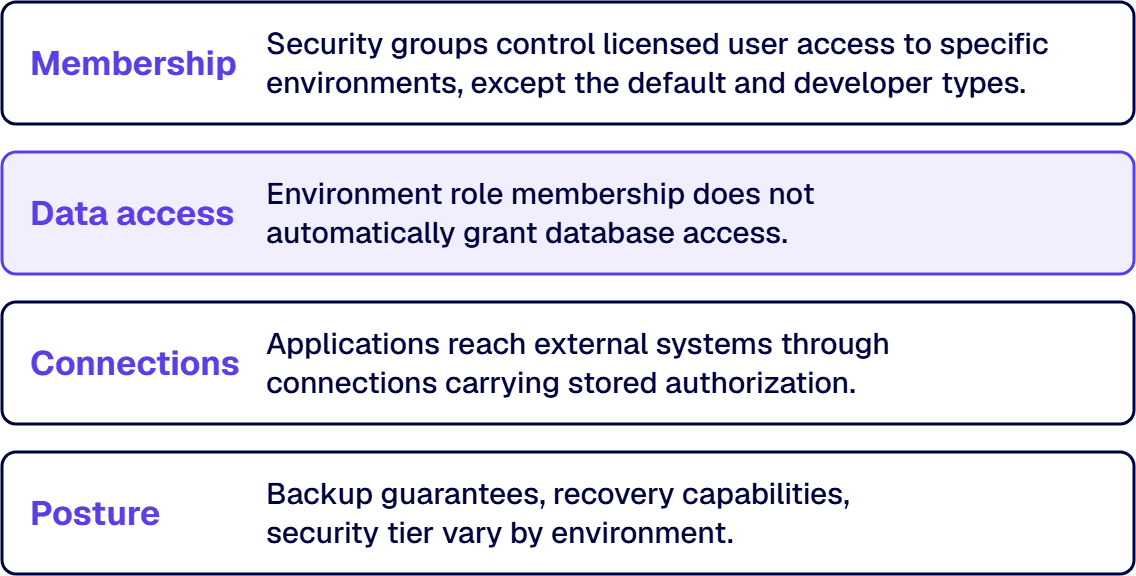
Membership. Security groups control licensed user access to specific environments, except the default and developer types, which security groups cannot restrict. This is the primary access mechanism, and its limits are worth naming in the strategy so nobody assumes the default is gated when it is not.
Data access. Environment role membership does not automatically grant database access. Microsoft states that users or groups assigned to environment roles are not automatically given access to the environment’s database and must be given access separately. An access review that reads only role assignment has read a quarter of the boundary.
Connections. Applications reach external systems through connections carrying stored authorization. Data policies scope to the environment where connections reside.
Posture. Backup guarantees, recovery capabilities, security tier, and capacity allocation vary by environment. Tiering (naming two or three postures with documented characteristics) simplifies review from “what was configured?” to “which tier applies?”
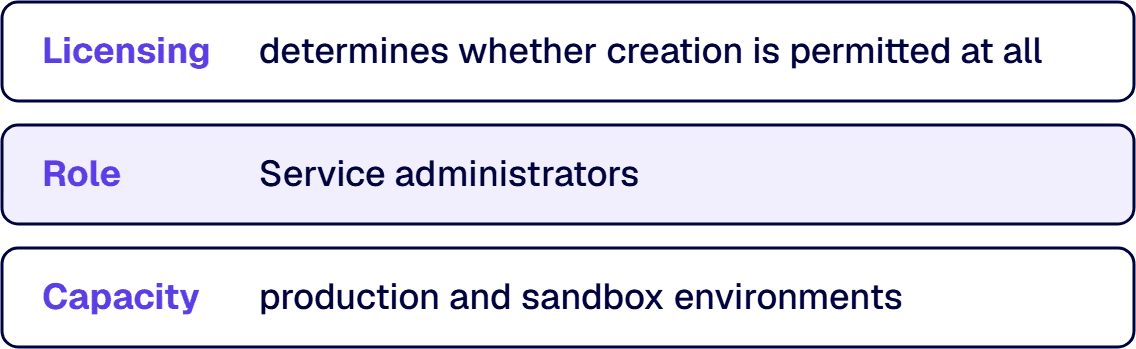
Environment creation is gated three ways. Licensing determines whether creation is permitted at all. Role: service administrators (Power Platform admins, Dynamics 365 admins) can create most types without license requirements, except trial environments. Capacity: production and sandbox environments require a minimum of 1 GB database storage availability.
Microsoft allows restricting provisioning of sandbox, trial, and developer environments to administrators only. Production environment creation can be blocked entirely. However, converting a production environment to a sandbox cannot be blocked, so inventory controls are necessary alongside restriction.
Lifecycle accountability requires: a documented owner for each environment; a succession plan when the owner’s role changes; a retirement condition stated as a testable criterion; and a regular review cycle that checks admin center exports against the documented strategy. Trial environments expire after 30 days. Developer environments persist only while the owner maintains Developer Plan licensing.
The number emerges from the first three decisions, not as an input. The rule: one production environment is justified by a boundary somebody can state: a body of work whose data, access model, and release cadence differ enough from its neighbors that sharing would force the stricter posture on both.
Count grows with regulatory scope, business unit separation, or external audience requirements. Each production environment justifies nonproduction environments feeding its release path. Developer environments scale with makers, not applications.
Two limits apply: shared tenant capacity constrains environment count, and administrative review capacity limits manageable inventory size. The meaningful review question is whether somebody can name, for each environment the admin center lists, the boundary it exists to draw and the person who answers for it.
For existing estates with volume already in the default environment, start with inventory and triage before topology. Where app and flow counts exceed tracking capability, the risk is app sprawl and the intervention is different. Operating-model questions (organization structure and decision authority) belong to Center of Excellence work, separate from environment design.
i3solutions has delivered on the Microsoft stack since 1997, with senior, 100 percent US-based teams. Environment strategy runs the same discipline every governance-first program does: name every environment the tenant runs and the boundary it exists to draw, gate creation deliberately, and make the strategy readable against admin center exports on a regular cycle.

Michael Branson co-founded i3solutions 30 years ago and brings executive, operational, and technical perspective to organizations working in complex, secure, and mission-critical environments. His insights focus on business process consulting, automation, data analytics, collaboration, secure operating models, and the operational discipline required to turn technology investments into practical business systems with measurable value.
Connect on LinkedInTake four written decisions: default environment permissions, environment type allocations, boundary definitions, and creation authority. Order matters because the default environment's stated purpose constrains the others. Microsoft's tenant environment strategy guidance points the same way, recommending that use of the default environment be minimized and that makers build in their own isolated environments instead.
It is shared, open to every licensed user, and not built for its actual workload. Microsoft documents it as intended for experimentation, exploration, and lightweight app trial development, and states it should not be used for production workloads. Processes that become load-bearing there inherit weaker recovery and wider access models than intended. The default environment cannot be deleted or access blocked; only what happens in it can be restricted.
No transferable number exists; the count emerges from the topology decisions. Start with production: one production environment per boundary somebody can state, meaning work whose data, access model, and release cadence sit far enough from the next workload's that sharing would force the stricter posture on both. Each production environment brings the nonproduction environments needed to feed its release path. Developer environments scale with makers, not applications.
Separate questions. Environment creation belongs to a small, named group because of capacity cost and governance consequence. Application creation belongs to much wider groups in self-directed workspaces. Default environment routing is the mechanism that makes those two answers compatible, because once an administrator turns it on, a maker who creates something new is redirected into their own environment.
Four independently administered boundaries: membership via security groups, data access separate from role assignment (Microsoft states role membership does not automatically grant database access), connections carrying external system authorization, and posture including backup and security tier. An access review that reads only the first has read a quarter of the boundary.
Trial environments expire after 30 days automatically. Developer environments persist only during active Developer Plan use. The default environment requires explicit system administrator assignment to prevent lockout. For other environments, the strategy must specify owner, succession process, and retirement criteria testable against admin center exports on regular review cycles.
Deciding between Power Apps, custom development, or a hybrid settles the direction, not the boundary, the licensing, or the operating model. i3solutions' senior Power Platform advisors work with enterprise IT leaders ready to turn a platform decision into a scoped build.
Schedule a Power Platform Scoping Discussion
US-Based | Est. 1997
© i3solutions. All rights reserved.
US-Based | Est. 1997
© i3solutions. All rights reserved.


