
Michael Branson
Quick answer. As of October 2026, Microsoft supports Intune compliance policies, device configuration profiles and app policies in GCC High, plus a STIG audit baseline only GCC High tenants get, which reports without enforcing and requires Advanced Analytics licensing. Commercially enrolled devices cannot be migrated; Microsoft says they unenroll and re-enroll.
If an assessor, a prime or a contracting officer has told you that the fleet in your GCC High tenant must be configured to the applicable DISA STIG, you need two things from Intune: controls that set the configuration, and evidence that shows which devices match it. Enforcement stays with compliance policies, security baselines and Settings Catalog profiles. The evidence now has a tool of its own: according to Microsoft, the STIG audit baseline checks Windows devices against the Microsoft Windows 11 STIG SCAP Benchmark, Version 2, Release 7, benchmark date January 5, 2026, with 197 rules, and shows which devices pass each one. On the GCC High side, Microsoft lists Windows Autopilot device preparation as supporting user-driven deployments today, while the original Windows Autopilot and Remediations sit on its list of features with no plan to support them.
What an assessment requires of your fleet is for your compliance team, your assessor and your contracting officer to determine. This page describes what Microsoft documents for Intune in GCC High as of October 2026, and a design that uses it: what you can enforce, what you can prove, and how devices move over.
If your commercial Intune design is the template for the GCC High build, start from what Microsoft lists as supported there. For standard MDM features, Microsoft’s Microsoft Intune for US Government GCC High and DoD service description says: “You can use app policies, device configuration profiles, compliance policies, and more.” Its list of Intune advanced capabilities that support GCC High and DoD includes Advanced Analytics, Endpoint Privilege Management and Enterprise Application Management (EAM).
Enterprise App Management is the recent addition. In its entry for the week of June 29, 2026, Microsoft’s What’s new in Microsoft Intune page says: “Microsoft Intune now extends Enterprise App Management (EAM) to the GCC High (GCCH) and DoD cloud environments.”
Two absences change the design. Remediations sits in the service description’s table of features that, in Microsoft’s words, “aren’t available and there’s currently no planning to support these features for GCC High and DoD environments”. This page reads that as a design constraint, not as Microsoft’s words: a detect-and-fix script loop built on Remediations in a commercial tenant has no equivalent on Microsoft’s GCC High list, so plan the fix path through policy and configuration instead. The same table lists Windows Autopilot, the original service that the service description distinguishes from Windows Autopilot device preparation; the section on moving devices from a commercial tenant covers what that means for re-enrollment.
A tenant in GCC is a different case. Microsoft’s service description says “Intune doesn’t have a separate GCC instance.”, so a GCC tenant runs on the commercial service, and the STIG audit baseline is not available to it.
One compliance check needs a confirmation before you rely on it. Microsoft’s GCC High service description, updated October 2, 2026, lists “Windows Device Health Attestation (DHA)” as planned, while its Device compliance settings for Windows in Intune page, updated September 17, 2026, says GCC High devices running Windows 10 use the Device Health Attestation service; confirm with Microsoft how the BitLocker, Secure Boot and code integrity checks behave for Windows 11 in your own tenant before an assessor relies on them.
Microsoft’s complete lists of what is supported, planned and not planned, and what they mean for a CMMC assessment, are covered in Is Microsoft Intune CMMC Compliant? What It Covers, and What It Does Not.
If your evidence plan assumes Intune has nothing of its own to report STIG conformance, it is out of date. Microsoft’s Use security baselines to help secure Windows devices you manage with Microsoft Intune page lists a STIG Audit Baseline marked “(GCC High only)” and says: “Unlike other baselines, this baseline is audit-only and does not configure or enforce settings.” Its note adds: “The STIG audit baseline is available only for US Government Community Cloud High (GCC High) tenants and requires Advanced Analytics licensing.”
Microsoft’s Use STIG audit baselines to assess Windows device compliance in Microsoft Intune page sets the boundary in two places: “The STIG audit baseline isn’t available in commercial cloud or GCC environments.” and, in its known limitations, “The STIG Audit baseline isn’t available in commercial, GCC, or DoD cloud environments.” It states the rule directly: “The STIG audit baseline is an audit-only tool. It doesn’t configure or enforce settings on devices.”
The same page’s table of available STIG baselines lists one row, the Microsoft Windows 11 STIG SCAP Benchmark, at “Version 2, Release 7”, with “197” rules and a benchmark date of “January 5, 2026”. Microsoft’s What’s new in Microsoft Intune page records the release in its entry for the week of June 15, 2026: “The initial baseline audits against the Microsoft Windows 11 STIG SCAP Benchmark Version 2, Release 7 (benchmark date: January 5, 2026)”.
Two further limits shape the evidence plan. Microsoft’s STIG audit page says “You can’t upload custom STIG profiles.”, and that the audit report shows the pass or fail result of each rule check but does not display the actual configuration value on the device.
Windows 10 needs its own line in the plan. Microsoft’s STIG audit page says the Windows 11 benchmark baseline can be assigned to Windows 10 and Windows 11 devices, and that “rules that don’t apply to a device’s operating system version are reported as Not applicable”. Microsoft’s What’s new page states, in its Windows 10 support notice, “Windows 10 has reached end of support on October 14, 2025”. Those are Microsoft’s two facts side by side; the decision about the Windows 10 devices themselves is a separate one.
The baseline covers Windows devices enrolled in Intune. Cloud PCs and Azure Virtual Desktop session hosts are a separate baseline subject that this page does not cover. Microsoft’s service description also points administrators to the STIG for the tenant itself: “Administrators can get help locking down their Intune tenants using the Secure Technical Implementation Guide (STIG).”
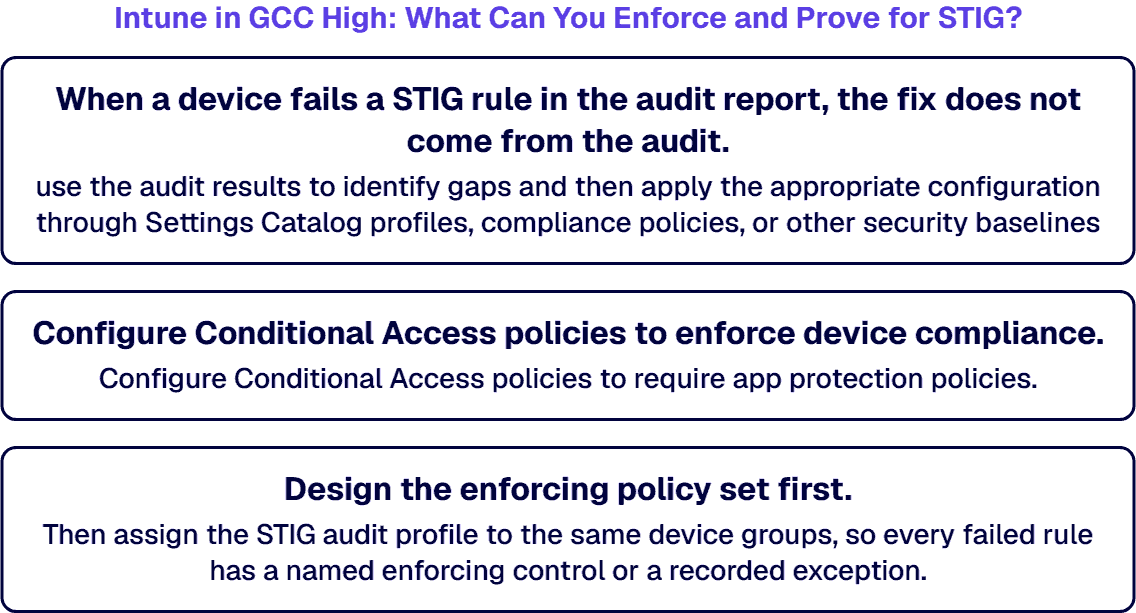
When a device fails a STIG rule in the audit report, the fix does not come from the audit. Microsoft’s STIG audit page tells you to “use the audit results to identify gaps and then apply the appropriate configuration through Settings Catalog profiles, compliance policies, or other security baselines”.
If you layer enforcing baselines, Microsoft’s security baselines page warns that you “might create configuration conflicts for devices that must be investigated and resolved.” That warning is about baselines that set values. The STIG audit page, by contrast, says the audit baseline, because it is read-only, does not conflict with other Intune baselines, compliance policies or device configuration profiles.
For access, Microsoft’s Entra guidance Configure CMMC Level 2 Access Control (AC) controls, dated January 3, 2023 in its metadata and not specific to GCC High, pairs the two directly: “Configure Conditional Access policies to enforce device compliance.” For unmanaged devices it says: “Configure Conditional Access policies to require app protection policies.”
Mobile devices add one condition. Microsoft’s service description sets it for threat defense: “Mobile Threat Defense (MTD) connectors for Android and iOS/iPadOS devices with MTD vendors that also support the GCC High environment can be used.” Confirm GCC High support for any connector before it enters the design.
Design the enforcing policy set first. Then assign the STIG audit profile to the same device groups, so every failed rule has a named enforcing control or a recorded exception.
If the evidence plan names the STIG audit baseline and no one has confirmed the license, the plan has a gap before the first device reports. Microsoft’s Use STIG audit baselines to assess Windows device compliance in Microsoft Intune page says: “The STIG audit baseline requires Intune Advanced Analytics.” and “This feature requires a subscription in addition to Microsoft Intune Plan 1 or Plan 2.”
Microsoft has also changed how Intune Suite capabilities are packaged, and the change does not yet reach government plans. Its What’s new in Microsoft Intune entry for the week of June 29, 2026 says: “This update applies to commercial Microsoft 365 E3 and E5.” and “For Government plans, Intune Suite packaging is planned to align with the equivalent enterprise plans, subject to compliance and regulatory requirements.”
Confirm the Advanced Analytics entitlement in the GCC High tenant before the evidence plan depends on the STIG audit baseline, and do not assume a commercial packaging change has reached a government plan. The Plan 1, Plan 2 and Intune Suite structure itself is set out on the Intune CMMC page, Is Microsoft Intune CMMC Compliant? What It Covers, and What It Does Not.
When an assessor asks for the STIG evidence, the questions are which report, from which date, against which benchmark version. Microsoft’s Use STIG audit baselines to assess Windows device compliance in Microsoft Intune page says Intune produces audit reports per setting and per device, which you can view in the admin center, pull through the Microsoft Graph API or export to CSV. It describes their format this way: “Audit results map to NIST XCCDF (Extensible Configuration Checklist Description Format) result categories, supporting the formal reporting formats that DISA and DoD auditors require.”
Timing belongs in the evidence plan, and according to Microsoft, “Initial results for newly targeted devices can take up to 24 hours to appear.” and “Audit report data isn’t real-time.” For automation, the same page says: “Use the /beta/ endpoint for Graph API calls to STIG audit reporting.”
Schedule the export your system security plan cites, and record with it the baseline version the audit ran against. Treat the dependency on a /beta/ Graph endpoint as a change-risk item in the evidence runbook. The wider list of artifacts an assessor reads, product by product, is covered in Microsoft 365 CMMC Compliance Consulting: Product Scope and Audit Evidence.
If your devices are enrolled in a commercial tenant today, none of them moves to GCC High with the tenant. Microsoft’s Microsoft Intune for US Government GCC High and DoD service description says “the devices need to unenroll from the current tenant, and then re-enroll in the new tenant. There isn’t a built-in way to migrate from the commercial service to the government cloud, and vice versa.”
The provisioning paths on the GCC High side are narrower than a commercial rollout may assume. For Windows Autopilot device preparation, Microsoft says: “Some features are available now, such as user-driven deployments, and some are still in the planning phase”. Its planned table lists “Self-deploying and pre-provisioning mode” and states: “Provisioning modes which require Windows Autopilot registration are not supported.” Its table of features with no plan to support them lists Windows Autopilot and Windows Subscription Activation.
Plan the move in this order:
The migration as a whole, phase by phase, is covered in Microsoft 365 GCC High Migration Checklist: Best Practices for Defense Contractors. The enrollment plan for Windows devices is covered in Intune Migration Checklist.
If one of these conditions holds, settle it before you design around the STIG audit baseline:
Once the first export is filed, the audit keeps running and the results change as devices change. Microsoft’s audit documentation says audit data is not real-time, and that once Intune makes a newer benchmark version available, “you must create a new Audit profile or update your existing profile to use that newer version.”
Someone inside your organization owns the review cadence, the exception register and the move to the next benchmark release. That owner can be your internal endpoint team or an external provider; name the owner in the plan before go-live, not after the first finding.
i3solutions designs and builds the controls and the evidence runbook, and hands them over. It does not take administrative ownership of your Intune tenant, run drift monitoring or manage endpoints on your behalf, as We Do Not Run Your Help Desk. Here Is What i3solutions Does Instead. sets out. Ongoing operation after the handover is a separate Application Managed Services engagement with its own scope; the Intune baseline work itself does not replace the internal team, run open-ended, or create vendor lock-in.
If you want the design built rather than described, i3solutions works on the design and build: the compliance policies and baselines for GCC High, the STIG audit profile and its evidence runbook, the Conditional Access device checks, and the re-enrollment plan, delivered as a project. The GCC High tenant itself comes from a certified AOS-G supplier, and how to vet the firm you work with is covered in Hire a Microsoft 365 GCC High Implementation Firm: How to Vet One Before You Commit a Tenant.
We manage GCC High migrations end-to-end: from eligibility validation and licensing coordination with your AOS-G supplier through identity architecture, data migration, security baseline configuration, and post-migration governance. i3solutions plans and runs these migrations for regulated defense organizations, structuring each phase around the compliance evidence assessors expect.
Delivery is senior and US-based. Governance work across the estate is covered in Embedding Governance into How the Enterprise Operates and Scales.
No. Microsoft’s STIG audit page says “The STIG audit baseline isn’t available in commercial cloud or GCC environments.”, and Microsoft’s service description says “Intune doesn’t have a separate GCC instance.”, so a GCC tenant runs on the commercial service.
No. Microsoft says “The STIG audit baseline is an audit-only tool. It doesn’t configure or enforce settings on devices.” Enforcement comes through Settings Catalog profiles, compliance policies or other security baselines, which Microsoft names as the way to apply configuration after the audit finds gaps.
Microsoft says “The STIG audit baseline requires Intune Advanced Analytics.” and “This feature requires a subscription in addition to Microsoft Intune Plan 1 or Plan 2.” Confirm the entitlement in your GCC High tenant before your evidence plan depends on it.
No. Microsoft lists Remediations among the features that “aren’t available and there’s currently no planning to support these features for GCC High and DoD environments”.

US-Based Microsoft System Integrator | Est. 1997
© i3solutions. All rights reserved.
US-Based Microsoft System Integrator | Est. 1997
© i3solutions. All rights reserved.


