
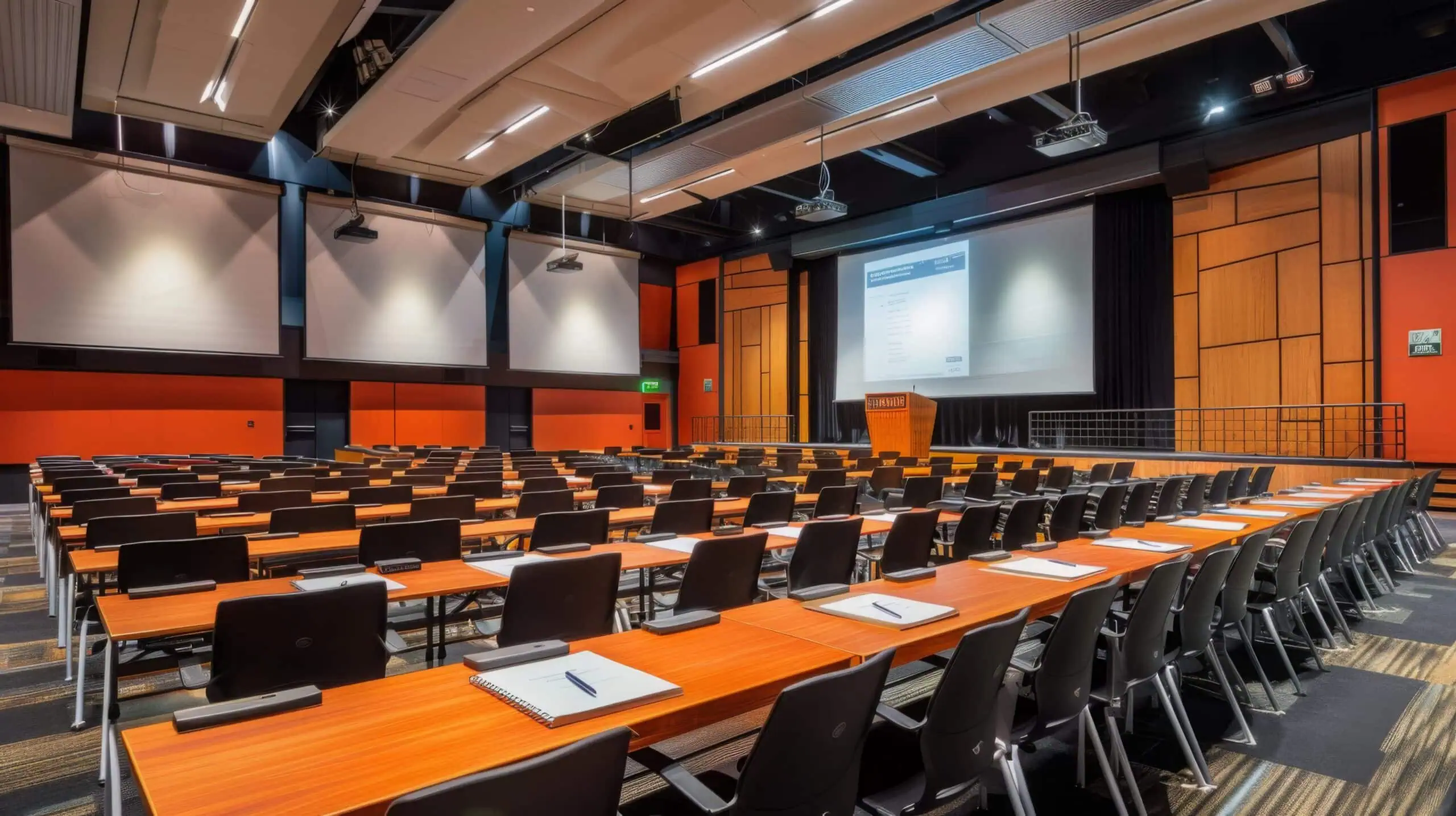
Booking a room and requesting equipment were two separate acts, leaving the technology team to reconstruct details after the fact.
The client is a federal executive-branch agency that negotiates international agreements, manages disputes, and coordinates policy to support economic growth. The agency works to support American businesses while fostering new economic opportunities, and it coordinates the meetings that work runs on in the United States and overseas. Booking the room, though, was only half of what any of those meetings actually needed. The agency faced significant challenges in managing meeting room bookings, particularly when coordinating meetings overseas.
Staff lacked the ability to request necessary equipment for meeting rooms during the booking process, often resulting in logistical complications and delays. The booking travelled one path and the equipment request travelled another, so no single record held what a given meeting required. That inefficiency made it difficult to ensure that all required technology and resources were available for effective meetings, both domestically and abroad, and it surfaced at the worst possible moment: at the meeting itself, when a resource was missing and the meeting was delayed or rescheduled.
A federal agency’s meeting logistics were split across two disconnected request processes, forcing staff to piece bookings together after the fact. i3solutions consolidated room and equipment requests into one SharePoint form, so every meeting generates a single clear request.
One dynamic form now captures the building, room, and equipment together for both US and overseas meetings, cutting delays and rescheduling caused by missing resources and freeing staff to focus on strategic work instead of manual coordination.
Booking the Room Did Not Book What the Room Needed
The agency’s meeting problem was not a shortage of rooms. It was that reserving a room and asking for the technology inside it were two separate acts, and only one of them was captured when the meeting was scheduled. Staff lacked the ability to request necessary equipment for meeting rooms during the booking process, which meant every request for a projector, a display, or any other resource had to be raised somewhere else, by hand, after the fact.
What the technology team received, therefore, was never a complete instruction. It had to reconstruct which building, which room, and which equipment a meeting needed rather than read it off one record. That reconstruction is where the logistical complications and delays came from, and it recurred for every meeting rather than for the difficult ones.
This agency’s missing-equipment problem wasn’t a coordination issue, it was that room and equipment requests lived in two separate places. If a similar disconnect exists in your own booking process, that’s a form design problem, not a training issue.
Every Missing Resource Became a Delayed or Rescheduled Meeting
The cost of the gap was paid in the meetings themselves. When required technology and resources could not be guaranteed, meetings were delayed or rescheduled because a resource was missing, and for an agency that negotiates international agreements and manages disputes, a rescheduled meeting is not a calendar edit. It moves work that other parties, in other time zones, have already arranged their own schedules around.
The manual coordination absorbed staff time on top of that. Time that went into chasing equipment for a booked room was time not going into the substance the meeting existed for, and the drag applied continuously rather than to a handful of exceptional events. Left alone, that combination of delay and manual effort had no natural end point: nothing about the process was going to improve on its own as the agency scheduled more meetings across more locations.
One Process That Has to Hold at Home and Abroad
The hard part of the requirement was uniformity. A system that fixed booking in the United States and left overseas coordination on the old manual path would have solved the smaller half of the problem, because overseas was where the challenges were most visible in the first place. The agency needed staff to be able to request any technology or equipment required for meetings across the globe, through the same process, with the same fulfillment path behind it.
The second constraint was that the new system had to fit the agency’s existing environment rather than displace it. Meeting bookings, equipment requests, and the automation connecting them had to sit alongside infrastructure the agency already ran, and the people using the form would be staff arranging meetings, not system administrators. The interface had to be usable at that level or the manual workarounds would simply continue next to the new system.
Senior Microsoft Specialists with Proven Delivery Depth
The requirements defined the vendor profile. This engagement needed a team that could build on the SharePoint platform the agency already ran, write a real .NET back end behind a dynamic form rather than bolt a list onto a site, and make the result work identically for domestic and overseas locations. It was custom application development on a government platform, judged by whether a technology team downstream could act on what came out of it.
The agency partnered with i3solutions, a Microsoft Partner with 30 years of delivery experience and 1,500+ Microsoft engagements, delivered by an all-senior, all US-based delivery team. That profile fits the work: senior engineers who have built SharePoint and .NET systems inside existing federal infrastructure repeatedly, and who could design the request path to the technology team as carefully as the form the staff member sees.
i3solutions designed and implemented the Virtual Training Center, or VTC, on the SharePoint platform: one system where a meeting room booking and the equipment that meeting needs are captured together and handed to the technology team as a single precise request.
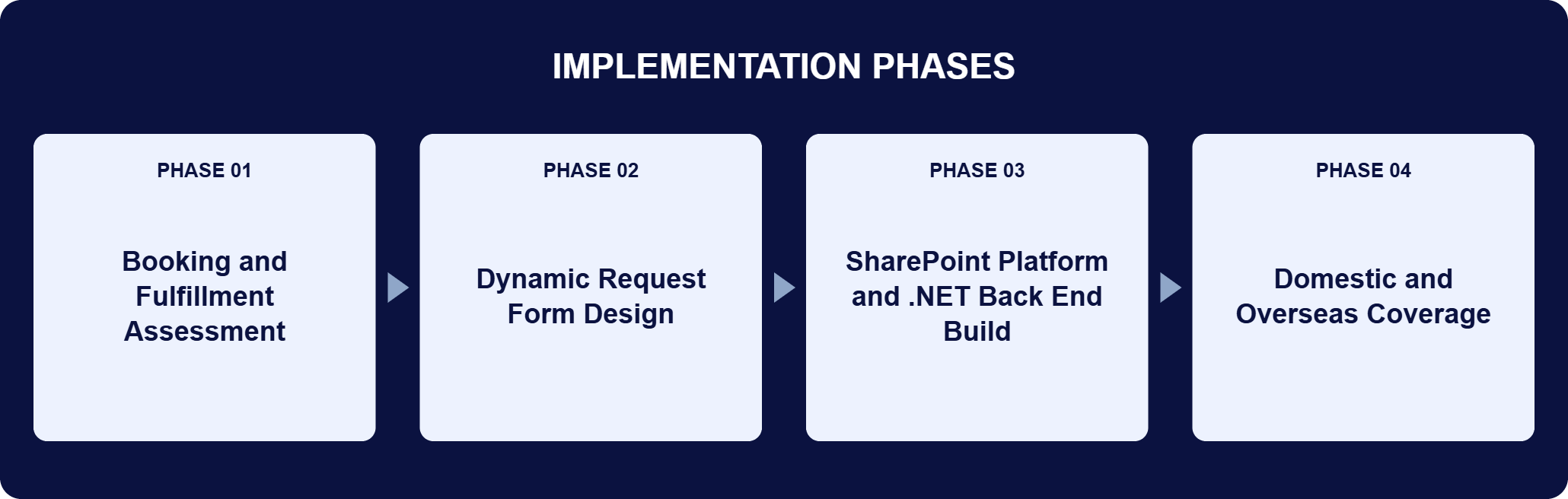
PHASE 01
Booking and Fulfillment Assessment
i3solutions worked through how meeting room bookings and equipment requests actually travelled: which building and which room a request had to name, what equipment was available to ask for, and what the technology team needed in hand before it could fulfill a request for a specific meeting. That defined the data the form had to capture and the shape of the request it had to produce.
PHASE 02
Dynamic Request Form Design
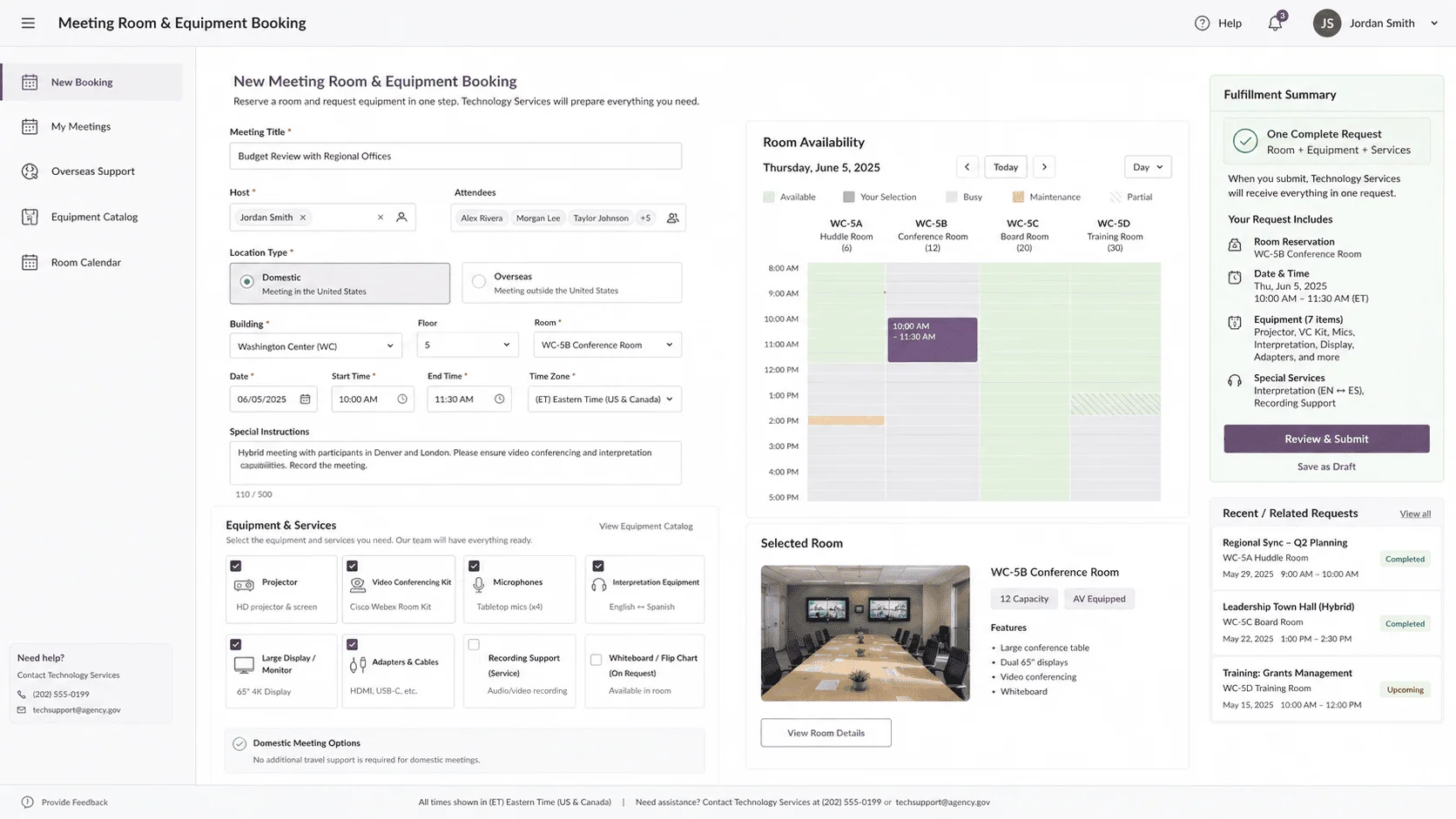
The result was one dynamic form: select a building, specify a meeting room, and choose from a list of available equipment. The form captures all necessary details in a single pass, so the request is complete when the booking is made rather than assembled afterward, and it was designed to be worked by staff arranging meetings rather than by administrators.
PHASE 03
SharePoint Platform and .NET Back End Build
SharePoint was built out as the foundation, providing the centralized platform for meeting room bookings, equipment requests, and workflow automation, and integrating with the agency’s existing infrastructure. A .NET back end powers the form logic: the dynamic room and equipment selection, data validation, request processing, and the handoff to the technology team for fulfillment.
PHASE 04
Domestic and Overseas Coverage
The same booking and fulfillment path was extended to both U.S. based and overseas locations, so staff can request any technology or equipment required for meetings across the globe. Consistent functionality across regions is what standardizes the process rather than producing a second, informal one abroad.
The system is a two-layer Microsoft build with a single job: turn a meeting into one actionable request. SharePoint is the foundation of the Virtual Training Center, providing the centralized platform that manages meeting room bookings, equipment requests, and the workflow automation between them, and integrating with the agency’s existing infrastructure rather than standing apart from it. A .NET back end runs the logic on top of that foundation. It drives the dynamic, responsive form used to select a building, specify a meeting room, and choose equipment from a list of what is available; it validates the data those selections produce; it processes each request; and it communicates the result to the technology team for fulfillment. The design decision that matters is where completeness is enforced. Because the form captures the building, the room, and the equipment in one pass, the record that reaches the technology team is precise by construction, not by follow-up. The same form and the same fulfillment path serve meetings in the United States and overseas, so a request raised abroad carries the same detail as one raised at home.
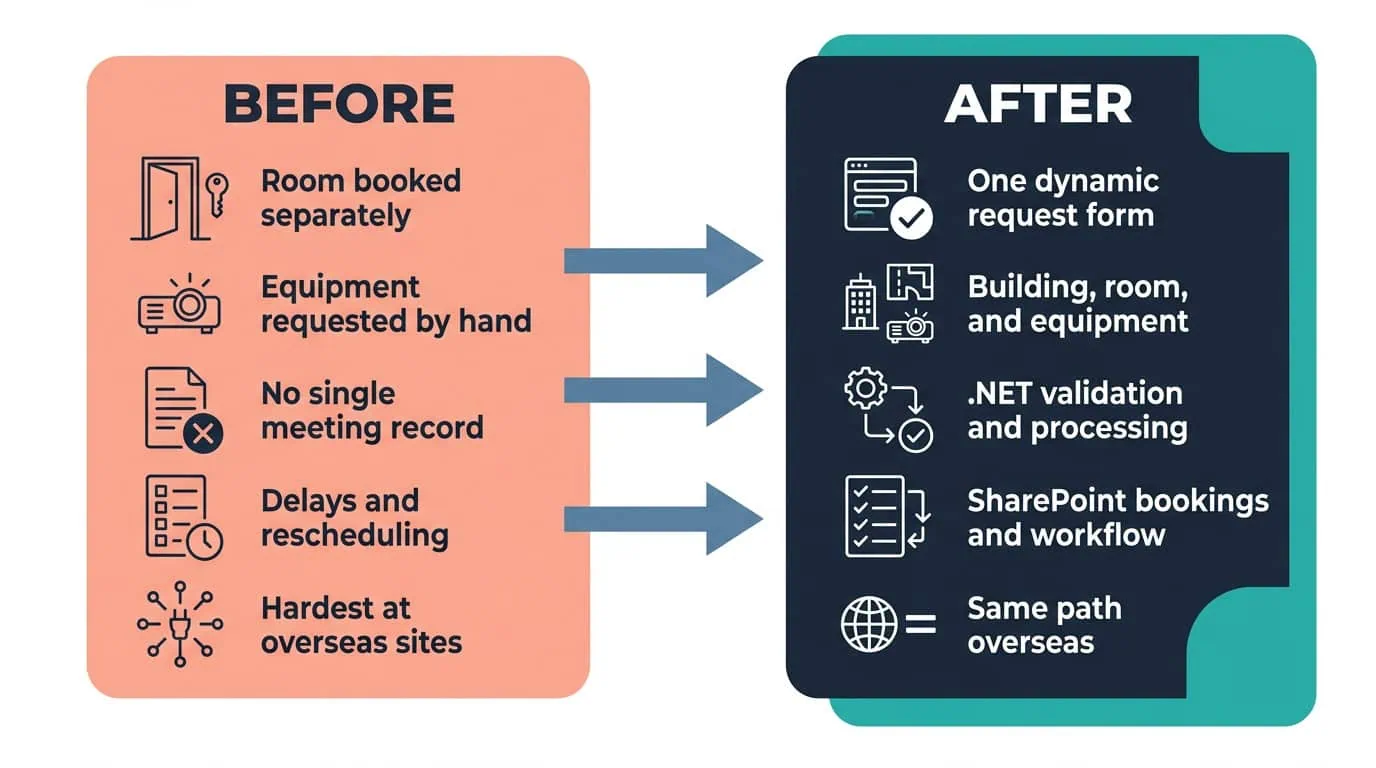
One Form, One Precise Request
A single dynamic form now captures the building, room, and equipment together, for meetings in the US and overseas alike.
| Outcome | Before | After |
|---|---|---|
| Room booking and equipment request | Two separate acts; equipment could not be requested during booking | One dynamic form captures building, meeting room, and equipment together |
| What the technology team receives | Details reconstructed after the booking was made | A precise request per meeting it can fulfill |
| Overseas meeting coordination | Where the booking challenges were most visible | The same form and the same fulfillment path as in the United States |
| Meetings missing a resource | Delayed or rescheduled when required equipment was not there | A reduction in delays and rescheduling due to missing resources |
| Staff effort on meeting logistics | Manual coordination for every booking | Less manual coordination; staff focus on strategic tasks |
The change the agency feels first is that a booking now carries its own requirements. The automated system covers both booking a meeting room and requesting the equipment that room needs, which reduces the time spent on manual coordination and lets staff focus on strategic tasks rather than logistical challenges. Because all required technology and equipment can be requested through the system, meetings are equipped with the tools they need, and that has produced a reduction in delays and rescheduling caused by missing resources.
The second result is that there is now one process rather than a domestic one and an overseas improvisation. The solution provides consistent functionality for both U.S. based and overseas locations, which standardizes the process and has improved collaboration across regions, with an increase in operational consistency and staff satisfaction. What the agency did not get is a number: the engagement’s benefits are recorded as directional outcomes rather than measured ones, and this page states them the way the source does rather than inventing figures to sit behind them.
This engagement is relevant for
Less relevant for
Booking and Equipment on One Record, at Home and Overseas
The engagement established that the fix for missing meeting equipment is not more diligent coordination but a single point of capture. i3solutions built the Virtual Training Center on the SharePoint platform, with a .NET back end running one dynamic form that captures the building, the meeting room, and the equipment chosen from a list of what is available.
SharePoint holds the bookings, the equipment requests, and the workflow automation alongside the agency’s existing infrastructure, so the technology team receives a precise request it can fulfill for a specific meeting instead of assembling the details afterward. The same process covers meetings in the United States and overseas, which is what turned a domestic capability and an overseas difficulty into one standardized path, with less manual coordination and fewer meetings delayed or rescheduled because a resource was missing.
A SharePoint based system for booking meeting rooms and requesting the equipment those meetings need. One dynamic form captures the building, the meeting room, and the equipment selected from a list of what is available, so the technology team receives a precise request for each meeting instead of piecing the details together afterward. The point of capturing all of it in one pass is that the request is complete at the moment the booking is made: location, room, and resources arrive together rather than as a booking followed by a separate ask. SharePoint holds the bookings, the equipment requests, and the workflow automation alongside the agency’s existing infrastructure, and a .NET back end runs the form logic behind it. The same system covers meetings in the United States and overseas.
Domestic and overseas locations use the same form and the same fulfillment path. The system was designed to support both, and staff can request any technology or equipment required for meetings across the globe, so a meeting being coordinated abroad is booked and equipped the same way as one in the United States. That coverage is the point rather than a bonus, because overseas coordination is where the original difficulty was most visible: the agency faced significant challenges in managing meeting room bookings, particularly when coordinating meetings overseas. Consistent functionality across U.S. based and overseas locations standardizes the process instead of leaving each region to solve fulfillment its own way, and the agency reports improved collaboration across regions along with an increase in operational consistency and staff satisfaction.
SharePoint is the foundation, providing the centralized platform for meeting room bookings, equipment requests, and workflow automation, and integrating with the agency’s existing infrastructure. .NET powers the back end logic: the dynamic room and equipment form, data validation, request processing, and the handoff to the technology team for fulfillment. The split is deliberate. SharePoint contributes what a platform should contribute, which is centralized storage of the bookings and requests plus the automation that moves them, so none of that had to be built from scratch. The custom .NET work goes where the agency’s own rules live: which buildings and rooms are selectable, what equipment is available to choose, whether a submitted request is valid, and what the technology team is handed once it is.
Staff could not request equipment for a room while they were booking it, which produced logistical complications and delays, most visibly when meetings were being coordinated overseas. Booking and equipment requests now arrive as one record, so fewer meetings are delayed or rescheduled because a resource was missing. The underlying failure was structural rather than behavioral: because the two requests were raised separately, nothing downstream held a complete picture of what a given meeting needed, and the technology team had to reconstruct it. Making the requirements difficult to guarantee is what turned an administrative gap into meetings that started without the technology or resources they were supposed to have, both domestically and abroad.
By designing backward from the request the fulfillment team has to act on. In this engagement the deciding question was what the technology team needs in hand before it can equip a specific meeting, and the form was then built to capture exactly that: the building, the meeting room, and the equipment selected from a list of what is available, all in one pass. SharePoint provides the centralized platform for the bookings, the requests, and the workflow automation, and integrates with the infrastructure the agency already runs, so the system fits the environment rather than sitting beside it. The .NET back end carries the logic, the validation, and the handoff. The result is a request that is precise by construction, in the United States and overseas alike.
i3solutions is a Microsoft Partner with 30 years of delivery experience and 1,500+ Microsoft engagements, with every engagement staffed by an all-senior, all US-based delivery team. That profile fits this class of work, where the build has to land inside infrastructure a federal agency already runs and be usable by staff arranging meetings rather than by administrators. This engagement is representative of the pattern: the Virtual Training Center on the SharePoint platform, a .NET back end behind one dynamic building, room, and equipment form, workflow automation connecting the booking to fulfillment, and the same process covering domestic and overseas locations. For organizations weighing similar work, a short scoping conversation establishes what the equivalent build would take in your environment.
Yes. The Virtual Training Center form captures the room and equipment request together, for a single conference room down the hall or a meeting at an overseas location, on the same SharePoint-based workflow. That single standardized path replaced the reconstruction work the technology team used to do after receiving incomplete requests, regardless of where the meeting was happening.
The same process now covers meetings in the US and overseas, which is what eliminated the disconnect that used to cause delays. We’re glad to discuss what a comparable unified process would look like for your organization.

US-Based | Est. 1997
© i3solutions. All rights reserved.
US-Based | Est. 1997
© i3solutions. All rights reserved.


