
Michael Branson
If Workspace ONE runs your fleet today and your Microsoft 365 renewal already pays for Intune, the question on your desk is not which product wins. It is whether one console, two consoles or a bridge between them fits your identity design, your devices and your regulators. Microsoft’s Intune licensing page says: “Most organizations get Intune as part of a Microsoft 365 bundle (such as Microsoft 365 E3, E5, or E7) rather than buying these plans directly.” Omnissa’s Workspace ONE UEM page says: “Workspace ONE UEM uses a subscription licensing model and is offered in multiple use case-based editions.” Both statements hold for the same estate at once, so the decision comes back at every renewal. Our recommendation: where Microsoft Entra Conditional Access already gates your corporate resources, consolidate on Intune, keep Workspace ONE for the devices Microsoft’s supported platform list does not name, and plan the move as re-enrollment, not a switch. Running both does not remove the Intune license, because Microsoft’s compliance-partner page states: “Users who have devices managed by the partner must also be assigned a license for Intune.”
If you need one-line definitions for a steering committee, take them from each maker. Microsoft’s Intune overview says: “Microsoft Intune is a cloud-based endpoint management service that secures and manages your organization’s devices and apps.” It adds: “The service runs entirely in the cloud, with no on-premises infrastructure required”. The same page states: “Intune supports two management modes that you can use independently or together.” Those are device enrollment (MDM) and management of work apps alone (MAM).
Omnissa’s Workspace ONE UEM page describes a platform IT teams use to “manage desktops, mobile, rugged, servers, and specialty devices across Windows, macOS, iOS, Android, Linux, and ChromeOS from a single console.” Omnissa’s about page says: “Omnissa was the End User Computing business of VMware and became an independent company in 2024.” A contract or a console in your estate that still says VMware Workspace ONE therefore refers to the product line Omnissa now sells.
If you are building the comparison for a committee, use these five factors. Every cell comes from the Microsoft, Omnissa or FedRAMP page cited on this page, as read on the dates listed under Sources; where a page read for this comparison does not address a factor, the cell says so rather than guessing.
If your corporate resources already sit behind Microsoft Entra Conditional Access, this factor decides much of the rest. Microsoft’s Intune overview says: “Identity runs on Microsoft Entra ID. Device and app posture flow back to Microsoft Entra Conditional Access, which gates access to corporate resources based on real, up-to-date signals.” Omnissa’s page says: “Conditional access, compliance policies, and device posture checks help protect devices and data without sacrificing productivity.” Intune feeds Entra natively; Workspace ONE can feed it through Microsoft’s compliance-partner integration.
If your fleet is more than Windows laptops and phones, compare the two lists as each maker publishes them. Microsoft: “Supported platforms include Android, iOS/iPadOS, Linux, macOS, tvOS, visionOS, and Windows.” Omnissa names ChromeOS, rugged devices, servers and specialty devices, which Microsoft’s list does not name; Microsoft names tvOS and visionOS, which Omnissa’s sentence does not name. Count your devices by platform before you read anything else into the difference.
If any tenant of yours sits in GCC High or DoD, Microsoft’s Intune government service description states: “The Intune GCC High and DoD offerings are built on the Microsoft Azure Government Cloud.” It adds that “These government instances are also known as IL4 and IL5” and that “Intune doesn’t have a separate GCC instance.” The same page carries tables of the features available in GCC High and DoD; read them against your requirements rather than assuming commercial parity. For how Intune maps to CMMC controls in that cloud, see Intune CMMC coverage.
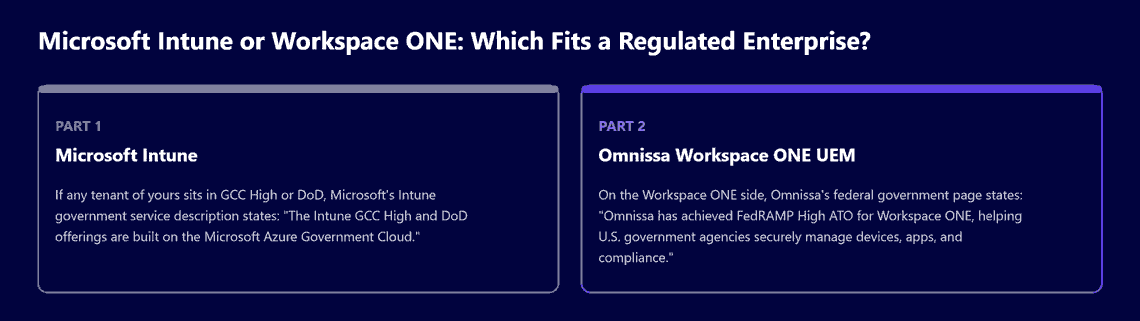
On the Workspace ONE side, Omnissa’s federal government page states: “Omnissa has achieved FedRAMP High ATO for Workspace ONE, helping U.S. government agencies securely manage devices, apps, and compliance.” The same page lists “DISA Impact Level (IL) 4” among its certifications. The government’s own listing can be read beside it. The FedRAMP Marketplace entry for Omnissa Government Services shows “FedRAMP Certified As of 5/4/2026” and the class “Class D (High)”. A Marketplace entry that does not cover the Workspace ONE service you run does not support your package, so have your authorizing official read the entry itself, and ask Omnissa to confirm that it covers that service, before either source goes into your security package.
If finance asks what consolidation saves, start from what is already paid for. Microsoft’s licensing page says: “Microsoft Intune is licensed through three plans and is included in several Microsoft 365 bundles.” It also marks a limit on device-only licenses for kiosks and shared devices: “When a device is enrolled by using a device license, the following Intune functions aren’t supported”, and the list includes app protection policies and Conditional Access. Omnissa’s page says of Workspace ONE: “Pricing varies by device or user count and feature set.” So the comparison that decides the budget is the Workspace ONE subscription against the Intune plans your bundle already includes, plus any Intune add-on plan you would need, not two list prices side by side.
If regions or business units administer their own devices, Omnissa’s page says: “The console supports multi-tenancy, role-based access, and granular controls for global deployment.” The Microsoft pages read for this comparison do not address delegated administration by business unit, so ask Microsoft to show it against your structure rather than assuming either way.
If you are mid-decision, you do not have to move every device at once. Microsoft’s device compliance partners page lists “Omnissa Workspace ONE UEM” among the partners supported as generally available. It says: “When you add a compliance partner to Microsoft Entra ID and Intune, that partner becomes the MDM authority for devices assigned to it through a Microsoft Entra user group.” In that arrangement, “the partner adds the compliance state data it collects to Microsoft Entra ID”, so Conditional Access can use it.
Three conditions on that Microsoft Learn page, Support third-party device compliance partners in Intune, shape the cost and the operating load:
If you need a recommendation you can defend, match the option to the estate rather than to the product, and start from the identity plane. Where Microsoft Entra Conditional Access already gates your corporate resources and a Microsoft 365 E3, E5 or E7 bundle already pays for Intune, consolidate on Intune and keep Workspace ONE for the devices Microsoft’s supported platform list does not name.
If you decide to consolidate, plan for re-enrollment, not a switch. Microsoft’s government service description says of moving between tenants that “the devices need to unenroll from the current tenant, and then re-enroll in the new tenant”, and adds: “This process is similar to unenrolling from another mobile device management (MDM) service and enrolling in Intune.” It also states: “There isn’t a built-in way to migrate from the commercial service to the government cloud, and vice versa.” For the Windows plan itself, see the Intune migration checklist.
If part of your estate runs Configuration Manager rather than Workspace ONE, that is a different decision. Microsoft’s co-management overview says: “Co-management enables you to concurrently manage Windows devices by using both Configuration Manager and Microsoft Intune.” That path is covered in the SCCM vs Intune comparison.
If you are weighing who plans the Microsoft side of the choice once it is made, this is the work i3solutions does. i3solutions plans and runs Intune migrations for enterprises moving domain-joined Windows devices off on-premises Group Policy.
For engagement options, see Microsoft Intune consulting.
If your contracts still say VMware, Omnissa’s about page says: “Omnissa was the End User Computing business of VMware and became an independent company in 2024.” Its product pages sell Workspace ONE UEM under the Omnissa name. Confirm with Omnissa how an older VMware agreement carries over to your current terms.
If you want Entra Conditional Access while Workspace ONE keeps its devices, yes, within the limits Microsoft states. Microsoft lists Omnissa Workspace ONE UEM among its supported device compliance partners: Workspace ONE becomes the management authority for devices in an assigned Entra user group and sends their compliance state to Entra ID. Changes need a manual sync from the Workspace ONE console, and those users still need an Intune license.
If your target is a GCC High or DoD tenant, plan for re-enrollment, not a switch. Microsoft states the Intune GCC High and DoD offerings are built on the Microsoft Azure Government Cloud, and its government service description compares moving devices into a new tenant to unenrolling from another mobile device management (MDM) service and enrolling in Intune. It also states there is no built-in way to migrate from the commercial service to the government cloud, so confirm which cloud your tenant is in before you plan the device move.
If you need this for an authorization package, read two sources. Omnissa states it has achieved a FedRAMP High ATO for Workspace ONE. The FedRAMP Marketplace entry for Omnissa Government Services shows “FedRAMP Certified As of 5/4/2026” and the class “Class D (High)”; confirm with Omnissa that the entry covers the Workspace ONE service you run.

US-Based Microsoft System Integrator | Est. 1997
© i3solutions. All rights reserved.
US-Based Microsoft System Integrator | Est. 1997
© i3solutions. All rights reserved.


