

For regulated enterprises, the decision between SCCM (Configuration Manager) and Intune hinges on workload-by-workload analysis, not a single product winner. Intune is where new device-management capability ships and is the default for internet-connected fleets. Configuration Manager remains fully supported for complex OS deployment, deep application packaging, on-premises server management, and air-gapped environments. Most regulated enterprises operate both simultaneously through co-management.
SCCM versus Intune is not a winner-take-all choice. For a regulated enterprise, it is a governance question about which workloads belong in cloud management and which belong on-premises, decided workload by workload against compliance obligations and audit evidence requirements. Intune represents the cloud-native future where Microsoft concentrates new device-management capabilities. Configuration Manager, formerly SCCM, remains fully supported for complex scenarios including OS deployment, deep application packaging, and on-premises server management. Most regulated enterprises operate both simultaneously through co-management.
The decision is not which tool is better in the abstract. It is which workload belongs where, on evidence, with a documented trail an assessor can follow from control mapping to management surface.
Controlled data must remain within compliant cloud environments. Defense and federal work often requires GCC High or Sensitive Data Protection designations. If a workload’s data residency requirements exclude the commercial cloud tenants Intune runs in, the workload stays on Configuration Manager or moves to the cloud tier its residency rules allow.
Systems without internet connectivity cannot move to cloud management by definition. Configuration Manager handles these by design, with an on-premises site server and distribution points that never call out. This is not a limitation to work around; it is the environment the tool was built for.
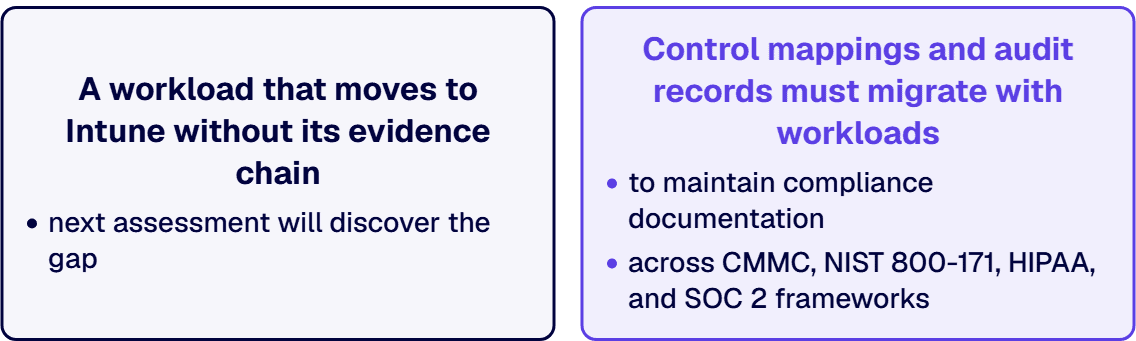
Control mappings and audit records must migrate with workloads to maintain compliance documentation across CMMC, NIST 800-171, HIPAA, and SOC 2 frameworks. A workload that moves to Intune without its evidence chain is a workload whose next assessment will discover the gap.
Configuration Manager excels at complex task sequences and deep application packaging that Intune was not designed to replicate. Multi-step OS deployments with driver injection, application dependencies, and post-imaging configuration remain a Configuration Manager strength.
Intune manages devices. Configuration Manager manages servers. For any server-based workload, Configuration Manager is the appropriate choice; the scope difference is not a matter of preference.
| Disposition | Workload Types | Rationale |
|---|---|---|
| Cloud-Eligible (move to Intune) | Compliance policy, device configuration, endpoint protection, and Windows Update for internet-connected fleets and mobile devices. | Intune is where new device-management capability ships; internet-connected fleets are what it was designed for. |
| Keep on Configuration Manager | Air-gapped environments, advanced OS task sequences, deep application packaging, server management, and device populations with data-residency restrictions. | These are the workloads Configuration Manager was built for and where Intune does not have equivalent coverage. |
| Co-Manage During Transition | Cloud-eligible workloads mid-migration or devices carrying mixed workload types. | Use pilot collections to validate before full rollout, and switch one workload at a time. |
i3solutions designs and implements governance across Microsoft 365, Power Platform, and Azure, with enforced controls, named ownership, and evidence an assessor can follow.
Inventory all device populations, workloads, data classifications, and compliance obligations. Create a documented baseline so the classification decisions in Phase 2 rest on evidence rather than memory.
Classify workloads into cloud-eligible, on-premises, or co-managed categories. Design co-management configuration with cloud identity integration. Decide the pilot cohorts and the order of workload switches.
Enable co-management, establish pilot rings, and switch initial workloads while wiring management evidence into audit trails. Verify the evidence path before broader rollout, because moving a workload without moving its evidence is the source of the gap most transitions produce.
Move remaining cloud-eligible workloads on a measured cadence with validated controls before and after each transition. Keep the co-managed inventory current, because a workload that migrated silently is a workload with no owner.
Keep workloads on-premises when devices operate in air-gapped or offline environments, when advanced OS deployment or application packaging capabilities are required, for server management scenarios, or when data-residency rules exclude cloud eligibility. Each of these is a legitimate reason, and none of them is a failure to modernize. Configuration Manager’s move to annual release cycles is a stability commitment, not a deprecation signal.
Both tools typically ship with Microsoft 365 E3 or E5 and Enterprise Mobility and Security licensing, so no new license purchase is usually required for the transition itself. The actual cost lies in discovery, architecture, co-management setup, and validation work ensuring audit evidence moves with each workload. Budget six to twelve months for mid-size environments and twelve to eighteen months for larger ones, with regulated transitions running longer due to governance validation requirements.
i3solutions has managed regulated Microsoft estates since 1997. The endpoint-management decision runs the same discipline every governance-first program does: classify the workloads against the controls that apply to them, design the disposition against evidence, and move only when the evidence chain moves with the workload. Every engagement is senior-level and 100 percent US-based, delivered under the compliance standards regulated environments require.

Michael Branson co-founded i3solutions 30 years ago and brings executive, operational, and technical perspective to organizations working in complex, secure, and mission-critical environments. His insights focus on business process consulting, automation, data analytics, collaboration, secure operating models, and the operational discipline required to turn technology investments into practical business systems with measurable value.
Connect on LinkedInBoth tools typically ship with Microsoft 365 E3 or E5 and Enterprise Mobility and Security licensing, so no new license purchase is usually required for the transition itself. The actual cost lies in discovery, architecture, co-management setup, and validation work ensuring audit evidence moves with each workload. Budget six to twelve months for mid-size environments and twelve to eighteen months for larger ones, with regulated transitions running longer due to governance validation requirements.
No. Configuration Manager remains fully supported with no announced retirement date. As of version 2609 released in September 2026, it operates on annual release cycles with 18-month support windows and a stability-first approach. New device-management capability ships in Intune, but the on-premises product continues to receive maintenance and is the right choice for the workloads it was designed for.
Co-management runs the Configuration Manager client and Microsoft Intune enrollment on the same Windows device at the same time. It lets you migrate workloads on your own schedule with pilot validation before broader rollout, and it is the transition mechanism most regulated enterprises use rather than a big-bang cutover.
Air-gapped and offline environments, advanced OS deployment with complex task sequences, deep application packaging with dependencies, on-premises server management, and device populations with data-residency restrictions. Each is a legitimate reason to keep the workload on-premises, and none of them is a failure to modernize.
Budget six to twelve months for mid-size environments and twelve to eighteen months for larger ones. Regulated transitions run longer because moving a workload without moving its evidence chain is the source of the gap most transitions produce, and validating the evidence path is the pace-setting work.
Evidence requirements, control ownership, and access records follow patterns i3solutions has seen across regulated Microsoft estates since 1997. Our senior governance advisors work with enterprise IT leaders who want the gaps closed under a scoped program, not discovered in a finding.
Request a Governance Scoping Discussion
US-Based Microsoft System Integrator | Est. 1997
© i3solutions. All rights reserved.
US-Based Microsoft System Integrator | Est. 1997
© i3solutions. All rights reserved.


