
A SharePoint decision rarely waits for a full engagement. The question in front of an IT leader, whether it’s which license covers a workload, whether a permission model survives Copilot, or where a migration path leaves tenants exposed, needs an answer now. These answers settle those questions in the terms an ITAR, CMMC, HIPAA, or SOX auditor will check.
Reviewed July 22, 2026 by Scott Singleton, Managing Consultant. Scott has spent more than 19 years at
i3solutions and more than 30 years designing, developing, migrating, and implementing enterprise technology
solutions, with expertise grounded in SharePoint architecture and large-scale migration.
LinkedIn
If you are running SharePoint Server 2016 or 2019, support ended July 14, 2026, so this is now a compliance decision rather than a roadmap item. Two destinations are supported: SharePoint in Microsoft 365, or SharePoint Server Subscription Edition. Which one you can reach is set by your custom code, data residency, and permissions model.
Sources: Microsoft Lifecycle,
SharePoint Server 2016,
SharePoint Server 2019,
Subscription Edition.
Verified July 22, 2026.
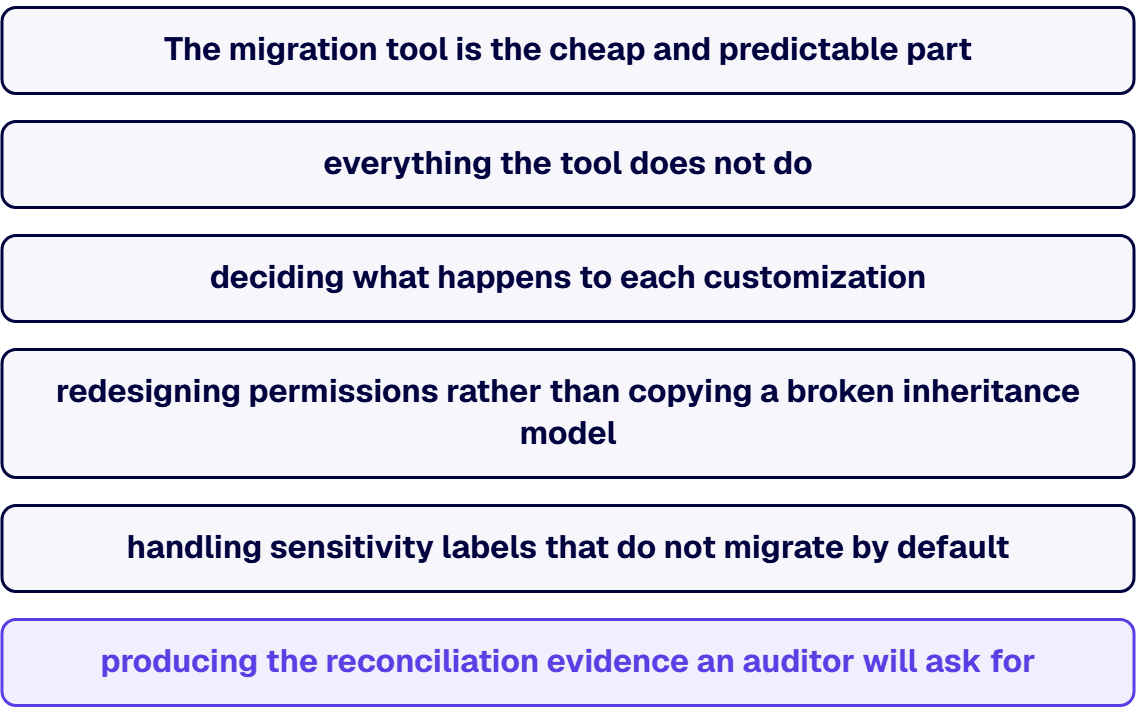
The migration tool is the cheap and predictable part. What extends an EOL migration is everything the tool
does not do: deciding what happens to each customization, redesigning permissions rather than copying a broken
inheritance model, handling sensitivity labels that do not migrate by default, and producing the reconciliation
evidence an auditor will ask for. Move the content without settling those, and you have relocated the problem.
One constraint worth checking before you plan around the free tooling: per Microsoft, if your on-premises
server is configured with multiple authentication providers including Windows authentication, SPMT does not
support Windows authentication, and you will need another method.
No. SharePoint Server 2019 reached the end of Microsoft extended support on July 14, 2026, alongside
SharePoint Server 2016. Neither receives security updates.
Yes, by upgrading to SharePoint Server Subscription Edition, which follows the Modern Lifecycle Policy and has
no fixed end date. The condition is that the farm stays on a supported Public Update build, each of which is
supported for one year from its release.
Often not. The Microsoft SharePoint Migration Tool is free with an eligible Microsoft 365 subscription and
covers a large share of straightforward Server-to-Online migrations. Paid tooling earns its cost on permission-heavy
restructuring, tenant-to-tenant work, and compliance reporting, not on volume alone.
They are disposed of individually, not migrated wholesale. Farm solutions, InfoPath forms, sandboxed
solutions and custom master pages are the usual offenders, and each is a rebuild, a replacement, or a
retirement decision made before content moves.
i3solutions runs the assessment before the movement. An enterprise SharePoint strategy assessment typically
runs four to six weeks with two to three SharePoint consultants, and settles destination, customization disposition, and
permissions design so the migration itself is execution rather than discovery. All i3solutions SharePoint
developers, architects and consultants are 100% U.S.-based.
Sort them by workflow platform first, because the two platforms on a 2019 farm now have different futures. Microsoft states that SharePoint 2010 workflows and SharePoint Designer 2013 were supported with SharePoint Server Subscription Edition only until July 14, 2026, so a 2010-platform workflow has no supported home on SharePoint Server: it is moved to the SharePoint 2013 platform, rebuilt in Power Automate, or retired. SharePoint 2013-platform workflows can stay on premises. Microsoft says SharePoint Workflow Manager powers the SharePoint 2013 Workflow platform for SharePoint Server and will be supported beyond the year 2026, so the supported way to keep them is Subscription Edition with SharePoint Workflow Manager. They cannot follow you to the cloud as they are: Microsoft fully retired SharePoint 2013 workflows for existing Microsoft 365 tenants on April 2, 2026, so a move to SharePoint in Microsoft 365 means rebuilding them in Power Automate. Either way, inventory the backlog before choosing a destination, because many workflows on an old farm are dead or duplicated.
By Scot Johnson, Founder / CEO, i3solutions. Scot Johnson co-founded i3solutions 30 years ago with a focus on expert-led delivery, strategic advisory, and complex Microsoft-centered solutions for organizations where technology decisions carry operational, financial, and mission risk.
A SharePoint platform migration, moving file shares or on-premises SharePoint Server into SharePoint Online (see SharePoint Online vs on-premises), runs from a five-figure project for a clean, small estate to well into six figures at regulated enterprise scale. Full migration project cost for defense contractors with SharePoint customizations and CMMC compliance scope typically lands in the $100,000 to $300,000 range. Tooling is the cheap part of that number, because Microsoft’s SharePoint Migration Tool is free and commercial tools such as ShareGate run $5,995 to $17,995 per year; the real budget lives in content remediation, customization disposition, permissions redesign, and cutover discipline.
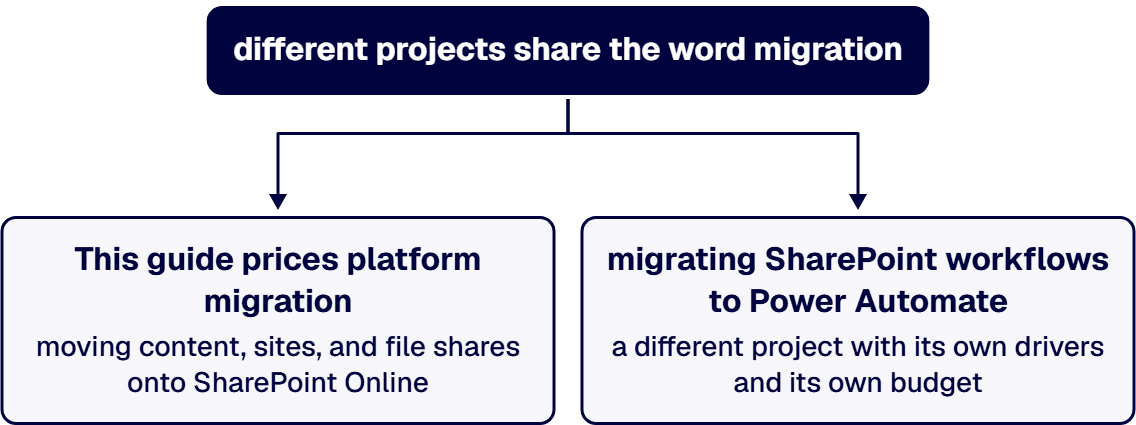
One scope note before any numbers, because two different projects share the word “migration.” This guide prices platform migration: moving content, sites, and file shares onto SharePoint Online. The separate exercise of migrating SharePoint 2010 and 2013 workflows to Power Automate is a different project with its own drivers and its own budget, and we price it separately in our SharePoint workflow migration cost guide. If your estate needs both, budget them as two lines.
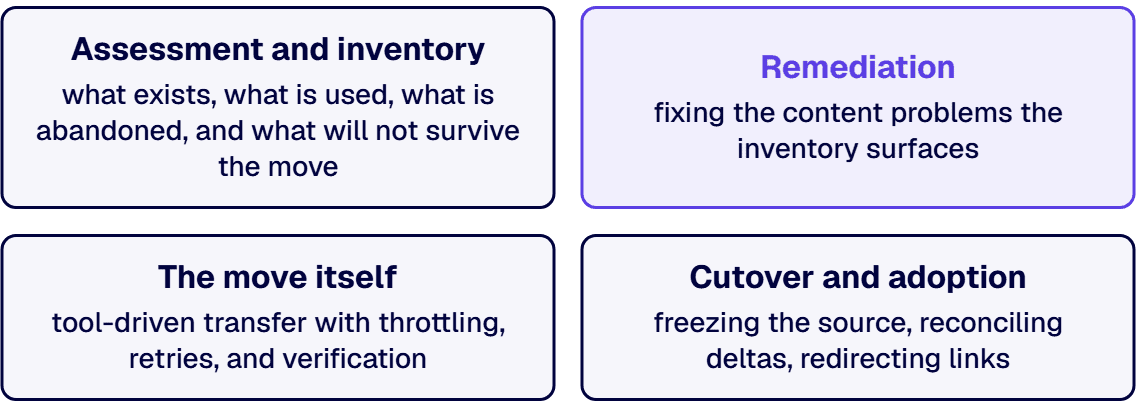
The word hides four workstreams, and the estimate is honest only when each is priced. Assessment and inventory: what exists, what is used, what is abandoned, and what will not survive the move. Remediation: fixing the content problems the inventory surfaces, broken permissions inheritance, unsupported customizations, oversized lists, orphaned users, and years of duplicated files. The move itself: tool-driven transfer with throttling, retries, and verification. Cutover and adoption: freezing the source, reconciling deltas, redirecting links, and landing users in the new structure without losing a week of productivity. The transfer is the workstream people budget for; remediation is the one that sets the actual price.
For many migrations the tool line is nearly zero. Microsoft’s SharePoint Migration Tool is free and migrates content from SharePoint Server 2010 through 2019 and from file shares into SharePoint Online, OneDrive, and Teams, with the same functionality scriptable through PowerShell. Microsoft’s Migration Manager handles file-share moves at scale from the admin center at no license cost.
Commercial tooling earns its price on complex estates. ShareGate, the most common choice, publishes annual subscriptions at $5,995 for Essentials, $9,995 for Migrate Pro, and $17,995 for Enterprise as of July 2026. What the paid tier buys is not speed so much as control: richer reporting, permissions and metadata handling, and operator productivity across thousands of site moves. On a six-figure migration the tool is two to five percent of the budget; choosing it for fit rather than price is the right frame. Our SharePoint migration tool comparison covers the selection in detail.
One storage line belongs in the same table: SharePoint Online storage beyond your tenant’s included quota bills at $0.20 per GB per month on Microsoft’s published meters, so a migration that moves every byte of a 20 TB file share into active SharePoint storage carries a recurring cost the project plan should surface, and archiving cold content is the standard mitigation. The rest of that meter family, Microsoft 365 Archive and Backup included, is priced in our SharePoint Premium cost guide.
Regulated-industry SharePoint modernization carries roughly 25 to 35 percent cost overhead versus commercial work for equivalent scope, driven by control mappings, audit-trail discipline, and zero-downtime cutover patterns. For defense contractors the overhead is concrete: content screening for CUI before it moves, destination controls that satisfy CMMC and NIST 800-171 expectations, and evidence that the migration itself did not break the compliance story. That is the delta behind the $100,000 to $300,000 band quoted above for defense migrations with customizations and compliance scope, and it is why a regulated migration quoted at commercial rates should be read as a scope gap rather than a bargain. If your migration carries compliance scope, Schedule a 30-minute scoping call before anyone quotes you a commercial-shaped number. Organizations weighing tenant environment questions alongside the move can start with our Microsoft 365 migration services overview.
Three defensible levers, in order of impact. Archive instead of migrating: content untouched for years can move to cheap archival storage or stay behind in read-only form, shrinking both the move and the recurring storage line. Disposition customizations honestly: most legacy customizations exist because the old platform lacked something the new one has natively, and rebuilding only the genuine differentiators routinely halves that workstream. Clean before, not during: deduplication and permissions cleanup done in the source costs a fraction of the same work discovered mid-migration, when it blocks a cutover window. The false lever is skipping validation, which converts a migration budget into an incident budget.
i3solutions is a Microsoft Solutions Partner, and All i3solutions SharePoint developers, architects, and consultants are 100% U.S.-based. We scope migrations from the inventory, not from the terabyte count. Enterprise SharePoint strategy assessment engagements typically run four to six weeks elapsed time with two to three i3solutions consultants. That assessment produces the content inventory, the customization disposition list, the target information architecture, and a phased migration plan with the cutover model your operations can actually tolerate. The number that comes out of that assessment is one you can defend to finance, because every line traces to something counted in your estate. Teams that need senior delivery capacity for the execution phase can hire SharePoint developers from us directly, and the practice behind this work lives at our SharePoint development services hub.
If a migration is on your roadmap, Talk to a senior SharePoint architect and bring your site inventory, however rough.
A clean file-share migration is the low end of the spectrum because Microsoft’s tooling is free and the content model is simple: the cost is planning, permissions mapping, and validation rather than transfer. Budgets rise with volume condition, deduplication needs, and how much restructuring you do on the way in, and recurring storage beyond the tenant quota bills at $0.20 per GB per month.
Microsoft’s SharePoint Migration Tool and Migration Manager are free and cover file shares and SharePoint Server 2010 through 2019. ShareGate publishes annual tiers at $5,995, $9,995, and $17,995 as of July 2026. On complex estates the paid tool earns its keep in reporting, permissions handling, and operator throughput, and on any sizable project the tool line is a small fraction of the total.
No, and conflating them is a common budgeting error. Platform migration moves content, sites, and file shares to SharePoint Online. Workflow migration rebuilds SharePoint 2010 and 2013 workflows in Power Automate, with its own discovery, redesign, and testing cycle. They are separate projects with separate cost drivers, and estates that need both should budget and sequence them deliberately.
Defense migrations with SharePoint customizations and CMMC compliance scope typically land between $100,000 and $300,000, and regulated work in general carries a 25 to 35 percent overhead versus commercial scope for equivalent size. The overhead pays for CUI screening, control-mapped destination configuration, audit evidence, and cutover patterns that keep compliance continuous through the move. The compliance program those controls belong to is priced separately in our CMMC compliance cost guide.
Pricing the transfer instead of the remediation. Moving bytes is the predictable part; the estimate-breaking work is customization disposition, permissions redesign, and content cleanup, all of which scale with the age of the estate rather than its size. An inventory-driven assessment before the quote is what keeps the project from discovering its real scope mid-flight.
Yes, and at enterprise scale you should: phase by department, site family, or business function, with each wave validated and adopted before the next moves. Phasing costs slightly more in coordination and dual-running, and repays it in risk: a problem discovered in wave two is a fix, while the same problem discovered in a big-bang cutover is an outage.
By Scot Johnson, Founder / CEO, i3solutions. Scot Johnson co-founded i3solutions 30 years ago with a focus on expert-led delivery, strategic advisory, and complex Microsoft-centered solutions for organizations where technology decisions carry operational, financial, and mission risk.
SharePoint Premium, the product formerly called Microsoft Syntex, has no sticker price: it is billed pay-as-you-go through an Azure subscription, at published Microsoft meters of $0.005 per page for unstructured document processing, $0.01 per page for prebuilt models, $0.05 per page for structured and freeform processing, $2.00 per eSignature request, and $15.00 per million characters for document translation. Your budget is therefore your document volume multiplied by the meters you switch on, plus the configuration work to point the right models at the right libraries, and the volume math gets expensive quietly because processing runs on every upload, every update, and once per model applied.
This guide lays out every published meter, shows how to turn them into a budget, and names the usage patterns that make SharePoint Premium either a rounding error or a five-figure monthly surprise. It is written for the IT or information-management lead sizing the service for an enterprise tenant, the same estates our SharePoint development services practice works in daily.
Microsoft publishes the full meter list on its pay-as-you-go pricing page, billed in USD through the Azure subscription you connect. The document processing meters as of July 2026:
The storage-side services bill the same way: Microsoft 365 Archive at $0.05 per GB per month, Microsoft 365 Backup at $0.15 per GB per month, and SharePoint storage beyond your tenant quota at $0.20 per GB per month. These are separate meters with separate business cases, but they land on the same Azure invoice, so budget them together.
Three inputs decide the number: monthly document volume into the libraries where models are enabled, average pages per document, and which meter class each model uses. The arithmetic is straightforward and worth doing before enabling anything. A contracts library receiving 5,000 ten-page documents a month through an unstructured model processes 50,000 pages, which is $250 a month at the published rate. Put the same volume through a structured model at $0.05 and it is $2,500 a month. Run both models on the same library and you pay both, because processing is counted once per model applied.
Microsoft provides a SharePoint cost calculator for exactly this modeling, and it is worth an hour with your actual library statistics before any meter goes live. The estimates that go wrong are almost never wrong about price; they are wrong about volume, usually because nobody counted document updates.
If you would rather have that model built against your actual library statistics than a template, Talk to a senior SharePoint architect before the first meter goes live.
Four behaviors in the billing model do most of the damage in badly scoped deployments:
The pattern behind all four: SharePoint Premium is cheap per transaction and unbounded per month. Governance, deciding which libraries, which models, and which volumes, is the actual cost control, which makes it an information-architecture exercise, not a licensing one. Content that is being migrated into SharePoint Online is a special case worth planning deliberately, since a bulk migration through a model-enabled library can process an entire archive in one billable wave; if a platform move is in your future, plan model enablement after the migration, not before, and see our SharePoint migration tool guide for that sequencing and our SharePoint migration cost guide for the full project budget.
The service earns its meters where a document’s content has to become structured data that something downstream consumes: contract metadata feeding a review workflow, invoice fields feeding an approval process, compliance attributes driving retention. It also earns them where OCR at $0.001 per page makes a scanned archive searchable for a fraction of any manual alternative. It does not earn them where the output is metadata for its own sake. The discipline is to attach each enabled model to a named business process with an owner, which is the same discipline that makes any automation investment defensible.
The transactional meters deserve the same named-process discipline. At $2.00 per request, eSignature competes on price with standalone signature platforms only when the signing volume and the documents already live in SharePoint; at $15.00 per million characters, document translation is inexpensive for policy libraries serving multilingual workforces and expensive as an always-on default. Each meter is a small product with its own business case, and treating the suite as one switch is how organizations end up paying for four services to get value from one.
i3solutions is a Microsoft Partner with 30 years of delivery experience. All i3solutions SharePoint developers, architects, and consultants are 100% U.S.-based. We treat SharePoint Premium as an information-architecture project with a metered bill attached: inventory the libraries, identify the document classes where extraction feeds a real process, model the volumes against the published meters, then enable narrowly and measure. Enterprise SharePoint strategy assessment engagements typically run four to six weeks elapsed time with two to three i3solutions consultants. A SharePoint Premium scoping fits naturally inside that assessment frame, arriving with the volume model, the shortlist of libraries and models, and the monthly meter estimate already attached, so the enablement decision is made on evidence rather than enthusiasm. Organizations that need delivery capacity rather than strategy can hire SharePoint developers from us directly, and our Microsoft 365 consulting services page covers the broader practice.
If you want the volume math done against your actual libraries before you switch anything on, Talk to a senior SharePoint architect.
Unstructured document processing is $0.005 per page, prebuilt models are $0.01 per page, and structured or freeform processing is $0.05 per page on Microsoft’s published pay-as-you-go meters. The per-page price is only half the estimate; the other half is that processing counts on upload and on update, once for each model applied to the library.
The current model is pay-as-you-go: you connect an Azure subscription for billing and pay published meters on usage rather than licensing seats. That inverts the usual Microsoft 365 budgeting exercise, because cost follows document volume and model enablement, not headcount, and it is why volume modeling matters more than license counting. The seat-based side of the Microsoft 365 budget is its own decision, priced in our Microsoft 365 E3 vs E5 cost guide.
On the same published meter list, Microsoft 365 Archive is $0.05 per GB per month, Microsoft 365 Backup is $0.15 per GB per month, and SharePoint storage beyond the tenant quota bills at $0.20 per GB per month. Archive in particular pairs well with large migrations, since cold content can be archived rather than carried in active storage.
Count three things per target library: documents arriving per month, average pages per document, and expected updates per document, then multiply against the meter for each model you plan to apply. Microsoft’s SharePoint cost calculator supports the modeling, and a pilot on one library with real volume for a month is the cheapest accuracy upgrade available before broad enablement.
Almost always one of three things: models enabled on broad libraries instead of targeted ones, multiple overlapping models applied to the same content so every page bills more than once, or high-churn libraries where frequent edits reprocess the same documents repeatedly. All three are governance decisions, which is why the cost conversation is really an information-architecture conversation.
We start from the business processes that would consume extracted data, not from the feature list: which document classes, which fields, feeding which workflow or system. That inventory produces a short list of libraries and models with volume estimates against the published meters, so the enablement decision arrives with its monthly cost attached and an owner for each model.

By Michael Branson, Founder/COO, i3solutions
Michael Branson co-founded i3solutions 30 years ago and brings executive, operational, and technical perspective to organizations working in complex, secure, and mission-critical environments. His insights focus on business process consulting, automation, data analytics, collaboration, secure operating models, and the operational discipline required to turn technology investments into practical business systems with measurable value.
Quick answer: how to choose a SharePoint migration tool
For most enterprise moves to Microsoft 365, ShareGate is the right default: published pricing from $5,995 to $17,995 per year, unlimited data, and the deepest self-service coverage of SharePoint content and permissions. Choose AvePoint Fly when the migration crosses a government cloud boundary or FedRAMP authorization is a procurement requirement; it is quote-priced and runs as SaaS with a dedicated U.S. Government environment. The free Microsoft SPMT is genuinely adequate for file shares and out-of-the-box SharePoint Server sites. Quest Content Matrix earns its quote when the source is an old, heavily customized on-premises farm with Nintex workflows. And no tool, at any price, migrates InfoPath forms, custom code, or complex workflow logic: that part of the estate is re-engineering work, and pretending otherwise is where enterprise migrations fail.
This guide is written for the VP of IT or the IT Director who already knows a migration is coming, often forced by the July 2026 end of support for SharePoint Server 2016 and 2019, and is being pitched a paid migration platform. It treats SharePoint migration tool selection as a compliance and fidelity decision, gives you a framework to match the tool to your obligations, and stays honest about where the free Microsoft tools are enough and where they are not.
The rest of this page shows the working behind that verdict: what each tool costs and covers on the vendor’s own published numbers, the throttling physics all four share, what breaks permissions and governance in flight, the validation method that makes the move defensible, and the honest boundary where tooling stops and migration services begin.
Every figure in this table is the vendor’s own published number as of July 2026, sourced in the tool sections below and in the source list at the end of the page.
Before comparing tools on speed, understand what they cannot change. SPMT and the third-party tools all move content through Microsoft’s SharePoint Migration API, staging through Azure, and Microsoft’s migration performance guide is blunt about the consequences. Microsoft applies tighter throttling to background applications, migration included, during weekday daytime hours, and states plainly that throttling cannot be disabled or suspended and that opening a support ticket does not lift it. The same guide publishes the honest throughput envelope: about 10 TB per day for metadata-light content such as large video or ISO files, about 1 TB per day for typical Office documents around 1.5 MB, and about 250 GB per day for metadata-heavy content such as list items with custom columns and small files around 50 KB.
Three planning consequences follow. First, schedule the heavy waves for evenings and weekends in your tenant’s region, when Microsoft says the service is ready to process a higher volume of background requests. Second, a vendor demo on a folder of PowerPoint files tells you nothing about your list-heavy legacy sites; the metadata profile of your estate, not the tool, sets the ceiling. Third, if the estate exceeds 100 TB, Microsoft asks you to open a support request at least 30 days before you start. A migration plan that ignores these numbers is a schedule written in crayon, whichever logo is on the tool.
The SharePoint Migration Tool is Microsoft’s free migration path to Microsoft 365. It migrates from SharePoint Server 2010, 2013, 2016, and 2019, SharePoint Foundation 2010 and 2013, and file shares, into SharePoint, OneDrive, and Teams, preserving permissions, versions, metadata, and taxonomy, with incremental passes to shrink the cutover window and full PowerShell parity for scripted runs. Its workflow support is narrow and worth quoting precisely: SharePoint Server 2010 out-of-the-box workflows and SharePoint Designer 2010 and 2013 workflows. Microsoft also ships the free SharePoint Migration Assessment Tool (SMAT) to scan a 2013 farm for migration blockers before you start, and SPMT 4.0 and later runs a built-in assessment that scans the source and produces a content inventory and a migration-risk report.
Two more version and configuration details matter for planning. SPMT 4.1 can convert SharePoint Designer 2010 and 2013 workflows to Power Automate, but read that as an assisted conversion, not a lift-and-shift: unsupported actions become placeholder Compose steps, out-of-the-box approval workflows need a designated flow owner, and anything complex or custom still needs a genuine rebuild. And if your on-premises server is configured with multiple authentication providers including Windows authentication, Microsoft does not support Windows authentication for the migration; you will need another method. Migration Manager, also free and built into the SharePoint admin center, handles file-share and cloud-source migrations at scale with agent-based scaling across multiple machines and centralized task management and reporting, which SPMT’s local model does not match at volume.
For government tenants, Microsoft’s own tooling works with a caveat each: Migration Manager supports only file share migration in government clouds, and GCC High and DoD customers must edit the agent configuration before install, setting SPOEnvironmentType to 2 for GCC High or 3 for DoD.
The honest verdict: if your estate is file shares plus standard team sites with out-of-the-box lists and libraries, SPMT does the job and the license line of your budget is zero, and the money you would have spent on a platform is better invested in the destination design and the validation work. What free does not buy you is deep permission remapping, delta-sync orchestration across hundreds of site collections, or coverage for anything customized. SPMT also does not support tenant-to-tenant migration; for that, Microsoft now offers cross-tenant SharePoint and OneDrive migration as a paid add-on for Enterprise Agreement customers, and Microsoft does not support the OneDrive move in government clouds. Enterprises rarely fail with SPMT because the tool is bad; they fail because their estate was never as plain as the inventory claimed. When mailboxes, OneDrive and Teams are moving too, a wider Microsoft cloud migration covers Exchange Online and Teams alongside SharePoint Online, with identity and access carried across.
ShareGate, now part of Workleap, is the one enterprise-grade tool in this comparison that publishes its prices, which is why it anchors so many migration budgets. On ShareGate’s published pricing, as of July 2026, Migrate Essentials starts at $5,995 per year for tenants up to 250 employees with one machine activation; Migrate Pro starts at $9,995 per year for up to 1,000 employees with five machine activations and adds Google Workspace, Exchange Online mailbox migration, and Microsoft Purview sensitivity label support; and Enterprise starts at $17,995 per year for larger tenants with 25 machine activations, Box and Nintex migration, and 24/7 premium support. All tiers carry unlimited data, so the budget question is employee count and how many parallel migration machines the schedule needs, not terabytes. The sensitivity-label mapping on Pro and above is worth more than it looks: it is the feature that makes a migrated estate Copilot-ready and DLP-aware on arrival.
The regulated-environment caveat is specific, and ShareGate’s own GCC documentation spells it out: because GCC High and DoD tenants do not permit regular access to the Graph API, ShareGate there cannot migrate mailboxes, cannot migrate or report on Microsoft Teams and Microsoft 365 Groups, cannot map Purview sensitivity labels, and cannot use modern authentication. What remains, in ShareGate’s words, is that you can still perform most SharePoint operations in GCC, GCC High, and DoD tenants. For a defense contractor, that reads: ShareGate can carry your sites and documents into GCC High, and everything Graph-dependent needs another plan.
AvePoint’s migration product is Fly, delivered as SaaS with an on-premises Fly Server variant, per AvePoint’s product page. AvePoint does not publish list prices; its subscriptions are priced on user count or the amount of data you migrate, quote only. That opacity is a real procurement cost, and it buys two things the others do not have. First, FedRAMP: AvePoint’s FedRAMP (Moderate) authorization, first sponsored by the Department of Energy in 2021, extends to Fly. Second, a genuine government-cloud lane: per the Fly documentation, commercial-environment profiles cannot touch GCC or GCC High tenants at all; those migrations run through app profiles in the separate U.S. Government environment of AvePoint Online Services. If your program is a commercial-to-GCC High move under CMMC pressure, that separation is precisely what your assessor wants to see, and it is the scenario where Fly is usually the right answer despite the unpublished price. Among the paid platforms it also carries the strongest permission engine and the most detailed compliance reporting, which is what produces the evidence an assessor will ask for.
Content Matrix is the veteran of on-premises SharePoint migration. Quest’s product page positions it for migration from any previous version of SharePoint Server to newer SharePoint or Microsoft 365, without incremental hop-by-hop upgrades, and states that it preserves content, metadata, permissions, and customizations and handles workflow migration including complex solutions like Nintex. Pricing is not published; it is quote via Quest. In practice this is the tool that gets shortlisted when the source is a 2010-era farm carrying a decade of accumulated structure that SPMT cannot read and a SaaS tool cannot reach, and when farm-to-farm consolidation has to happen before or instead of a cloud move. It is installed software in your own environment, which for some regulated networks is itself the deciding feature.
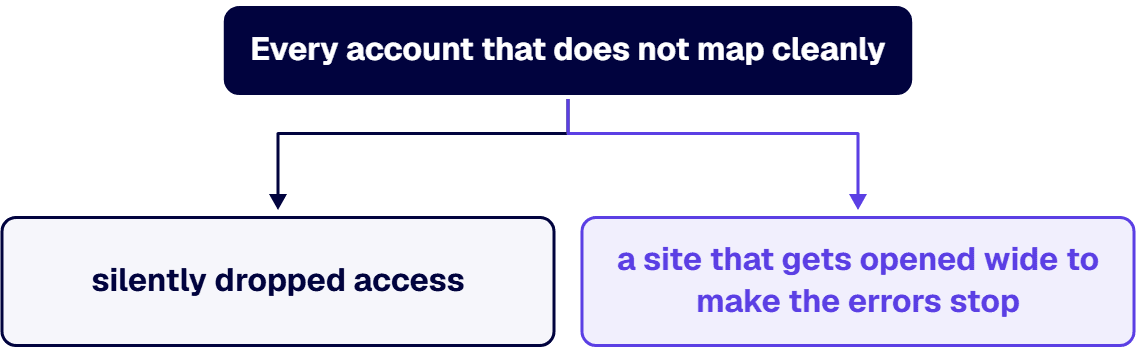
Most migration horror stories are not lost documents; they are broken access. The mechanics are predictable. On-premises permissions ride on Active Directory identities and SharePoint groups; Microsoft 365 permissions ride on Entra ID identities, Microsoft 365 Groups, and sharing links. Every account that does not map cleanly, every orphaned user, every domain group with no cloud twin, becomes either silently dropped access or, worse, a site that gets opened wide to make the errors stop. The hard cases are equally predictable: broken inheritance, unique permissions set at the item level, and cross-site group references. Item-level permission breaks multiply the problem: they migrate slowly, they are invisible in a folder listing, and they are exactly where the sensitive exceptions live. These are the cases a free tool handles least gracefully, and they are the single best reason a regulated estate reaches for ShareGate or AvePoint: not speed, but the permission engine and the pre-migration delta report that show you what will change before it changes.
Sensitivity labels deserve the same suspicion, because Microsoft Purview sensitivity labels are not applied to content by the SharePoint Migration API. If your content needs to arrive labeled, for Copilot readiness, for data-loss prevention, or for a classification mandate, you either map the labels in flight with a tool that supports it or you plan a labeling pass after the move. Assuming labels carry over on their own is one of the more common and more expensive mistakes in a regulated migration.
The discipline that prevents all of it is not tool-specific. Inventory unique permissions and orphaned identities before the first wave and decide, in writing, what each unmapped principal becomes. Simplify before you move: a permission model too complex to audit at the source will not become auditable by being copied. Migrate a pilot wave and reconcile actual against intended access before scaling, then re-verify after cutover, because governance owners change during long programs. And carry the audit trail: in regulated environments the migration itself is an auditable event, and the reconciliation evidence is a deliverable, not a courtesy. i3solutions runs migrations against named control families across CMMC, HIPAA, SOC 2, and NIST 800-171, producing artifacts auditors can review, and that posture is set before wave one, not reconstructed after an incident.
The page on SharePoint permissions cleanup before Copilot covers oversharing remediation, sharing link hygiene and access reviews ahead of a Copilot rollout.
In our experience, and in the published experience of most credible migration practices, the tool accounts for roughly 30 percent of whether a migration succeeds. The other 70 percent is the destination design, the permission model, and the validation discipline, the work that determines whether the migrated estate is usable, governed, and audit-defensible. A migration that lands content into a poorly designed destination is not a success that used the wrong tool, it is a rebuild waiting to happen, which is the case our SharePoint Modernization ROI analysis makes for designing the target before you move. So treat validation as the deliverable, not an afterthought: for a regulated estate the migration is not done when the content arrives, it is done when you can prove the content arrived correctly. A defensible migration runs in three phases, and the source stays read-only until the third phase completes.
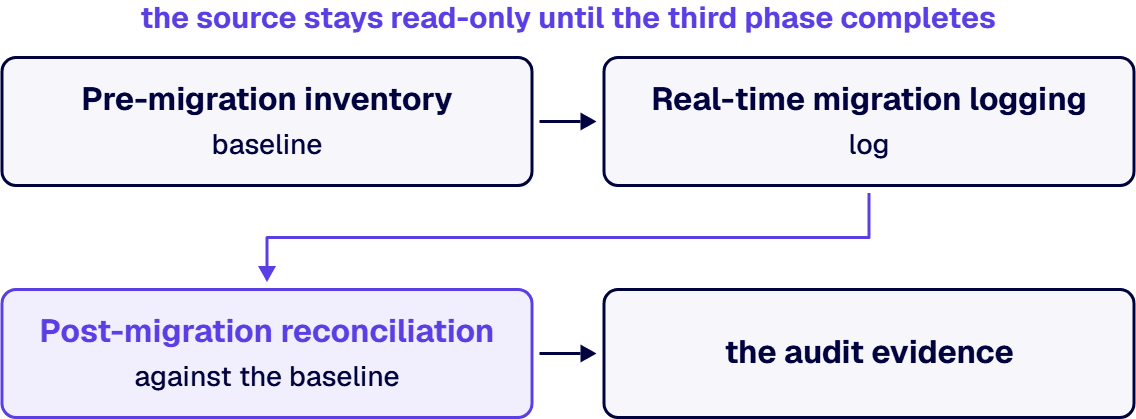
Before anything moves, generate a complete inventory of the source: item counts, site and library structure, permission map, metadata fields, and content checksums where they matter. This baseline is what every later phase reconciles against, and it is the artifact an auditor will ask you to produce.
During the move, log every item’s success or failure, every permission mapping result, and every throttling event the tool encounters. Real-time logging is how you catch a partial failure while it is still cheap to fix, rather than surfacing an audit gap months later when an examiner asks for evidence you never captured.
After the move, reconcile the destination against the Phase 1 baseline: every document, every permission, every metadata field. Only when reconciliation is clean does the source come off read-only. This three-phase record, baseline, log, and reconciliation, is the audit evidence that turns a migration from a hopeful copy into a defensible one.
Every vendor page in this comparison is honest about content and quiet about the same three things. InfoPath forms do not migrate; the platform is retired and each form is a rebuild decision, typically into Power Apps. Enterprise InfoPath migration engagements at i3solutions typically run 13 to 16 weeks elapsed time across four phases. SharePoint 2010 and 2013 workflow engines are gone from Microsoft 365, so beyond the narrow set SPMT carries, workflow logic must be rebuilt in Power Automate, work we detail in our SharePoint 2013 workflow retirement guide. And custom code, farm solutions, event receivers, and hand-built web parts have no migration path at all; they are re-engineering projects wearing a migration line item.
This is the part of the estate that decides whether the program is a tool purchase or a services engagement. A useful test: if more than a handful of your business-critical processes live in InfoPath, Nintex, SharePoint Designer, or custom code, the tool license is the smallest line in the true budget, and the real plan is an application modernization program with a content migration inside it. Where the free tooling stops being the right answer is a question about your environment rather than your budget, and it is the question this page exists to answer. i3solutions assesses that threshold before recommending a purchase, because recommending a licence nobody needed is not advice. i3solutions is a Microsoft Partner with 30 years of enterprise technology delivery experience. i3solutions has completed 1,500+ Microsoft implementations. i3solutions has delivered enterprise SharePoint and Power Platform programs for aerospace and defense manufacturers, major defense organizations, a financial-services firm, a national healthcare system, and military organizations. All i3solutions SharePoint developers, architects, and consultants are 100% U.S.-based. That matters when the content in flight is CUI.
Put the license in perspective first: between $0 for SPMT and roughly $18,000 per year for ShareGate’s top published tier, on vendor list prices as of July 2026, tooling is rarely the number that decides the budget. A tool license that looks expensive next to free tooling can be the cheaper option once permission remediation effort is counted, and it can just as easily be an unnecessary purchase on an estate that never needed it. The services side is where real money moves, and we publish our own bands rather than gesture at “it depends.” Enterprise SharePoint strategy assessment engagements typically run four to six weeks elapsed time with two to three i3solutions consultants. Full migration project cost for defense contractors with SharePoint customizations and CMMC compliance scope typically lands in the $100,000 to $300,000 range. Regulated-industry SharePoint modernization carries roughly 25 to 35 percent cost overhead versus commercial work for equivalent scope, driven by control mappings, audit-trail discipline, and zero-downtime cutover patterns. Our SharePoint migration cost guide breaks those bands down by scenario.
If you bring in outside help, evaluate the partner on the dimensions that predict whether the migrated estate survives an audit, not on which tool they resell. First, regulated-sector record: has the firm run governed migrations in environments with real compliance obligations, and can it name the control families it worked against. Second, destination-design depth: does the partner lead with the target architecture and the permission model, or with a tool license. Third, validation discipline: will you receive the three-phase evidence record, or just a report that the job finished. i3solutions runs this work under a practice it calls Enterprise Delivery Assurance, the operating discipline that keeps regulated programs on-time, in-scope, in-production, and it frames its model as borrowed expertise: the engagement leaves your team able to run the governed estate without us. Our SharePoint migration services team scopes the engagement side of exactly this work.
Two patterns from regulated migrations show what that looks like. A defense contractor preparing for a CMMC assessment engaged i3solutions to migrate a SharePoint 2016 farm holding controlled unclassified information into GCC High, where permission fidelity and the 110 controls across 14 families of NIST SP 800-171 had to be preserved and evidenced; we used AvePoint for the permission engine and compliance reporting, kept the source read-only until reconciliation, and produced a per-item migration log the assessor could follow. A financial-services firm under SOC 2 engaged i3solutions after a cloud-first push had started moving content with the free tools and lost track of which legal-hold permissions transferred; the remediation was a permission audit, a re-migration with mapped sensitivity labels, and a three-phase validation record an examiner could read. In both, the deliverable the client kept was the evidence, not just a migrated site.
File shares and plain team sites, commercial tenant: SPMT plus Migration Manager, and spend the savings on cleanup before you move. Governed enterprise estate with real permission and metadata complexity: ShareGate, sized by employee count and how many parallel machines your cutover calendar needs. Commercial to GCC or GCC High, or FedRAMP required in procurement: AvePoint Fly through its U.S. Government environment, with ShareGate as the SharePoint-content workhorse where its GCC High limits are acceptable. Aging customized on-premises farm, Nintex, farm consolidation: Quest Content Matrix. InfoPath, SharePoint Designer or Nintex logic, custom code, or a compliance regime that audits the move itself: a tool will carry the documents, and the program needs a services partner; that is the boundary this whole page has been drawing.
Ready to turn a tool question into a governed migration plan your auditors and your steering committee both accept? Leave with a destination design, a tool match, and a validation method you can defend.
All third-party figures on this page were read from the following primary sources in July 2026:
ShareGate pricing;
ShareGate GCC limitations;
AvePoint pricing;
AvePoint Fly product page;
AvePoint FedRAMP announcement;
AvePoint Fly documentation;
Microsoft SPMT overview;
Microsoft migration performance guide;
Microsoft Migration Manager government cloud settings;
Quest Content Matrix product page.
i3solutions engagement figures are i3solutions’ own published delivery data.
ShareGate for most governed enterprise migrations: published pricing from $5,995 to $17,995 per year, unlimited data, and strong permission and metadata handling. AvePoint Fly when the move crosses into GCC or GCC High or when FedRAMP authorization is a procurement gate; it is quote priced. SPMT when the estate is file shares and out-of-the-box sites, because free is a real feature when nothing in scope needs more. The choice stops mattering the moment InfoPath, custom workflows, or custom code enter scope; at that point the decision is about the services partner, not the tool.
There is no single best tool; the right one follows your obligations. For highly regulated content under HIPAA, SOC 2, or CMMC, where permission fidelity and audit evidence are mandatory, AvePoint has the strongest permission engine and compliance reporting, and its separate U.S. Government environment is the lane for GCC and GCC High moves. For permission-heavy restructuring, tenant-to-tenant moves, or sensitivity-label mapping, ShareGate is the common choice. For straightforward SharePoint Server to SharePoint Online moves, the free SPMT is usually sufficient, and for large file-share or cloud-source volumes, the free Migration Manager scales well. Match the tool to the source environment and the governing obligation, then put the bulk of your attention into the destination design and the validation method, which matter more than the tool.
Tool licensing runs from $0 (Microsoft SPMT) to $5,995 to $17,995 per year (ShareGate’s published tiers, as of July 2026), with AvePoint and Quest quote only. The services work around the tool is the real budget: i3solutions strategy assessments typically run four to six weeks with two to three consultants, full migration projects for defense contractors with SharePoint customizations and CMMC compliance scope typically land in the $100,000 to $300,000 range, and regulated-industry work carries roughly 25 to 35 percent overhead versus equivalent commercial scope for control mappings, audit-trail discipline, and zero-downtime cutover patterns.
The two Microsoft tools, SPMT and Migration Manager, are free with an eligible Microsoft 365 subscription. ShareGate publishes its prices: $5,995 to $17,995 per year by tier, covering unlimited data and tiered by employee count and machine activations. AvePoint is priced by custom enterprise quote rather than a public list price, and Quest Content Matrix is also quote only. Treat these as July 2026 figures and confirm the licensing model with each vendor. The more useful way to think about cost is that the tool is rarely the expensive part: on a regulated migration the larger line items are the destination design, the permission model, the workflow rebuild, and the validation work, which together account for most of the budget and almost all of the risk.
Yes, for most straightforward moves. The free SharePoint Migration Tool (SPMT) migrates SharePoint Server 2010 through 2019 to SharePoint Online and preserves permissions, versions, metadata, and taxonomy, with incremental passes to shorten the cutover. Paired with PnP PowerShell for scripting, SPMT covers the large majority of standard document-library migrations at no licensing cost. You move to a paid platform when a specific need exceeds the free tools: permission-heavy restructuring, tenant-to-tenant moves, sensitivity-label mapping, or detailed compliance reporting. For a regulated estate, the saved licensing budget is usually better spent on destination design and validation than on a platform you do not yet need.
For file shares and out-of-the-box SharePoint Server sites, yes, and its PowerShell support scales it further than its desktop interface suggests. Its limits are equally clear: workflow migration covers only SharePoint 2010 out-of-the-box and SharePoint Designer 2010/2013 workflows, and there is no deep permission remapping or orchestration across a large, customized estate. Run Microsoft’s free SMAT assessment first; it will tell you whether your farm is as plain as you think.
Map identities before content: inventory unique permissions, orphaned users, and unmappable domain groups, and decide in writing what each becomes in Entra ID. Simplify the permission model at the source, pilot a wave, reconcile actual against intended access, and re-verify after cutover. In regulated environments, treat the migration as an auditable event and keep the reconciliation evidence; i3solutions runs migrations against named control families across CMMC, HIPAA, SOC 2, and NIST 800-171, producing artifacts auditors can review.
All three, with different edges. ShareGate performs most SharePoint operations in GCC High and DoD but cannot migrate mailboxes, Teams, Microsoft 365 Groups, or sensitivity labels there, because those tenants do not permit regular Graph API access. AvePoint Fly handles GCC and GCC High through app profiles in its separate U.S. Government environment and carries FedRAMP (Moderate) authorization. Microsoft’s Migration Manager supports government clouds for file share migration only, with a required SPOEnvironmentType configuration change (2 for GCC High, 3 for DoD).
No. Every tool here writes through the same SharePoint Migration API, and Microsoft states that throttling cannot be disabled or suspended and that a support ticket does not lift it. Microsoft’s published planning envelope is about 10 TB per day for metadata-light files, about 1 TB per day for typical Office documents, and about 250 GB per day for metadata-heavy small files and list items, with the best throughput in your region’s evenings and weekends. Plan waves around those numbers rather than around any vendor’s demo.
Partly, and with caveats. SPMT 4.1 can convert SharePoint Designer 2010 and 2013 workflows to Power Automate, but it is an assisted conversion rather than a lift-and-shift: unsupported actions become placeholder steps, out-of-the-box approval workflows need a designated flow owner, and anything complex or custom still requires a genuine rebuild. Classic workflow engines are retired in SharePoint Online, so for most regulated estates the honest plan is to rebuild the workflows that matter in Power Automate and retire the ones no one uses, rather than carry dead automation into the new tenant. Treat workflow migration as its own project inside the larger move, not a checkbox the migration tool handles.
Only narrowly. SPMT carries SharePoint 2010 out-of-the-box and SharePoint Designer 2010/2013 workflows; ShareGate Enterprise and Quest Content Matrix can migrate Nintex workflows. Nothing migrates InfoPath into Microsoft 365’s modern stack, and the 2010/2013 workflow engines no longer exist there, so most workflow and form logic is a rebuild into Power Automate and Power Apps. That rebuild, not the content move, is usually the long pole in an enterprise migration schedule.
The honest answer is a planning range, not a single number. A mid-size estate often runs three to six months end to end, and a large or highly regulated one can run six to eighteen months, with the regulated migration sitting at the deliberate end because each phase is validated against its baseline before the source comes off read-only. The timeline is driven far more by governance than by tooling: inventorying the source, designing the destination, mapping permissions and labels, rebuilding workflows, and reconciling the result. A phased, validated approach lets you show progress early without forcing a single high-risk cutover.
None of them by default. A migration tool’s own report proves what it attempted; reconciliation and gap analysis require comparing the destination against a baseline captured independently before the move, covering permissions and metadata as well as item counts. Judge any tool, cloud based or on premises, by whether it can export that independent before-and-after comparison rather than by the report it generates on its own.
By default, the SharePoint Migration Tool does not migrate inherited permissions, and Microsoft states that “at this time, the special permissions, such as Deny, aren’t saved.” If the version history setting is off, only the most recent version of each file migrates. Managed metadata migration is turned off by default, with taxonomy updated in incremental rounds. And a library’s default retention label “does not apply to subsequently migrated files” unless it is re-applied to the location with “Apply to existing items” selected.

US-Based Microsoft System Integrator | Est. 1997
© i3solutions. All rights reserved.
US-Based Microsoft System Integrator | Est. 1997
© i3solutions. All rights reserved.


