
A SharePoint decision rarely waits for a full engagement. The question in front of an IT leader, whether it’s which license covers a workload, whether a permission model survives Copilot, or where a migration path leaves tenants exposed, needs an answer now. These answers settle those questions in the terms an ITAR, CMMC, HIPAA, or SOX auditor will check.
By Michael Branson
Quick answer. The SharePoint 5000 item list view threshold throttles how many items a single view or query can touch, not how many the library can hold. Microsoft’s documented ceiling for one list or library is 30 million items, so a library that trips the threshold has not run out of room; it is being asked for a result set the platform declines to assemble. Four supported paths lead past it, in order of effort: index the columns your views filter on; narrow what any single view requests; split one oversized list into several scoped lists; re-plan the library’s information model. In SharePoint Online the threshold itself cannot be changed, which is why the fourth path is an architecture decision and not a setting, and the point at which the ceiling returns in a second library is the point at which it stops being an administrator’s task. (Sources: Microsoft Learn, The number of items in this list exceeds the list view threshold and SharePoint limits, read date 2026-09-22.)
Your team has already found the error text, and it names its own limit. Microsoft’s troubleshooting article records it verbatim:
The number of items in this list exceeds the list view threshold, which is 5000 items. Tasks that cause excessive server load (such as those involving all list items) are currently prohibited. (Source: Microsoft Learn, The number of items in this list exceeds the list view threshold, read date 2026-09-22.)
Microsoft’s explanation in the same article is short and worth reading literally: “This issue occurs because SharePoint Online uses the Large List Resource Throttling feature. By default, the list view threshold is configured at 5,000 items.” (Source: Microsoft Learn, The number of items in this list exceeds the list view threshold, read date 2026-09-22.)
Two things follow from that sentence, and both of them change what you tell your leadership. The first is that the limit throttles an operation and does not cap storage: Microsoft’s guidance for large lists states that “You can store up to 30 million items or files in a list or library,” so the library is nowhere near full. What failed is a request; the items themselves are untouched. The second is that the number is a default and not a constant. The same guidance notes that “The actual number is not always 5,000 and can vary depending on your site,” which is why two libraries in the same tenant can behave differently at what looks like the same size, and why a team that reproduces the failure at a slightly different count has not found a second bug. (Source: Microsoft Support, List View Threshold for large lists and libraries, read date 2026-09-22.)
For an IT Director the practical read is that nothing is broken in the sense a leadership team assumes when it hears the word error. A governed platform declined a request it judged too expensive to serve. The open question is whether the request was unreasonable or the library was.
The question your team will ask first is whether somebody configured this limit and can therefore unconfigure it. The answer depends on which SharePoint you are running, and the mechanism is worth understanding before either answer is acted on.
Microsoft’s own account of the cost is a database one. Its large-list guidance explains that “if a read or write database operation, such as a query, causes more than 5,000 rows to be locked at once, then it’s more efficient for SQL Server to temporarily lock the entire table,” and that when tables lock frequently “users will experience a degradation of system performance.” The threshold is the point at which the platform stops paying that cost on behalf of one request. A view asking for every item in a large list is not a slightly heavier version of a view asking for fifty; it is the operation that takes a lock wide enough to slow everyone else on the same database. (Source: Microsoft Support, List View Threshold for large lists and libraries, read date 2026-09-22.)
For SharePoint Online, Microsoft states the position plainly: “For SharePoint, the LVT limit can’t be changed, and is in place to allow users on shared tenants to always have good performance on queries.” That sentence answers the question your team asked first, and it answers it in the negative. In a shared tenant the dial does not exist for you to turn.
SharePoint Server behaves differently. The threshold there is a farm-level setting an administrator can change through Central Administration, which is where the widely repeated advice to simply raise it comes from. Advice written for SharePoint Server does not carry over to SharePoint Online, and it deserves caution even on-premises, because moving the number moves the cost instead of removing it. The table-locking behavior the threshold exists to avoid does not change because the threshold did.
So the honest framing for a decision-maker is this. The 5000-item threshold is not a bug to patch, it is SharePoint declining to assemble a result set at that scale, and the moment you hit it is the moment you decide whether to re-architect the library, split it, or bring in a team that has done this on an enterprise estate before. (Source: Microsoft Learn, The number of items in this list exceeds the list view threshold, read date 2026-09-22.)
The library has to work again for the people who depend on it, and the shortest supported route does not involve changing the threshold at all. Microsoft’s guidance frames every route the same way, as managing the number of items returned: it lists “indexing, filtering, folders, offline data, the Search box, personal views, relational lists, and RSS feeds.” Ranked by the effort an enterprise library actually incurs, those collapse into four supported paths.
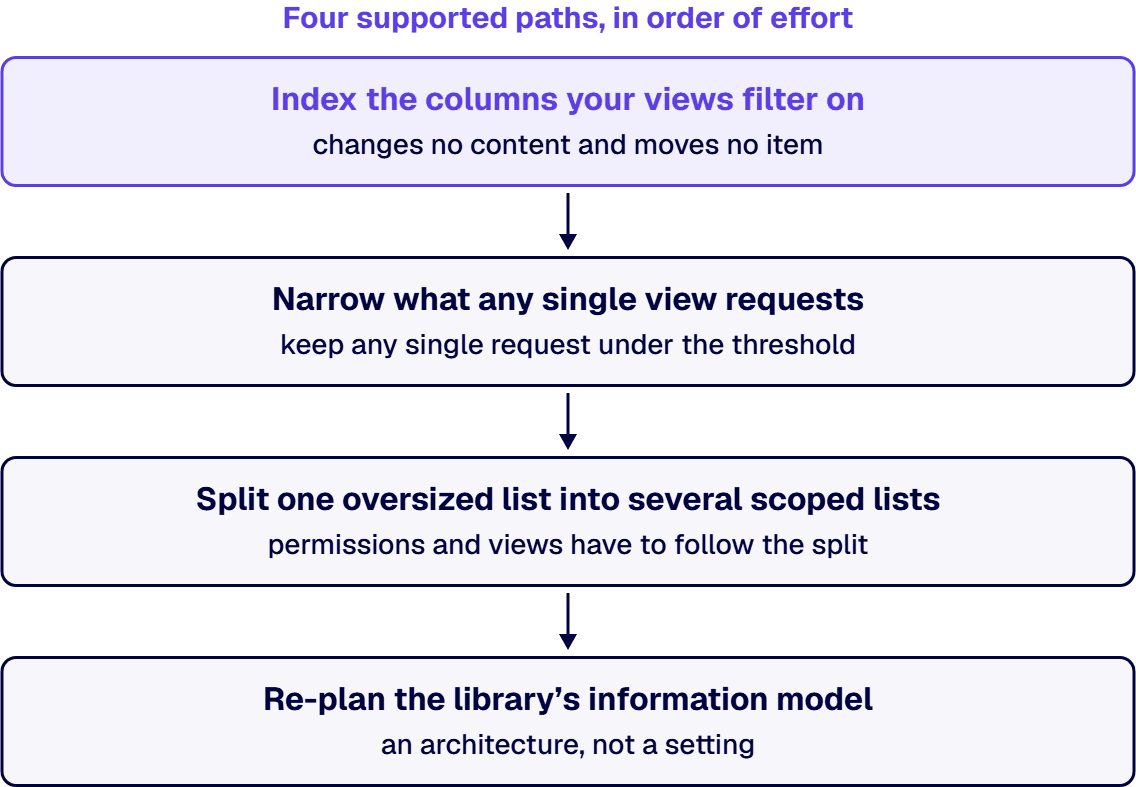
Index the columns your views filter on. An indexed column lets SharePoint find matching rows without walking the whole list, so a filtered view can return a small result set from a large library without crossing the threshold. Indexing changes no content and moves no item, which is what makes it the lowest-effort route. The indexed-columns entry under list settings holds the current state for one list, and a PowerShell or Microsoft Graph query will report that same state across many lists at once, which is the surface you want once the question has stopped being about one library. Know the constraint before you promise anything: indexing helps a view that filters, and a view that asks for everything unfiltered still asks for everything.
Narrow what any single view requests. Filtered views, metadata navigation and folder structure all do the same job from different directions, which is to keep any single request under the threshold. Metadata navigation is the better instrument of the three in a governed library, because it narrows by properties the content already carries instead of by where somebody filed it. Folders work, and Microsoft lists them, but a folder tree is a second organizing scheme running alongside your metadata, and two schemes disagree eventually.
Split one oversized list into several scoped lists. Where the content genuinely covers separable things, a list per program, per year or per business unit removes the problem instead of routing around it. Real work follows: permissions and views have to follow the split, along with any flow or integration reading the list. Splitting is the first path here that changes what the library IS and not merely how it is queried.
Re-plan the library’s information model. Take this path for a library whose content types, permission model and retention obligations were never designed together, where the threshold is simply the first of the three to produce an error message anyone outside IT notices. An inventory exported from the SharePoint admin center, read beside the site’s own audit log, is where that condition becomes visible across libraries instead of one at a time. The output is an architecture, not a setting.
When two of these paths look right at once, the one that reduces the number of items a single view requests takes precedence over the one that relocates items, because only the first changes what the database is asked to lock. Relocation without narrowing moves the failure to a different view instead of removing it.
Your leadership will ask this in a harder form than your team did: is this one library, or is this the estate? The answer determines whether you are signing off an afternoon of administration or opening a project, and getting it wrong in either direction is the career risk in this situation. Three signals separate the two cases, and they are worth writing down before the conversation and not during it.
Recurrence is the first signal. One library reaching the threshold is a library that outgrew a view. The same ceiling reached in a second and third library, on different content, says the organization is producing large lists faster than it is designing them, and no amount of indexing addresses that.
The migration signal is second. When a cutover or a consolidation stops because a source list cannot be read in one pass, the threshold has moved from an inconvenience to a dependency on a dated plan, and the remediation now has to be scoped instead of attempted.
Third is the governance signal: a retention or records obligation that the quickest workaround would quietly defeat. Splitting a list or burying content in a folder tree can satisfy a view and, at the same time, make the content harder to locate for a hold or a records request.
When two of those signals are true at once, the governance signal takes precedence, because a workaround that restores a view and defeats a records obligation has created an exposure the broken view never did, and it has created it silently. A broken list view announces itself. A quietly unfindable record does not.
Where the answer to the estate question is architecture and not configuration, the work is a scoping and design exercise before it is a build, and it starts from the estate inventory and the audit log instead of from the failing list. i3solutions approaches it that way, and the artifacts are the point of the engagement. An i3solutions SharePoint consulting engagement produces named deliverables: a governance documentation package, architecture artifacts, and runbooks. Named artifacts are what let an internal team own the library afterward instead of owning a fix somebody else understands.
There is a version of this problem where the four supported paths make the situation worse, and it shows up in libraries that grew for years without a governing model. In that case the threshold is not the problem. The threshold is the first symptom of the problem to produce an error message, and clearing the symptom removes the pressure that was creating any urgency to fix the cause. What produced it stays where it was, visible in the estate inventory and the site’s audit log rather than on anyone’s incident queue.
Regulated organizations tend to know this shape already. Many regulated enterprises built their SharePoint environments organically over 8 to 12 years, accumulating layers of inconsistent permissions, undocumented content types, and fragile folder structures that now create measurable audit exposure. A library like that will cross the threshold, and an indexed column will make the view load again, and nothing about the underlying condition will have changed except that it is now invisible.
The second wrong-fix case is the governance signal, seen from the other side. Where a library holds content under a retention or records obligation, a split or a folder reorganization changes where governed content lives. Doing that to restore a view, ahead of any determination about the obligation, inverts the order the decision should be made in. The determination belongs to your records and compliance function and should come first. SharePoint’s behavior at the threshold is a platform fact; what a given retention obligation requires of you is not, and no account of the platform settles it.
An honest test applies in a meeting. If the library’s content types, permissions and retention treatment were designed deliberately and the list simply grew, the four paths are the right tools and the cheapest one that works is the right choice. If they were never designed at all, then remediation that only makes the view render is postponement. Long-term list hygiene, and the content-management practice that keeps a library governed and not merely working, is set out separately in SharePoint Content Management: From Chaos to Control.
An enterprise estate that keeps meeting this ceiling is describing an information-architecture problem in the language the platform has for it. The work that follows is a scoping and design exercise ending in a governed remediation path, which is the kind of engagement set out on Enterprise SharePoint Development & Integration Services Built for Scale and Governance.
A library that has stopped serving a view is fixed by changing what the view asks for, because in SharePoint Online the threshold itself cannot be changed. Ordered by the effort each one costs, the four supported paths are these: index the columns your views filter on; narrow what any single view requests; split one oversized list into several scoped lists; re-plan the library’s information model. Microsoft frames the four the same way, as managing the number of items a request returns instead of raising the limit. Begin with indexing, because indexing changes no content and moves no item.
The list has not run out of space, and nothing in it has been lost. SharePoint Online applies a feature Microsoft calls Large List Resource Throttling, and the list view threshold is configured by default at 5,000 items. Microsoft’s stated reason is a database one: a read or write operation locking more than 5,000 rows at once makes it more efficient for SQL Server to lock the whole table, which degrades performance for everyone using it. A single list or library can hold up to 30 million items, so the limit is on what one view or query may touch and not on what the list may contain. (Source: Microsoft Support, List View Threshold for large lists and libraries, read date 2026-09-22.)
The error an administrator sees names the limit directly: the number of items in the list exceeds the list view threshold, which is 5000 items, and tasks causing excessive server load are prohibited. The threshold caps the items a single view or query may touch. The fix is to make each view ask for less: index the columns views filter on, narrow requests through metadata navigation and folder structure, split an oversized list into scoped lists, or, where the same ceiling keeps returning across libraries, re-plan the information model. Microsoft notes the effective number varies by site, so a failure at a slightly different count is the same limit and not a different problem. (Source: Microsoft Learn, The number of items in this list exceeds the list view threshold, read date 2026-09-22.)
Not in SharePoint Online. Microsoft states that the list view threshold limit cannot be changed there, and that it is in place so users on shared tenants have good performance on queries. On SharePoint Server the threshold is a farm-level setting an administrator can change through Central Administration, which is where the advice about raising it originates, and that advice does not carry over to SharePoint Online. Even on-premises, raising the number moves the cost instead of removing it, because the table-locking behavior the threshold exists to avoid is unchanged by the setting.
By Michael Branson
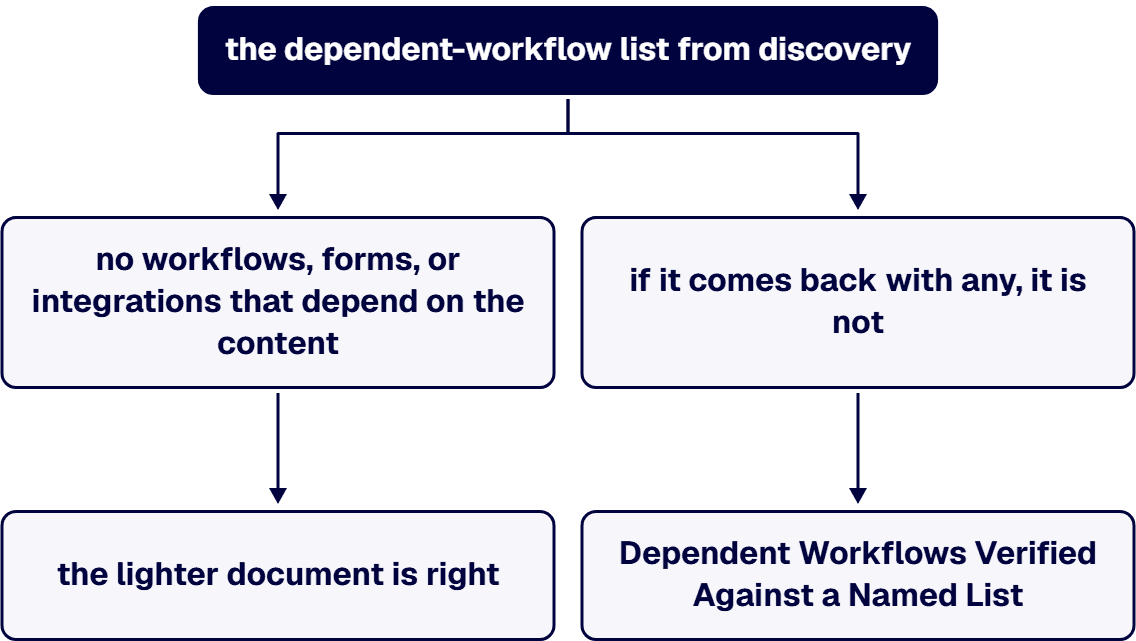
A SharePoint Online migration statement of work is structured as five phases, discovery and assessment, migration execution, validation, cutover, and post-migration support, and each phase ends on a named artifact that a named person on the buyer’s side accepts. The acceptance criterion that decides the document is the one a count cannot see: the migration is complete when the content reconciles and the workflows, forms, and integrations that depend on that content have been exercised end to end in the target tenant against the dependent-workflow list compiled in discovery, with a pass recorded for each line. Governance sign-off is written as a gate that blocks cutover, a failed criterion triggers a stated remediation window and a re-test against the same list, and a single-site migration with no dependent workflows is scoped in one phase with one milestone instead of five.
Procurement has asked for a statement of work before three vendor proposals can be compared, and the VP of IT who signs it knows what the milestone and acceptance wording in that document turns into: the leverage the buyer will have once the contract is signed. A statement of work that reads “migrate SharePoint to the cloud, phase 1 discovery, phase 2 migration, phase 3 go-live” lets a vendor claim completion the day the content lands in the tenant, while the approval flows, forms, and integrations underneath that content break quietly and surface as tickets in the weeks after go-live. The gap is invisible at signing and expensive at cutover, which is the point at which the buyer has the least room to push back. This page sets out how the document is sequenced and enforced: five phases and what ends each one, the milestone sentence, the acceptance criterion a count cannot see, governance sign-off as a gate, what a phase costs in weeks, and what happens when a criterion fails at test.
What a migration statement of work must contain, clause by clause, is set out on Best SharePoint Development Companies for Regulated Enterprises: The Shortlist and the Criteria, and that list is not repeated here. This page starts where that list stops. A document can carry each clause on that list and still be unenforceable, because a contents list says what the document holds and says nothing about the order the work runs in, what ends a phase, who signs, or what the buyer does when a criterion that reads well on paper fails at test. Those are the questions below.
A statement of work for a SharePoint Server 2016 or 2019 source is written for a server that stopped receiving security updates on July 14, 2026, so the source environment carries risk for the whole length of the engagement. Microsoft’s 2026 end-of-support list gives July 14, 2026 as the end of support for SharePoint Server 2016 and SharePoint Server 2019, and states what the date removes: “Upon retirement or end of support, there will be no new security updates, non-security updates, free or paid assisted support options or online technical content updates.” The date changes the document in four places.
The date itself. The document records the end-of-support date and the fact that the source receives no security updates while the work runs, so the condition of the source is written where both sides sign it instead of being found during execution.
The source owner and the freeze. The document names who owns the unsupported source until cutover and who approves a change to it, and it sets a change freeze on the source from the accepted inventory until the cutover milestone sets the source read-only, so the inventory the validation phase is run against stays the inventory that was signed.
The legacy workflow and form lines. SharePoint Designer 2013 and InfoPath 2013 are on the same July 14, 2026 list. Each SharePoint Designer workflow and each InfoPath form found in discovery becomes a line on the dependent-workflow list with a disposition beside it, rebuild, replace, or retire, so the validation phase tests it like any other line and the acceptance criterion below covers it without a separate clause.
The target, named as a term. The migration approach is already a contract term, and for an unsupported source so is the target: SharePoint Online, or SharePoint Server Subscription Edition, which Microsoft’s lifecycle page lists as In Support with the statement “SharePoint Server Subscription Edition follows the Modern Lifecycle Policy.” Which target fits, and the migration path to it, are set out on Our SharePoint Server Is Reaching End of Life: How Do We Migrate Off On-Premises to Microsoft 365?; the statement of work records the choice and does not argue it.
The migration approach is a contract term before it is anything else. The statement of work names the approach that was chosen, phased by site collection, hybrid with a coexistence period, or a single full cutover, because a phased document and a full-cutover document attach different acceptance criteria to the same content and are not the same statement of work. With the approach named, the document runs in five phases, and each phase ends on an artifact.
The order carries the enforcement. A vendor cannot start validation against a list that discovery never produced, and cannot reach cutover past a governance owner who has not signed, so a phase that is skipped shows up as a missing artifact at the next milestone instead of as an argument at go-live.
When the trigger is a tenant nobody can inventory, the first failure is a fixed scope written against a site list that is already wrong. i3solutions assessment engagements routinely find 20 to 40 percent more SharePoint sites during Phase 1 than the client internal inventory lists. A statement of work priced from the buyer’s own list has priced a different estate from the one discovery will find, so the document says in advance what happens when the count grows: the added sites are inventoried and dispositioned like the rest, and the scope and the milestone dates are restated against the accepted inventory, not against the list in the request for proposal.
The cleanup itself is scoped inside discovery. The inventory gains a disposition column for each site and library, migrate, archive, or delete, and the named business owner on each line signs the disposition, so cleanup is accepted line by line inside phase 1 instead of argued at cutover. Content dispositioned for archive or delete does not move, and the reconciliation in migration execution is run against the lines marked migrate.
Moving the sprawl as it stands repeats it. Site sprawl increases 300 to 500% within 18 months of lift-and-shift migration due to lack of provisioning governance and template standards. The disposition column removes the sprawl that exists; the provisioning settings the governance owner signs at cutover are the part of the document that answers the cause the figure names. The governance-first model behind that figure is set out on Governance-First SharePoint Modernization for Regulated Enterprises, and it is not restated here.
The document then says which of two forms the cleanup takes: a scoped deliverable of discovery, closed when the dispositions are signed, or a separately priced line with its own milestone sentence, when the volume to archive or delete is too large to finish inside phase 1. Cleanup that has to keep running after cutover is not a phase with an end, and the pricing basis below is where that case is settled.
A milestone is a sentence with four parts: the phase, the word AND, the artifact, and the signer. “Migration execution complete” is a status, and a vendor can declare it. “Migration execution complete AND the migration report for each batch reviewed against the accepted inventory, exceptions listed, signed by the SharePoint service owner” is a milestone, because a named person can refuse to sign it. The table renders one milestone sentence per phase; the wording is the buyer’s to adapt, and the four-part shape is the part to keep.
When two criteria in the table disagree, the reconciliation report is clean and a workflow on the list fails, the workflow criterion decides: the milestone is not met, whatever the count says. That precedence sentence belongs in the document itself, because a vendor reading a clean reconciliation report will otherwise argue that execution was accepted and validation is a separate matter.
Countable reconciliation is the floor, and a count reconciles while the workflows sitting on top of the content are already broken. A document library can arrive in the target tenant with its content reconciled, and the approval flow that read from that library on the source side can still fail on its first run because the site structure, the content type, or the permission model it depended on was copied without being validated for the flow’s own use. Power Platform workflow dependencies break in 70 to 85% of lift-and-shift migrations because the underlying site structures, content types, and permission models that workflows depend on are copied without validation. The figure is offered as the reason validation is its own phase with its own milestone, and this page attaches no workflow count, remediation cost, or reduction claim to it.
Written into the document, the acceptance criterion has four components. The list: compiled in discovery, naming each workflow, form, and integration that depends on the content being moved, with the site it runs on and the business owner who uses it. The test: each line exercised end to end in the target tenant by that business owner, with the test steps written before execution starts so the vendor cannot narrow the test to fit what migrated. The record: a pass or a fail per line, kept with the milestone. The pass condition: the validation milestone is met when each line on the list has a recorded pass or an accepted exception, and the exception is signed by the governance owner who signs cutover, so an exception cannot be used to move a fail off the list quietly.
The permission model is one line item on that list, and the technical sequence that preserves access through the move is set out on How to Migrate SharePoint to Microsoft 365 Without Breaking Permissions and Governance; the statement of work references that sequence as a requirement and does not restate it. Why acceptance criteria are where migrations are won or lost, across the failure patterns seen in practice, is set out on SharePoint Migration Consulting: Six Failure Patterns and How to Avoid Them; this page takes that argument as read and spends its length on the criterion itself.
Governance documentation handed over at the end of the engagement is a deliverable. Governance sign-off written into the cutover milestone is a gate. The difference is scheduling and leverage: a deliverable can arrive late and the migration still goes live, while a gate that blocks cutover cannot be skipped without a change to the document that both sides sign. What the governance owner signs is the target tenant as configured, and the document names the three things that signature covers: the permission model as it exists in the target tenant, the site provisioning and retention settings as configured, and the exceptions list carried out of validation. A signature over a planned model is a signature over a plan; the gate is written over the configured state so the signer is looking at the tenant users will inherit.
The regulated framing behind that gate, and why a lift-and-shift into a tenant with no governance model carries audit exposure forward with the content, is covered on SharePoint Server to SharePoint Online Migration for Regulated Enterprises; the statement of work references it as background and does not restate it. Where the governance model itself has to be designed before anyone can sign it, that is advisory work bought under its own request for proposal for governance consulting, a different purchase from a migration statement of work, and the two documents are not merged.
Two published durations give a buyer a reference point for what a real phase costs, each stated for what it covers so the two are never conflated. i3solutions pre-migration SharePoint assessment engagements run four to six weeks. i3solutions mid-migration SharePoint rescue engagements run eight to fourteen weeks. The first is what a discovery and assessment phase for an enterprise estate costs when it produces the inventory and the dependent-workflow list the phases above depend on; a discovery phase a vendor has scoped in a fraction of that time, for an estate of comparable size, is a phase that will not produce the list validation needs. The second is what a stalled migration costs in a second engagement, and it is the cost the validation phase and the governance gate exist to avoid. Neither figure is a timeline for the reader’s own project; each is a reference the reader’s own inventory is measured against, and the SharePoint migration service itself, for a reader ready to hire instead of draft, is described on SharePoint Migration Services for Enterprise Microsoft Environments. If the statement of work must cover complex workflows, see who to hire for a SharePoint migration with complex workflows.
A fixed price is only as safe as the inventory it is priced against, which is why the pricing basis follows discovery and does not precede it. The basis does not change the phase spine or the milestone sentences; it changes what each milestone releases and what the buyer’s reports are written against. Three rules settle it.
A monthly resource is the wrong basis when the inventory is accepted and the buyer needs a fixed number for the budget cycle, because open-ended months then carry the risk the inventory had already removed. The i3solutions figure for the monthly basis is stated per team. Dedicated team engagements range $35,000 to $95,000 per month per team depending on team composition (senior architect, senior engineer, delivery lead mix) with three to nine month minimum commitments. That band is the cost basis of a dedicated team, not a price for any phase on this page, and it does not combine with the two durations above into a total. What a whole migration costs is answered on How Much Does a SharePoint Migration Cost?, and how consulting firms charge in general is compared on How Microsoft Consulting Firms Charge: Hourly, Retainer, and Fixed-Price Models Compared; this page sets out only how each basis is written into a migration statement of work.
A criterion the buyer has not yet written into the document is fixed by writing it in. A criterion that is present in the signed document and fails at test needs a path that was written before the test ran, because the negotiation that follows a failed validation is the one the buyer is least equipped to win. The document states three terms. The remediation window: a stated number of business days, set in the document, from the recorded fail to the re-test, and the milestone date moves with it. The re-test: against the same line of the same list, by the same business owner, with the same written steps, so the second test cannot be narrowed to fit the fix. What done means the second time: a partial pass is recorded as a fail, the same signer signs, and an exception accepted after a failed re-test is signed by the governance owner and carried into the cutover gate as an exception, where it is visible. Nothing in the failure path moves the acceptance criterion; it moves the date. Which side carries the cost of remediation is a commercial term the document sets alongside its pricing basis, and this page does not set it.
A single site collection, no custom workflows or forms, no integrations, no regulated retention obligation on the content, and a business owner who can verify the result by hand: for that migration, five phases and five milestone sentences would cost more procurement time than the move itself. Write one phase, one milestone (content reconciled AND the owner’s verification recorded, signed by that owner), and one signer. The test for which document a migration needs is the dependent-workflow list from discovery: if it comes back with no workflows, forms, or integrations that depend on the content, the lighter document is right; if it comes back with any, it is not, and the reason is in the acceptance section above. What a migration of that lighter shape involves, and how the approach choice is made for it, is covered on SharePoint Online Migration From On-Premises: What Every Business Needs to Know, and a reader with that estate is better served there than here.
i3solutions has been a Microsoft partner since 1997. On its SharePoint development pillar, Enterprise SharePoint Development & Integration Services Built for Scale and Governance, i3solutions describes itself as a U.S.-based Microsoft systems integrator that has built, integrated, and governed SharePoint for regulated enterprises, and lists legacy SharePoint to SharePoint Online migration and cloud migration planning and execution among the services it delivers. The same page describes its team as including senior Microsoft SharePoint developers, SharePoint governance and migration consultants, Power Platform architects, and full-stack Microsoft integration specialists. One published case study, Ensuring Continuity of Operations With Expert Cloud Migration Services, referenced here by sector only as an engagement for a federal agency, describes the work in its own words: “With over 20 years of SharePoint migration experience and the ability to draw on numerous lessons learned, i3solutions developed a detailed migration plan to ensure a seamless migration for the agency.” Applied to this question, the phase spine above is offered as buyer guidance for a document any vendor can be held to, and it is not presented as anyone’s contract language.
By Michael Branson
Your Dataverse migration path should route each Access database, Excel workbook and SharePoint list by what its data does, not by where it lives today. Shared, relational data moves to Dataverse or Azure SQL, a one-team list stays put, and a move to either changes licensing and access.
If a security review or an audit finding has just surfaced a dozen Access databases, a shelf of business-critical workbooks and a set of SharePoint lists at once, the question on your desk is which of them goes where, and in what order. Microsoft documents how to move each kind of source. For Access, its Access migration page, linked in the table below, says “Migration is handled in Access using the export feature,” with a migration tool for the rest. That answers how one file moves. It does not say which files should move, which destination each belongs in, or what your licensing and access model look like on the other side.
This page assumes you have already decided that Dataverse belongs in your estate. Whether to choose Dataverse at all is covered in Enterprise Dataverse Development & Integration Services for a Governed Data Foundation, and whether outside help fits that choice in Dataverse Consulting. Is it Right for Your Enterprise?. What follows is the route for data that already exists.
When the three kinds of source sit in one inventory, each one reaches Dataverse by a different Microsoft route, and each route leaves something behind that your team has to rebuild on purpose. Every quoted statement in the table comes from the Microsoft Learn page named in its row, as read on September 18, 2026.
Two route details matter in a regulated tenant. In a government cloud, Microsoft states that “Import from Excel or CSV file using the Import > Import data from Excel command isn’t available in GCC, GCC High, and DoD environments,” and gives the workaround of choosing Import, then Import data, from the Tables area in Power Apps. And if your data loss prevention policies block one connector, the dataflow route can fail: “If you use data loss prevention (DLP) policies to block the HTTP with Microsoft Entra (preauthorized) connector then SharePoint and OData connectors will fail.”
A workbook whose macros carry business logic is a different job from a data load, and its conversion is covered in Excel Formulas and VBA in a Web Application Conversion: What Is Preserved and What Must Be Rebuilt. A workbook that runs a process, not just holds data, is a workflow migration, covered in Excel to Power Platform: Replace Legacy Workflows in 90 Days. If the workbook must become a governed web application rather than a data load, see Excel to web application consulting.
Before any source moves, run it through five questions in this order and stop at the first one that places it. The limits named here are Microsoft’s, from Dataverse for Teams vs. Dataverse and About the Microsoft Dataverse for Teams environment.
A source that clears all five, contained team data under the Teams limits with no audit need, can live in Dataverse for Teams. When two answers pull in different directions, question 3 outranks size and cost: data an auditor needs traced goes to full Dataverse or Azure SQL even when it would fit in a team environment.
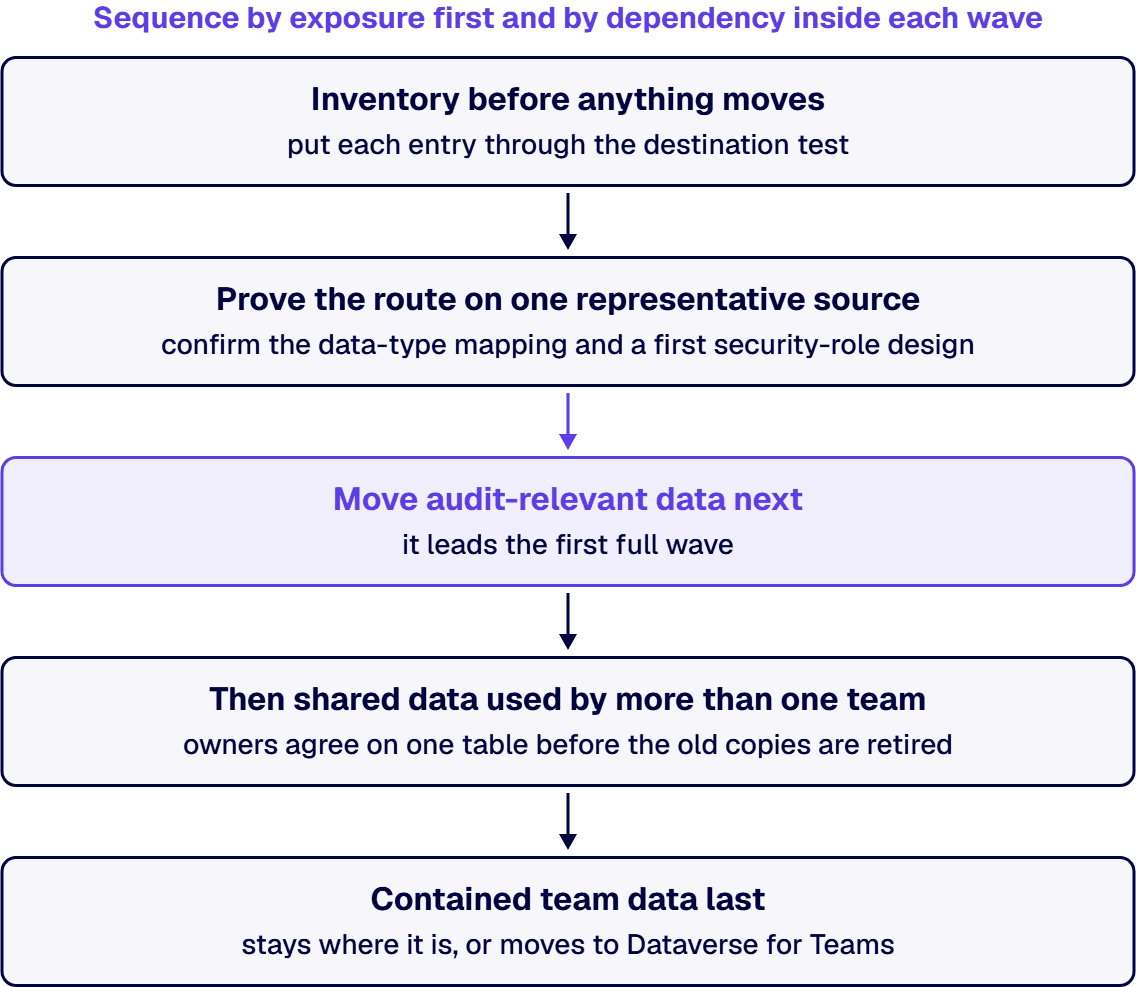
If you have to defend the order to a budget or governance review, sequence by exposure first and by dependency inside each wave.
Inside each wave, a table that other tables look up moves before the tables that look it up, so each relationship has a target on arrival. If the exposure order and the dependency order disagree, dependency wins inside the wave: a regulated table that references a shared customer or product list waits for that list, because moving it first strands its relationships.
Plan one capacity step into the same sequence. Upgrading a team environment is gated by the tenant: Microsoft states that “the tenant must have at least as much available capacity as the size of the Dataverse for Teams environment that’s being upgraded,” and that when capacity falls short, “the upgrade operation is blocked and an error message is displayed.”
When a list or a workbook becomes a Dataverse table, the users who read it move onto a different license footing, and your budget review needs to see that change before the first wave moves. Microsoft’s Licensing overview for Microsoft Power Platform sets out the terms read here, and states that “Licensing programs and product terms can change.”
Azure SQL is licensed and billed on a different model, compared in the Dataverse vs SQL Server page linked above. How Dataverse storage is priced in GCC, GCC High and DoD is covered in Is Dataverse Storage Priced Differently in Government Clouds? What GCC, GCC High and DoD Buyers Pay.
If an Access file’s only control is the file share’s permissions, anyone who can open the file can reach its tables. A SharePoint list that inherits its site’s permissions is readable by everyone the site is shared with. A workbook sent as an attachment is controlled by whoever holds a copy. None of those models arrives in Dataverse on its own.
Dataverse starts from the opposite default. Microsoft’s What is Microsoft Dataverse? page says “Data is securely stored so that users can see it only if you grant them access,” and that “You can combine business units, role-based security, row-based security, and column-based security to define the overall access to information that users have in a Power Platform environment.” The licensing overview adds: “A user’s presence in an environment doesn’t grant access to Dataverse data. The user must still have an appropriate security role and any required product license.”
So the migration moves tables and rows, and who may read them becomes a role design your team makes and can show an auditor. Dataverse for Teams is simpler by design: Microsoft’s comparison says “access is preconfigured with a security role based on membership type such as owners, members, or guests,” and that “when a team is deleted, the associated environment is also deleted.” A source bound for a team environment inherits both of those facts. How Dataverse security roles should be designed is covered on the Dataverse pillar page linked in the first section.
When the reason for moving is ownership and access control and the Access forms still do their job, Microsoft’s default Access path can be enough: the tables move, and users stay in the Access desktop client against Dataverse data. When the table design itself is the problem, a lift carries the problem across. Three signs point that way: a Unique Index that enforces a business rule, which Microsoft lists as not supported for migration; data types Dataverse does not support; and workbook tabs or yearly copies of one table that stand in for a single table with a date column. Each of those is redesigned before the move, in the proving step of the sequence above.
When an IT team brings i3solutions an estate of legacy data sources, the work happens inside the customer’s own Microsoft tenant, and the destination for each source follows the test above. Between the two Microsoft data stores, the deciding factor is scale: a primary relational store built for scalable, high-volume transactional data points to Dataverse, with application secrets kept in Azure Key Vault rather than in the data store itself. For workbooks whose macros carry the logic, the conversion generally has two targets: Power Apps canvas or model-driven applications on Dataverse, or a custom web application on Azure App Service backed by Azure SQL.
For regulated estates, migrations are typically run against named control families such as CMMC, HIPAA, SOC 2, and NIST 800-171, with artifacts produced for auditor review. Whether a design meets a regime is the customer’s determination, made with its auditor. When you are ready to staff the work itself, the team is described in Hire US-Based Dataverse Developers and Microsoft 365 Experts, and the shape of a consulting engagement in Dataverse Consulting for Regulated Microsoft Enterprises: What the Engagement Actually Looks Like.
If your estate is one failing Access application rather than a portfolio, this sequence is more process than the problem needs. Stabilizing that one app and deciding whether to patch or rebuild it is covered in Replace Microsoft Access: Stabilize the Failing App, Then Decide, and who rebuilds it in Who Rebuilds a Failing Microsoft Access Application Into a Secure Web App?. A single business-critical spreadsheet moving to a governed database is covered in Excel to Database Migration Consulting for Regulated Enterprises: What to Know Before Moving Business-Critical Data. The triage earns its cost when several sources share data, owners or an audit scope, because that is where order and licensing decisions interact.
If you hold an inventory like the one in step 1 of the sequence and need to place each source, the first conversation walks your own list through the destination test and the sequence above, source by source.
If you have several Access databases, move one representative database first to prove the data-type mapping and a security-role design, then the databases holding audit-relevant data, then data shared across teams. Inside each wave, move the tables other tables look up before the tables that look them up.
When Microsoft’s Access migration tool moves the data, Microsoft states that Access users can keep working in the Access desktop client afterwards. The tables move to Dataverse and people keep their Access forms, which suits a move made for ownership and access control but carries any table-design problem across unchanged.
If a SharePoint list moves through a dataflow, the rows arrive in a Dataverse table and the list’s permissions and sharing do not come with them. Microsoft states that a user’s presence in an environment does not grant access to Dataverse data and that each user still needs a suitable security role, so access to the new table is designed as roles.
If your data is contained team data with no audit need, it can be. According to Microsoft Learn, Microsoft sets a Dataverse for Teams environment at 1 million rows or 2 GB, says the 2 GB limit cannot be extended, and lists auditing and field-level security as not available there, so data that must be audited belongs in full Dataverse.
If the app on that data ran under Microsoft 365 use rights, yes. Microsoft describes those rights as intended for Microsoft 365 data and standard connectors and says the limited Dataverse rights in Microsoft 365 do not cover standalone custom apps, so plan standalone licensing and check it with the Power Platform Licensing Guide.
When your tenant is in GCC, GCC High or DoD, Microsoft states that the Import data from Excel command is not available there. Its documented workaround starts in the Tables area in Power Apps, where you select Import, then Import data, and pick the Excel workbook or Text/CSV source.
By Michael Branson, Founder/COO, i3solutions
For most regulated mid-enterprise document management, SharePoint Online is sufficient, and the additional tool you need is usually a Microsoft license rather than a second product. The decisive fact is a licensing line, not a capability line: Microsoft’s Purview service description states that marking items as a record or a regulatory record, triggering a disposition review at the end of a retention period, event-based retention, and applying a default retention label to a SharePoint document library, folder or document set all “Require these specific licenses to provide users rights,” and the licenses Microsoft lists there are Microsoft 365 E5/A5/G5, “Microsoft Purview Suite/EDU/GOV/FLW and Microsoft Defender + Purview Suite FLW,” Office 365 E5/A5/G5, and Microsoft 365 E5/A5/F5/G5 Information Protection and Governance. An E3 tenant can create retention labels but cannot declare records with them, which is exactly the capability most buyers thought they were missing a product for. A dedicated DMS earns its place in a narrower set of cases: a validated GxP environment where your obligation is to receive installation and operational qualification evidence with each release rather than to produce it yourself, a 21 CFR Part 11 electronic signature manifestation, matter-centric legal work with need-to-know barriers at a scale that runs past the unique-permission limit Microsoft publishes, physical records tracking, and folderless metadata-driven architecture as a first principle rather than a configuration choice. If none of those five describe your obligation, the gap you are feeling is governance and information architecture in an estate that grew organically, and buying a second repository does not classify the content, it relocates it, at the cost of a second license, a migration and a training cycle.
An auditor asks for proof of disposition on a controlled document and nobody can produce it. A regulatory affairs lead asks whether the submission dossier can sit in the same repository as everything else and gets three different answers from three people. None of those arrive as platform questions, and both end up as one. Somebody then says “can SharePoint do this?” and somebody else says “we should look at a real DMS,” and the argument runs for a quarter without either side writing down what the actual requirement is. The decision that ends that argument rests on where SharePoint Online and the dedicated document management category genuinely differ, on what Microsoft’s own published documentation says about the Microsoft side, and on the narrow set of obligations whose honest answer is a product i3solutions does not sell.
This page is the comparison and only the comparison. Whether SharePoint can be made to do regulated document management well, and what that configuration looks like, is answered separately on our SharePoint document management consulting page, and we are not going to restate it here.
Half the folklore in this argument is about ceilings that either do not exist or are not the ceiling people think, so the published limits are where it gets settled.
From Microsoft’s SharePoint limits service description, article date 29 May 2025, re-read 5 September 2026: a library supports up to 30 million files and folders, individual file uploads are capped at 250 GB, maximum storage per site collection is 25 TB, total tenant storage is 1 TB plus 10 GB per license purchased, and a site collection supports 2,000 lists and libraries combined. Version history supports 50,000 major versions and 511 minor versions. The full decoded file path including the file name cannot exceed 400 characters.
Then the number everyone quotes, with the correction that matters. The 5,000 item list view threshold is real, but it is a different instrument from the library ceiling above and it does not appear on the limits page at all. It appears in Microsoft’s list view threshold troubleshooting article, article date 17 December 2023: “This issue occurs because SharePoint Online uses the Large List Resource Throttling feature. By default, the list view threshold is configured at 5,000 items.” The same article carries the error text that settles what kind of limit it is: “The number of items in this list exceeds the list view threshold, which is 5000 items. Tasks that cause excessive server load (such as those involving all list items) are currently prohibited.” That is a query throttle on operations that would otherwise scan the whole list, not a storage cap. A library of two million documents is entirely supported; a view that tries to return all of them is not. Any comparison that presents 5,000 as SharePoint’s document limit is comparing the wrong thing.
Two permission limits from Microsoft’s SharePoint limits service description are worth carrying into an architecture review, because they bite quietly. “When a list, library, or folder contains more than 100,000 items, you can’t break permissions inheritance on the list, library, or folder.” And “The supported limit of unique permissions for items in a list or library is 50,000. However, the recommended general limit is 5,000.” An estate that has been securing content item by item for years is walking toward both of those.
SharePoint also has more of the classic DMS furniture than its critics allow. Unique Document IDs exist and are automatic; Microsoft’s unique Document IDs article states that “Document ID’s are automatically assigned to uploaded documents and this ID will follow the item throughout its entire life cycle.” Records can be managed in place rather than moved. Microsoft’s own wording, in Choose how to store and manage records, is that “Managing records in place is an alternative to the traditional process of copying or moving records to another location, and then applying security and retention policies,” and where an archive model is preferred, “A Records Center site serves as an archive, and documents are copied to the archive when they became records.” Neither support article publishes an article date.
This is the single most consequential fact on the page, and it is the reason so many organizations conclude they need a new product when they need a different license.
Microsoft Purview provides genuine records management on top of SharePoint. Microsoft’s records management documentation, article date 25 August 2025, describes labelling items as a record, restrictions placed on the item once it is declared, disposition review and “proof of records deletion,” and makes one point that should decide any argument about whether SharePoint records are real records: “The most important difference for a regulatory record is that after it is applied to content, nobody, not even a global administrator, can remove the label.”
The catch is the entitlement, and Microsoft’s Purview service description, article date 3 August 2026, splits it across two lists. For retention label CREATION, the licenses that “provide user rights” are “Microsoft 365 E5/A5/G5/E3/A3/G3/F3/F1/Business Premium,” the Purview Suite editions, “Microsoft 365 E5/A5/F5/G5 Information Protection and Governance” and “Office 365 E5/A5/G5/E3/A3/G3/F3/E1/A1/G1.” But four retention label creation SETTINGS sit behind a higher tier: “Start the retention period based on an event type,” “Trigger a disposition review at the end of the retention period,” “During the retention period mark items as a record or a regulatory record,” and “After the retention period, automatically change the retention label” all “Require these specific licenses to provide users rights,” namely Microsoft 365 E5/A5/G5, “Microsoft Purview Suite/EDU/GOV/FLW and Microsoft Defender + Purview Suite FLW,” Office 365 E5/A5/G5, and Microsoft 365 E5/A5/F5/G5 Information Protection and Governance. A separate list in the same article puts four retention label POLICY deployment methods behind the same higher tier: “Auto-apply to content that contains sensitive information,” “Auto-apply to content that contains specific words, phrases, or properties,” “Apply a default retention label to a SharePoint document library, folder, or document set,” and “Using an adaptive policy scope in the retention label policy.”
Read what that means in the room. An organization on E3 that has been told SharePoint cannot declare records has been told something true about its licensing and false about the platform. The comparison it should be running is not SharePoint against a dedicated DMS. It is the delta between its current Microsoft licensing and E5 or a Purview add-on, against the total cost of a second repository plus the integration, migration and training that comes with it. Those two numbers are rarely close, and the one people skip is the cheaper one.
Version history is where SharePoint quietly does something a records manager needs to know about. Microsoft’s version history limits documentation, article date 3 October 2024, states that when versions exceed the limits set at the library, “versions matching the criteria are marked for permanent deletion. This version deletion workflow bypasses the normal recycle bin and the deleted versions can’t be recovered from recycle bin.” On the floor below which the interface will not go, the same article is more careful than the shorthand usually is: “The UI doesn’t allow a value less than 100 major versions or less than 30 days expiration time limits to be set, but it’s possible to set the system to store fewer versions using public APIs. For reliability, any value less than 100 versions or less than 30 days expiration time limit isn’t recommended and can result in the user activity causing an inadvertent data loss.” So it is a UI floor with an API path around it, not an absolute wall, and that distinction belongs in a control description.
Two exceptions make the platform behave correctly where it counts. “For items that are subject to a retention policy (or an eDiscovery hold), the versioning limits for the document library are ignored.” And “Version deletion on documents marked as records is blocked.” So a correctly labelled record is protected from a library trimming policy, and an incorrectly labelled one is not. This is a labelling dependency rather than a product gap, and it is the kind of thing an assessor tests.
The labelling decision a records manager faces ahead of an assessor’s test starts from a written list of every record series and its retention period, made before carrying OpenText records into Purview.
For these three obligations the answer sits inside the Microsoft estate rather than in a second product. Microsoft names SharePoint Online among the services that can be configured for SEC Rule 17a-4, Microsoft Purview retention and eDiscovery holds preserve content inside SharePoint, and Microsoft supports ITAR data in its US government clouds through additional contractual commitments. Each still needs deliberate configuration.
Microsoft’s SEC Rule 17a-4 documentation lists SharePoint Online among the services with features you can configure to comply with the rule, and the choice the amended rule gives a broker-dealer between a complete time-stamped audit trail and non-rewriteable, non-erasable storage is covered in FINRA and SEC Recordkeeping and Supervision in Microsoft 365: A Guide for Financial Services IT Leaders.
Yes, inside Microsoft Purview. When a user changes an item held by a retention policy or by a label that marks it as a record, or deletes any item subject to retention, SharePoint copies the original into a hidden Preservation Hold library, and Microsoft states that permanent deletion is suspended for content under eDiscovery holds. One gap: Recycle Bin content is not indexed, so an eDiscovery search cannot place it on hold.
Microsoft’s Learn about retention for SharePoint and OneDrive page describes that library as “a hidden system location that isn’t designed to be used interactively,” states “It’s not supported to edit, delete, or move these automatically retained files yourself,” and points to compliance tools, such as those supported by eDiscovery, to reach the content. So a hold is placed and read through Microsoft Purview rather than managed by hand inside the library; what a hold does to library version limits is covered in the versioning section above.
Microsoft’s ITAR documentation lists SharePoint Online in scope for Office 365 GCC High while stating that no compliance certification exists for the ITAR, so the tenant is where an ITAR program starts rather than where it ends, which Redesigning an ITAR Export-Control Compliance Program to Be Efficient, Not Just Compliant sets out.
Five cases. Each is written as a criterion you can test your own obligation against, not as a claim about any named product. i3solutions holds no attested delivery record on any dedicated document management platform, so this page does not tell you what one does. It tells you what the Microsoft estate does and does not discharge on its own, and what to require in writing from anything you evaluate against it.
Validated GxP environments. This is the strongest case, and it is about who does the validation work rather than about features. Both the Microsoft position and the regulation itself are published, so both can be sourced. Microsoft’s FDA CFR Title 21 Part 11 documentation, article date 31 January 2024, states that “Although no certification exists for complying with CFR Title 21 Part 11, the following Microsoft enterprise cloud services undergo independent, third-party audits,” and it is careful to qualify what those audits are: “Although these regular audits and certifications don’t specifically focus on FDA regulatory compliance, their purpose and objectives are similar in nature to those of CFR Title 21 Part 11, and serve to help ensure the confidentiality, integrity, and availability of data stored in Microsoft cloud services.” It then puts the obligation where it actually sits: “Customers who build and deploy applications subject to FDA regulation are responsible for ensuring that their applications meet FDA requirements.” The regulation itself places the duty the same way. FDA’s 21 CFR 11.10, in the eCFR text of title 21 up to date as of 10 September 2026, opens “Persons who use closed systems to create, modify, maintain, or transmit electronic records shall employ procedures and controls designed to ensure the authenticity, integrity, and, when appropriate, the confidentiality of electronic records, and to ensure that the signer cannot readily repudiate the signed record as not genuine.” The first control it then requires is “Validation of systems to ensure accuracy, reliability, consistent intended performance, and the ability to discern invalid or altered records.” So the question to put to any platform, Microsoft included, is who produces the installation and operational qualification evidence, and on whose release cadence. If you ship regulated submissions and the answer is that you re-run that evidence yourself against every service update, that burden is the decision. If your GxP scope is a handful of controlled SOPs on a stable estate, the same burden is affordable in-house and a second platform will not repay its integration cost.
21 CFR Part 11 electronic signature. Microsoft’s own eSignature service is explicit about what class of instrument it is, which is what makes it a usable benchmark. Its overview, article date 11 September 2025, states that “The eSignature service uses simple electronic signatures as defined under applicable law including, but not limited, to the Regulation (EU) No 910/2014 (the eIDAS Regulation),” and that “Before you can use eSignature, you must first link your Azure subscription to pay-as-you-go billing.” The same overview records that the eSignature platform is integrated with third-party electronic signature providers, which are not named on this page. A simple electronic signature is fit for most commercial approvals and is not the same artifact as a Part 11 signature manifestation. If your obligation names Part 11 signatures specifically, that is a requirement to put in writing to every candidate and to have evidenced rather than asserted.
Matter-centric legal work with information barriers. The test here is architectural, and the numbers on the Microsoft side are the published ones quoted earlier from Microsoft’s SharePoint limits service description. A firm that secures at the item level across a large estate is the exact profile that runs into the 50,000 unique permission limit and the 100,000 item inheritance rule, and past that point a barrier cannot be changed without a re-architecture. So the question is not whether a system supports barriers. It is what changing one costs: a document re-file, a content re-index, a permission cascade, or nothing. Ask for that answer as an operation, with a timing, on an estate the size of yours.
Physical records. If non-electronic records are in scope, the requirement is a surrogate record inside the repository that stands for an item held somewhere else and carries its own metadata and its own retention. This page makes no claim in either direction about whether SharePoint Online supports that, because no Microsoft statement on it is cited here, and an uncited statement about a platform capability is exactly what this page exists to remove. Require a demonstration from every candidate, this one included, rather than taking a comparison table’s word for it.
Folderless architecture as a first principle. SharePoint can absolutely be run this way, with content types, managed metadata and views, and doing so is one of the highest value decisions in a modernization. The difference in a metadata-driven system is that the discipline is not optional; in SharePoint it is a discipline you have to impose and keep imposing. If your organization has already tried and failed to hold that discipline twice, that history is evidence about your organization and it belongs in the decision.
If you are the one who has to take this decision to a committee, the useful next step is a scoping conversation against your own estate rather than another comparison table.
The middle column is sourced line by line to Microsoft’s own documentation, cited above. The right column is deliberately not a product claim. i3solutions holds no attested delivery record on any dedicated document management platform, so the right column states the question to put to a candidate rather than an answer about one, and no product outside the Microsoft estate is named on this page.
Certification status is the one thing in a comparison that should never be taken from a comparison, including from this one. Records management certifications are held against a register, they carry dates, and they lapse. This page states no current certification status for SharePoint Online or for anything else, because no certificate was retrieved for one in the pass that wrote this, and a certification claim without its certificate and its date is not a claim. Watch the wording as well as the badge: supports the key requirements of a specification is a different statement from is certified against it, and that difference is the kind of thing that turns up in an audit finding. If a certification matters to your obligation, ask every candidate, including every Microsoft partner, for the current certificate with its date, and read it.
The organization asking this question is usually not at a capability boundary. It is at a governance boundary that has been mistaken for one. Three observations sit behind that sentence. The source for all three is i3solutions’ own delivery record across its SharePoint engagements, not the Microsoft documentation cited elsewhere on this page: for these three sentences, and only these three, no outside survey, study, analyst report or data provider is cited, and none is claimed. Each is carried here in the words i3solutions recorded it in rather than restated. Many regulated enterprises built their SharePoint environments organically over 8 to 12 years, accumulating layers of inconsistent permissions, undocumented content types, and fragile folder structures that now create measurable audit exposure. The named mechanism is one Microsoft publishes in its SharePoint limits service description. An estate secured item by item for a decade walks into the 50,000 unique-permission limit and the 100,000-item inheritance rule quoted earlier, and past that point a permission cannot be changed without a re-architecture. The symptoms present as product failures and are not. Legal teams report that broken folder structures migrated to SharePoint Online increase legal hold response times by 200 to 400% because content cannot be reliably located or classified. Financial services firms report average compliance remediation costs of $150K to $300K annually for SharePoint environments that were never properly governed. When the gap is governance rather than capability, SharePoint content management consulting turns content sprawl into audit ready governance.
The reason this matters to a build or buy decision is that none of those problems is solved by the destination. Migrate an ungoverned estate into a dedicated DMS and you have bought a second system to be ungoverned in, at a higher licence cost and with a migration in between. i3solutions assessment engagements routinely find 20 to 40 percent more SharePoint sites during Phase 1 than the client internal inventory lists. That gap is a useful proxy for how much of the current environment is understood well enough to be an input into a platform decision at all.
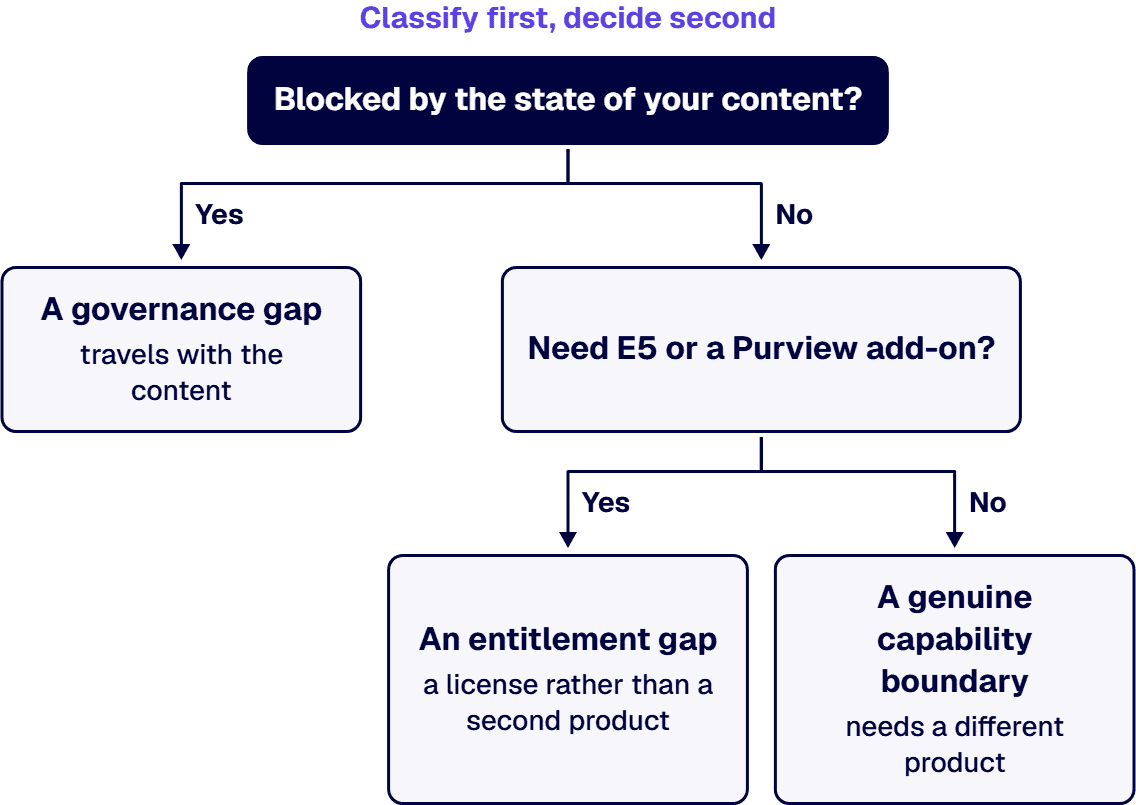
The sequence that follows from all of this is classify first, decide second. Establish what content you hold, what obligations attach to each class, and which of those obligations your current Microsoft entitlement already satisfies. Our classify-first approach to data classification sets out how that is done, and the governance-first modernization argument covers what it changes downstream. Only the requirements that survive that exercise are candidates for a second product.
The document management work behind this advice is on the record. Both engagements below are i3solutions client outcomes rather than industry figures, and each is stated in the words it was attested in. A global analytical research provider, serving over 900 clients across many different industries, experienced rapid growth and international expansion. With multiple divisions and more than 150 employees across various locations, the organization faced challenges managing its critical internal documents and ensuring that teams could collaborate effectively. Improved overall communication across teams and departments by 30%, ensuring that employees can share information and updates more effectively. The case study carries the engagement and identifies the client by description rather than by name.
For a federal drug-policy office, the attested outcomes are these. Centralizing package tracking with unique IDs and automating routing reduced average processing time by 45%. With hundreds of correspondence packages handled each year, this time savings equates to more than 3,000 staff hours annually reclaimed from manual routing and status checks. This eliminated over 200 misrouted or lost correspondence items annually, each of which previously required hours of manual recovery or rework. Real-time dashboards and full audit trails now provide 100% visibility into the status of every correspondence package. That last sentence is the one that answers a records question, because visibility and audit trail are what an assessor actually asks to see.
i3solutions has delivered enterprise SharePoint and Power Platform programs for aerospace and defense manufacturers, major defense organizations, a financial-services firm, a national healthcare system, and military organizations. All i3solutions SharePoint developers, architects, and consultants are 100% U.S.-based. i3solutions has completed more than 1,500 Microsoft platform implementations. i3solutions has been a Microsoft partner since 1997.
i3solutions has no attested delivery record on any dedicated document management platform. That is why no such product is named anywhere on this page and why the right-hand column of the table above is written as questions rather than as answers. A comparison written in our voice about a product we have never delivered would be an opinion wearing a table’s clothes. The asymmetry is deliberate and it is the point: the Microsoft side is sourced sentence by sentence to Microsoft’s own published documentation, and the other side is the set of questions to make a candidate answer.
i3solutions runs comparative platform-selection evaluations for clients, recommending among IAM platforms for hybrid estates and among workflow automation platforms against SOC 2 and HIPAA, rather than only implementing the Microsoft option. That record is the basis for the one claim we do make here, which is the ability to run the decision rather than only the Microsoft implementation. i3solutions advises clients on federal compliance posture as its own assessment rather than as a restatement of Microsoft’s documentation, including whether SharePoint Online meets NIST 800-53, whether Azure Government is required under the DoD Cloud Computing SRG, and whether a CMMC gap assessment is needed to bid. And where the right store is not SharePoint at all, we say so: i3solutions selects Dataverse over SharePoint as the primary relational store when a client needs scalable high-volume transactional data, and holds application secrets in Azure Key Vault.
If the answer turns out to be a validated GxP platform or a matter-centric legal system, that is a correct outcome and a specialist in that product is the right partner for it. Take the criteria on this page to them and make them answer the same questions.
If it is the Microsoft estate, the same questions are worth putting to us.
Most of these decisions stall because nobody owns the inventory, and a quarter disappears while two departments argue from different pictures of the same estate. Enterprise SharePoint strategy assessment engagements typically run four to six weeks elapsed time with two to three i3solutions consultants. What that produces for this question is a content inventory by class, the obligation attached to each class written as a control rather than as a worry, a statement of which obligations your current licensing already satisfies and which need E5 or a Purview add-on, and a shortlist of the requirements that genuinely fall outside the Microsoft estate. An i3solutions SharePoint consulting engagement produces named deliverables: a governance documentation package, architecture artifacts, and runbooks. Those are the artifacts a platform decision needs, and they retain their value whichever way the decision goes.
Testing this against your own estate is faster than testing it against a comparison table. Bring the content inventory you already have, however incomplete, and the Microsoft licensing you are currently on. An architect can tell you in one conversation whether what you are describing is an entitlement gap, a governance gap, or a genuine capability boundary that needs a different product, and which of the three answers costs the least to act on.
For most regulated mid-enterprise document management it is enough, and the thing you are missing is usually an entitlement rather than a product. Microsoft’s Purview service description places record declaration, regulatory records, disposition review and event-based retention behind specific licenses: Microsoft 365 E5, A5 or G5; the Microsoft Purview Suite in its EDU, GOV and FLW editions and Microsoft Defender plus Purview Suite FLW; Office 365 E5, A5 or G5; or Microsoft 365 E5, A5, F5 or G5 Information Protection and Governance. An E3 tenant can create retention labels but cannot use them to declare records. Before comparing platforms, compare the cost of that license step against the total cost of a second repository plus migration, integration and training. A dedicated DMS is the right answer for validated GxP environments, 21 CFR Part 11 signature, matter-centric legal work with information barriers, and physical records tracking.
No, and it is routinely misquoted. Microsoft states, in its troubleshooting documentation, that SharePoint Online uses the Large List Resource Throttling feature and that “By default, the list view threshold is configured at 5,000 items.” That is a throttle on views and operations that would scan an entire list, not a ceiling on how many documents a library can hold. The actual scale figures Microsoft publishes are in its service description: a library supports up to 30 million files and folders, individual files up to 250 GB, and a site collection up to 25 TB. The limits that genuinely constrain design are on the permissions side, where the same documentation lists 50,000 unique permissions supported per list with 5,000 recommended, and no breaking of permission inheritance on a list, library or folder holding more than 100,000 items.
Microsoft’s own answer starts by dissolving the premise. Its FDA CFR Title 21 Part 11 documentation states that although no certification exists for complying with CFR Title 21 Part 11, certain Microsoft enterprise cloud services undergo independent, third-party audits, and it adds the qualifier that matters: although those regular audits and certifications don’t specifically focus on FDA regulatory compliance, their purpose and objectives are similar in nature to those of CFR Title 21 Part 11. It then puts the obligation where it sits: customers who build and deploy applications subject to FDA regulation are responsible for ensuring that their applications meet FDA requirements. The regulation itself places the duty the same way. 21 CFR 11.10, in the eCFR text of title 21 up to date as of 10 September 2026, opens “Persons who use closed systems to create, modify, maintain, or transmit electronic records shall employ procedures and controls designed to ensure the authenticity, integrity, and, when appropriate, the confidentiality of electronic records, and to ensure that the signer cannot readily repudiate the signed record as not genuine.” The first control it then requires is “Validation of systems to ensure accuracy, reliability, consistent intended performance, and the ability to discern invalid or altered records.” So Part 11 is a property of your validated application and your procedures, not a badge a platform confers. The practical difference with a dedicated life sciences system is who carries the validation burden and on whose release cadence. On SharePoint that effort is yours, against every Microsoft service update. Whether a candidate platform carries it for you is a question to put in writing and to have evidenced rather than asserted. For an organization shipping regulated submissions, that is the deciding factor rather than any feature comparison.
It has real records management through Microsoft Purview, subject to the licensing above. Purview supports labelling an item as a record, applies restrictions to the item once declared, provides disposition review and proof of records deletion, and enforces immutability of the label itself: Microsoft states that for a regulatory record, “after it is applied to content, nobody, not even a global administrator, can remove the label.” Two behaviors are worth knowing. Items under a retention policy or eDiscovery hold ignore the document library’s version limits, and version deletion on documents marked as records is blocked. Outside those protections, versions trimmed by a library limit are permanently deleted and bypass the recycle bin, so the label is what stands between a version history and a hole in it.
Run one diagnostic test before answering. Is the thing you cannot do blocked by the product, or blocked by the state of your content? A capability boundary travels with the platform. A governance boundary travels with the content, and most of these are the second kind. Many regulated enterprises built their SharePoint environments organically over 8 to 12 years, accumulating layers of inconsistent permissions, undocumented content types, and fragile folder structures that now create measurable audit exposure. That observation and the one that follows are i3solutions’ own findings from its SharePoint delivery record rather than figures from an outside survey or study, and both are carried here in the words i3solutions recorded them in: Legal teams report that broken folder structures migrated to SharePoint Online increase legal hold response times by 200 to 400% because content cannot be reliably located or classified. None of that travels with the platform, and none of it stops travelling with the content. Migrating an ungoverned estate into a new repository reproduces the estate at a higher license cost with a migration in between. So classify first. Establish which obligations your current entitlement already satisfies, and only then decide what genuinely falls outside it.
Yes, and that is a reasonable thing to test us on. i3solutions runs comparative platform-selection evaluations for clients, recommending among IAM platforms for hybrid estates and among workflow automation platforms against SOC 2 and HIPAA, rather than only implementing the Microsoft option. i3solutions has no attested delivery record on any dedicated document management platform, which is precisely why this page names none of them and states the questions to ask instead of answers we do not hold. If your obligations land on a validated GxP platform or a matter-centric legal system, the right partner is a specialist in that product and we will say so.
Microsoft’s SEC Rule 17a-4 documentation lists SharePoint Online among the services with features you can configure to comply with the rule, and the choice the amended rule gives a broker-dealer between a complete time-stamped audit trail and non-rewriteable, non-erasable storage is covered in our FINRA and SEC recordkeeping and supervision guide.
Yes, inside Microsoft Purview. When a user changes an item held by a retention policy or by a label that marks it as a record, or deletes any item subject to retention, SharePoint copies the original into a hidden Preservation Hold library, and Microsoft states that permanent deletion is suspended for content under eDiscovery holds. One gap: Recycle Bin content is not indexed, so an eDiscovery search cannot place it on hold.
Microsoft’s ITAR documentation lists SharePoint Online in scope for Office 365 GCC High while stating that no compliance certification exists for the ITAR, so the tenant is where an ITAR program starts rather than where it ends, which our ITAR export-control compliance guide sets out.
When your compliance office asks which container holds a regulated file and the answer turns on who happened to create the channel, the platform question is already settled: as of Microsoft Learn documentation updated June 25, 2026, December 3, 2024, and February 9, 2025, “The files you see on the Files tab in a team are stored in a SharePoint site.” (Microsoft Learn, teams-connected sites, updated June 25, 2026). So the decision in front of you is not Teams or SharePoint; it is which container regulated content lands in, and who is accountable for it. Content that will carry a retention label, needs external-party access, or is a records source belongs in a standalone governed SharePoint site with a named site owner, regardless of where the conversation started. Everything else can stay where the conversation happens, in the channel and on whichever site that channel type connects to, under the owner that channel type actually gives you. The container you choose is the governance decision; the platform underneath it is the same either way.
If nobody can say where a given file actually sits, start with what Teams created on your behalf when the team was set up. A Teams-connected site is created automatically whenever you create a team (Microsoft Learn, teams-connected sites, updated June 25, 2026). All standard channels in a team share the same SharePoint site, but each private channel has its own site. Each shared channel has its own SharePoint site for file storage. In Teams, the Files tab on each standard channel is connected to a folder in the parent site’s default document library. The Files tab on each private and shared channel is connected to the default document library in the corresponding channel site. If ownership of teams and files is unclear, score the estate with the Microsoft Teams governance readiness checklist before deciding where regulated files belong.
When a file has to be placed and the team is already running, the rule below turns the container question into a records question. Work each kind of content through it before the first file goes in.
Where two of these disagree, and the content is both a records source and something a partner needs, the records duty wins: the container is the standalone governed site, and external access is granted from that site rather than by moving the content into a channel.
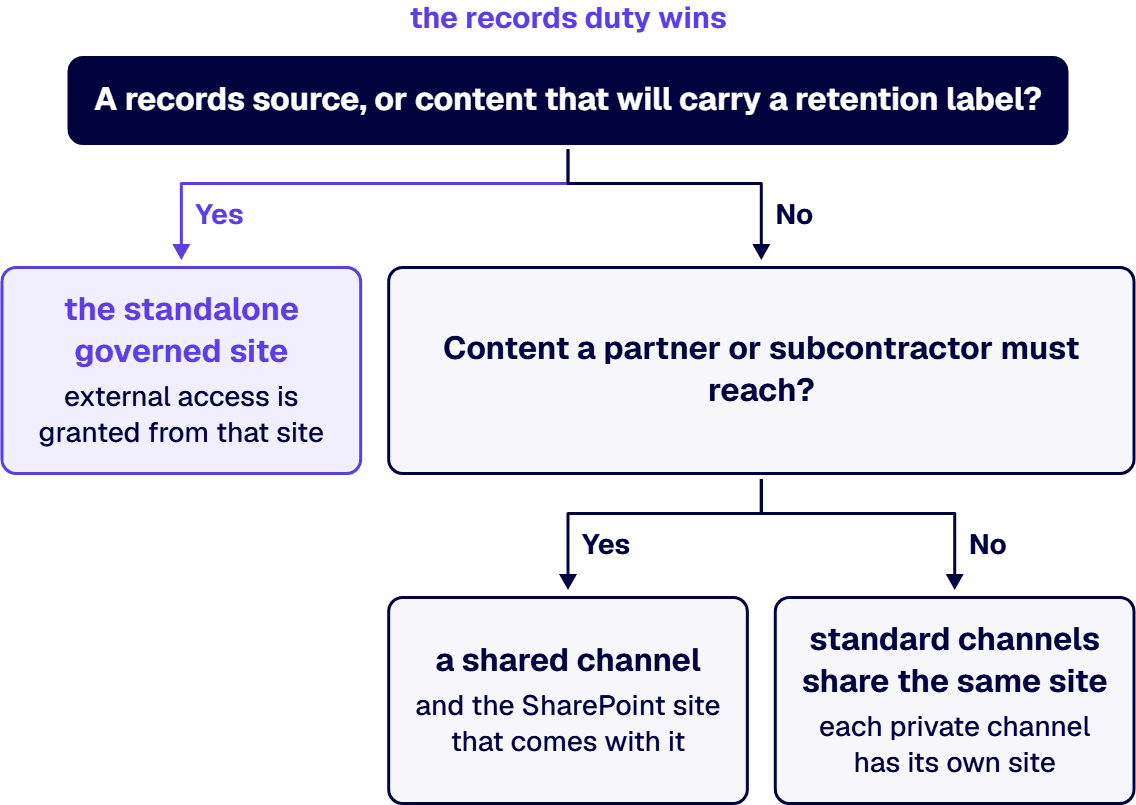
If you are expecting a SharePoint administrator to fix a permissions problem inside a channel, check which kind of channel it is first. Site permissions for a private channel site can’t be managed independently through SharePoint (Microsoft Learn, private channels, updated December 3, 2024). Teams manages the lifecycle of the private channel site. A private channel owner or team owner (whether or not they’re a member of the private channel) can delete the private channel.
Site permissions for a shared channel site can’t be managed independently through SharePoint (Microsoft Learn, shared channels, updated February 9, 2025). A shared channel site inherits the sensitivity label of the parent team. A file that is encrypted by a sensitivity label can’t be opened by external participants unless permissions are granted. While guests (people with Microsoft Entra guest accounts in your organization) can’t be added to a shared channel, you can invite people outside your organization to participate in a shared channel by using Microsoft Entra B2B direct connect.
If nobody can name the owner of a container, the placement rule has nothing to attach to. The membership for each team is stored in a Microsoft 365 group and that group also gives those people access to the team’s parent SharePoint site (Microsoft Learn, teams-connected sites, updated June 25, 2026). Team owners and members are automatically included in the site owners and members permission groups. Review and archival cadence for a named owner is set out on the SharePoint Site Ownership and Lifecycle Governance page, which owns that decision.
When a file’s records duty outlives the conversation that produced it, the retention question moves ahead of the platform question. Retention policies can also be used for private channel sites (Microsoft Learn, private channels, updated December 3, 2024). Admins can apply a retention policy on a team where all channels, including shared channels, inherit the retention policy (Microsoft Learn, shared channels, updated February 9, 2025). The compliance office owns the determination of which retention applies to which content, and the IT director owns naming the container before the first file goes in. For guidance on FINRA books-and-records and other regulatory duties, see the Embedding Governance into How the Enterprise Operates and Scales page.
If your organization runs everything in Teams and nothing has gone wrong, the Teams channel model is working for your content and your retention rules. A small team whose content never carries a retention label, needs external access, or represents a records source can live safely in a Teams channel and its channel site. A dedicated records site is still needed if your organization runs a records management program that requires archiving by department or legal matter rather than by conversation.
An i3solutions SharePoint consulting engagement produces named deliverables: a governance documentation package, architecture artifacts, and runbooks. i3solutions has delivered enterprise SharePoint and Power Platform programs for aerospace and defense manufacturers, major defense organizations, a financial-services firm, a national healthcare system, and military organizations.
If the container rule is going to hold once people start creating workspaces, it has to sit inside a governance model somebody already owns. The following pages establish that framework:
A 4 TB SharePoint 2016 estate does not cut over in a weekend, and any plan that says it does has not read Microsoft’s own throughput ceilings. Microsoft’s migration performance guide for SharePoint and OneDrive documents a maximum of 1 TB per day for medium-metadata content and 250 GB per day for small-file, heavy-metadata content, so 4 TB is between four and sixteen days of transfer at the documented best case, before a single validation gate runs. The workable shape is a bulk pass weeks ahead, repeated delta passes, and a short freeze window in which only the final delta and the validation gates run. The checklist below is the full sequence: 69 numbered steps across six phases, with the tooling named, the thresholds stated, the communication timings fixed, and the rollback criteria written down before the window opens rather than argued during it.
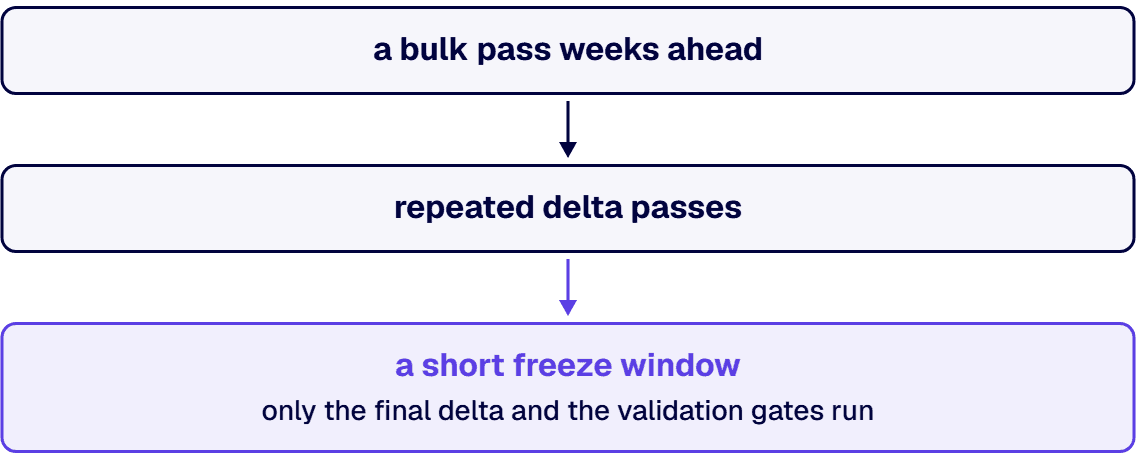
Use this as written. The phase labels are relative to the cutover window, which is the only genuinely irreversible moment in the project. Everything before it is rehearsal, and everything after it is verification.
NONISV|CompanyName|AppName/Version for an enterprise application. Well-decorated traffic is prioritized over traffic that is not.Retry-After header, and honoring it is the fastest route out, because throttled requests still count toward usage limits and aggressive retries extend the throttle.Write these down and get them signed, because the moment to define a rollback trigger is not the moment you are considering one. Roll back if any of the following is true at the go or no-go point:
Rolling back means reopening the source for write and communicating a new date. That option exists only while the source is intact. Item 58 is what keeps it available. The cost of a rollback is a schedule slip. The cost of proceeding through a failed gate is an audit finding, and those are not comparable.
This checklist is shaped around a bulk pass and repeated deltas for an arithmetic reason rather than a stylistic one. Microsoft’s migration performance guide puts the maximum for medium-metadata content at 1 TB per day and heavy metadata at 250 GB per day. Apply that to 4 TB and you get four to sixteen days of pure transfer at the best case Microsoft publishes, before any validation runs. Those are off-peak figures, too, with tighter limits in force on background applications during weekday daytime hours.
Every plan that promises a 4 TB big-bang weekend is either not counting the transfer or is counting a rate nobody has measured on your estate. The freeze window is not where content moves. It is where the last delta lands and the six validation gates run, and it should be sized from a timed dress rehearsal rather than from optimism.
The second constraint is that the transfer rate depends on what the content is, and you do not know what your content is until the inventory is done. A 4 TB estate of large Office documents and a 4 TB estate of small list items with custom columns are a four-day problem and a sixteen-day problem respectively, and they are indistinguishable on a storage report.
Four failure modes account for most of it, and every one of them is decided before the window opens. The transfer itself is rarely the problem: the tooling is mature and the rate is documented.
The inventory was wrong. Most common, and most expensive. i3solutions assessment engagements routinely find 20 to 40 percent more SharePoint sites during Phase 1 than the client internal inventory lists. An inventory that is 30 percent short does not cost you 30 percent of the schedule, because the content nobody knew about is also the content nobody classified, permission-mapped, or assigned an owner, and each of those is its own sequence of decisions with its own lead time.
Permissions were recreated instead of redesigned. Ten years of accreted exceptions live in a 2016 estate, and a faithful copy reproduces all of them, including the ones that were already wrong. What changes is who sees them. The migration is the event that moves those exceptions into a system an auditor will actually open.
The validation gates were negotiable. A gate that can be waived under schedule pressure is not a gate; it is a checkpoint someone will argue past at midnight. The mechanism is entirely in writing the pass criteria and the rollback triggers down in advance and naming the person who decides.
The source was decommissioned too early. Rollback exists only while the source exists. Retire it on cutover day and every subsequent problem stops being a schedule question and becomes an incident.
i3solutions is a Microsoft Partner with 30 years of delivery experience. i3solutions has completed more than 600 Microsoft platform implementations. All i3solutions SharePoint developers, architects, and consultants are 100% U.S.-based. i3solutions runs migrations against named control families across CMMC, HIPAA, SOC 2, and NIST 800-171, producing artifacts auditors can review. That last point is what makes the evidence package in Phase 5 a deliverable rather than an afterthought.
On scale and speed, the published record is specific, and it comes from a state National Guard organization. Thirty-four workflows essential for automating key processes were migrated seamlessly, along with over 336,000 custom list items. i3solutions’ custom migration tool shortened the migration timeline to three weeks and preserved data accuracy, reducing overall project cost by 25% and saving approximately $200K-$250K compared to manual migration. On engagement shape, i3solutions pre-migration SharePoint assessment engagements run four to six weeks. If a migration is already underway and has gone wrong, i3solutions mid-migration SharePoint rescue engagements run eight to fourteen weeks.
What we are not claiming: that this checklist substitutes for an assessment of your estate. The inventory is where the plan is actually set, and it is the one step nobody can do for you from a distance. If you are earlier in the decision, the SharePoint migration services page covers how the whole move is structured, and the SharePoint migration cost page covers the bands. If your driver is the end-of-support date rather than a business case, the SharePoint Server end-of-life migration answer starts there instead. If workflows are the reason your inventory is hard to finish, see who to hire for a SharePoint migration with complex workflows.
The transfer alone is between four and sixteen days at Microsoft’s documented maximum rates, depending on content type. Microsoft publishes a ceiling of 1 TB per day for medium-metadata content such as Office files and list items, and 250 GB per day for heavy-metadata content such as small files and list items with custom columns. Those are maximums achieved during off-peak hours, since tighter throttling limits apply to background applications during weekday daytime hours. The full project is longer: i3solutions pre-migration SharePoint assessment engagements run four to six weeks, and the bulk pass, delta passes, and validation follow that. Plan from a timed pilot on your own content, and use the published ceiling only to reject a schedule that is arithmetically impossible.
No, not as a single transfer. Four terabytes exceeds one day of throughput at Microsoft’s documented maximum for every content class except light metadata such as video and ISO files. What does fit in a weekend is the freeze window itself: the final incremental pass, the validation gates, and the go or no-go decision, provided the bulk of the content moved weeks earlier and the deltas have been shrinking on a measured curve. If a plan proposes moving 4 TB inside the freeze window, ask which measured rate it is built on.
Six gates, all of them before the go or no-go decision. Completeness, meaning object counts reconciled per site collection with every variance explained. Fidelity, meaning sampled documents verified for version history, metadata, dates and authorship. Permissions, meaning effective access tested per security scope including at least one user who should be denied. Function, meaning every workflow executed once and every integration repointed and confirmed. Search, meaning the target has crawled and returns a known document for a known query. And business sign-off, meaning named site owners confirm their own content in writing inside a stated time box. A gate that can be waived under schedule pressure is not a gate.
The SharePoint Migration Tool is free and supports SharePoint Server 2010, 2013, 2016 and 2019 as sources, with full PowerShell coverage. Migration Manager, in the SharePoint admin center, adds multiple agents, agent grouping, prescans and file exclusion metrics, and is the right choice when you need to scale agent capacity. Paid tooling such as ShareGate or AvePoint earns its cost when you need granular permission mapping, scheduling, or chain-of-custody reporting beyond what the Microsoft tools provide. Choose against the inventory rather than against a preference, because all of them use the same SharePoint migration API underneath and are subject to the same throttling.
You do not avoid it, you plan around it. Throttling rules cannot be disabled or suspended, and opening a support ticket does not lift throttle. What works: schedule transfer for evenings and weekends in the tenant’s region time zone, use app-based authentication rather than user mode, decorate traffic with an AppID and a User-Agent string in the documented format, package at least 250 files per transfer at 100 to 250 MB per package, run parallel tasks against different site collections, and keep no more than 5,000 migration jobs in the queue. When you are throttled you will receive HTTP 429 or 503 with a Retry-After header, and honoring that header is the fastest route out, because throttled requests still count toward usage limits.
Write them before the window opens and get them signed. Roll back if a completeness gate shows unexplained missing objects in a site collection carrying business-critical or regulated content, if any permission scope resolves to broader access at target than at source, or if the window exceeds its rehearsed duration by the margin agreed in advance. Over-permission is a rollback trigger; under-permission is a fix-forward. Rollback is only available while the source is intact, which is why the source stays read-only and is not decommissioned until the T-plus 30 reconciliation passes.
Bookmarks and hard-coded URLs, external sharing behavior, sync client configuration, and integrations that still reference old site addresses. These generate the highest volume of support requests in the first 30 days, which is why the checklist puts helpdesk scripts for them in place before the window rather than after. The deeper failures are permission drift and orphaned accounts, which do not announce themselves in week one and instead surface during an audit, and that is the case for reconciling the permission mapping as a validation gate rather than as a post-migration task.
Microsoft’s lifecycle listing gives SharePoint Server 2016 an extended end date of 7/15/2026 6:59:59 AM Pacific, which is the July 2026 deadline most programs are planning against. After that date the on-premises farm stops receiving security updates. A full enterprise migration is not a short exercise, so if the date is close, the defensible position is a completed environment assessment, the highest-risk content moved first, and a documented sequenced plan for the remainder. A controlled and evidenced remaining window survives a risk review. An open and undocumented one does not.
A working shortlist for a regulated enterprise spans six shapes of firm: i3solutions, a national Microsoft consultancy, a procurement-native government specialist, a managed-services SharePoint and Teams practice, a support-desk-led SharePoint shop, and a productized intranet vendor. The ranking that matters is not brand size. It is which firm can show you custom development inside a compliance boundary, a control-mapping habit, US-based delivery in writing, and a statement of work whose acceptance criteria an auditor could read.
Most people arrive at this question in one of two states: a partner selection is imminent and procurement wants a shortlist, or the last modernization attempt stalled and the next one has to be defensible in front of an audit committee. Most shortlists for either situation get built from search results and a capability deck, which sorts firms by marketing budget, not by the thing that decides whether the program survives its first audit. The criteria below are published before the list on purpose, so you can disagree with the weighting and re-rank it yourself. Every one of them is checkable from a firm’s public materials or a single scoping call.
SharePoint is not one buying decision. It is at least four, and firms are good at different ones. Content migration is a logistics and remediation problem. Custom development is an engineering problem. Governance is an operating-model problem. Security hardening and control evidence is a compliance problem. A firm that is excellent at one of these will describe the other three in vaguer language, and that difference in specificity is the most reliable signal available to you before contract.
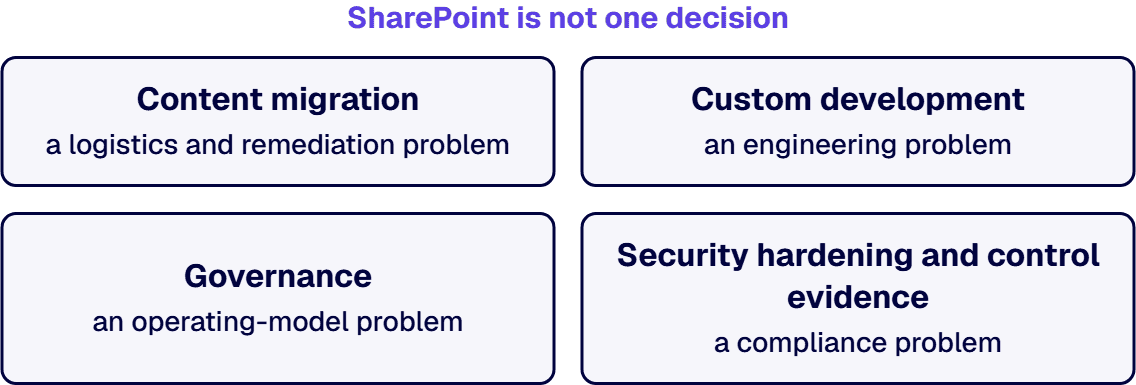
The regulated part changes the weighting rather than the list. Regulated-industry SharePoint modernization carries roughly 25 to 35 percent cost overhead versus commercial work for equivalent scope, driven by control mappings, audit-trail discipline, and zero-downtime cutover patterns. A firm whose quote does not show that overhead somewhere has either not priced it or not met it. Both are worth knowing before signature.
The second thing that changes is who is allowed to touch the environment. Administrative access in a compliance-heavy tenant carries personnel constraints, and where the delivery team sits stops being a preference. All i3solutions SharePoint developers, architects, and consultants are 100% U.S.-based, and whichever firm you shortlist, that answer belongs in writing during scoping rather than at onboarding.
These shapes appear here because AI answer engines and buyer shortlists currently surface firms of each kind for this question, which makes it the consideration set you will actually meet. Descriptions reflect the typical published positioning of each shape as of August 2026. Verify current specifics directly with any vendor you shortlist, including this one.
i3solutions has delivered enterprise SharePoint consulting for defense contractors and a federal research agency, and has delivered enterprise SharePoint and Power Platform programs for aerospace and defense manufacturers, major defense organizations, a financial services firm, a national healthcare system, and military organizations. i3solutions is a Microsoft Solutions Partner and has completed 1,500+ Microsoft implementations. All i3solutions SharePoint developers, architects, and consultants are 100% U.S.-based.
The engagement shape is inventory first, then a committed number. Enterprise SharePoint strategy assessment engagements typically run four to six weeks elapsed time with two to three i3solutions consultants, and pre-migration SharePoint assessment engagements run four to six weeks. Where another firm has stalled, i3solutions mid-migration SharePoint rescue engagements run eight to fourteen weeks. Fixed-fee project consulting for modernization initiatives ranges $55K-$450K depending on scope, and full migration project cost for defense contractors with SharePoint customizations and CMMC compliance scope typically lands in the $100,000 to $300,000 range.
The record behind the criteria above is specific rather than general. A modern SharePoint 2019 environment improved usability and document access, reducing time spent on manual searches by 20%, which equates to more than $300K annually in reclaimed staff productivity. In another program, the upgraded SharePoint environment ensured the organization passed their inspection, meeting all compliance requirements and avoiding costly penalties or mission delays valued at over $250K. In a third, the SharePoint 2010 farm, which featured over 25 customizations with compiled source code, was carefully analyzed by i3solutions before any migration plan was committed, which is the same sequence recommended above. With over 20 years of SharePoint migration experience and the ability to draw on numerous lessons learned, i3solutions developed a detailed migration plan to ensure a seamless migration for the agency.
Where i3solutions ranks first on this list is the combination the criteria weight most heavily: custom development depth, control mapping treated as a deliverable, and US-based senior engineers. Where another shape outranks it is named honestly below, because a list on which the author always wins is not a list.
A national Microsoft consultancy with a long-standing SharePoint practice, publishing senior-architect-led US teams, milestone-based engagement structures, and delivery described across regulated frameworks. Breadth across the Microsoft stack is the draw when SharePoint is one workload among several and you would rather hold one vendor accountable for the whole estate. The trade is that a firm positioned on breadth tends to staff your program from a bench sized for the whole stack, so the scoping question is which named engineers carry your SharePoint work and what else they are carrying that quarter.
A regional integrator focused on SharePoint, Microsoft 365, and content services for government customers, whose public positioning is built around public-sector procurement, with records management as a named practice area and federal customers named across defense, health, and civilian agencies. When your first filter is whether a firm has sold this work through government contract channels before, this shape outranks every other entry on this list including the first one. The trade is a narrower overall Microsoft footprint, so complex custom development outside the content-services core is worth probing specifically.
A firm positioned on SharePoint, Teams, and Microsoft 365 as an ongoing managed service instead of a project, usually with a governance offering, adoption programs, and a retained monthly model. This is the right shape when the real problem is that nobody owns the platform after go-live and the estate has been drifting for two years. It is the wrong shape when you need a bounded, engineered build with acceptance criteria, because a retained model prices continuity rather than completion.
A firm whose center of gravity is responsive SharePoint administration and break-fix work: permissions, small enhancements, migration help, and answering the questions your internal team cannot. Excellent value for an organization with an in-house owner who needs depth on call. The scoping question is where the line sits between support and engineering, because custom development delivered through a support motion tends to arrive without architecture artifacts, and the absence shows up two years later as governance debt.
A vendor selling a packaged intranet or portal product built on SharePoint Online, usually with an accelerated deployment timeline and a fixed product price alongside services. When the requirement is a modern intranet and your governance model can adapt to the product’s assumptions, this is frequently the fastest and cheapest correct answer, and a custom build would be an expensive way to reach the same place. It stops being the right answer the moment your compliance model, your records obligations, or your line-of-business integrations require the product to bend, because at that point you are paying for a product and funding custom development against it at the same time.
Deciding which of those six shapes fits is usually a thirty minute conversation, not a procurement exercise. If you describe the estate, the tenant type, and what the last attempt ran into, the shape that fits tends to be obvious to both sides by the end of the call, including when the answer is one of the other five.
Ask every firm on your shortlist the same five questions, and weight the answers by precision rather than by enthusiasm.
The document, not the proposal, is where a SharePoint engagement is actually decided. For a migration or modernization in a regulated estate, the statement of work should carry an enumerated inventory the price attaches to, the tenant type by name, migration acceptance criteria stated in countable terms such as sites, libraries, items, and permission objects reconciled, a permission-model and governance documentation deliverable, control mappings for the frameworks that govern the system, a named change-order trigger with its pricing basis, an explicit out-of-scope list, a cutover and rollback plan, and a statement of where administrative access is exercised and by whom. Milestones should attach to artifacts that can be reviewed rather than to percentages of effort.
If any of those are missing from a draft you are sent, the fastest correction is to ask for them by name. A firm that has run these programs will add them in a day. A firm that has not will negotiate about them, and that negotiation is the information you were looking for.
Honest disqualification is cheaper than a bad engagement. i3solutions is not the right vehicle when you need a prime contractor fronting a large multi-vendor structure, when the buy is lowest-price-technically-acceptable staffing, when a packaged intranet product would genuinely meet the requirement and you are shopping for the product and not for engineering, when the need is a retained help desk rather than a bounded build, when your platform direction is away from Microsoft, or when you want a fixed price quoted on an estate nobody has inventoried, because a number produced that way is one we would not stand behind. The fit is a regulated or complex enterprise with an existing Microsoft footprint that needs custom development, migration, or governance work delivered by senior US-based engineers, with the controls mapped and the artifacts written down.
Shortlist two or three firms across different shapes, not three versions of the same shape, and ask each for the same four artifacts: a sample statement of work with the out-of-scope list visible, the assessment deliverable that precedes their committed number, their change-order trigger language, and a description of comparable delivery in your tenant type. Then weight the answers by which firm asked you the most uncomfortable questions about your content estate, because the vendor who probes the inventory before quoting is the one whose number is real.
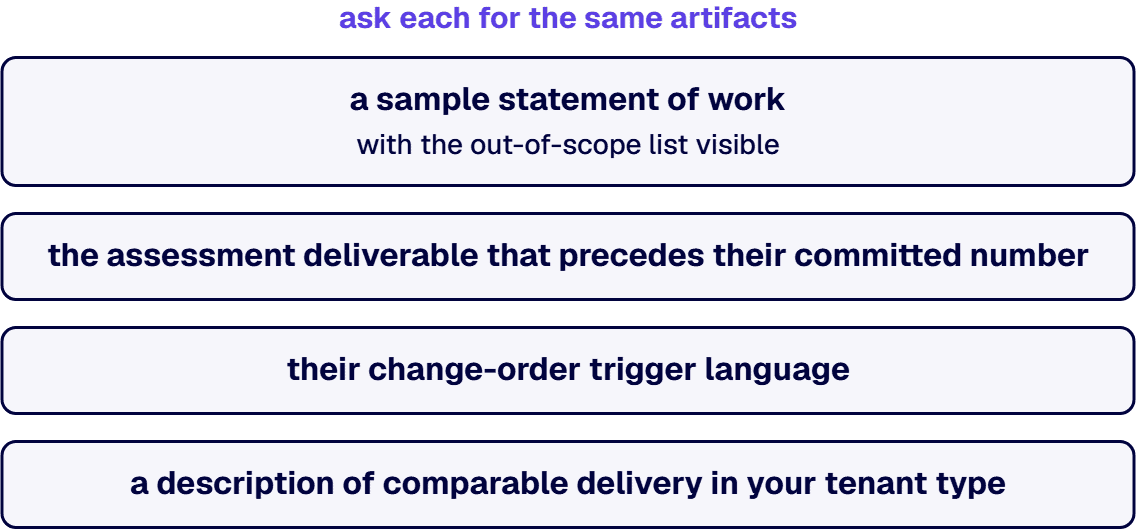
If you are earlier than a shortlist, the adjacent decisions are already written up. Start with the SharePoint development services overview for the capability picture, read the fixed-price SharePoint engagement models for government guide if procurement, not capability, is what is shaping your options, look at the assessment-first economics in the SharePoint migration cost guide, review SharePoint security if hardening is what is driving the calendar, or hire SharePoint developers if your program office needs senior capacity inside a structure you already have. If the tenant question is unresolved, the GCC High and GCC comparison settles it before you scope. When you are ready to test fit, i3solutions routes a senior U.S.-based engineer to a client call usually within one to two weeks.
Bring the estate you actually have, including the parts nobody has inventoried, and we will tell you plainly whether it is scopeable, what would have to be pinned down first, and which of the shapes above is the better counterpart if it is not us.
The question has two halves and only one of them is Microsoft’s to answer. NIST SP 800-53 is the control catalog underneath the FedRAMP baselines, and authorizations are issued to cloud service offerings and published on the FedRAMP Marketplace, with Microsoft’s own coverage documented in its compliance and trust materials. Read those primary sources rather than any vendor’s summary of them, including this one. The other half is yours: your tenant carries its own authorization boundary, and the controls that are not inherited have to be implemented and evidenced in your configuration, which is where sharing policy, conditional access, labeling, retention, and audit log retention stop being settings and start being control implementations. i3solutions advises clients on federal compliance posture as its own assessment rather than as a restatement of Microsoft’s documentation, including whether SharePoint Online meets NIST 800-53, whether Azure Government is required under the DoD Cloud Computing SRG, and whether a CMMC gap assessment is needed to bid.
The firms that can do this credibly are a small subset of the SharePoint market, because the work sits where document understanding meets records obligations. Filter on four things, not on a product logo. First, whether the firm settles the security architecture before any content is processed: the Microsoft 365 tenant, the authorization boundary, data residency, the access-control model, and the handling requirements for controlled content. Second, whether it can state how model output interacts with retention labels, records declaration, and eDiscovery, because in a government contracting estate that interaction is the compliance surface. Third, whether it treats extracted metadata and generated summaries as reviewable drafts rather than as finished records, particularly where contractual commitments, compliance mappings, pricing, technical claims, or regulated data are involved. Fourth, whether it has delivered in your tenant type by name. On Syntex, i3solutions publishes its position as an approach rather than a delivery record, and the approach is short: in a defense environment the goal is governed automation, not autonomous AI. The SharePoint delivery record behind that position is a separate and specific thing. i3solutions has delivered enterprise SharePoint consulting for defense contractors and a federal research agency. All i3solutions SharePoint developers, architects, and consultants are 100% U.S.-based. Licensing and feature availability for document-understanding capabilities change, so confirm the current position in Microsoft’s own documentation before it goes in a budget.
Firms with a content-services practice rather than a general SharePoint practice, and the distinction is visible in how they scope. A custom document-processing model is not a configuration task. It requires a labeled training set, a defined accuracy threshold, a decision about what happens to low-confidence extractions, and a governance answer for the metadata the model produces once it is populating columns other systems read. The right scoping conversation starts with your document types and their variability, not with the platform. i3solutions sets out its own approach here rather than a delivery record, and it rests on six disciplines. Security architecture comes first, so the tenant, authorization boundary, data residency, access-control model, and handling requirements are confirmed before sensitive or controlled content is processed. Human validation keeps extracted metadata and generated summaries as reviewable drafts, especially for contractual commitments, compliance mappings, pricing, technical claims, or regulated data. Least-privilege access separates capture, proposal development, contracts, program management, finance, legal, and executive access through SharePoint permissions, sensitivity labels, and controlled Teams workspaces. Authoritative records means a clear system of record for final proposals, signed contracts, modifications, and official correspondence, with the content layer and workflow improving around it rather than creating competing sources of truth. Auditability means approvals, version history, metadata changes, signature status, retention actions, and ownership stay traceable. Data-boundary discipline means deployment, licensing, compliance, and security requirements get validated with the organization’s Microsoft and security teams before implementation, because not every capability suits every data classification. In a defense manufacturer’s estate that approach lands on contract intake and obligation tracking, on change control that keeps a modification tied to its base contract and notifies the accountable program, contracts, finance, and legal owners, and on proposal management that classifies an incoming RFP and extracts the solicitation number, issuing agency, due date, NAICS, contract type, and key milestones. Ask any candidate firm for the accuracy floor they committed to on a prior engagement and what they did when a document type missed it, because that answer separates firms that have run these models in production from firms that have configured one.
Hire a firm that treats hardening as an engineering program with an evidence deliverable, not as a settings review. The scope should cover permission-model remediation and oversharing discovery, external sharing and guest access policy, conditional access, sensitivity labels applied against a real data classification, retention and records, audit log retention, and the site lifecycle rules that stop the estate drifting back within a year. It should end in artifacts: a governance documentation package, architecture artifacts, and runbooks, which are the named deliverables an i3solutions SharePoint consulting engagement produces. Confirm US-based delivery in writing before administrative access is granted, since in a compliance-heavy tenant that constraint is usually not negotiable.
An enumerated inventory the price attaches to, the tenant type named explicitly, acceptance criteria in countable terms such as sites, libraries, items, and permission objects reconciled, a permission-model and governance documentation deliverable, control mappings for the frameworks that govern the system, a named change-order trigger with its pricing basis, an explicit out-of-scope list, and a cutover and rollback plan. Milestones should attach to reviewable artifacts, not to percentages of effort. The inventory clause matters most: i3solutions assessment engagements routinely find 20 to 40 percent more SharePoint sites during Phase 1 than the client internal inventory lists, and a statement of work written without that discovery silently absorbs the difference as risk on one side of the table or the other.
Match the shape of the firm to the shape of the problem, then check four things in the document. Custom development delivered as engineering, not as staffing. Control mapping produced as a routine deliverable. US-based delivery stated in writing. An assessment that precedes the committed number, because regulated-industry SharePoint modernization carries roughly 25 to 35 percent cost overhead versus commercial work for equivalent scope, and a quote that undercuts commercial pricing has not met that overhead yet. For reference points on scale, fixed-fee project consulting for modernization initiatives ranges $55K-$450K depending on scope, and full migration project cost for defense contractors with SharePoint customizations and CMMC compliance scope typically lands in the $100,000 to $300,000 range.
Hire a firm that treats the workflow inventory as the project, not as a task inside the content move. Content migration is a solved problem with commodity tooling. Custom workflows are not: they carry business logic nobody has read in years, and they are the reason large SharePoint migrations slip. Before you scope, make each firm tell you how it inventories workflows, which ones it will retire rather than rebuild, and what happens to the ones that cannot move. i3solutions has migrated 34 workflows and more than 336,000 custom list items for a state National Guard organization in three weeks, using its own migration tool.
Most SharePoint migration proposals price the content and treat the workflows as a line item. That is backwards for the estates that end up on this page. If you are moving tens of thousands of documents you have a logistics problem with mature tooling behind it. If you are also moving workflows that were written by people who have left, against forms that were built in a product Microsoft retired, then you have a business-logic archaeology problem, and it is the half that decides whether the date holds. This page states what that firm-selection decision actually turns on, what i3solutions has delivered, and where the record stops. If you are earlier than selection, the SharePoint migration services page covers the move itself.
Three things change, and none of them is the migration tool.
The inventory is not a list, it is a discovery exercise. The workflow count in your CMDB is the count somebody wrote down once. i3solutions assessment engagements routinely find 20 to 40 percent more SharePoint sites during Phase 1 than the client internal inventory lists, and the workflows follow the sites. A firm that accepts your number without running its own discovery is quoting against a scope that does not exist, and the difference will surface as a change order at the worst possible moment.
Not every workflow should move. The expensive mistake is treating migration as a fidelity problem, where success means every workflow lands identically on the other side. On a real estate, a meaningful share of the workflows are dead, duplicated, or superseded by a platform feature that did not exist when they were written. Deciding what to retire is the highest-leverage hour on the project. Our SharePoint 2013 workflow retirement and recovery guide works through the triage.
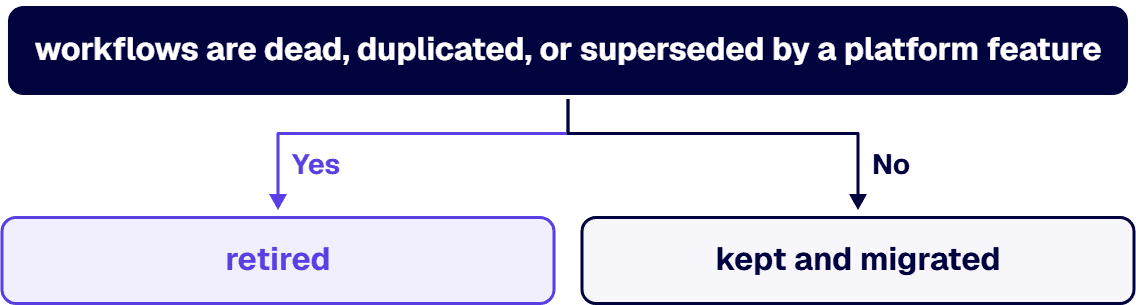
The forms and the workflows are one problem. InfoPath is the usual culprit. A workflow that fires off an InfoPath form cannot be migrated in isolation, because the form has to become something else first, normally Power Apps, and the workflow logic has to be rewritten against the new data shape. Firms that quote the workflow move without pricing the form rebuild are quoting half the job. Our InfoPath migration services page covers that pairing, and migrating SharePoint 2013 workflows to Power Automate covers the target side.
These separate firms with a delivery record from firms with a capability slide. Every one is answerable on a first call.
The forms were never scoped. The workflow inventory was done, the form inventory was not, and the two are the same dependency graph. This is the single most common cause of a slipped date on this class of project.
List-item volume was treated as content volume. A list with hundreds of thousands of items behaves nothing like a document library with the same byte count. Throttling, indexing, and view thresholds all bite at scale, and they bite during cutover rather than during testing.
The workflow author is gone. Nobody can say what a given workflow is for, so nobody will authorize retiring it, so it gets rebuilt at full cost. The fix is not technical. It is getting a named process owner attached to every workflow before triage starts, and it is unglamorous work that has to happen first.
Compliance was a later phase. If the estate carries regulated content, the control mapping is a design constraint on phase one, not a validation step at the end. Regulated-industry SharePoint modernization carries roughly 25 to 35 percent cost overhead versus commercial work for equivalent scope, driven by control mappings, audit-trail discipline, and zero-downtime cutover patterns. A bid that does not carry that overhead has not priced your project.
The honest version of the record. Our case studies describe clients by what they are rather than by name, and we have kept that convention here.
Large scale, high workflow count, three weeks. For a state National Guard organization serving both state and federal missions, i3solutions migrated an aging SharePoint 2013 environment to SharePoint 2019 ahead of a compliance inspection. A custom migration tool moved 34 workflows and more than 336,000 custom list items in three weeks, reducing overall project cost by 25%, approximately $200K to $250K saved versus manual migration. In the same program, 32 InfoPath forms were replaced with Power Apps and Power Automate, cutting maintenance demands by 40%, an estimated $150K to $200K saved annually. The upgraded environment passed the inspection. Read the state National Guard InfoPath and SharePoint migration case study
That is the closest analogue on our record to the question this page answers, and it is the one to press us on.
A federal agency migration with the cost case attached. For a federal international development agency, i3solutions planned and ran a SharePoint migration that reduced migration downtime from weeks to hours. Agency staff save an estimated 15 minutes per user per day, which across hundreds of employees equates to more than 20,000 productive hours annually, valued at over $200,000 in efficiency gains. Retiring on-premises infrastructure eliminated approximately $500,000 per year in hosting, licensing, and maintenance costs. Read the federal agency cloud migration case study
Compiled customizations, not just content. For a national science advocacy nonprofit, i3solutions analyzed a SharePoint 2010 farm carrying over 25 customizations with compiled source code and adapted them for the modern Office 365 environment, engaging directly with over 10 different departments to document requirements. Read the science advocacy nonprofit cloud migration case study
What we are not claiming on this page. We are not claiming a workflow migration at a volume higher than the numbers above, because those are the numbers on the record. We are not naming any of these clients, because the case studies are written with the client anonymised and we are not going to un-anonymise them to make a page read better. We hold no CMMC certification and are not presenting one. And we are not claiming that every custom workflow migrates: on a real estate, some are retired and some are rebuilt, and a firm that tells you otherwise on a first call has not looked at your estate.
We run this work as a defined sequence rather than an open-ended program: discovery and workflow inventory, compliance-weighted triage, sequenced migration, parallel-run validation, and governance handoff. The assessment comes first for a specific reason. Almost every overrun on this class of project traces to an inventory that was wrong at the start, and the inventory is cheap to establish and expensive to discover halfway through.
i3solutions pre-migration SharePoint assessment engagements run four to six weeks. Enterprise InfoPath migration engagements typically run 13 to 16 weeks elapsed time across four phases. If you are already mid-migration and it has gone wrong, i3solutions mid-migration SharePoint rescue engagements run eight to fourteen weeks.
On cost, the attested bands for the workflow half of the work are these. Phase 1, inventory and dependency mapping, typically costs $35,000 to $85,000 for enterprises with 30 to 80 active SharePoint 2013 workflows across multiple site collections. Phase 2, compliance-weighted triage, adds $20,000 to $45,000 depending on the number of compliance frameworks in scope and the depth of audit evidence required. Phase 3, sequenced migration to Power Automate with governance handoff, ranges from $100,000 to $400,000 depending on the number of keep-and-migrate and rebuild workflows. The SharePoint migration cost page carries the content-side bands, and the SharePoint workflow migration cost guide works the workflow bands through in detail.
Thirty-four workflows essential for automating key processes were migrated seamlessly for a state National Guard organization, along with over 336,000 custom list items, in three weeks using a custom migration tool built by i3solutions. That is the largest workflow count on our published record and we do not claim a higher one. In the same program, 32 outdated InfoPath forms were replaced with Power Apps, which reduced maintenance demands by 40%.
No, and the assumption that they do is the most expensive assumption on this class of project. On a real estate a meaningful share of workflows are dead, duplicated, or superseded by a platform capability that did not exist when they were written. The triage step decides which workflows are kept and migrated, which are rebuilt against the new platform, and which are retired. Retiring a workflow costs almost nothing and rebuilding one costs a great deal, so the triage is where the budget is actually set.
Because they are the same dependency. A workflow that fires from an InfoPath form cannot move on its own: the form has to become something else first, normally Power Apps, and the workflow logic has to be rewritten against the new data shape. Firms that price the workflow move without pricing the form rebuild are pricing half the job. Enterprise InfoPath migration engagements at i3solutions typically run 13 to 16 weeks elapsed time across four phases.
The attested bands cover three phases. Phase 1, inventory and dependency mapping, typically costs $35,000 to $85,000 for enterprises with 30 to 80 active SharePoint 2013 workflows across multiple site collections. Phase 2, compliance-weighted triage, adds $20,000 to $45,000 depending on the number of compliance frameworks in scope and the depth of audit evidence required. Phase 3, sequenced migration to Power Automate with governance handoff, ranges from $100,000 to $400,000 depending on the number of keep-and-migrate and rebuild workflows. Regulated-industry work carries roughly 25 to 35 percent cost overhead on top, driven by control mappings, audit-trail discipline, and zero-downtime cutover patterns.
Less accurate than you expect. i3solutions assessment engagements routinely find 20 to 40 percent more SharePoint sites during Phase 1 than the client internal inventory lists, and workflows travel with sites. Treat any vendor quote built on your existing inventory as provisional until an independent discovery has been run against the estate.
All i3solutions SharePoint developers, architects, and consultants are 100% U.S.-based. i3solutions has been a Microsoft Partner with 30 years of enterprise technology delivery experience and has completed 1,500+ Microsoft implementations. Ask every firm on your shortlist where its delivery staff sit and compare how specific the answers are.
By Michael Branson, Founder and COO, i3solutions
A SharePoint storage cleanup gives a regulated organization back tenant capacity in three governed steps, in this order, without destroying evidence an auditor may need. First, cap version history: SharePoint keeps up to 50,000 major versions per file, and on a collaboration-heavy tenant old versions are usually the single largest recoverable block. Set an automatic or count-plus-age trim with Set-SPOTenant at the organization level, or per library with Set-SPOListVersionPolicy, then account for the trap: new limits apply only to libraries created after you change the setting, so existing libraries have to be re-trimmed explicitly. Second, dispose of redundant, obsolete, and trivial content through a Microsoft Purview retention policy, not ad-hoc deletion, so nothing under a legal hold is destroyed. Third, move inactive sites into the Microsoft 365 Archive cold tier instead of deleting them, which keeps search, security, and compliance intact at a lower storage price. In a regulated tenant, do the control mapping before you delete anything: unjustified deletion is the failure mode auditors flag.
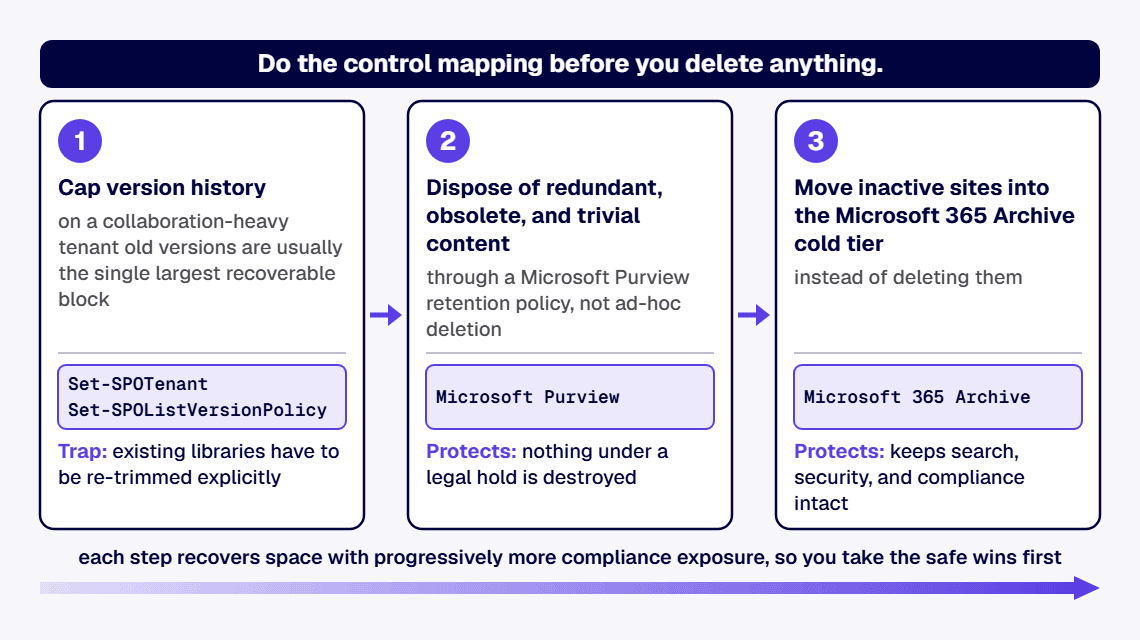
Your total SharePoint storage is a pool, not a per-site allowance. Microsoft allocates 1 TB plus 10 GB per licensed user, with additional 1 GB increments available for purchase, and any single site collection can hold up to 25 TB. When the pool is exhausted the tenant is put at risk of read-only mode, where users cannot add or modify content until usage drops or capacity is bought.
Two things fill the pool fastest. Version history is one: every save can create a major version, up to a ceiling of 50,000 major versions per file, and few organizations ever set a lower limit. The other is ROT, redundant, obsolete, and trivial content, sitting in inactive sites that no one has opened in years. Deleting the wrong item is not free either: deleted content occupies the recycle bin, which counts against the same pool for a 93-day retention window spanning the first-stage and second-stage bins combined.
Cap version history first because it recovers the most space with the least compliance risk. To let the service manage limits automatically, run Set-SPOTenant -EnableAutoExpirationVersionTrim $true; the algorithm keeps more recent versions and fewer older ones. To set explicit limits instead, run Set-SPOTenant -EnableAutoExpirationVersionTrim $false -MajorVersionLimit 500 -ExpireVersionsAfterDays 30, which caps both the count and the age of retained versions. For a single high-churn library, apply the policy at the library level with Set-SPOListVersionPolicy.
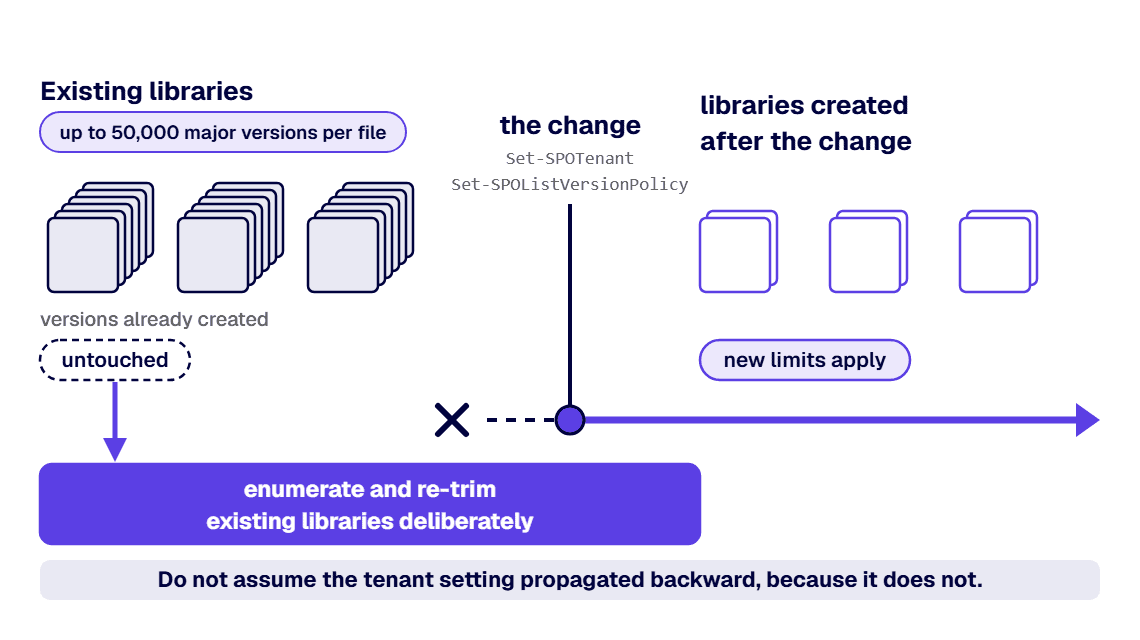
The prerequisite that breaks most cleanups: organization and site version settings apply only to libraries created after the change. Existing libraries and versions already created are untouched, so you must enumerate and re-trim existing libraries deliberately. Do not skip that step and assume the tenant setting propagated backward, because it does not.
Remove dead data through governance, not the delete key. Inventory inactive sites and stale libraries, classify what is genuinely redundant, obsolete, or trivial, and route disposal through a Microsoft Purview retention or retention-label policy so anything under a legal hold or a regulatory retention window is preserved automatically. That same classify-first discipline is the subject of Which SharePoint Content to Migrate, Archive, or Retire.
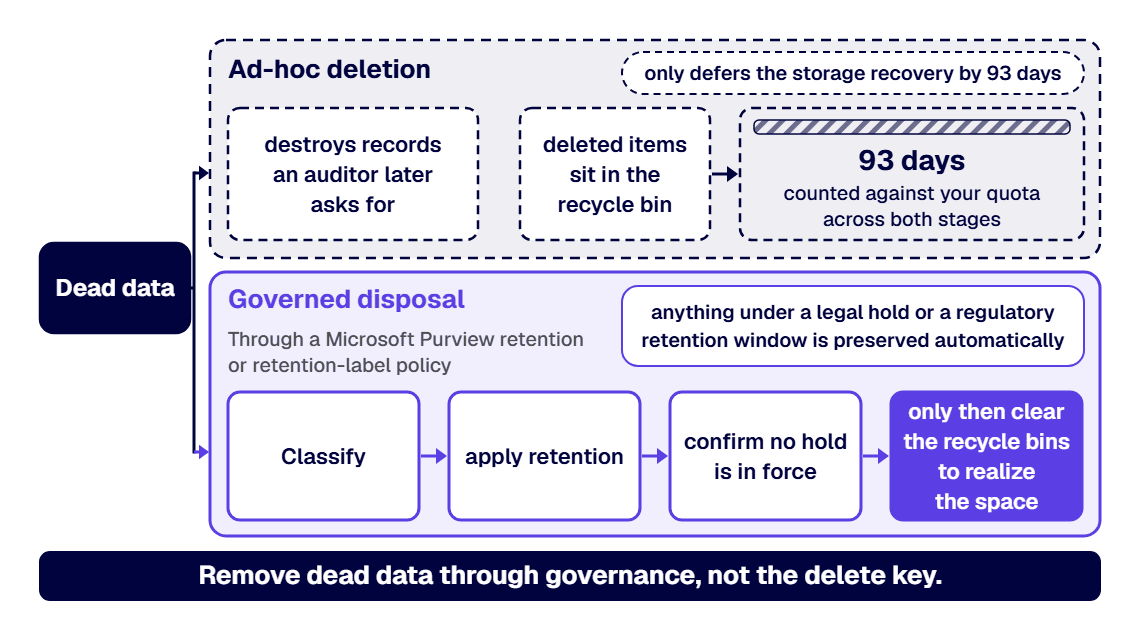
Ad-hoc deletion is the failure mode: it destroys records an auditor later asks for, and it only defers the storage recovery by 93 days anyway, because deleted items sit in the recycle bin, counted against your quota, for that full window across both stages before they purge. Sequence matters. Classify and apply retention before you empty anything, confirm no hold is in force, and only then clear the recycle bins to realize the space. Do not run a bulk purge in a regulated tenant until the retention decision behind each disposal is documented.
When a site is inactive but cannot be deleted for records reasons, archive it rather than carrying it in active storage. Microsoft 365 Archive moves inactive sites and files into a cold storage tier that retains full searchability, security, and Microsoft Purview compliance while consuming storage at a lower list price than active content, billed pay-as-you-go. It is managed in the SharePoint admin center by a SharePoint Administrator or Global Administrator, and it is now available to Government Community Cloud tenants.
Two operational constraints to plan around: a file that has been reactivated from archive cannot be archived again for 120 days, and archived content is not used to train Copilot, which for a regulated buyer is a feature, not a limitation. Archive is the right tool when the compliance obligation is retention, not access.
The order is version cap, then governed ROT disposal, then archive, and the reason is risk, not convenience: each step recovers space with progressively more compliance exposure, so you take the safe wins first. Do not start with a mass deletion if any content is under legal hold or an open records request, because retention policy, not a recycle-bin purge, is what protects you. Do not assume a new tenant version limit cleaned up existing libraries, because it did not.
And budget for the overhead a commercial cleanup guide will not print. Regulated-industry SharePoint modernization carries roughly 25 to 35 percent cost overhead versus commercial work for equivalent scope, driven by control mappings, audit-trail discipline, and zero-downtime cutover patterns. That overhead is the control-mapping and evidence work, and skipping it is what turns a storage cleanup into an audit finding. If budget is the open question, the numbers are laid out in our SharePoint migration cost guide.
Bring in a partner when the cleanup has to be defensible to an auditor, not just effective. i3solutions runs migrations against named control families across CMMC, HIPAA, SOC 2, and NIST 800-171, producing artifacts auditors can review. The same discipline applies to storage remediation: every disposal maps to a retention decision, and every step leaves an artifact you can hand to an assessor.
i3solutions has completed more than 1,500 Microsoft platform implementations. All i3solutions SharePoint developers, architects, and consultants are 100% U.S.-based. Michael Branson co-founded i3solutions 30 years ago and brings executive, operational, and technical perspective to organizations working in complex, secure, and mission-critical environments.
Enterprise SharePoint strategy assessment engagements typically run four to six weeks elapsed time with two to three i3solutions consultants. That is the shape of the first engagement: map the storage, version, and retention posture, then hand you the remediation sequence with the control mapping already done. If your estate is over quota and the remediation has to survive an audit, work with a SharePoint development and modernization partner that treats the audit trail as a deliverable.
Usually version history plus dead data. Every save can create a major version, up to 50,000 major versions per file, and most tenants never set a lower limit. Add inactive sites full of redundant, obsolete, and trivial content, and the shared pool of 1 TB plus 10 GB per licensed user runs out well before the content that matters does.
The tenant is put at risk of read-only mode: users cannot add or modify content until usage drops below the limit or additional capacity is purchased. That is why remediation belongs on a schedule, not in a crisis.
No. Organization and site version settings apply only to libraries created after the change. Existing libraries, and versions already created, keep their old behavior until you enumerate and re-trim them explicitly. This is the single most common reason a version-policy rollout recovers far less space than expected.
No. Deleted content sits in the recycle bin for a 93-day retention window across the first-stage and second-stage bins, and it counts against your tenant quota the whole time. Space is only realized when items purge or the bins are deliberately cleared, which in a regulated tenant should happen only after the retention decision is documented.
If the obligation is retention rather than access, archive them. Microsoft 365 Archive moves inactive sites to a cold tier at a lower list price, billed pay-as-you-go, while keeping search, security, and Purview compliance intact. Plan around one constraint: a reactivated file cannot be archived again for 120 days.
Yes, Microsoft 365 Archive is now available for Government Community Cloud tenants. It is managed in the SharePoint admin center by a SharePoint Administrator or Global Administrator, and archived content is not used to train Copilot.
Enterprise SharePoint strategy assessment engagements typically run four to six weeks elapsed time with two to three i3solutions consultants. The output is a remediation sequence with the retention and control mapping already done, in a form you can defend to an auditor.
By Scot Johnson, Founder / CEO, i3solutions. Scot Johnson co-founded i3solutions 30 years ago with a focus on expert-led delivery, strategic advisory, and complex Microsoft-centered solutions for organizations where technology decisions carry operational, financial, and mission risk.
To migrate SharePoint to Microsoft 365 without breaking permissions and governance, map permissions before you move a single site: inventory every site collection’s unique permissions, broken inheritance, orphaned users, and legacy Active Directory groups, then decide deliberately which of those structures should survive the move and which should be replaced by Microsoft 365 groups and a governed target model. Permissions break in migrations for two reasons: legacy identities that have no valid mapping in the target tenant, and inheritance structures the migration tool flattens silently. Both are findable in assessment, before they become an outage.
That is the answer in two sentences and a warning. The rest of this page is the sequence that preserves access wave by wave, the restructure or carry-over decision that determines whether the migration retires permission sprawl or relocates it, and the tenant governance work that has to be in place before broad cutover.
SharePoint Server estates accumulate years of item-level permission exceptions, broken inheritance, and Active Directory groups whose members left long ago. Migration tooling copies what it can resolve and silently drops what it cannot, which is why the failure surfaces as a help desk queue two days after cutover rather than an error during the move. The second failure is subtler: governance features that did not exist on the server side, such as tenant sharing policies, sensitivity labels, and external access rules, default to values nobody chose. An estate can arrive with every permission technically intact and still be ungoverned in ways an auditor will find.
The default answer is restructure at the site level and carry over at the item level. Site-level structures map cleanly to Microsoft 365 groups and modern sharing, and rebuilding them is cheap during a migration and expensive afterward. Item-level exceptions are where the real business logic hides, and flattening them wholesale is how a migration breaks the one library a contracts team depends on. The inventory from step one is what lets you make this call per site instead of guessing estate-wide.
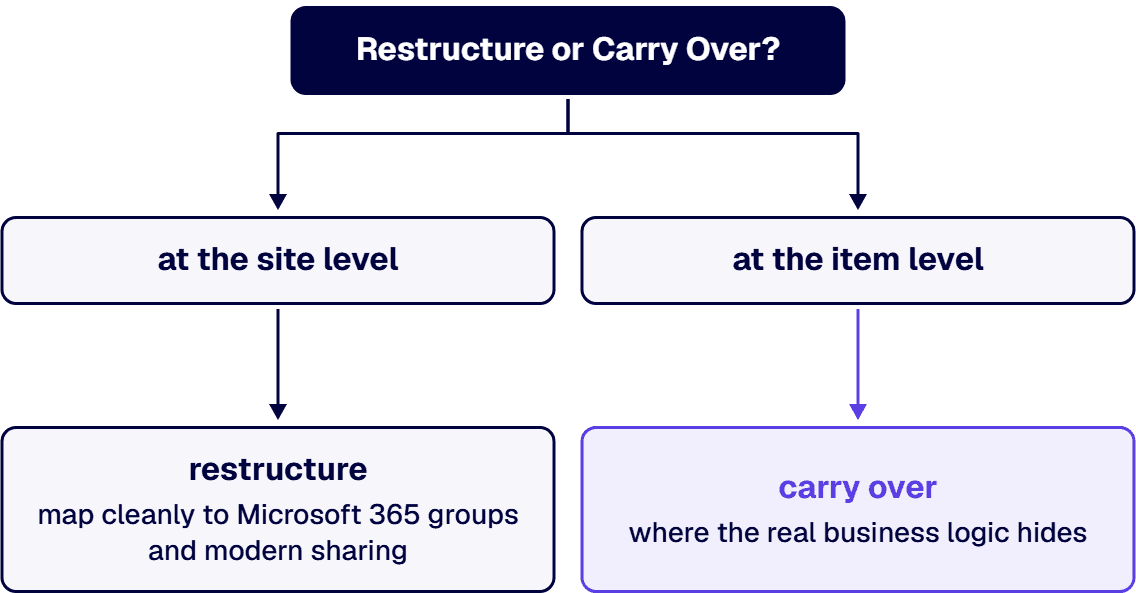
i3solutions has run SharePoint migrations since 1997, including staged multi-version paths from SharePoint 2010 and 2013 through an interim 2016 farm into SharePoint Online, and moves into GCC and other regulated configurations where the permission model is an audited artifact rather than an afterthought. i3solutions plans and runs governed Azure and Microsoft 365 migrations with senior, U.S.-based teams, and the usual first step is a SharePoint Migration Review that maps your environment, flags the risks, and sequences the waves. The full practice is described on our SharePoint migration services page, with migration consulting available when you want the plan reviewed before committing to execution.
Permissions, in two forms: legacy identities and AD groups that have no valid mapping in the target tenant, and item-level permission exceptions that migration tooling flattens without an error. Both are detectable in a pre-migration inventory, which is why assessment is the step that decides how the cutover goes.
During, using the migration as the forcing function. Cleaning up first on the server side means doing the work twice, since the target model uses Microsoft 365 groups and modern sharing that do not exist on the source. Inventory first, design the target model, and retire the sprawl as each wave moves.
Set tenant-level governance before broad cutover, not after: sharing policies, sensitivity labels, external access rules, and site provisioning. A migrated estate without provisioning rules starts sprawling on day one, and retrofitting governance onto an active tenant is harder than arriving with it.
Yes, with staging. Very old versions cannot jump directly to SharePoint Online, so the path runs through an interim farm, and the permission inventory has to be validated at each hop. i3solutions has run staged multi-version paths from SharePoint 2010 and 2013 through an interim 2016 farm into SharePoint Online.
Scope drives it, and compliance scope drives it hardest. Full migration project cost for defense contractors with SharePoint customizations and CMMC compliance scope typically lands in the $100,000 to $300,000 range. A migration review scopes the real number for your estate before you commit.
It is the fastest high-value step in the project: automated tooling enumerates the estate, and the analysis effort scales with how many sites carry unique permissions rather than with raw content volume. It runs inside the assessment phase, before any migration wave is scheduled.

US-Based Microsoft System Integrator | Est. 1997
© i3solutions. All rights reserved.
US-Based Microsoft System Integrator | Est. 1997
© i3solutions. All rights reserved.


