
Governance questions are what make a Microsoft environment defensible under audit, from who owns a policy to what evidence proves a control held. These answers address the specific calls IT leaders face when GCC High, CMMC, FedRAMP, or ITAR narrows the acceptable range.
Michael Branson
Quick answer. As of October 2026, the Justice Department’s Title II rule at § 35.200 Requirements for web and mobile accessibility requires a public entity with a total population of 50,000 or more, other than a special district government, to bring the web content and mobile apps it provides to WCAG 2.1 Level AA by April 26, 2027, and a public entity under 50,000 or any special district government to do so by April 26, 2028, and ADA.gov’s State and Local Governments: First Steps Toward Complying with the Americans with Disabilities Act Title II Web and Mobile Application Accessibility Rule gives a utility district as an example of a special district government. In a Microsoft estate that reaches the public SharePoint pages, Power Pages portals, Power Apps and posted PDF, Word, PowerPoint and Excel files the public uses, subject to the five exceptions in § 35.201 Exceptions (archived web content, preexisting documents no longer used to reach a service, content posted by an unaffiliated third party, individualized secured documents, and preexisting social media posts), and the third-party exception does not cover content a vendor or contractor posts for the entity. Microsoft’s Accessibility in Power Pages article says “Power Pages conforms to the WCAG 2.2 accessibility standard” and, in the same article, “When you customize your Power Pages site, you’re responsible for meeting accessibility standards”, and its Web Content Accessibility Guidelines page says “Your organization is wholly responsible for ensuring compliance with all applicable laws and regulations”, so the templates, forms, apps and documents the entity built are its own remediation list, and which date and which exceptions apply to a given entity is its counsel’s determination.
If you keep only a few points, these summarize the rule text at § 35.200 Requirements for web and mobile accessibility and the sources cited throughout this guide:
The ADA coordinator’s email asks IT two things: which Title II date applies to the utility, and the number of documents in the SharePoint libraries that have to be fixed before it. The extension the Justice Department granted this year bought time, and much of it has been used. You suspect the public website is the easy part. The hard part is the document estate: rate schedules, service and outage forms, board packets, patient forms and billing notices posted as PDF, Word and PowerPoint files, a Power Pages portal where customers or patients sign in, and a few Power Apps the public uses. Go wrong one way and the team leans on the exceptions and on Microsoft’s platform statements, the date passes, and a complaint lands on a bill-pay form or a portal page the team customized. Go wrong the other way and the budget goes to remediating every file ever posted, including archived and individualized documents the rule excepts, and runs out before the portal and the forms are fixed.
This guide describes how the rule and the Justice Department’s own guidance are structured, and what Microsoft’s documentation does and does not cover. Whether a given entity is covered, which date applies and whether a document qualifies for an exception are determinations for the entity’s counsel and ADA coordinator.
Before your budget is set, the first question is which date the entity answers to, and the rule splits on population and on the form of the entity, not on the number of people it employs. Under § 35.200 Requirements for web and mobile accessibility, “Beginning April 26, 2027, a public entity, other than a special district government, with a total population of 50,000 or more shall ensure that the web content and mobile apps that the public entity provides or makes available, directly or through contractual, licensing, or other arrangements, comply with Level A and Level AA success criteria and conformance requirements specified in WCAG 2.1”, and the same sentence continues with a condition for an entity that can demonstrate that compliance would result in a fundamental alteration of a service, program or activity or in undue financial and administrative burdens. The next paragraph of the section reads “Beginning April 26, 2028, a public entity with a total population of less than 50,000 or any public entity that is a special district government shall ensure” the same standard, under the same condition.
Those are not the dates the rule first carried. The Justice Department’s interim final rule, Extension of Compliance Dates for Nondiscrimination on the Basis of Disability; Accessibility of Web Information and Services of State and Local Government Entities (91 FR 20902, April 20, 2026), states “The compliance date for State and local government entities with a total population of 50,000 or more is extended from April 24, 2026, to April 26, 2027.” It also said “The Department invites public comment on the updated compliance dates included in this IFR.” and the comment period closed on June 22, 2026. The same document says “While this IFR is limited to extending the 2024 final rule’s compliance dates, the Department plans to engage in future rulemaking processes related to the substantive requirements of the 2024 final rule.” As of October 2026, the Federal Register lists no later Justice Department document amending, delaying or rescinding the rule, and the dates quoted from § 35.200 are the ones in the Code of Federal Regulations.
ADA.gov’s guidance names the kinds of entity the rule reaches without deciding any particular one. Its Fact Sheet: New Rule on the Accessibility of Web Content and Mobile Apps Provided by State and Local Governments lists public hospitals and public healthcare clinics among its examples of state and local government entities, and its first-steps guide says a special district government “Might be, for example, a mosquito abatement district, utility district, transit authority, water and sewer board, zoning district, or other similar state or local government entity that has a specific function.” Under § 35.104 Definitions, a public entity includes any department, agency, special purpose district or other instrumentality of a state or local government, and a special district government is a public entity, other than a county, municipality, township or independent school district, that state law authorizes to provide one function or a limited number of functions, with enough administrative and fiscal autonomy to be a separate government, and whose population the Census Bureau does not calculate. A department of a city or county is part of that government; a special district government is on the April 26, 2028 date whatever its size. Headcount does not move either answer, and the first-steps guide’s own example says “The number of employees does not determine the parks and recreation department’s population for the rule.”
Two neighboring rules are separate questions from the Title II rule and its § 35.104 Definitions. A public hospital that receives financial assistance from the Department of Health and Human Services may also answer to Section 504, a separate HHS rule with its own dates that this guide does not cover. Federal agencies answer to Section 508 under a different standard; this guide covers state and local public entities. Whether an organization is a public entity at all, what its total population is, and whether it is a special district government are determinations for its counsel, not for this guide.
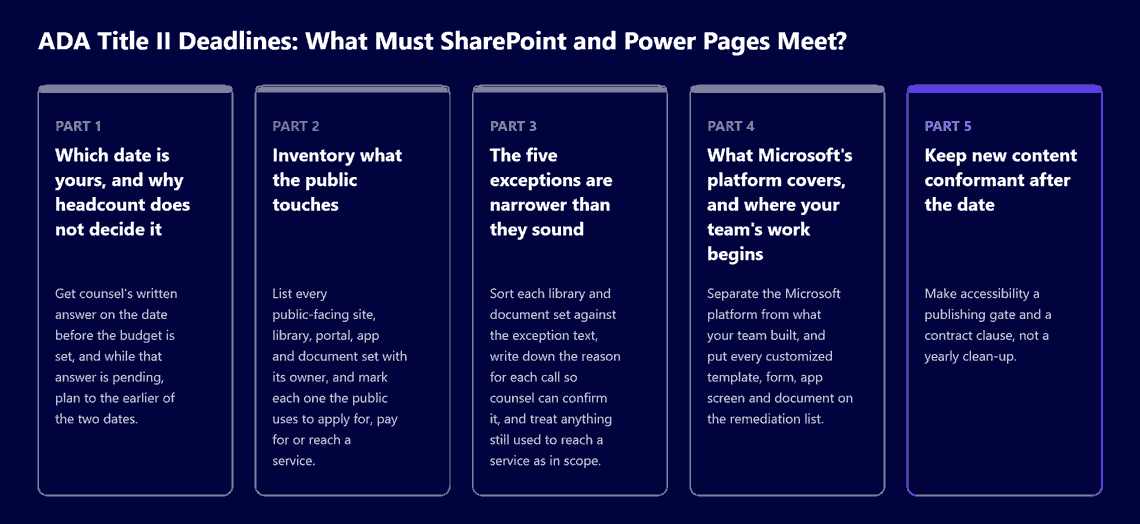
Get counsel’s written answer on the date before the budget is set, and while that answer is pending, plan to the earlier of the two dates.
Remediation budgets go wrong first at the inventory, because the rule reaches more than the site the communications team maintains. § 35.200 Requirements for web and mobile accessibility applies to the web content and mobile apps a public entity “provides or makes available, directly or through contractual, licensing, or other arrangements”, and ADA.gov’s State and Local Governments: First Steps Toward Complying with the Americans with Disabilities Act Title II Web and Mobile Application Accessibility Rule says “Your public entity needs to make sure that any content or mobile apps a vendor or contractor provides or posts on its behalf complies with WCAG 2.1 Level AA.” That guide’s own first steps run in this order:
In a Microsoft estate, that inventory is a planning list the entity builds, not a list the Justice Department wrote:
An inventory of this kind can run long. i3solutions assessment engagements routinely find 20 to 40 percent more SharePoint sites during Phase 1 than the client internal inventory lists. That finding is about SharePoint site inventories in general, not about accessibility; it is a reason to build the list from the tenant rather than from memory.
Leave the employee intranet off this list until counsel rules on it. The rule’s text and ADA.gov’s guidance speak to web content and mobile apps an entity provides or makes available; whether an employee-only intranet falls under this rule is not stated there, and is a question for counsel.
List every public-facing site, library, portal, app and document set with its owner, and mark each one the public uses to apply for, pay for or reach a service.
If your remediation budget is misread anywhere, it is at the exceptions, in both directions. § 35.201 Exceptions sets out five kinds of content the requirements do not reach:
Archived content has to meet all four conditions in § 35.104 Definitions: it was created before the entity’s compliance date, or reproduces paper documents or other physical media created before it; it is kept only for reference, research or recordkeeping; it is not altered or updated after it is archived; and it is kept in a dedicated area clearly identified as archived. ADA.gov’s first-steps guide is direct about the label: “Just putting content into an archive isn’t enough to make the content qualify for this exception.”
A second condition can decide the status of a SharePoint library that holds older documents. § 35.201 Exceptions excepts “Conventional electronic documents that are available as part of a public entity’s web content or mobile apps before the date the public entity is required to comply with this subpart, unless such documents are currently used to apply for, gain access to, or participate in the public entity’s services, programs, or activities.” A rate schedule posted years ago that customers still use to choose a service, or an intake form a patient still downloads, is the kind of document to put in front of counsel under that condition.
Individualized documents are excepted; the pages around them are not. ADA.gov’s Fact Sheet: New Rule on the Accessibility of Web Content and Mobile Apps Provided by State and Local Governments gives the example: “A PDF version of a water bill for a person’s home that is available in that person’s secure account on a city’s website would probably fall under the exception.” It then adds: “However, the exception does not apply to the city’s website itself.” For a public hospital, the first-steps guide says “The public hospital generally needs to make sure that its password-protected portal and any html content in it meets WCAG 2.1 Level AA.”
Third-party content is excepted only when no arrangement stands behind it. § 35.201 Exceptions reads “Content posted by a third party, unless the third party is posting due to contractual, licensing, or other arrangements with the public entity.” Social media posts are excepted only if they were posted before the entity’s compliance date.
Sort each library and document set against the exception text, write down the reason for each call so counsel can confirm it, and treat anything still used to reach a service as in scope.
When your team reads a Microsoft platform statement as a finished answer, Microsoft’s own pages say otherwise. Microsoft’s Accessibility in Power Pages article states “Power Pages conforms to the WCAG 2.2 accessibility standard.” and “The controls included in basic forms are built to follow WCAG 2.2.” The same article says “When you customize your Power Pages site, you’re responsible for meeting accessibility standards.” and “The person making the changes to the Liquid templates and Content snippets is responsible for ensuring that the content they add is accessible.” For reports embedded in a portal, it adds that “as a Power BI report and dashboard author, you should make sure your Power BI reports and dashboards are accessible.”
The rule’s standard is WCAG 2.1 Level AA. Microsoft’s statement describes the Power Pages platform; it does not say, and this guide does not say, that an entity’s customized site conforms to anything. Microsoft’s Web Content Accessibility Guidelines compliance page says “Microsoft publishes WCAG reports that reflect the complete product or service.” and “Your organization is wholly responsible for ensuring compliance with all applicable laws and regulations.”
Canvas apps draw the same line in a different place. Microsoft’s Create accessible canvas apps article says “Power Apps themes are designed to meet accessibility standards.” and then describes the maker’s side: “AccessibleLabel property defines what the screen reader will announce.” It also says “Use the Accessibility Checker to help review potential accessibility issues in your app.” and covers keyboard-only use, tab order, headings set through the Role property, captions through ClosedCaptionsUrl, and a typed alternative to a drawn signature.
For SharePoint pages, Microsoft’s support article Make your SharePoint site accessible to people with disabilities says “Headings are meant to be scanned, both visually and with assistive technology.” Its Applies To line reads SharePoint Server 2013 Enterprise, although the article also carries a tab for the modern experience, so read its checks as general practice rather than as a statement about a particular SharePoint version: built-in heading styles in web parts, alt text on images, enough contrast in section backgrounds, descriptive link text, and no tables used for layout.
The documents themselves get the same instruction. Microsoft’s Improve accessibility with the Accessibility Checker article says “Before you send an Outlook email message or share a Word document, Excel spreadsheet, PowerPoint presentation, or OneNote notebook, run the Accessibility Checker to make your content easier for people to read and edit.”
Where the public portal is built on Power Pages, the build side is described on Power Pages development services. Separate the Microsoft platform from what your team built, and put every customized template, form, app screen and document on the remediation list.
If your only evidence is a clean automated report, it is a false comfort. ADA.gov’s State and Local Governments: First Steps Toward Complying with the Americans with Disabilities Act Title II Web and Mobile Application Accessibility Rule says “You won’t be able to use automated testing tools alone, because those tools can’t test for all aspects of accessibility, so you’ll want to use some combination of automated and manual assessments.” Microsoft’s Accessibility in Power Pages article recommends its own checks for a portal:
For canvas apps, the Create accessible canvas apps article adds keyboard-only use, headings, captions and a typed alternative to a drawn signature. These are Microsoft’s recommendations for its own products; none of them is a conformance test for the rule.
Fix in the order the public depends on the content: first the forms, portal pages and documents people use to apply for, pay for or reach a service, such as bill pay, starting and stopping service, outage reporting, patient intake and patient billing; then the highest-traffic pages; then the rest of the library content.
After the date passes, a remediation push with no publishing control behind it starts to slip with the next posting. ADA.gov’s Fact Sheet: New Rule on the Accessibility of Web Content and Mobile Apps Provided by State and Local Governments says “After this time, state and local governments must continue to make sure their web content and mobile apps meet WCAG 2.1, Level AA.”
A publishing step closes that gap. In SharePoint, a library that feeds the public site can route new documents through an approval flow in Power Automate, with the author running the Accessibility Checker in Word, Excel or PowerPoint before submitting and an owner reviewing before the file reaches the public library. Canvas apps get the same treatment with the Power Apps Accessibility Checker before each publish. This is a design for the entity to adopt, described in this guide as planning.
Contracts carry the rest. Content a vendor or contractor posts for the entity is the entity’s to answer for, as the first-steps guide says, so the requirement belongs in the contract. Where content cannot be made accessible directly, § 35.202 Conforming alternate versions allows a conforming alternate version “only where it is not possible to make web content directly accessible due to technical or legal limitations.”
Make accessibility a publishing gate and a contract clause, not a yearly clean-up.
If your team hopes to plan around the rule’s safety valves, the text makes each one a decision the entity has to prove. Each date in § 35.200 Requirements for web and mobile accessibility carries its fundamental-alteration and undue-burden condition, and § 35.204 Duties says that decision is made by the head of the public entity or a designee after considering all resources available, and “must be accompanied by a written statement of the reasons for reaching that conclusion.” Even then, the entity takes any other action that avoids the alteration or burden while still giving people with disabilities the benefits or services to the maximum extent possible.
§ 35.205 Effect of noncompliance that has a minimal impact on access treats an entity as meeting the requirements only “in the limited circumstance in which the public entity can demonstrate that the noncompliance has such a minimal impact on access” that people with disabilities can still get the same information, interactions, transactions and services with substantially equivalent timeliness, privacy, independence and ease of use. Whether either provision applies is counsel’s call.
Do not build the budget around these provisions.
Some readers arrive with a different question, and this guide would mislead them if they read on. It follows the definitions in § 35.104 Definitions, and it does not fit these cases:
Whether your team does the work or brings in an outside team, hold it to the same evidence, set against the rule’s text in § 35.201 Exceptions and ADA.gov’s guidance:
i3solutions designs and builds Power Pages sites with senior, US-based engineers and the table-permission, web-role, and governance model an external site requires. i3solutions builds secure external Power Pages portals for regulated enterprises, owning authentication, role-based access, data protection, and audit evidence rather than handing over a template. On this rule, the work is a project, with specialists embedded in your team where it needs them: inventorying the public SharePoint, Power Pages and Power Apps estate, building and reworking the Microsoft-side templates, forms and apps the entity is responsible for, and setting up the publishing path that routes documents through the Accessibility Checker. An i3solutions SharePoint consulting engagement produces named deliverables: a governance documentation package, architecture artifacts, and runbooks. The determinations stay with the entity: whether it is covered, which date applies, which exceptions hold and whether its content meets the standard are for its counsel and ADA coordinator. i3solutions has been a Microsoft Partner with 30 years of enterprise technology delivery experience and has delivered 1,500+ Microsoft engagements across aerospace and defense, financial services, and health sciences. Delivery is senior and US-based. Ongoing operation after the handover is a separate Application Managed Services engagement with its own scope; the accessibility remediation work itself does not replace the internal team, run open-ended, or create vendor lock-in. For how this fits a wider SharePoint program, see SharePoint development services.
According to the eCFR text of the Justice Department’s rule, “Beginning April 26, 2028, a public entity with a total population of less than 50,000 or any public entity that is a special district government shall ensure that the web content and mobile apps that the public entity provides or makes available, directly or through contractual, licensing, or other arrangements, comply with Level A and Level AA success criteria and conformance requirements specified in WCAG 2.1”. According to the Justice Department’s definitions, a department of a city or county is part of that government. Whether a particular utility is a special district government is a determination for its counsel.
Yes. According to the Justice Department’s interim final rule in the Federal Register, the compliance date for entities with a “total population of 50,000 or more is extended from April 24, 2026, to April 26, 2027”. The same Federal Register document says “The compliance date for public entities with a total population of less than 50,000, or any special district government, is extended from April 26, 2027, to April 26, 2028.” The Federal Register document says “Written comments must be submitted on or before June 22, 2026.” It also says “While this IFR is limited to extending the 2024 final rule’s compliance dates, the Department plans to engage in future rulemaking processes related to the substantive requirements of the 2024 final rule.”
Not always, and not by age alone. According to the Justice Department’s exceptions, a document posted before the entity’s compliance date is excepted unless it is currently used to apply for, gain access to, or participate in the entity’s services, programs, or activities, and archived content qualifies only if it meets all four conditions of the definition, including storage in a dedicated area clearly identified as archived. According to ADA.gov, putting content into an archive is not enough by itself. Which documents qualify is a call for counsel.
According to ADA.gov’s fact sheet, an individualized document in a person’s secure account can fall under an exception, but the website around it does not. A public hospital that receives HHS funding may also answer to a separate HHS rule with its own dates.
Not on that statement alone. According to Microsoft Learn, “Power Pages conforms to the WCAG 2.2 accessibility standard”, and the same article says that when you customize your Power Pages site, you are responsible for meeting accessibility standards. According to Microsoft Learn, the organization is “wholly responsible” for compliance with all applicable laws and regulations. According to the eCFR text of the Justice Department’s rule, web content and mobile apps must “comply with Level A and Level AA success criteria and conformance requirements specified in WCAG 2.1”, and whether a customized portal meets it is a question for testing and for counsel.
No, not alone. According to ADA.gov’s first-steps guide, automated testing tools cannot test for all aspects of accessibility, so a public entity will want some combination of automated and manual assessments. According to Microsoft Learn, Microsoft’s own recommended checks for Power Pages add testing with Narrator and zooming to 400 percent to its scans.
Michael Branson
Quick answer. As of October 2026, yes, BES Cyber System Information can be stored in a cloud service under NERC’s CIP-011-3, effective January 1, 2024, and its companion CIP-004-7, provided your information protection program identifies it, protects it with methods such as encryption and key management, and your access management program authorizes, verifies at least every 15 calendar months and revokes every individual’s provisioned access, including any access the cloud provider’s personnel have. Microsoft states that Azure and Azure Government are “suitable for registered entities deploying certain workloads subject to compliance with NERC CIP standards, including BCSI workloads”, that its NERC guidance “is directly applicable to Azure only”, and, for Microsoft 365, “If you’re interested in deploying BCSI in Office 365 (Microsoft 365), contact your Microsoft account team for assistance.” Compliance stays with you: NERC’s cloud guidance says the provider’s security roles “do not suggest or imply transference of compliance responsibilities from the Responsible Entity to a third-party”, and Microsoft says “you’re ultimately responsible for compliance with NERC CIP standards according to your own facts and circumstances.”
The question rarely arrives as a policy decision. It arrives as a request from engineering to put one-line diagrams, procedures and configuration files in SharePoint and Teams, or from a project that wants Azure for analysis work. One camp says BES Cyber System Information can never leave the building; another says the cloud provider has already settled the question. Neither answer survives an audit. NERC’s cloud guidance says CIP-011-3 and CIP-004-7 were modified “to clarify and provide a secure path towards utilization of modern” off-premises storage and analysis systems such as cloud services, with a program behind them. This guide sets out what NERC’s standards and its cloud guidance ask, what Microsoft states for Azure and for Microsoft 365, and which controls and evidence carry each requirement. Whether a given program meets a requirement is the registered entity’s determination and its auditor’s, not this guide’s.
A program written to the wrong version of the standard fails on its first read, so settle the versions before the architecture. According to NERC’s version history for its successor standard, the CIP-011-3 entry lists an effective date of 1/1/2024. NERC’s version histories show CIP-004-7 and CIP-011-3 adopted by the NERC Board of Trustees on 8/12/21 and each approved in one FERC order dated 12/7/21, Docket No. RD21-6-000; the CIP-004-7 row reads “FERC Order issued approving CIP-004-7” and its purpose line reads “Revised to enhance BES reliability for entities to manage their BCSI.”
Both standards came through one implementation plan. NERC’s Implementation Plan, Project 2019-02 BES Cyber System Information Access Management gives each the same rule: “the standard shall become effective on the first day of the first calendar quarter that is twenty-four (24) months after the effective date of the applicable governmental authority’s order approving the standard”. CIP-004-7 itself says “Effective Dates: See Implementation Plan for CIP-004-7.”
Successors are already approved. According to NERC’s version history in CIP-011-4.1, a FERC order approving CIP-011-4.1 was issued on March 19, 2026, Docket No. RM24-8-000. NERC’s Implementation Plan, Project 2016-02 Modifications to CIP Standards lists CIP-004-7 and CIP-011-3 among the standards requested for retirement and says the revised standards “shall become effective on the later of: (1) April 1, 2026; or (2) the first day of the first calendar quarter that is twenty-four (24) months after the effective date of the applicable governmental authority’s order approving the Revised CIP Standards and Definitions”. According to NERC, the information protection and access management wording in CIP-011-4.1 and CIP-004-8 carries forward, with Shared Cyber Infrastructure (SCI) added to the systems each part applies to.
Write the program to CIP-011-3 and CIP-004-7 now, and take the successors’ effective date from NERC’s standard pages for your jurisdiction rather than computing it, because the BCSI obligations carry forward either way.
The failure to avoid is moving files first and deciding afterward which of them were BCSI. NERC’s CIP-011-3 Requirement R1 opens: “Each Responsible Entity shall implement one or more documented information protection program(s) for BES Cyber System Information (BCSI)”. Its Part 1.1 asks for “Method(s) to identify BCSI.” and NERC’s measures for that part still include “Storage locations identified for housing BCSI in the entity’s information protection program.”
NERC’s Usage of Cloud Solutions for BES Cyber System Information (BCSI) guidance, dated June 21, 2023, turns that into cloud examples. A designated location can be “a specific site or folder within an application that has been designated as a BCSI repository.” Its other examples include “File-level tagging via metadata or labels” and “Application-level whereby the entire application has been designated as a BCSI storage location”. In Microsoft 365 terms, that is a designated SharePoint site or Teams team, a sensitivity label, or both.
Part 1.2 of NERC’s CIP-011-3 asks for “Method(s) to protect and securely handle BCSI to mitigate risks of compromising confidentiality.” Its measures list, as examples of evidence for off-premise BCSI, “Implementation of electronic technical method(s) to protect electronic BCSI (e.g., data masking, encryption, hashing, tokenization, cipher, electronic key management)” and “Implementation of administrative method(s) to protect BCSI (e.g., vendor service risk assessments, business agreements).” Encryption is one listed technical example, beside administrative methods; the program chooses and documents the mix.
Two Microsoft 365 controls map to the encryption and key-management examples. Microsoft’s Overview of Service encryption with Microsoft Purview Customer Key says “Customer Key helps you meet compliance or regulatory requirements by letting you control the root encryption keys at the application level.” and that its coverage “includes data from Microsoft Exchange, SharePoint, OneDrive, Teams, and Windows 365 Cloud PCs (Enterprise)”. Microsoft’s What is Double Key Encryption (DKE)? says “It uses two keys to protect data; one key in your control and a second key you store securely in Microsoft Azure.” and “Viewing data protected with Double Key Encryption requires access to both keys.”
NERC’s guidance also lists “Technical tools that prevent BCSI from being transmitted in clear text outside of an encrypted container” as a technical method. Data loss prevention policies do that job in Microsoft 365; tuning them so they block BCSI without flooding users is a separate piece of work.
Designate the BCSI locations and labels before migration, not after, so the first file that lands already sits inside the program.
Once BCSI sits encrypted in a cloud service, the next question an auditor asks is who can use the key. According to NERC’s cloud guidance, its evidence examples for CIP-011-3 Part 1.2 name four key arrangements and what each needs:
Microsoft’s Azure Government page for NERC, NERC CIP standards and cloud computing, last updated May 2023, says “You can use customer-managed keys (CMK) with Azure Key Vault to have sole control over encryption keys stored in HSMs.” Microsoft’s What is Azure Key Vault Managed HSM? says “Azure Key Vault Managed HSM (Hardware Security Module) is a fully managed, highly available, single-tenant, standards-compliant cloud service that enables you to safeguard cryptographic keys for your cloud applications, using FIPS 140-3 Level 3 validated HSMs.”
Customer-held keys do not mean the service stops processing the data. The Customer Key overview says “You explicitly authorize Microsoft 365 to use your encryption keys to deliver value-added services like eDiscovery, anti-malware, anti-spam, and search indexing.” That authorization belongs in the information protection program as a recorded decision. Double Key Encryption is the Microsoft 365 option where viewing content needs a key you hold.
The same Azure Government page says “Azure Government provides an extra layer of protection to registered entities through contractual commitments regarding storage of customer data in the United States and limiting potential access to systems processing customer data to screened US persons.” What a move from Azure commercial to Azure Government involves is covered in Azure Government migration.
Pick the key arrangement per BCSI location and write down who can use each key, because NERC’s CIP-004-7 lists encryption keys among the forms of provisioned access.
The access list an auditor reads is longer than the membership of your SharePoint site. NERC’s CIP-004-7 Requirement R6 says “To be considered access to BCSI in the context of this requirement, an individual has both the ability to obtain and use BCSI.” It continues: “Provisioned access is to be considered the result of the specific actions taken to provide an individual(s) the means to access BCSI (e.g., may include physical keys or access cards, user accounts and associated rights and privileges, encryption keys).”
NERC’s cloud guidance says “If CSP personnel has access to BCSI in the Overlay and/or the Underlay, then this should be accounted for and addressed by the Responsible Entity’s Information Protection Program.” It names access paths to identify, including “eDiscovery tools typically utilized by legal staff”, “Administrator roles within the cloud environment that provide access to BCSI” and “Emergency/ Break-Glass accounts that provide access to BCSI.” Which eDiscovery tier a legal team uses is its own decision; for this program, what matters is that every eDiscovery role that can search a BCSI location is on the access list.
For software services, NERC’s guidance works through three scenarios:
Customer Lockbox is Microsoft’s approval step for engineer access. Microsoft’s Microsoft Purview Customer Lockbox page says “Customer Lockbox ensures that Microsoft can’t access your content to do service operations without your explicit approval.” and “Customer Lockbox supports requests to access data in Exchange Online, SharePoint, OneDrive, Teams, and Windows 365.” For Azure, Microsoft’s Customer Lockbox for Microsoft Azure says it “provides an interface for your organization to review and approve or reject customer data access requests.” Microsoft’s NERC page adds that “Cloud service providers and third-party vendors aren’t subject to NERC CIP standards”, which is why the entity’s program has to carry the provider’s access.
List every role, tool and support path that can reach a BCSI location, and assign each one either to a CIP-004-7 R6 authorization or to the CIP-011-3 program.
Access management fails in the cloud when groups grow by copy and no one can say who approved whom. NERC’s CIP-004-7 Requirement R6 reads: “Each Responsible Entity shall implement one or more documented access management program(s) to authorize, verify, and revoke provisioned access to BCSI”. The three parts read:
NERC’s guidance says the verification should cover shared break-glass accounts, and that exception reports can serve as evidence if the entity can show the logic behind them. Among its evidence examples is “Evidence of an access review of each role and the associated individuals with provisioned access.” Microsoft’s What are access reviews? page says “User access can be reviewed regularly to make sure only the right people have continued access.” For revocation, NERC’s guidance tells entities whose cloud accounts synchronize from an on-premises directory to review the synchronization cycles against NERC’s next-calendar-day deadline, and to change break-glass passwords a terminated person may know.
Administrator access is the hardest part to keep small. Activating administrator roles only when needed, for a set time, keeps standing administrative access to BCSI locations to a short list the review can read. How i3solutions approaches identity as a governed capability is set out in identity and access management.
Make the BCSI groups the unit of review, so the periodic verification is one report, and wire termination to group removal so revocation does not wait on a ticket queue.
When the program document goes to the CIP Senior Manager, each requirement part should point to a control and to the evidence it leaves. The first column is NERC’s text; the control columns are this guide’s mapping, resting on NERC’s guidance and Microsoft’s pages cited in this guide; the evidence column names records NERC’s guidance lists as examples.
| NERC requirement part | What NERC asks | Microsoft 365 control | Azure control | Evidence the entity keeps |
|---|---|---|---|---|
| CIP-011-3 Part 1.1, identify | “Method(s) to identify BCSI.” | Designated SharePoint sites or Teams teams; sensitivity labels (“File-level tagging via metadata or labels”) | A designated subscription or resource group (“A designated container/space within a CSP-provided environment”) | The program’s list of designated BCSI locations and labels |
| CIP-011-3 Part 1.2, protect (technical) | “Method(s) to protect and securely handle BCSI to mitigate risks of compromising confidentiality.” | Customer Key for service encryption; Double Key Encryption for labeled items; data loss prevention | Customer-managed keys in Azure Key Vault or Managed HSM | Key and encryption configuration records, per location |
| CIP-011-3 Part 1.2, protect (administrative) | “Implementation of administrative method(s) to protect BCSI (e.g., vendor service risk assessments, business agreements).” | Service agreement terms and provider risk assessment | Service agreement terms and provider risk assessment | Agreements, risk assessments and third-party audit reports; NERC’s guidance names “FedRAMP Audit reports, SOC 2 Type 2 reports or similar” |
| CIP-004-7 Part 6.1, authorize | “Prior to provisioning, authorize (unless already authorized according to Part 4.1.) based on need, as determined by the Responsible Entity, except for CIP Exceptional Circumstances:” | Approval before a user is added to a BCSI group | Approval before a role assignment on a BCSI resource | Dated authorization records |
| CIP-004-7 Part 6.2, verify | According to NERC, “Verify at least once every 15 calendar months that all individuals with provisioned access to BCSI:” | Access reviews on BCSI groups | Access reviews on BCSI role assignments | Completed review records and reconciliation actions |
| CIP-004-7 Part 6.3, revoke | “by the end of the next calendar day following the effective date of the termination action.” | Group removal and account disablement tied to termination | Role removal tied to termination | Termination date, revocation record with date and time |
| Provider personnel access | “If CSP personnel has access to BCSI in the Overlay and/or the Underlay, then this should be accounted for and addressed by the Responsible Entity’s Information Protection Program.” | Customer Lockbox for Microsoft 365 | Customer Lockbox for Microsoft Azure | Customer Lockbox request and approval log, or the scenario evidence NERC’s guidance lists |
| Key custody | “Provisioned access is to be considered the result of the specific actions taken to provide an individual(s) the means to access BCSI (e.g., may include physical keys or access cards, user accounts and associated rights and privileges, encryption keys).” | Customer Key or Double Key Encryption, with named key custodians | Customer-managed keys in Azure Key Vault or Managed HSM, with named key custodians | Key access list and the detection or notification records NERC’s guidance describes |
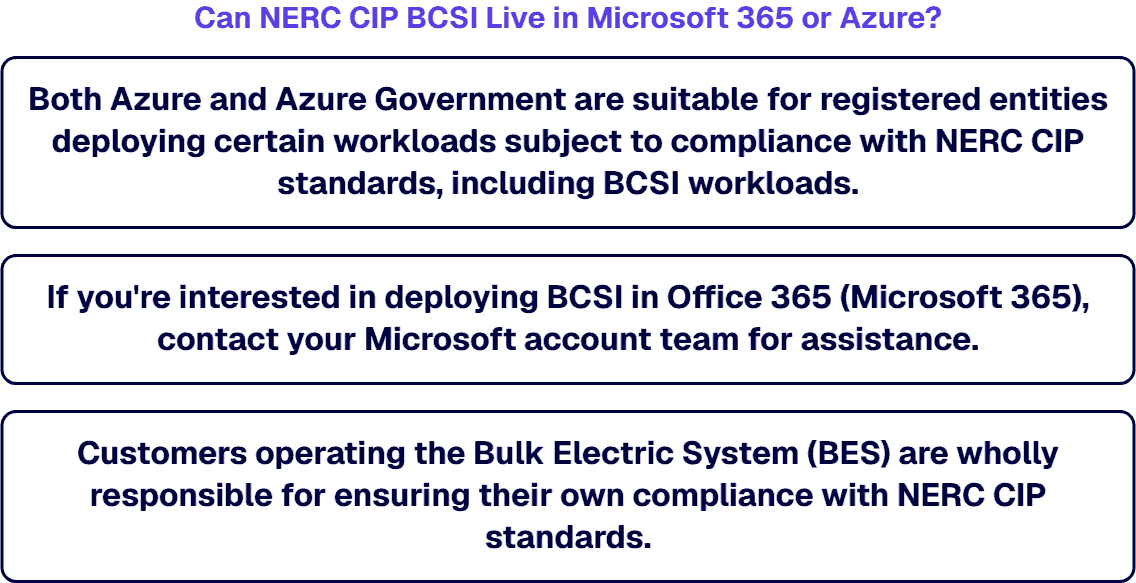
Before BCSI moves into SharePoint, Teams or Exchange, read Microsoft’s two NERC pages for what they cover. Microsoft’s North American Electric Reliability Corporation (NERC) compliance page, last updated April 20, 2023, says “Neither Azure nor Azure Government constitutes a BES or BES Cyber Asset; however, both Azure and Azure Government are suitable for registered entities deploying certain workloads subject to compliance with NERC CIP standards, including BCSI workloads.” The same page says “Information in this article, including all referenced guidance documents, is directly applicable to Azure only.” and “If you’re interested in deploying BCSI in Office 365 (Microsoft 365), contact your Microsoft account team for assistance.”
That page also says “NERC reviewed Azure control implementation details and FedRAMP audit evidence related to NERC CIP-004-6 and CIP-011-2 standards that are applicable to BCSI.” CIP-004-6 and CIP-011-2 are the versions CIP-004-7 and CIP-011-3 replaced; according to NERC, CIP-011-3 took effect on January 1, 2024. Read that review as history, not as a review of the current standards. The page also says “You can download the Cloud implementation guide for NERC audits under a non-disclosure agreement (NDA) from the Service Trust Portal (STP).”
Microsoft’s Azure Government NERC page places the design work with you: “you’re responsible for designing your applications to use end-to-end data encryption that meets NERC CIP standards requirements. Microsoft doesn’t inspect or approve your Azure applications.” It also says “Customers operating the Bulk Electric System (BES) are wholly responsible for ensuring their own compliance with NERC CIP standards.”
For Microsoft 365, NERC’s own cloud guidance is the working reference: its appendix lists “Microsoft 365 (includes apps such as SharePoint Online, Exchange Online, Teams, etc.)” as an example of software as a service, and lists Microsoft Azure under both platform and infrastructure services, while saying the list “should not be considered as an endorsement of any kind.”
Ask the Microsoft account team for the Microsoft 365 position in writing before BCSI moves into SharePoint, Teams or Exchange, and file it with the program.
Some readers should stop and answer an earlier question first.
If a BCSI program in Microsoft 365 or Azure is going to hold up, someone has to design, configure and evidence its controls. i3solutions designs platform-aligned governance for Microsoft environments with Entra ID, Purview and Azure Policy. i3solutions maps governance to named control families, enforces it in the platform through Entra ID, Purview, and Azure Policy, and evidences it continuously rather than reconstructing it at audit. i3solutions governs identity and access for regulated Microsoft estates with senior, U.S.-based engineers and leaves an audit-defensible record.
For a registered entity, that work is the control set in the requirement-to-control table: designated BCSI locations and labels, encryption and customer-held keys, Entra ID access provisioning, access reviews and revocation, Customer Lockbox, Azure Policy, and the evidence the platform produces in its audit logs and access review records. Where BCSI repositories have to move, i3solutions plans and runs governed Azure and Microsoft 365 migrations with senior, U.S.-based engineers. As a Microsoft-focused application development and integration firm, i3solutions also connects those controls to the systems around them. The work is delivered as a project by senior, US-based people, with embedded specialists inside your team where it needs them. Whether the program meets NERC’s requirements stays your determination and your auditor’s.
Microsoft 365 compliance work under other regimes is covered in Microsoft 365 compliance consulting. The wider governance practice is described in enterprise governance and compliance.
The standards allow it with a program behind it; Microsoft’s NERC guidance covers Azure only. NERC’s CIP-011-3 requires “one or more documented information protection program(s) for BES Cyber System Information (BCSI)”, and NERC’s cloud guidance lists “Microsoft 365 (includes apps such as SharePoint Online, Exchange Online, Teams, etc.)” as an example of software as a service. Microsoft says its NERC article “is directly applicable to Azure only” and “If you’re interested in deploying BCSI in Office 365 (Microsoft 365), contact your Microsoft account team for assistance.”
Encryption is one listed example, not the only method. NERC’s CIP-011-3 asks for “Method(s) to protect and securely handle BCSI to mitigate risks of compromising confidentiality.” Its measures list “Implementation of electronic technical method(s) to protect electronic BCSI (e.g., data masking, encryption, hashing, tokenization, cipher, electronic key management)” beside “Implementation of administrative method(s) to protect BCSI (e.g., vendor service risk assessments, business agreements).”
Only if they can obtain and use it, and the program must account for it either way. NERC’s CIP-004-7 says “To be considered access to BCSI in the context of this requirement, an individual has both the ability to obtain and use BCSI.” NERC’s cloud guidance says “If CSP personnel has access to BCSI in the Overlay and/or the Underlay, then this should be accounted for and addressed by the Responsible Entity’s Information Protection Program.” Microsoft says “Customer Lockbox ensures that Microsoft can’t access your content to do service operations without your explicit approval.”
CIP-004-7 and CIP-011-3, with successors approved but taking effect under NERC’s implementation plan. According to NERC’s version history, the CIP-011-3 entry lists an effective date of 1/1/2024, and CIP-004-7 was approved in the same FERC order dated 12/7/21. According to NERC’s version history, a FERC order approving CIP-011-4.1 was issued on March 19, 2026, and NERC’s implementation plan says the revised standards “shall become effective on the later of: (1) April 1, 2026; or (2) the first day of the first calendar quarter that is twenty-four (24) months after the effective date of the applicable governmental authority’s order approving the Revised CIP Standards and Definitions”.
No. Microsoft says “Cloud service providers and third-party vendors aren’t subject to NERC CIP standards” and “you’re ultimately responsible for compliance with NERC CIP standards according to your own facts and circumstances.” Its Azure Government page says “Customers operating the Bulk Electric System (BES) are wholly responsible for ensuring their own compliance with NERC CIP standards.” NERC’s cloud guidance says the provider’s security roles “do not suggest or imply transference of compliance responsibilities from the Responsible Entity to a third-party.”
Compliance has forwarded the HHS rule with a date attached and one question: are we covered? A common first answer in the room is that the portal runs on Power Pages so it must already be fine, or that someone should commission a test report. Both skip the question you have to answer, which is what your portal serves to patients and who built it. The platform your portal runs on and the pages your team or a contractor built on top of it are two different things, and the rule reaches the content patients use, whoever built it.
If compliance sent you this rule in the last few months, it is because HHS moved the dates, not the obligation. On May 11, 2026, the Federal Register published the HHS Office for Civil Rights interim final rule Extension of Compliance Dates for Nondiscrimination on the Basis of Disability; Accessibility of Web Content and Mobile Applications of Recipients of Departmental Financial Assistance, document 2026-09266. It took effect May 7, 2026, and it extends the compliance dates for the web content and mobile app accessibility requirements that HHS “adopted on May 9, 2024.”
Under Federal Register document 2026-09266, the compliance date is May 11, 2027 for recipients with 15 or more employees and May 10, 2028 for recipients with fewer than 15 employees. The rule states the new dates in two sentences: “The compliance date for recipients with fifteen (15) or more employees is extended from May 11, 2026, to May 11, 2027. The compliance date for recipients with fewer than fifteen (15) employees is extended from May 10, 2027, to May 10, 2028.” HHS issued it as an interim final rule with a request for comments, so read the dates on this page as the rule stated them and check the Federal Register for any later change before you plan against them.
HHS gives an example close to a patient portal. It writes that “a clinic with 15 employees that requires patients to schedule vaccination appointments online would have to ensure that the web content used for such scheduling conforms with the success criteria of WCAG 2.1 and can be used by a person who is blind and uses a screen reader.” Scheduling, intake and messaging flows are where your portal meets that sentence.
This page describes what the rule says and by when. Whether your organization is a covered recipient is a determination for your counsel, and the section on when this guide is the wrong starting point explains where that definition lives.
When you read the rule for scope, three sentences do the main work. The first sets what is covered: “Subpart I of the 2024 final rule set forth technical requirements for the web content and mobile apps that recipients provide or make available, directly or through contractual, licensing, or other arrangements.” Subpart I of 45 CFR Part 84 carries the title “Web, Mobile, and Kiosk Accessibility”, and the dates themselves sit in 45 CFR 84.84(b).
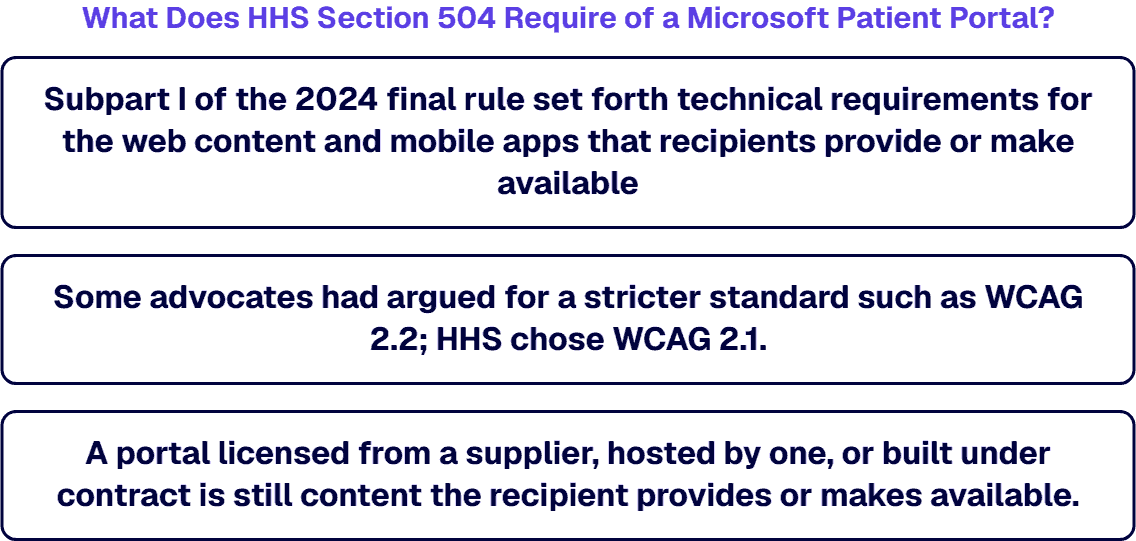
The second sets the standard. The 2024 rule “adopted the Web Content Accessibility Guidelines” at version 2.1 Level AA “as the technical standard for web content and mobile app accessibility under section 504.”
A third sentence limits the reach of the first two. The 2024 rule also included “provisions identifying circumstances when certain web content and content in mobile apps may not need to meet the technical standard.” Those provisions sit in 45 CFR 84.84 through 84.89, and this guide does not restate them. Read them before you decide that an archive, a document set or a third-party feed is in or out of your test scope.
One planning rule follows from the first sentence: the obligation follows the recipient, not the vendor. A portal licensed from a supplier, hosted by one, or built under contract is still content the recipient provides or makes available. The rule records that risk in its own summary of concerns from counties, which noted “there may be difficulty ensuring that the third party contractors, on which they rely, make counties’ web content conform to the success criteria of WCAG 2.1.” Health systems and health plans that rely on contractors for portal pages carry the same exposure.
If your portal runs on Power Pages, Microsoft has published a platform statement you can cite. Its page Accessibility in Power Pages, last updated April 22, 2025, says: “Power Pages conforms to the WCAG 2.2 accessibility standard.” The same page says “The controls included in basic forms are built to follow WCAG 2.2.” WCAG 2.2 is a later version than the WCAG 2.1 the rule names; Microsoft’s compliance page on the Web Content Accessibility Guidelines, last updated June 2, 2026, records that the W3C “updated it to WCAG 2.1 in June 2018.”
That statement is about the platform. It does not cover the content your organization adds, and Microsoft’s own page puts that responsibility on the content author for two surfaces. On custom markup: “The person making the changes to the Liquid templates and Content snippets is responsible for ensuring that the content they add is accessible.” On embedded reports: “as a Power BI report and dashboard author, you should make sure your Power BI reports and dashboards are accessible.” Microsoft also writes: “It’s important to make sure that customizations adhere to the required policies, such as WCAG 2.1, US Section 508, or ETSI EN 301 549.”
The planning rule we draw from this, stated as our reasoning and not as a Microsoft claim: platform conformance and content conformance are separate claims. Every custom page, customized form, Liquid template, uploaded document, embedded report and third-party widget on the portal is a surface your organization has to test on its own. The same applies with more force to a portal built on Microsoft 365 or as a custom Azure application, where the pages a patient sees can be built entirely by your team or a contractor. Microsoft’s Power Pages statement covers none of that, and this page does not assert or deny any other Microsoft conformance report.
When the budget conversation starts, the inventory is what keeps the test scope honest. Before anyone scopes testing, list what the portal serves and who built each piece:
Microsoft names its own tool on the same Power Pages page: “Use the Microsoft Accessibility Insights tool to perform two types of scans:” FastPass, which “automatically checks for compliance with dozens of accessibility requirements”, and Assessment, which “measures compliance with WCAG 2.2 Level AA success criteria.” Microsoft also suggests testing with a screen reader such as Windows Narrator and with Immersive Reader in Microsoft Edge. Treat a scan as a first pass on the custom surfaces in the inventory, and map every finding to the WCAG 2.1 Level AA success criteria the rule names, since the Assessment scan is framed against WCAG 2.2.
If you are unsure which date applies, the rule’s own threshold decides it: 15 or more employees means May 11, 2027, and fewer than 15 employees means May 10, 2028. A hospital system or health plan with thousands of employees is well over the threshold, but confirm your organization’s count against the rule’s own wording with counsel before you plan against either date; this page does not make that determination for you. The rule itself has been in effect since May 7, 2026, and it replaced the 2024 rule’s original dates of May 11, 2026 and May 10, 2027.
Work back from the date that applies. The inventory comes first, then testing of the custom surfaces, then remediation sized to what the testing finds, then a retest. Contracted content sits on the same clock, so any change a supplier has to make belongs in the plan from the start.
If one of these describes your situation, start somewhere else:
When you bring in a team, internal or external, hold the work to these criteria:
When a portal owner brings this question to i3solutions, the work is scoped as a project with embedded specialists alongside the portal team: the inventory of what the portal serves and who built it, the separation of platform statements from custom content, a test plan for the custom surfaces against the rule’s standard, and a remediation plan sized to what testing finds. Power Pages is one example of the platforms this covers: i3solutions builds secure external Power Pages portals for regulated enterprises, owning authentication, role-based access, data protection, and audit evidence rather than handing over a template. i3solutions delivers its full service portfolio into the healthcare vertical exactly as it does into defense manufacturing and finance, including identity work with Okta and Entra ID, AI work, Power Platform, and Dynamics 365 integration. i3solutions has been a Microsoft Partner with 30 years of enterprise technology delivery experience and has delivered 1,500+ Microsoft engagements across aerospace and defense, financial services, and health sciences.
Delivery is senior and US-based. The portal’s accessibility after the project stays with your team. For the wider governance and compliance practice this work sits in, see Governance, Compliance and Security services.
HHS extended the compliance dates in a later Federal Register rule, and the date it sets depends on the recipient’s size: recipients with fewer employees have a later date than larger recipients. The rule moved the dates, not the obligation.
WCAG 2.1 Level AA. HHS adopted it as the technical standard for web content and mobile app accessibility under Section 504, and the later rule changed the compliance dates, not the standard. The section above on what the rule requires quotes the adoption of the standard with its source.
Microsoft states that Power Pages conforms to the WCAG 2.2 accessibility standard, and the section above on what the Microsoft platform already gives you quotes that statement with its source. That is a statement about the platform. The custom pages, Liquid templates, content snippets, documents and embedded reports your portal serves are content your organization adds. Microsoft’s page makes the person who changes Liquid templates and content snippets responsible for the accessibility of what they add, as the section above quotes with its source, and the rest of that content still needs testing against WCAG 2.1 Level AA as well.
The rule covers web content and mobile apps that recipients provide or make available directly or through contractual, licensing or other arrangements, so a vendor-hosted or contractor-built portal is still in scope for the recipient. Put the supplier’s content in the inventory and the test plan, and confirm coverage questions with counsel.
Start with every custom or customized page, form and template, then scheduling and intake flows, uploaded documents such as PDF forms, third-party embeds and contracted content, embedded reports and any mobile app, each marked with who built it. Those are the surfaces a platform statement does not cover.
Michael Branson
Quick answer. As of September 2026, the DoD Zero Trust Strategy’s deadline, Target-level outcomes no later than the end of FY2027 (September 30, 2027), is written for DoD Components, which DoD defines as its own organizations, and no DFARS clause or CMMC rule yet puts Zero Trust into a contractor’s contract, so it does not bind a defense contractor by itself, according to the DoD Zero Trust Strategy and DoD’s Zero Trust Capabilities and Activities. DoD expects the Defense Industrial Base to adopt Zero Trust and planned to carry it into contracts, and the NSA’s January 2026 implementation guidelines are written for the Defense Industrial Base to use at its own discretion, so the real test is whether a specific contract, program office or prime adds it. What the Microsoft tenant must show today is the NIST SP 800-171 Rev 2 evidence that DFARS 252.204-7012 and CMMC Level 1 and Level 2 self-assessment require, and what it should be sequenced to show next is the 91 Target-level activities, starting with the 14 Discovery activities that inventory users, applications, assets and data.
Every fact in these takeaways is drawn from the DoD Zero Trust Strategy, DoD’s Zero Trust Capabilities and Activities, the NSA’s primer, the suspension directive, DFARS part 252 and 32 CFR part 170, each re-read on September 25, 2026:
A program manager forwards an article saying every company in the Defense Industrial Base has to reach Zero Trust Target level by the end of FY2027. The board asks whether that is a contract risk. A security vendor has already quoted a platform to meet the mandate. You own the Microsoft tenant and the evidence behind the company’s CMMC self-assessment, you have read the contracts, and none of them mentions Zero Trust, but you need to be able to show why, in the words of the documents themselves. This guide reads those documents, as re-read at their sources on September 25, 2026: the DoD Zero Trust Strategy, the NSA’s guidelines, DFARS, the CMMC rule and Microsoft’s own guidance, and then sets out what your tenant should show now and what it should be sequenced to show next.
If you are asked whether the deadline is in your contract, start with the sentence that sets it. The DoD Zero Trust Strategy states: “Components must achieve the intended Target level outcomes of each DoD Zero Trust Capability and execution enabler no later than the end of FY2027.” DoD restated the date in a later publication: its Zero Trust Capabilities and Activities says “the mandated deadline to achieve Target Level Zero Trust remains the end of FY2027.” According to the U.S. Code, as published at Cornell’s Legal Information Institute, the federal fiscal year ends on September 30, so the end of FY2027 is September 30, 2027.
The word that decides who is bound is “Components,” and DoD defines it. The same Capabilities and Activities publication says a Component “Refers to OSD, the Chairman, Joint Chiefs of Staff and the Joint Staff, the DoD Inspector General, the Military Departments,” and the list continues through the Defense Agencies, the DoD Field Activities, the Combatant Commands and other DoD organizations. No contractor appears in it. According to the NSA, the Department of War is an authorized secondary title for the Department of Defense, which is why DoD’s library now sits at dowcio.war.gov; the Strategy and your contracts say DoD, and this guide does too.
In the Strategy, the Defense Industrial Base appears as a stakeholder rather than a Component. The DoD Zero Trust Strategy says “stakeholders throughout the DoD ZT Ecosystem, including the Defense Industrial Base (DIB), will need to embrace and execute beginning with FY2023 through FY2027 and in the future.” It also sets an objective to “Incorporate ZT requirements into DoD-wide and Component-specific strategies, policies, frameworks, and directives, and contracts by end of FY2023 and next iteration through FY 2027.” That is a plan to reach contractors through contracts, not a clause in one. DoD’s own DIB Cybersecurity Strategy, “covering Fiscal Year (FY) 2024 through FY 2027,” uses the phrase “zero trust” 0 times, as read on September 25, 2026.
Read the deadline as a signal of where DoD is going and ask where it reaches you, not as a date already written into your contract. If you want the Zero Trust approach itself, rather than the question of who is bound by DoD’s date, see identity and access management.
When a prime or a vendor points you to the NSA’s Zero Trust Implementation Guidelines, read who they are written for before you read what they say. The NSA’s Zero Trust Implementation Guideline Primer, published in January 2026, states: “The ZIGs are intended to assist the DoW, Defense Industrial Base (DIB), NSS, and affiliated organizations with incorporating ZT principles into their processes.” It also says “the ZIGs provide the tools and guidance to assist in refining ZT implementation plans at the organization’s discretion.” The Defense Industrial Base is a named audience, and the use is discretionary.
One word in the primer means something different from the Strategy. In the NSA’s guidelines, “Component refers to the organization implementing ZT.” That is why a contractor reading them meets the word Component on every page. It is not DoD’s definition, which names DoD organizations only, and reading the NSA’s sense into the Strategy’s deadline is one way the claim that contractors are bound by FY2027 gets made.
For the counts, go to the same NSA primer. The primer says the DoD CIO’s Zero Trust Framework “defines 152 Activities (91 Target-level),” and the primer counts “Target-level Capabilities (42) and Target-level Activities (91).” The NSA splits the 91 into three guideline phases:
The NSA says Phase Three and Phase Four, the Advanced-level phases, may be developed at a later date, and it is plain about the status of the phases themselves: “These phases are not doctrinal but are a structured approach to organize the ZT Activities.” According to the NSA primer, the Discovery phase exists to collect information about the environment: its data, applications, assets and services, and its users and non-person entities.
Use Discovery as the first year’s work because it is inventory, and inventory is evidence you need whether or not Zero Trust ever reaches your contract.
Before you decide what Zero Trust work is required, read what your contracts already require, because that is where the obligation sits. DFARS 252.204-7012 says, in DFARS part 252, that “The Contractor shall implement NIST SP 800-171.” DoD’s directive implementing the suspension of CMMC Phase II, dated July 13, 2026, confirms that “The cybersecurity requirements outlined in the clause at DFARS 252.204-7012, Safeguarding Covered Defense Information and Cyber Incident Reporting, remain in effect.”
On CMMC, the same directive states: “The upcoming November 2026 transition to Phase 2 of CMMC implementation is suspended.” It adds that “during this suspension the Department will enforce baseline compliance with NIST SP 800-171 Rev 2 through CMMC Level 1 and CMMC Level 2 self-assessment and select Government-led assessments.” The CMMC rule itself, 32 CFR part 170 in the eCFR, states: “The security requirements in CMMC Level 2 are identical to the requirements in NIST SP 800-171 R2.” For the CMMC schedule and what the suspension means for your level, see CMMC requirements and timeline.
Zero Trust is not in that text. As read on September 25, 2026, the phrase “zero trust” appears 0 times in DFARS part 204, 0 times in DFARS part 239, 0 times in DFARS part 252 and 0 times in 32 CFR part 170. That describes the regulation as it stands; it does not say no clause will be written.
The route by which Zero Trust could reach a specific award is also in the directive: “The Program Managers and requiring activities may require additional cybersecurity protections as commensurate with law and regulation.” Which compliance regime applies to your company as a whole, CMMC, FedRAMP, ITAR or GCC High, is a separate question from this one.
Read each active contract and solicitation for DFARS 252.204-7012, the CMMC level and any added cybersecurity clause before you decide what Zero Trust work is required, and ask the contracting officer where the text is unclear. That determination belongs to the contract and the contracting officer, not to this guide.
The failure to avoid is building two separate programs, one for the NIST SP 800-171 Rev 2 evidence your contracts require and one for Zero Trust, when the first year of each asks for the same thing: an inventory drawn from the tenant. DoD’s own activity text shows why, without any claim about how much the two frameworks share: one DoD activity is an inventory. Microsoft’s guidance for the DoD Zero Trust user pillar reproduces one DoD activity as “Accounts both centrally managed by an IdP/ICAM and locally on systems will be identified and inventoried.” Microsoft’s guidance for it reads: “Identify regular and privileged users in your organization using the Microsoft Entra admin center or Microsoft Graph API.” It also says: “We recommend you use cloud-only users for privileged access.”
This guide’s own planning structure, not DoD’s and not the NSA’s, follows from that and from the phases in the NSA’s Zero Trust Implementation Guideline Primer. It is a sequence for the tenant, not a mapping between frameworks:
The counts behind that sequence are the NSA’s, in its Zero Trust Implementation Guideline Primer: 14 Discovery activities, then 36 in Phase One and 41 in Phase Two. No DoD or NSA document read for this guide maps NIST SP 800-171 Rev 2 or CMMC Level 2 to those activities, so this guide states no share of Target level that your CMMC evidence covers.
Produce the user, privileged-user, device, application and data inventories from the tenant this year, because they serve the NIST SP 800-171 Rev 2 evidence and Discovery at once, and keep them current rather than rebuilding them for each request.
The trap is reading Microsoft’s DoD Zero Trust guidance as a statement about your tenant. According to Microsoft Learn’s overview of Microsoft services for the DoD Zero Trust Strategy, “Guidance is scoped to features generally available (GA) or in public preview in Microsoft 365 DoD cloud and Azure for US Government cloud.” Microsoft’s Office 365 GCC High and DoD service description says “only Department of Defense entities might purchase licenses for the Office 365 DoD environment,” while “Non-Department of Defense entities who meet the appropriate eligibility requirements might purchase licenses for the Office 365 GCC High environment.” A contractor reading Microsoft’s DoD guidance is reading guidance written for a cloud it cannot buy, so which Target-level activities a GCC High tenant can meet is a separate read from this one.
If any of these describes your company, the reading in this guide changes, and so does what you do.
Whoever does this work with you, inside the company or outside it, hold it to these criteria, stated as what they should be able to show you against the suspension directive and the NSA’s primer:
No provider, product, assessor or consultancy is named or compared in that list.
We manage GCC High migrations end-to-end: from eligibility validation and licensing coordination with your AOS-G supplier through identity architecture, data migration, security baseline configuration, and post-migration governance. i3solutions plans and runs these migrations for regulated defense organizations, structuring each phase around the compliance evidence assessors expect.
For this question, the work is a project, with embedded specialists where your team needs them: reading your contracts’ cybersecurity requirements with you, evidencing NIST SP 800-171 Rev 2 in the Microsoft tenant, building the Discovery inventories from the tenant, and sequencing the Target-level activities as a roadmap your team owns. The i3solutions Federal Compliance Assessment evaluates a client tenant against NIST SP 800-53 and CMMC using automated tenant configuration scripts and a 42-point security checklist. i3solutions engages its Federal Compliance Assessment when the scope spans a FedRAMP Moderate or FedRAMP High boundary, or when the client operates in a GCC High tenant. i3solutions advises clients on federal compliance posture as its own assessment rather than as a restatement of Microsoft’s documentation, including whether SharePoint Online meets NIST 800-53, whether Azure Government is required under the DoD Cloud Computing SRG, and whether a CMMC gap assessment is needed to bid.
i3solutions maps governance to named control families, enforces it in the platform through Entra ID, Purview, and Azure Policy, and evidences it continuously rather than reconstructing it at audit. i3solutions governs identity and access for regulated Microsoft estates with senior, U.S.-based engineers and leaves an audit-defensible record. i3solutions has been a Microsoft Partner with 30 years of enterprise technology delivery experience and has delivered 1,500+ Microsoft engagements across aerospace and defense, financial services, and health sciences.
An i3solutions project engagement does not by itself include ongoing support of what it delivers, which i3solutions scopes separately as Application Managed Services, and it is not a replacement for the internal team, open-ended scope expansion, or vendor lock-in. Advising on your posture is not certifying it: i3solutions is not your CMMC assessor, and the determination of what a specific contract requires stays with your contracting officer.
For how this fits your wider governance program, see enterprise governance and compliance.
Not by itself. According to the DoD Zero Trust Strategy, Components must achieve Target-level outcomes no later than the end of FY2027, and according to DoD’s Zero Trust Capabilities and Activities, a Component is a DoD organization, with no contractor in the definition. According to the same Strategy, DoD planned to carry Zero Trust requirements into contracts, so it reaches a contractor through a specific contract, program office or prime flow-down, which the contracting officer confirms.
According to acquisition.gov and the eCFR, as read on September 25, 2026, the phrase “zero trust” appears 0 times in DFARS parts 204, 239 and 252 and 0 times in 32 CFR part 170, the CMMC rule. That describes the regulation as it stands; it does not say no clause will be written, and a program office may still require additional cybersecurity protections in a specific award.
According to the NSA, Phase Three and Phase Four cover the Advanced level and may be developed at a later date, and the phases are not doctrinal but a structured way to organize the activities.
No DoD or NSA document read for this guide says so. According to 32 CFR part 170, the security requirements in CMMC Level 2 are identical to the requirements in NIST SP 800-171 R2, and no DoD or NSA document read for this guide maps them to the Target-level activities, so this guide states no overlap.
Michael Branson
Every fact in these takeaways is drawn from CISA’s BOD 26-04 and its implementation guidance, and from Microsoft Learn’s remediation guide, Windows Autopatch FAQ and Intune government service description, all re-read on October 19, 2026:
The memo from the CIO’s office carried a number, three days, and one question under it: does Intune already do this, and does it matter which government cloud the tenant sits in? The number is real, but it is conditional. CISA attaches it to four criteria and to forensic triage, not to every patch, and the Microsoft tools that carry it work differently in GCC than in GCC High or DoD, according to CISA’s BOD 26-04 and Microsoft Learn. This guide sets out what CISA requires and by when, who it binds, the two Microsoft workflows that carry the timeline, where the government cloud changes the answer, and the tagging work underneath all of it.
An agency that schedules every patch on one monthly ring is working to a model CISA has now replaced. CISA’s BOD 26-04: Prioritizing Security Updates Based on Risk, issued June 10, 2026, sets three phases, and Phase III is the one with a compliance date. It tells agencies to “Remediate each vulnerability as quickly as possible and no later than the timelines set forth in Table 1: Remediation Timelines.” Counted from the June 10, 2026 issuance, that phase applies from December 7, 2026. The same directive supersedes and revokes BOD 19-02 and BOD 22-01, according to CISA, so a program still organized around the old catalog deadlines is working to rules that no longer stand.
Which vulnerabilities land in the fastest tier is decided by four questions that CISA lists in BOD 26-04, each answered per vulnerability:
The top of the scale is stated in CISA’s implementation guidance for BOD 26-04: “Agencies must then identify whether the vulnerability meets the remediation threshold in fewer than three days and requires forensic triage to assess whether the systems or network infrastructure have been impacted or compromised.” That is the only day count this guide states. The remaining day counts sit in CISA’s Table 1 on CISA’s own pages; confirm them there before you write an internal due date for any tier below the top one.
A contractor’s IT director who reads the directive looks for one sentence, and it is conditional. CISA’s BOD 26-04 states: “Unless directed by the governing procurement contract, this Directive does not apply to contractors, but FCEB agencies must review all contracts to determine what modifications are necessary to comply with the required actions of this Directive, in consultation with the Contracting Officer.” The answer for any one contractor therefore sits in its contract, and the route to it runs through the agency’s Contracting Officer. This guide does not say whether a given contract carries the requirement.
Defender flags a KEV-listed vulnerability on a publicly exposed server, and the question becomes how that finding turns into dated work on the IT side. Microsoft’s guide to remediating vulnerabilities with Defender Vulnerability Management describes a hand-off, not an automatic fix: “Security admins like you can request for the IT Administrator to remediate a vulnerability from the Recommendation pages to Intune.”
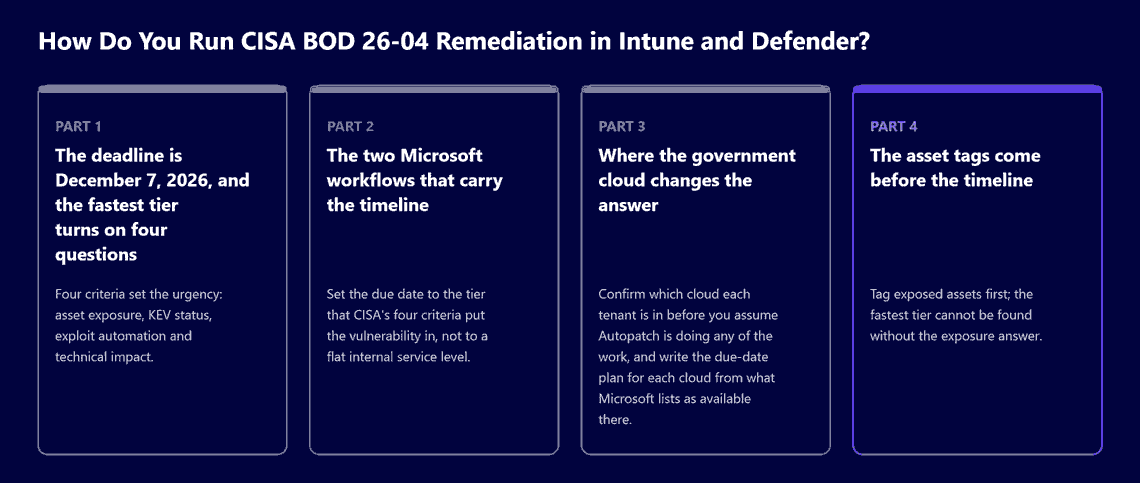
The request form carries the fields a tiered timeline needs. Microsoft’s remediation guide states: “Fill out the form, including what you are requesting remediation for, whether to open a ticket in Intune, priority, due date, and optional notes.” Set the due date to the tier that CISA’s four criteria put the vulnerability in, not to a flat internal service level.
Choose the request option with care. Microsoft’s remediation guide states: “If you choose the attention required remediation option, you can’t select a due date because that option doesn’t create a remediation action to track.” For a vulnerability on a timed tier, that option leaves nothing to track against the deadline.
The Intune side has a prerequisite. Microsoft’s remediation guide states: “If you have the Intune connection enabled, you get an option to create an Intune security task when creating a remediation request.” According to Microsoft Learn, that connection is off by default and is turned on in the Microsoft Defender portal under Settings, Endpoints, General, Advanced features.
Once submitted, the request is tracked in two places. Microsoft’s remediation guide states: “A security task is created that can be tracked on a Remediation page, and a remediation ticket is created in Microsoft Intune.” The due date is a field on that ticket and is visible on the Remediation page; Microsoft’s page does not describe it as an enforcement mechanism, so the team’s own review of open tickets against their due dates is what holds the timeline.
The second workflow keeps Windows devices current before a request is needed at all. Microsoft’s overview of Windows Autopatch states: “Using Windows quality and feature update reports, you can monitor and remediate managed devices that are Not up to Date and resolve any device alerts to bring managed devices back into compliance.” Where Autopatch is available, use those reports to find the devices that are Not up to Date, and use the remediation request for the specific vulnerability that the four criteria put on a clock.
The same agency can have Windows Autopatch in one tenant and no Autopatch at all in another, depending on which government cloud the tenant sits in. In GCC, Microsoft’s Windows Autopatch FAQ states: “Windows Autopatch is included automatically for Government Community Cloud (GCC) customers using Microsoft 365 G3 GCC, Microsoft 365 GCC G5, or Microsoft 365 GCC G5 without WDATP/CAS Unified.” GCC also runs on the same Intune service that commercial customers use. Microsoft’s Intune for US Government GCC High and DoD service description states: “GCC is the same instance as Microsoft Intune in the commercial space.”
In GCC High and DoD, Microsoft’s Windows Autopatch FAQ states: “Windows Autopatch is not currently supported in US Government Community Cloud High (GCC High) or Department of Defense (DoD) environments.” The Intune page goes further. Microsoft’s Intune for US Government GCC High and DoD service description states: “The following features are currently not available and aren’t supported in GCC High and DoD clouds.” On that page, last updated October 2, 2026 and re-read for this guide on October 19, 2026, the list under that sentence names Windows Autopatch, Feature updates for Windows in Intune, Quality updates for Windows in Intune, Expedite updates for Windows in Intune and Driver updates for Windows in Intune. In GCC High and DoD, then, neither Windows Autopatch nor those four update policies is available to carry BOD 26-04’s timeline. The Microsoft pages read for this guide do not name a replacement for them, so confirm with Microsoft how Windows updates will reach GCC High and DoD devices before you commit a due date that depends on them.
What stays in place across all three clouds is the request side of the workflow. Microsoft’s page on Defender for Endpoint for US Government customers states: “This offering is available to GCC, GCC High, and DoD customers and is based on the same prevention, detection, investigation, and remediation as the commercial version.” Its table lists Defender Vulnerability Management core and premium capabilities for GCC, GCC High and DoD, and its note, as read on October 19, 2026, names two Defender Vulnerability Management functions that are not available in those clouds: Report inaccuracy and Request CVE support. The remediation request is not one of the two. Intune itself serves GCC High and DoD from a separate government instance: Microsoft’s Intune service description states: “In the government cloud, the Intune service instance is shared with GCC High and DoD tenants.”
Confirm which cloud each tenant is in before you assume Autopatch is doing any of the work, and write the due-date plan for each cloud from what Microsoft lists as available there.
An agency that has not tagged its internet-facing assets cannot say which vulnerabilities meet the Asset Exposure criterion, so it cannot say which ones are on the fastest clock. CISA’s BOD 26-04 tells agencies to “Continuously identify and tag all agency-owned assets that can be reached from outside the agency network and using a routable IP address.” According to CISA, the tags must include:
Reporting runs on its own clock. CISA’s BOD 26-04 states: “Agencies that have not fully automated their vulnerability reporting through the CDM Program must regularly report this information to CISA every seven days using a CISA-approved, machine-readable format and following CISA reporting instructions.” This guide’s own recommendation, not CISA’s: build the exposure tag first, because the fastest tier cannot be identified for an asset whose exposure is unknown.
Some readers should stop and start somewhere else.
Hold anyone who builds it, internal or external, to these criteria:
i3solutions plans and runs governed Azure and Microsoft 365 migrations with senior, U.S.-based engineers. For BOD 26-04 the work is a project: assess the tenant’s Intune, Defender Vulnerability Management and Windows Autopatch set-up against CISA’s four criteria, design the asset-tagging taxonomy, configure the remediation-request-to-Intune workflow and its due dates, confirm which government cloud each tenant is in and what Microsoft lists as available there, test the response time, and hand the configuration and runbooks to the agency’s own team, with embedded specialists where that team needs them. The agency’s team runs the remediation program after the hand-off. i3solutions plans and runs Intune migrations for enterprises moving domain-joined Windows devices off on-premises Group Policy. i3solutions is a Microsoft Solutions Partner. i3solutions has been a Microsoft Partner with 30 years of enterprise technology delivery experience and has delivered 1,500+ Microsoft engagements across aerospace and defense, financial services, and health sciences.
For how this fits wider governance work, see enterprise governance and compliance solutions.
According to CISA, BOD 26-04: Prioritizing Security Updates Based on Risk was issued June 10, 2026, supersedes and revokes BOD 19-02 and BOD 22-01, and requires Federal Civilian Executive Branch agencies to remediate each vulnerability no later than the timelines in its Table 1, with that phase applying from December 7, 2026.
According to CISA, urgency turns on Asset Exposure (is the asset publicly exposed), KEV Status (is the vulnerability on the Known Exploited Vulnerabilities Catalog), Exploit Automation (can an adversary automate every step of exploitation) and Technical Impact (does an adversary gain partial or total control). According to CISA’s implementation guidance, a vulnerability that meets the remediation threshold in fewer than three days also requires forensic triage.
According to CISA, unless directed by the governing procurement contract, BOD 26-04 does not apply to contractors, but FCEB agencies must review all contracts to determine what modifications are necessary, in consultation with the Contracting Officer. Whether a specific contract carries it is answered by that contract.
No. According to Microsoft Learn, a security admin requests remediation from the Defender Vulnerability Management Recommendation pages, the request carries a priority and a due date, and it creates a remediation ticket in Microsoft Intune for the IT administrator; the attention required option creates no action to track and takes no due date.
No. According to Microsoft Learn, Windows Autopatch is not currently supported in GCC High or DoD, and the Intune government service description, last updated October 2, 2026, lists Windows Autopatch and the Feature, Quality, Expedite and Driver update policies for Windows in Intune as currently not available in GCC High and DoD. According to Microsoft Learn, Windows Autopatch is included automatically in GCC for Microsoft 365 G3 GCC, Microsoft 365 GCC G5, or Microsoft 365 GCC G5 without WDATP/CAS Unified, and its reports show the devices that are Not up to Date.
According to Microsoft Learn, Defender Vulnerability Management core and premium capabilities are listed for GCC, GCC High and DoD, and the page names two functions that are not available there: Report inaccuracy and Request CVE support. The remediation request is not one of the two, and Microsoft Learn describes Intune for GCC High and DoD as a shared government-cloud instance.
By Michael Branson
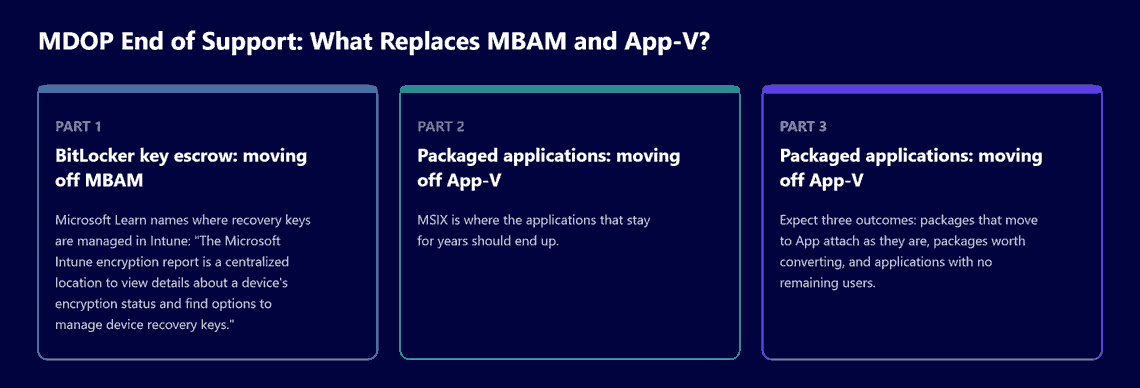
When an assessor asks where BitLocker recovery keys are escrowed, or a ticket shows that the App-V infrastructure has not been patched in months, the console behind both is one Microsoft stopped supporting in April. A console that still works is not the same as a console that is still supported. This guide sets out what Microsoft ended on April 14, 2026 and what it did not, where Microsoft puts recovery-key escrow and packaged applications instead, and the order that moves the most exposure first. Whether a given estate meets a particular control is the organization’s own determination and its assessor’s, not this guide’s.
The components ended together, but they did different jobs, and one piece of App-V did not end at all.
Microsoft’s lifecycle page Ending Support in 2026 lists the products “governed by the Fixed Policy” that end support during the year. The Microsoft Desktop Optimization Pack (MDOP) entries in its April 14, 2026 row are Microsoft Advanced Group Policy Management 4.0, Microsoft Application Virtualization 5.0 and 5.1, Microsoft Application Virtualization Hosting 5.0 and 5.1 for Windows Desktops, Microsoft BitLocker Administration and Monitoring 2.5, Microsoft Diagnostics and Recovery Toolset 10.0, and User Experience Virtualization (UE-V) 2.1.
The product pages say the same thing in plainer words. Microsoft’s lifecycle page for Microsoft Application Virtualization 5.0 notes “Support for this product has been extended through April 14, 2026.” The lifecycle page for Microsoft BitLocker Administration and Monitoring 2.5 gives the same extended end date. Microsoft’s App-V overview, Application Virtualization (App-V) for Windows client overview, still carries the note it published in advance: “Extended support for MDOP ends on April 14, 2026.” That date has passed, so an estate still running any of these components has been running them outside Microsoft support since April.
What did not end is the App-V client in Windows 10 and Windows 11. The same Microsoft App-V overview says the App-V client follows the lifecycle of its Windows version, and fixed extended support for App-V server continues through October 9, 2029. The practical reading is that the packaged applications on the desktop still have a supported client while the MDOP releases and hosting components that surrounded them do not.
Advanced Group Policy Management, Diagnostics and Recovery Toolset and UE-V share the April 14, 2026 date. None of the Microsoft pages cited in this guide names a replacement for them, so this guide names none; list them in the inventory and decide each one on its own facts.
If a device asks for its recovery key tomorrow, the service desk will look it up wherever the key was escrowed, and in an estate that has not moved, that is still an MBAM database behind a console Microsoft no longer supports. A Microsoft Community Hub guide by ms-foxworks, Migrating BitLocker Recovery Key Management from ConfigMgr to Intune: A Practical Guide (May 18, 2025), describes a common starting point: “In many organizations, BitLocker encryption and key management is handled via MBAM Standalone or the Configuration Manager BitLocker feature.”
Microsoft Learn names where recovery keys are managed in Intune: “The Microsoft Intune encryption report is a centralized location to view details about a device’s encryption status and find options to manage device recovery keys.” It adds a condition worth reading before planning: “The recovery key options that are available depend on the type of device you’re viewing.” For Windows, the same page, Monitor device encryption with Intune, says “For Windows devices, Intune only shows Status details for devices that run the Windows 10 April 2019 Update or later, or Windows 11.” A device on an older build will not show the detail an assessor asks to see, so the device inventory comes before the cutover.
The order of the move matters more than any single setting. The same Community Hub guide, written for “Entra-Hybrid-Joined devices that are co-managed”, starts with the workload, not the policy: “First, set Endpoint Protection workload authority to Intune. Assign your devices to a staging collection.” It notes that this step “will not immediately change BitLocker policies on the device” and “prepares the system to receive policy from Intune.” It also states that “Intune does not require the MBAM-Agent to manage and control Disk-Encryption”. That walkthrough is a practitioner guide, not formal product documentation, and its author states that “The sample scripts are not supported under any Microsoft standard support program or service.” This guide takes the order of work from it and nothing command-level.
Call the move complete when every device’s recovery key is visible in the Intune encryption report, the service desk retrieves keys there rather than in MBAM, and the MBAM console is switched off without anyone asking for it. i3solutions’ standing BitLocker management work sits on its Intune readiness services page.
The App-V plan stalls on one assumption: that every package has to be rebuilt as MSIX before the MDOP App-V infrastructure can be retired. Microsoft’s own announcement points the other way. In Announcing App-V support in App attach on the Microsoft Community Hub (JimMoyle, November 19, 2024), Microsoft acknowledged that “the impending April 2026 deprecation is weighing heavily on IT pros” and announced that “Microsoft Application Virtualization (App-V) for Windows is now supported by App attach in Azure Virtual Desktop”. The same post says “IT admins can now manage and deploy their App-V applications just as easily as they would with MSIX or AppX packages” and that “App-V is shifting to an extended support phase, making it easier for admins to move their business-critical applications to Azure Virtual Desktop using App attach.”
Read together, those statements mean the existing App-V packages are what App attach delivers, so conversion to MSIX is a later, per-application decision rather than the first step. That is this guide’s reading of Microsoft’s announcement; Microsoft’s own recommendation in Application Virtualization (App-V) for Windows client overview is: “We recommend looking at Azure Virtual Desktop with MSIX app attach.”
MSIX is where the applications that stay for years should end up. Microsoft’s What is MSIX? says: “MSIX is the modern Windows app packaging format. It gives any Windows app a reliable, clean install and uninstall, automatic updates, and access to Windows platform features that require a package identity.” Expect three outcomes: packages that move to App attach as they are, packages worth converting, and applications with no remaining users. Test each package before it moves; neither route promises that every package behaves the same way it did on the old infrastructure.
Keep the client distinction straight in every status report. According to Microsoft, the MDOP App-V releases and App-V Hosting for Windows Desktops ended on April 14, 2026; the App-V client follows the lifecycle of its Windows version, and fixed extended support for App-V server continues through October 9, 2029. Calling the whole of App-V unsupported overstates the problem and pushes teams into an MSIX rebuild on a timetable no one set.
If everything moves at once, the largest effort holds up the smallest one, so the order of work moves the most exposure first and defers the largest effort until the estate is on supported ground.
Some questions arrive with the words BitLocker or App-V in them when the decision behind them is a different one.
When an outside team carries this work, or your own team does, the same questions separate a plan from a guess.
When a regulated IT team takes this on, it needs a project with an end date: the inventory, the escrow move into Intune, and the App-V move to App attach or MSIX, with embedded specialists where the internal team needs more hands for a period. i3solutions plans and runs Intune migrations for enterprises moving domain-joined Windows devices off on-premises Group Policy. i3solutions has been a Microsoft Partner with 30 years of enterprise technology delivery experience and has delivered 1,500+ Microsoft engagements across aerospace and defense, financial services, and health sciences. The people who do the work are senior and based in the US. An i3solutions project engagement does not by itself include ongoing support of what it delivers, which i3solutions scopes separately as Application Managed Services, and it is not a replacement for the internal team, open-ended scope expansion, or vendor lock-in. This work sits within i3solutions’ modernization services.
According to Microsoft’s lifecycle list, Microsoft BitLocker Administration and Monitoring has reached its end of support, and Microsoft’s App-V overview says extended support for MDOP has ended. This guide makes no claim about how long an unsupported console keeps running.
In Intune, Microsoft Learn says “The Microsoft Intune encryption report is a centralized location to view details about a device’s encryption status and find options to manage device recovery keys.” According to the same page, a Windows device on an older build will not show its Status details.
No conversion is the first step. Microsoft announced that “Microsoft Application Virtualization (App-V) for Windows is now supported by App attach in Azure Virtual Desktop” and that “IT admins can now manage and deploy their App-V applications just as easily as they would with MSIX or AppX packages”. Converting to MSIX remains a later, per-application decision; test each package before it moves.
No. Microsoft’s App-V overview says the App-V client follows the lifecycle of its Windows version, and App-V server remains in fixed extended support. According to Microsoft’s lifecycle list, the MDOP releases of App-V and App-V Hosting for Windows Desktops are the parts that reached their end of support.
Microsoft says “MSIX is the modern Windows app packaging format. It gives any Windows app a reliable, clean install and uninstall, automatic updates, and access to Windows platform features that require a package identity.”
By Michael Branson
Deploying Microsoft Defender for Identity is a server project, not a license switch: Microsoft’s Microsoft Defender for Identity deployment overview says to install a sensor on every domain controller, including read-only domain controllers, and on the AD FS, AD CS and Microsoft Entra Connect servers that are not domain controllers, and each of those servers has to meet Microsoft’s operating system, auditing, account and connectivity prerequisites. Before the first alert arrives, your organization also has to decide who triages, investigates and responds to what the sensors report, because the product detects and reports and the response is a staffing decision. The scoping question to answer first is how many identity servers you run, on which Windows Server versions, and whether they are already onboarded to Microsoft Defender for Endpoint.
If you are the IT leader, the request can reach you as one line on a security roadmap: the licenses are already paid for, so turn it on. The product lives in the security team’s portal, but the work lands on servers you own: the domain controllers, the federation farm, the certificate authority and the Entra Connect servers, their change windows and their audit policy. The first decision is made per server: according to Microsoft Learn, servers running Windows Server 2016 or earlier use sensor v2.x, and AD FS, AD CS and Microsoft Entra Connect servers must be onboarded to Defender for Endpoint before activating sensor v3.x. Treating it as a checkbox fails in two predictable ways. Sensors go on some domain controllers and not others, and the gaps are found later. Or the sensors go live cleanly and the first alerts land in a queue no one has agreed to own. This guide sets out the server scope, the prerequisites in Microsoft’s words, the order of work, and the ownership decision to settle before go-live.
Microsoft’s Microsoft Defender for Identity overview page describes the product this way: “Microsoft Defender for Identity helps organizations detect, investigate, and respond to identity-based attacks across on-premises, cloud, and hybrid environments.” It describes where the work happens: “Sensors run on your identity infrastructure, capturing and parsing relevant network traffic and Windows events locally.” And where the results go: “Defender for Identity streams identity signals into the Microsoft Defender portal, where they are correlated with data from endpoints, email, SaaS applications, cloud workloads, and other security sources.”
Two consequences follow for the IT leader. The sensors are software on some of your most sensitive servers, so their rollout is change-controlled server work. And the output is a stream of alerts and recommendations in a portal your security function reads, so someone has to be named to read it.
When you scope the project, coverage is the first decision, and Microsoft states it plainly. Microsoft’s Microsoft Defender for Identity deployment overview page states: “Install Defender for Identity sensors on all domain controllers, including read-only domain controllers (RODCs).” It continues: “Also install sensors on Active Directory Federation Services (AD FS), Active Directory Certificate Services (AD CS), and Microsoft Entra Connect servers that aren’t domain controllers.” Microsoft’s Microsoft Defender for Identity frequently asked questions page repeats the point: “We recommend that you have a Defender for Identity sensor or standalone sensor for each one of your domain controllers.”
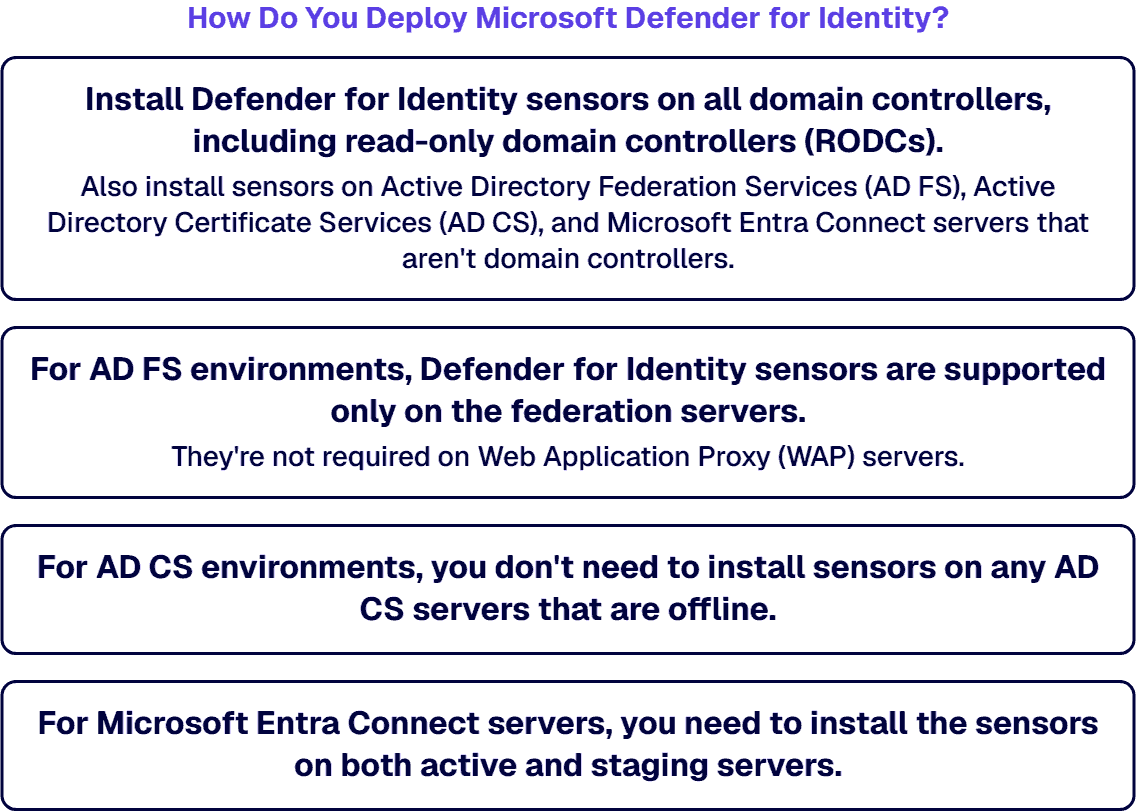
For the other identity roles, Microsoft’s Configure sensors for AD FS, AD CS, and Microsoft Entra Connect page narrows the scope server by server:
Two scoping points are easy to miss. The staging Entra Connect server is in scope, not only the active one. And an AD FS farm stays in the sensor scope Microsoft names for as long as it runs, even if its retirement is already planned. Build the inventory before anything is installed: every domain controller in every domain, including read-only ones, every federation server, every online certificate authority server, and both Entra Connect servers.
When your estate mixes Windows Server versions, the sensor choice is made server by server: it depends on each server’s version and on whether it is already onboarded to Microsoft Defender for Endpoint. Microsoft’s Microsoft Defender for Identity deployment overview page lists sensor v3.x for “Windows Server 2019 or later with the September 2026 or later cumulative update” and sensor v2.x for “Windows Server 2016 or earlier”. It states: “Defender for Identity supports sensor v3.x and sensor v2.x in the same workspace.” On the endpoint dependency it states: “For eligible domain controllers running Windows Server 2019 or later, sensor v3.x supports onboarding with or without Microsoft Defender for Endpoint deployment.” and “AD FS, AD CS, and Microsoft Entra Connect servers must be onboarded to Defender for Endpoint before activation.” It also names two features only the older sensor has: “If your organization requires VPN integration or syslog notifications, use the v2.x sensor on the applicable domain controllers. These features aren’t supported by the v3.x sensor.”
Preview status matters in a regulated change process, so state it as Microsoft does. Microsoft’s Activate the Microsoft Defender for Identity sensor v3.x page states: “Activating the Defender for Identity sensor v3.x on AD FS, AD CS, and Microsoft Entra Connect servers that aren’t domain controllers is in preview.” It also states: “Automatic activation applies only to eligible servers onboarded to Defender for Endpoint.” Microsoft’s Deploy the Microsoft Defender for Identity sensor v3.x page states: “Manual activation of Defender for Identity sensor v3.x on eligible AD FS, AD CS, and Microsoft Entra Connect servers is in preview.” It adds: “This preview applies only to servers that aren’t domain controllers and don’t have an existing Defender for Identity sensor.” And it sets an order: “If you deploy the Defender for Identity sensor v3.x only on AD FS, AD CS, or Microsoft Entra Connect servers, you must also install at least one v3.x sensor on a domain controller.”
In practice, the sensor choice is a server-by-server table your team fills in: Windows Server version, cumulative update level, Defender for Endpoint status, and whether VPN integration or syslog notifications are required. Decide whether a preview path is acceptable under your change policy before you plan around it.
If the licensing is not in place, there is no project, so confirm it first. Microsoft’s Microsoft Defender for Identity sensor v2.x prerequisites page lists the licenses that allow a deployment: Enterprise Mobility + Security E5 (EMS E5/A5), Microsoft 365 E5 (Microsoft E5/A5/G5), Microsoft 365 E5/A5/G5/F5 Security, Microsoft 365 F5 Security + Compliance, and a standalone Defender for Identity license. It adds: “Both F5 licenses require Microsoft 365 F1/F3 or Office 365 F3 and Enterprise Mobility + Security E3.” Microsoft’s Microsoft Defender service description states: “Microsoft Defender for Identity features are enabled at the tenant level for all users within the tenant.” This guide states no price for any of these licenses.
Access and accounts come next. Microsoft’s Deploy the Microsoft Defender for Identity sensor v3.x page states: “To create your Defender for Identity workspace, you need a Microsoft Entra ID tenant.” It also states: “You must either be a Security Administrator, or have the following Unified RBAC permissions”. For the older sensor, Microsoft’s Microsoft Defender for Identity sensor v2.x prerequisites page states: “We recommend using at least one Directory Service account, with read access to all objects in the monitored domains.” The older sensor on the other identity roles needs one too. Microsoft’s Configure sensors for AD FS, AD CS, and Microsoft Entra Connect page states: “A v2.x sensor installed on an AD FS, AD CS, or Microsoft Entra Connect server can’t use the local service account to connect to the domain.” On AD FS, that Directory Service account also needs read access to the AD FS database, which is a database permission your database owner grants and records.
Then the servers themselves. Microsoft’s Microsoft Defender for Identity sensor v2.x prerequisites page sets these conditions:
The newer sensor is lighter. Microsoft’s Deploy the Microsoft Defender for Identity sensor v3.x page states: “The Defender for Identity sensor v3.x limits CPU utilization to 30% and memory usage to 1.5 GB.” On connectivity it states: “The Defender for Identity sensor uses the same URIs as Microsoft Defender for Endpoint.” Microsoft’s Plan capacity for Microsoft Defender for Identity deployment page states: “The Microsoft Defender for Identity Sizing Tool currently only applies to the sensor version 2.x.”
One prerequisite is a data residency decision, and it cannot be undone. Microsoft’s Microsoft Defender for Identity frequently asked questions page states: “When your Defender for Identity workspace is created, it’s stored automatically in the Azure region that’s closest to your Microsoft Entra tenant’s geographical location.” It adds: “Once your Defender for Identity workspace is created, Defender for Identity data can’t be moved to a different region.” If your organization has a policy on where security data sits, confirm it before the workspace is created, not after.
A sensor on a server whose audit policy is wrong sees less than it should. Microsoft’s Configure Windows event auditing page states: “The sensor parses specific Windows event logs from domain controllers, Active Directory Federation Services (AD FS), Active Directory Certificate Services (AD CS), and Microsoft Entra Connect servers.” It continues: “For the correct events to be audited and included in the Windows event log, these servers need the correct advanced audit policy settings.” On automation, it states: “Automatic Windows event auditing is supported only for domain controllers and AD FS, AD CS, and Microsoft Entra Connect servers that use Defender for Identity sensor v3.x.” Servers on the older sensor need that auditing configured by your team, as the same page describes. And for federation servers: “Sensors running on AD FS servers must have the auditing level set to Verbose for relevant events.”
Treat the audit-policy change as its own change record, with an owner and a rollback note, because it touches every domain controller and the federation farm at once. Microsoft’s deployment steps for sensor v3.x also include configuring RPC auditing, so plan it into the same change.
When you plan the rollout, start from Microsoft’s own sequence. Microsoft’s Microsoft Defender for Identity deployment overview page lists the v3.x steps as verify prerequisites, activate the sensor, configure Windows event auditing, configure RPC auditing, and validate deployment. Around those steps, a regulated rollout runs in this order:
Microsoft’s View and manage security alerts page gives examples of what belongs on that list. It describes a benign true positive as “An action detected by Defender for Identity that is real, but not malicious, such as a penetration test or known activity generated by an approved application.” Your own penetration test calendar and the approved applications that touch Active Directory are where that list starts. Classifying the alerts they raise is the alert owner’s job, not part of the deployment.
If you run in a US government cloud, one more check applies. Microsoft’s Microsoft Defender for Identity for US Government offerings page states: “The Defender for Identity GCC, GCC High, and Department of Defense (DoD) offerings are built on the Microsoft Azure Government Cloud and are designed to inter-operate with Microsoft 365 GCC, GCC High, and DoD.” It also states: “Preview features may not be supported in the GCC, GCC High, and DoD environments.” Any preview path named in this guide is a question to confirm for your environment before you plan around it.
Once sensors report, the output is alerts, posture findings and attack-path analysis. Microsoft’s Security alerts in Microsoft Defender for Identity page groups alerts into reconnaissance and discovery, persistence and privilege escalation, credential access, and lateral movement. Microsoft’s Microsoft Defender for Identity overview page lists “Identity security posture assessments available through Microsoft Secure Score” and “Analysis of lateral movement paths that reveal how an attacker could traverse the environment” among its capabilities. Microsoft’s Microsoft Defender for Identity’s security posture assessments page adds a coverage condition: “certificate authority assessments are available only to customers who have installed a sensor on an AD CS server.”
Microsoft is also clear about what the product is not. Its Security alerts in Microsoft Defender for Identity page states: “Defender for Identity isn’t designed to serve as an auditing or logging solution that captures every single operation or activity on the servers where the sensor is installed.” It continues: “It only captures the data required for its detection and recommendation mechanisms.” For a regulated organization, that means the deployment adds detection; it does not replace the audit logging and retention your assessors ask to see.
When the sensors go live, the licensing has not decided who owns the alerts; your organization has to. Microsoft’s View and manage security alerts page states: “Defender for Identity security alerts can be classified as true positive, benign true positive, or false positive.” Someone has to make that call on every alert, and settle four questions in writing before the sensors go live:
The options fall into three groups. Your own security team can own the queue. A managed detection and response provider your organization selects can own it under contract. Or Microsoft offers its own service: Microsoft’s Microsoft Defender service description states: “Microsoft Defender Experts for XDR is a managed extended detection and response service that helps your security operations centers (SOCs) focus and accurately respond to incidents that matter.” The same page lists Microsoft Defender for Identity among the services it covers.
If the answer to the ownership questions is that no one has the capacity today, settle that before go-live; sensors that report into an unowned queue give the organization alerts with no one accountable for them.
If your situation is one of these, start somewhere else or confirm one fact first.
When an IT leader has to turn Defender for Identity on across a regulated Active Directory estate, the work is a project with an end date: scoping the identity servers and their versions, closing the prerequisites, rolling out the sensors, configuring event auditing under your change control, validating the deployment (confirming every sensor reports healthy in the portal, not classifying alerts), and working with your organization to settle the ownership decision before go-live. The alert queue, and every classification and response decision in it, stays with the owner your organization names. This work sits within i3solutions’ identity practice, described in identity and access management solutions.
Name the alert owner in writing before the first sensor goes live.
A sensor on every identity server, the prerequisites for each, and a named alert owner. According to Microsoft Learn, sensors are installed on all domain controllers, including read-only domain controllers, and on AD FS, AD CS and Microsoft Entra Connect servers that are not domain controllers, and each server must meet the operating system, account, auditing and connectivity requirements for its sensor version. Before go-live, the organization decides who classifies and responds to the alerts.
Every domain controller and the other identity servers. According to Microsoft Learn, that means all domain controllers including read-only domain controllers, AD FS federation servers but not Web Application Proxy servers, AD CS servers with the Certification Authority role service that are online, and both active and staging Microsoft Entra Connect servers.
Yes. According to Microsoft Learn, sensors on AD FS are supported only on the federation servers, Microsoft Entra Connect needs sensors on both active and staging servers, and a v2.x sensor on either role cannot use the local service account, so it needs a Directory Service account. According to Microsoft Learn, AD FS servers also need auditing set to Verbose for relevant events.
According to Microsoft Learn, AD FS, AD CS and Microsoft Entra Connect servers must be onboarded to Defender for Endpoint before activating sensor v3.x, while eligible domain controllers running Windows Server 2019 or later can be onboarded with or without it. According to Microsoft Learn, servers running Windows Server 2016 or earlier use sensor v2.x.
According to Microsoft Learn, the licenses that allow a deployment are Enterprise Mobility + Security E5 (EMS E5/A5), Microsoft 365 E5 (Microsoft E5/A5/G5), Microsoft 365 E5/A5/G5/F5 Security, Microsoft 365 F5 Security + Compliance, and a standalone Defender for Identity license, and the two F5 licenses have their own prerequisite licenses. According to Microsoft Learn, its features are enabled at the tenant level for all users within the tenant.
Whoever your organization names before go-live, in writing. According to Microsoft Learn, alerts are classified as true positive, benign true positive or false positive, so the owner must be able to classify alerts and act on a compromised identity at any hour. The options are an internal security team, a managed detection and response provider the organization selects, or Microsoft Defender Experts for XDR, Microsoft’s own managed service.
Michael Branson
If Workspace ONE runs your fleet today and your Microsoft 365 renewal already pays for Intune, the question on your desk is not which product wins. It is whether one console, two consoles or a bridge between them fits your identity design, your devices and your regulators. Microsoft’s Intune licensing page says: “Most organizations get Intune as part of a Microsoft 365 bundle (such as Microsoft 365 E3, E5, or E7) rather than buying these plans directly.” Omnissa’s Workspace ONE UEM page says: “Workspace ONE UEM uses a subscription licensing model and is offered in multiple use case-based editions.” Both statements hold for the same estate at once, so the decision comes back at every renewal. Our recommendation: where Microsoft Entra Conditional Access already gates your corporate resources, consolidate on Intune, keep Workspace ONE for the devices Microsoft’s supported platform list does not name, and plan the move as re-enrollment, not a switch. Running both does not remove the Intune license, because Microsoft’s compliance-partner page states: “Users who have devices managed by the partner must also be assigned a license for Intune.”
If you need one-line definitions for a steering committee, take them from each maker. Microsoft’s Intune overview says: “Microsoft Intune is a cloud-based endpoint management service that secures and manages your organization’s devices and apps.” It adds: “The service runs entirely in the cloud, with no on-premises infrastructure required”. The same page states: “Intune supports two management modes that you can use independently or together.” Those are device enrollment (MDM) and management of work apps alone (MAM).
Omnissa’s Workspace ONE UEM page describes a platform IT teams use to “manage desktops, mobile, rugged, servers, and specialty devices across Windows, macOS, iOS, Android, Linux, and ChromeOS from a single console.” Omnissa’s about page says: “Omnissa was the End User Computing business of VMware and became an independent company in 2024.” A contract or a console in your estate that still says VMware Workspace ONE therefore refers to the product line Omnissa now sells.
If you are building the comparison for a committee, use these five factors. Every cell comes from the Microsoft, Omnissa or FedRAMP page cited on this page, as read on the dates listed under Sources; where a page read for this comparison does not address a factor, the cell says so rather than guessing.
If your corporate resources already sit behind Microsoft Entra Conditional Access, this factor decides much of the rest. Microsoft’s Intune overview says: “Identity runs on Microsoft Entra ID. Device and app posture flow back to Microsoft Entra Conditional Access, which gates access to corporate resources based on real, up-to-date signals.” Omnissa’s page says: “Conditional access, compliance policies, and device posture checks help protect devices and data without sacrificing productivity.” Intune feeds Entra natively; Workspace ONE can feed it through Microsoft’s compliance-partner integration.
If your fleet is more than Windows laptops and phones, compare the two lists as each maker publishes them. Microsoft: “Supported platforms include Android, iOS/iPadOS, Linux, macOS, tvOS, visionOS, and Windows.” Omnissa names ChromeOS, rugged devices, servers and specialty devices, which Microsoft’s list does not name; Microsoft names tvOS and visionOS, which Omnissa’s sentence does not name. Count your devices by platform before you read anything else into the difference.
If any tenant of yours sits in GCC High or DoD, Microsoft’s Intune government service description states: “The Intune GCC High and DoD offerings are built on the Microsoft Azure Government Cloud.” It adds that “These government instances are also known as IL4 and IL5” and that “Intune doesn’t have a separate GCC instance.” The same page carries tables of the features available in GCC High and DoD; read them against your requirements rather than assuming commercial parity. For how Intune maps to CMMC controls in that cloud, see Intune CMMC coverage.
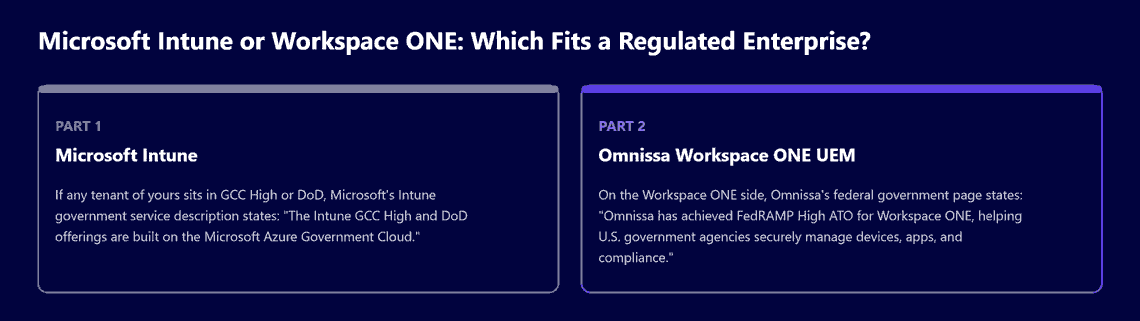
On the Workspace ONE side, Omnissa’s federal government page states: “Omnissa has achieved FedRAMP High ATO for Workspace ONE, helping U.S. government agencies securely manage devices, apps, and compliance.” The same page lists “DISA Impact Level (IL) 4” among its certifications. The government’s own listing can be read beside it. The FedRAMP Marketplace entry for Omnissa Government Services shows “FedRAMP Certified As of 5/4/2026” and the class “Class D (High)”. A Marketplace entry that does not cover the Workspace ONE service you run does not support your package, so have your authorizing official read the entry itself, and ask Omnissa to confirm that it covers that service, before either source goes into your security package.
If finance asks what consolidation saves, start from what is already paid for. Microsoft’s licensing page says: “Microsoft Intune is licensed through three plans and is included in several Microsoft 365 bundles.” It also marks a limit on device-only licenses for kiosks and shared devices: “When a device is enrolled by using a device license, the following Intune functions aren’t supported”, and the list includes app protection policies and Conditional Access. Omnissa’s page says of Workspace ONE: “Pricing varies by device or user count and feature set.” So the comparison that decides the budget is the Workspace ONE subscription against the Intune plans your bundle already includes, plus any Intune add-on plan you would need, not two list prices side by side.
If regions or business units administer their own devices, Omnissa’s page says: “The console supports multi-tenancy, role-based access, and granular controls for global deployment.” The Microsoft pages read for this comparison do not address delegated administration by business unit, so ask Microsoft to show it against your structure rather than assuming either way.
If you are mid-decision, you do not have to move every device at once. Microsoft’s device compliance partners page lists “Omnissa Workspace ONE UEM” among the partners supported as generally available. It says: “When you add a compliance partner to Microsoft Entra ID and Intune, that partner becomes the MDM authority for devices assigned to it through a Microsoft Entra user group.” In that arrangement, “the partner adds the compliance state data it collects to Microsoft Entra ID”, so Conditional Access can use it.
Three conditions on that Microsoft Learn page, Support third-party device compliance partners in Intune, shape the cost and the operating load:
If you need a recommendation you can defend, match the option to the estate rather than to the product, and start from the identity plane. Where Microsoft Entra Conditional Access already gates your corporate resources and a Microsoft 365 E3, E5 or E7 bundle already pays for Intune, consolidate on Intune and keep Workspace ONE for the devices Microsoft’s supported platform list does not name.
If you decide to consolidate, plan for re-enrollment, not a switch. Microsoft’s government service description says of moving between tenants that “the devices need to unenroll from the current tenant, and then re-enroll in the new tenant”, and adds: “This process is similar to unenrolling from another mobile device management (MDM) service and enrolling in Intune.” It also states: “There isn’t a built-in way to migrate from the commercial service to the government cloud, and vice versa.” For the Windows plan itself, see the Intune migration checklist.
If part of your estate runs Configuration Manager rather than Workspace ONE, that is a different decision. Microsoft’s co-management overview says: “Co-management enables you to concurrently manage Windows devices by using both Configuration Manager and Microsoft Intune.” That path is covered in the SCCM vs Intune comparison.
If you are weighing who plans the Microsoft side of the choice once it is made, this is the work i3solutions does. i3solutions plans and runs Intune migrations for enterprises moving domain-joined Windows devices off on-premises Group Policy.
For engagement options, see Microsoft Intune consulting.
If your contracts still say VMware, Omnissa’s about page says: “Omnissa was the End User Computing business of VMware and became an independent company in 2024.” Its product pages sell Workspace ONE UEM under the Omnissa name. Confirm with Omnissa how an older VMware agreement carries over to your current terms.
If you want Entra Conditional Access while Workspace ONE keeps its devices, yes, within the limits Microsoft states. Microsoft lists Omnissa Workspace ONE UEM among its supported device compliance partners: Workspace ONE becomes the management authority for devices in an assigned Entra user group and sends their compliance state to Entra ID. Changes need a manual sync from the Workspace ONE console, and those users still need an Intune license.
If your target is a GCC High or DoD tenant, plan for re-enrollment, not a switch. Microsoft states the Intune GCC High and DoD offerings are built on the Microsoft Azure Government Cloud, and its government service description compares moving devices into a new tenant to unenrolling from another mobile device management (MDM) service and enrolling in Intune. It also states there is no built-in way to migrate from the commercial service to the government cloud, so confirm which cloud your tenant is in before you plan the device move.
If you need this for an authorization package, read two sources. Omnissa states it has achieved a FedRAMP High ATO for Workspace ONE. The FedRAMP Marketplace entry for Omnissa Government Services shows “FedRAMP Certified As of 5/4/2026” and the class “Class D (High)”; confirm with Omnissa that the entry covers the Workspace ONE service you run.
Michael Branson
If the regulatory affairs or accounting team has just handed IT the Part 125 schedule and asked whether Microsoft Purview can enforce it across SharePoint, OneDrive, Teams and Exchange, you are holding two documents written for different purposes. The schedule is a table of record descriptions and retention periods, some counted in years, some tied to an order or a retired plant. Purview’s file plan is a list of retention labels, each with a start point, a period and a disposition. This guide puts the regulation’s own words beside Microsoft’s so the mapping can be argued row by row. Every regulatory quotation in this guide is read from the eCFR text of 18 CFR Part 125 in September 2026, and every Microsoft quotation from Microsoft Learn the same month.
Before you build a single label, confirm the schedule is yours. Section 125.1 prescribes the part as the regulations governing “the preservation of records by public utilities subject to the jurisdiction of the Commission and by licensees holding licenses issued by the Commission”. That is an electric public utility or a holder of a Commission license, such as a hydroelectric licensee. Part 125’s text does not name interstate natural gas pipelines; a pipeline operator’s record obligations are a separate question for its own counsel. Section 125.2(a)(1) sets the reach inside the company: the regulations “apply to all books of account and other records prepared by or on behalf of the public utility or licensee”. Whether a given company and a given record fall under the part is a question for your regulatory affairs office and counsel, and the file plan starts after that answer.
When the schedule arrives as a spreadsheet, it looks like one uniform list, and it is not. The schedule in section 125.3 runs from item 1, reports to stockholders, to item 42, advertising, grouped under headings such as Corporate and General, Information Technology Management, General Accounting Records, Operations and Maintenance, Plant and Depreciation, Revenue Accounting and Collection, Tax and Treasury. Section 125.2(a) adds three rules that sit outside any single row. Where another Commission regulation sets a different period, “the records should be retained for the longer of the retention periods”. “Records other than those listed in the schedule may be destroyed at the option of the public utility or licensee”, with the regulation’s own provisos for records used in place of listed ones. And the part is not to be read as excusing other Federal or State record keeping requirements. This guide works four entries in detail; the full schedule in section 125.3 governs every row it lists.
If every schedule row becomes the same kind of label, the file plan misfits the rows with the longest or event-tied periods. Microsoft’s file plan page describes the settings each label carries: “Based on identifies how or when the retention period begins.” and “Disposition type identifies what happens to the content at the end of the retention period.” Its values include “Review required”. The records management page separates three label types: “You use retention labels to mark items as a record, or a regulatory record.” and “A standard retention label has retention settings and actions but doesn’t mark items as a record or a regulatory record.” The four entries in the table show the four shapes a Part 125 retention period takes. The right-hand column is i3solutions’ reading of how each shape maps, not a mapping Microsoft or the Commission states.
When a row is event-based, the event has to exist in Purview as well as in the plant ledger. Microsoft’s event-based retention page states that “The event triggers the start of the retention period”, that “Asset ID is simply another document property that’s available in SharePoint and OneDrive.”, and that “If an asset ID isn’t entered, all content with labels of that event type get the same retention date applied to them.” For item 21 that means a plant or facility identifier on the documents before the first retirement event is created, or one retirement would start the clock on every facility’s drawings.
Before you mark the long rows as regulatory records, read Microsoft’s caution on the records management page. After a regulatory record label is applied, “not even a global administrator, can remove the label”, and “The retention period can’t be made shorter after the label is saved, only extended.” The same page adds: “These labels aren’t supported by auto-labeling policies, and must be applied by using retention label policies.” and “Because of the restrictions and irreversible actions, make sure you really do need to use regulatory records before you select this option for your retention labels.” Which Part 125 rows carry that setting is a decision for the records and regulatory team, made row by row and written into the file plan.
When the schedule has to become labels in bulk, the file plan is where the two documents meet. Microsoft’s file plan page states: “You can bulk-create retention labels by importing the relevant information from a spreadsheet.” and “File plan descriptors support additional and optional information for each label.” It names out-of-box values for four descriptors (Business function/department, Category, Authority type and Provision/citation) and a Reference ID descriptor “which you can use as a unique value to your organization”. For the citation it adds: “This property specifies the jurisdiction or agency that’s displayed in the Provision/citation file plan descriptor.”
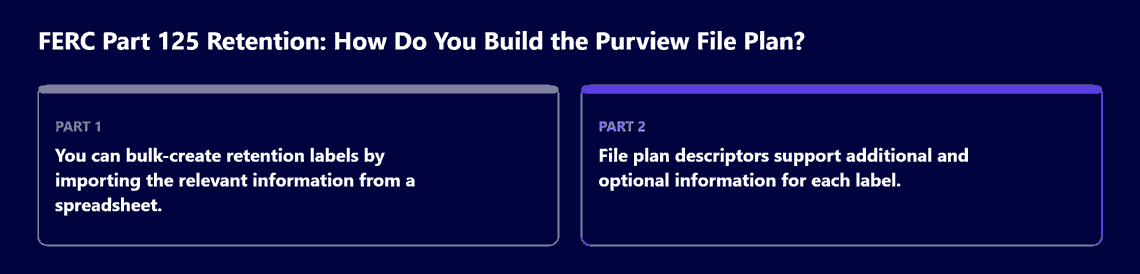
In i3solutions’ reading, each Part 125 row fills those columns in the same way. The Reference ID carries the schedule’s own item number, such as 125.3-16(a), so every label traces to one row. Category carries the schedule heading, such as Plant and Depreciation, and Business function/department names the team that owns the records. Authority type records that the source is a federal regulation. Provision/citation carries 18 CFR 125.3 and the item number, with FERC as the jurisdiction or agency. Where section 125.2(a) makes a longer period govern, the row records which rule set the period, so a reviewer can see why the label differs from the schedule. The general crosswalk from a record-category file plan to Purview’s descriptors is covered in a separate i3solutions guide, Mapping a DoD 5015.2-Style File Plan onto Microsoft Purview Records Management.
If the project plan treats the file plan as the whole Part 125 program, several obligations in section 125.2 have no label setting at all. The part requires each utility or licensee to “designate one or more persons with official responsibility to supervise the utility’s or licensee’s program for preservation and the authorized destruction of its records”. It asks for “reasonable protection for records subject to the regulations in this part from damage by fire, floods, and other hazards”. On storage media it states: “The storage media must have a life expectancy at least equal to the applicable record retention period provided in § 125.3 unless there is a quality transfer from one media to another with no loss of data.” and “Each transfer of data from one media to another must be verified for accuracy and documented.” When records are lost early, a certified statement “must be filed with the Commission within ninety (90) days from the date of discovery of the destruction”. And: “Public utilities and licensees must arrange, file, and index records so records may be readily identified and made available to Commission representatives.” A file plan’s Reference ID and citation columns can support that index. The supervisory designation, the loss statement and the paper and off-platform records remain the program’s own work.
If your tenant already runs in GCC High for other reasons, check the dated feature table before you plan around a records feature. Microsoft’s Plan for Microsoft Purview – GCC High deployments page, dated May 2025, lists File plan manager, Regulatory records, Disposition review and Proof of disposal as “Available”, Multi-stage disposition review as “Rolling out”, and Graph APIs for Records Management as “In development”. Part 125 is a FERC rule and names no cloud, so this table matters only to a utility that is already in GCC High, and it should be re-read at build time.
If the records still live in a Documentum or OpenText content server, the first decision is the migration, and that belongs to a separate i3solutions guide, Documentum or OpenText Content Server to SharePoint Online: A Migration Guide That Keeps Records Under Microsoft Purview. If a rate case or a proceeding is open, the schedule’s periods are floors, not end dates. Section 125.2(k) states that “the utility must retain the appropriate records to support the costs and adjustments proposed in the current or next rate case”, and section 125.2(l) states that “if a public utility or licensee is involved in pending litigation, complaint procedures, proceedings remanded by the court, or governmental proceedings, it must retain all relevant records”. A file plan built only from the schedule’s periods needs a hold process beside it for those cases. And if the records at issue sit under a different regulator’s schedule, such as a state commission’s, section 125.2(a) points to the longer period, and that schedule has to be read as well.
When a utility or licensee brings the Part 125 schedule to i3solutions, the work starts with the schedule rows set beside the content already in SharePoint, OneDrive, Teams and Exchange, so each row’s owner, start point and label type can be named before a label is created. i3solutions maps governance to named control families, enforces it in the platform through Entra ID, Purview, and Azure Policy, and evidences it continuously rather than reconstructing it at audit. The service is described on Hire Microsoft Purview Compliance Consultants, and the determination of what Part 125 asks of your company stays with your regulatory affairs and accounting staff.
If your company is an interstate natural gas pipeline, Part 125’s text does not name you. Section 125.1 covers “public utilities subject to the jurisdiction of the Commission” and “licensees holding licenses issued by the Commission”, and your regulatory affairs office confirms which records fall under it.
When a schedule has to become retention labels, the file plan is where they are created and described. Microsoft’s file plan page states: “File plan lets you include more information as part of your retention labels.” and “You can bulk-create retention labels by importing the relevant information from a spreadsheet.”
If the label marks items as a regulatory record, no. Microsoft’s records management page states that after such a label is applied, “not even a global administrator, can remove the label”, and that a standard retention label “doesn’t mark items as a record or a regulatory record.”
If your tenant is in GCC High, Microsoft’s GCC High planning page, dated May 2025, lists File plan manager, Regulatory records and Disposition review as “Available” and Multi-stage disposition review as “Rolling out”.
When the labels are in place, section 125.2 still asks for a designated supervisory official, protected storage, storage media rules, an index of records, and the certified statement and its deadline that section 125.2 sets when records are lost early.
Michael Branson
If a Conditional Access policy in your tenant still grants access through a custom control that hands users to Duo or another MFA provider, that grant can go unopened once the provider is wired in, and it now has an end date. Microsoft’s custom controls article opens its notice with “Custom controls are deprecated.” Duo’s own custom control documentation carries the matching notice: “Microsoft will prevent creation of new custom controls in September 2026 as part of the custom controls deprecation process.” The open question for the identity team is which path each policy takes: keep the provider through External MFA, or move those users to Entra’s built-in methods. This guide sets out what each path satisfies, what External MFA still leaves out, and how to move policy by policy with a rollback in place.
If you are planning around a date, work from Microsoft’s own words, because it has published a month and a season, not a day. The custom controls article reads: “Adding new custom controls and editing existing custom controls will not be allowed starting September 2026. Full retirement is scheduled for early 2027. Start planning your migration now.” Duo’s custom control page says its original Microsoft Azure Active Directory application can no longer be created or edited in Duo after September 30, 2026, and adds: “Existing users of the Duo CA custom control should migrate to Duo External MFA before the Microsoft custom controls retirement date.” Until full retirement, an existing custom control can no longer be edited, so any change to how those policies prompt users goes through the replacement. Microsoft’s separate retirement of its own SMS and voice methods is a different change with its own date, which i3solutions covers in a separate guide.
If the team cannot say whether any policy calls the provider, start with the inventory, because the answer can be zero. Microsoft’s migration guide is direct: “This guide is relevant only if your organization currently uses custom controls. If you don’t use custom controls, no action is needed.” The same guide lists what to record for each affected policy (its name and ID, the users and groups and cloud apps it targets, the custom control provider it references, and its conditions) and publishes a Microsoft Graph PowerShell query that returns the Conditional Access policies whose grant controls carry a custom control. Its advice on scale is worth taking literally: “Large tenants might have dozens or hundreds of Conditional Access policies. Export the results and track migration status per policy to avoid underestimating migration effort.” That export becomes the migration register: one row per policy, the path chosen for it, and the date it moved.
When an internal control or an auditor asks whether sign-ins under these policies count as multifactor authentication, the custom control has been the weak point. Microsoft’s Microsoft-managed policies FAQ states: “Custom controls don’t satisfy multifactor authentication claim requirements. If your organization uses custom controls you should migrate to external authentication methods, the replacement of custom controls.” External MFA changes that result. Duo’s External MFA documentation states: “Duo external MFA is fully recognized as a multifactor authentication method in Entra ID, satisfying MFA policy requirements.” The same page notes that Microsoft took the feature, previously called external authentication methods (EAM), out of preview in early 2026 under the name External MFA, which is why older articles use the other name. If the question behind the migration is which MFA controls your baseline requires, that is answered in MFA and NIST SP 800-53 baselines.
If any affected policy uses an authentication strength rather than the plain MFA grant, External MFA will not carry it. Microsoft’s external MFA reference states: “External MFA methods aren’t currently supported with authentication strengths.” It also states: “Grant controls based on authentication strengths, including the built-in MFA strength, aren’t satisfied by the external MFA method.” The migration guide gives the matching instruction for the new policy: “Use the standard Require multifactor authentication grant.”
Two more conditions sit on the provider’s side, in Duo’s External MFA documentation. Users who also use Entra self-service password reset (SSPR) “will need to have at least one of the Microsoft built-in methods that Entra SSPR supports enabled alongside Duo MFA.” Guest and cross-tenant sign-ins are supported only when the Duo method is configured with its Client ID (Guest/Cross-Tenant) value and the users’ OIDs exist as username aliases in Duo, and cross-tenant sign-in also depends on the other tenant trusting MFA claims from the user’s home tenant. Where a policy needs a phishing-resistant strength, the rollout order is its own decision, set out in the i3solutions page on phishing-resistant passwordless sign-in, not part of this migration.
If you have to choose policy by policy rather than once for the whole tenant, decide by user population and by what each policy requires. Use these criteria, in this order:
Where the provider question sits beside a larger one about which platform owns identity, that decision is set out in the Okta vs Entra ID comparison.
If your security team built device trust, VPN access and non-Microsoft sign-ins around the provider, replacing it to solve a Conditional Access problem can cost more than it saves. External MFA was built for this case, and Duo’s Entra ID documentation describes it in its own words: “Duo for Microsoft Entra ID External MFA provides an improved authentication experience, streamlined configuration, and fewer Microsoft feature limitations over the legacy custom control for Entra Conditional Access.” Keep the provider when these hold: it already fronts VPN, RADIUS or non-Microsoft applications; the device-trust work lives in it; users are enrolled and a change of prompt is the bigger rollout risk; and the affected policies use Require multifactor authentication, not an authentication strength. In that estate the migration is a registration and a policy change, and the provider users already know stays in place.
When the first policy moves, the risk is a user caught by both the old policy and the new one, or by neither. Microsoft’s migration guide sets the sequence, and it is worth following in order:
Before you remove anything, keep the way back open until the new policy has run cleanly. The migration guide is explicit: “Don’t delete custom control configurations until you confirm the new external MFA policy is stable. Keep the old policy disabled (not deleted) for at least two weeks as a rollback option.” Put together: list every policy whose grant calls a custom control, register the provider as an External MFA method for a test group, run a parallel policy that uses Require multifactor authentication in report-only mode, move the test group across, and keep the old policy switched off, not deleted, for at least two weeks. A policy that needs an authentication strength moves to Entra’s own methods instead.
If your tenant is in a US government cloud, the provider’s own statements govern what is possible, and Duo’s differ by cloud. For GCC, Duo’s Entra ID Conditional Access page states: “Microsoft’s Government Cloud added support for custom controls for Entra ID conditional access, but the Duo custom control remains unavailable in Entra ID GCC.” For GCC High, Duo’s External MFA page states: “You must subscribe to the Duo Federal Class D High security package. Duo commercial or Duo Federal Moderate plans cannot connect to Microsoft GCC High environments.” Confirm the plan with the provider, and the method’s availability in your cloud with Microsoft, before you schedule the move. If the real requirement in your program is PIV or CAC sign-in, that is a different method with its own i3solutions guide, on PIV and CAC smart cards with Entra certificate-based authentication.
If the key policies need an authentication strength, keeping the provider leaves those policies on Entra’s methods anyway, and the provider covers only what is left. Move to Entra’s built-in methods when the key policies need phishing-resistant or other authentication strengths, which External MFA does not satisfy; when the provider does nothing in your estate that Entra’s methods do not already do; when self-service password reset already requires a Microsoft method for a large share of users; or when the provider’s plan cannot reach your cloud, as Duo states for its commercial and Federal Moderate plans in GCC High. And if the inventory finds no policy that uses a custom control, do nothing: the migration guide says “no action is needed.” If sign-in still federates through AD FS, settle that decision first, in the i3solutions guide on moving off AD FS to Microsoft Entra ID.
When a custom control migration reaches i3solutions, the work starts from the export of affected policies, so each policy has an owner and a chosen path before anything is switched. The sequence is to inventory the policies, decide provider or Entra per user population, run the parallel policies in report-only mode, then roll out with the old policies kept disabled as the rollback. i3solutions is a Microsoft Systems Integrator with nearly 30 years of experience implementing identity and access management solutions for enterprises in regulated industries. i3solutions implements the Microsoft technology a customer needs, Microsoft Entra ID authentication and Conditional Access included. i3solutions regularly delivers Okta to Microsoft Entra ID migrations for enterprises, detailed in Okta to Entra ID migration services. Delivery is senior and US-based. Ongoing operation after the handover is a separate Application Managed Services engagement with its own scope; the external MFA deployment itself does not replace the internal team, run open-ended, or create vendor lock-in. The configuration work is described in Entra ID configuration and integration services, within identity and access management solutions.
If you are not sure, run the check in Microsoft’s migration guide: a Microsoft Graph PowerShell query that lists the Conditional Access policies whose grant controls carry a custom control. If it returns none, the guide says “no action is needed.”
If you are planning to a date, use the month and season quoted from Microsoft’s custom controls article near the top of this page. It gives no exact day.
When a policy uses Require multifactor authentication, yes: Duo states its external MFA is “satisfying MFA policy requirements.” When a policy uses an authentication strength, no: Microsoft states “External MFA methods aren’t currently supported with authentication strengths.”
Yes, if you register Duo as an External MFA method. Duo’s custom control page says: “Existing users of the Duo CA custom control should migrate to Duo External MFA before the Microsoft custom controls retirement date.” Policies that need an authentication strength move to Entra’s own methods.
If your tenant is in GCC High, it depends on the Duo plan. Duo’s External MFA page states: “You must subscribe to the Duo Federal Class D High security package.” It adds that its commercial and Federal Moderate plans “cannot connect to Microsoft GCC High environments.”

US-Based Microsoft System Integrator | Est. 1997
© i3solutions. All rights reserved.
US-Based Microsoft System Integrator | Est. 1997
© i3solutions. All rights reserved.


