
Governance questions are what make a Microsoft environment defensible under audit, from who owns a policy to what evidence proves a control held. These answers address the specific calls IT leaders face when GCC High, CMMC, FedRAMP, or ITAR narrows the acceptable range.
Michael Branson
Quick answer. As of October 2026, Microsoft supports Intune compliance policies, device configuration profiles and app policies in GCC High, plus a STIG audit baseline only GCC High tenants get, which reports without enforcing and requires Advanced Analytics licensing. Commercially enrolled devices cannot be migrated; Microsoft says they unenroll and re-enroll.
If an assessor, a prime or a contracting officer has told you that the fleet in your GCC High tenant must be configured to the applicable DISA STIG, you need two things from Intune: controls that set the configuration, and evidence that shows which devices match it. Enforcement stays with compliance policies, security baselines and Settings Catalog profiles. The evidence now has a tool of its own: according to Microsoft, the STIG audit baseline checks Windows devices against the Microsoft Windows 11 STIG SCAP Benchmark, Version 2, Release 7, benchmark date January 5, 2026, with 197 rules, and shows which devices pass each one. On the GCC High side, Microsoft lists Windows Autopilot device preparation as supporting user-driven deployments today, while the original Windows Autopilot and Remediations sit on its list of features with no plan to support them.
What an assessment requires of your fleet is for your compliance team, your assessor and your contracting officer to determine. This page describes what Microsoft documents for Intune in GCC High as of October 2026, and a design that uses it: what you can enforce, what you can prove, and how devices move over.
If your commercial Intune design is the template for the GCC High build, start from what Microsoft lists as supported there. For standard MDM features, Microsoft’s Microsoft Intune for US Government GCC High and DoD service description says: “You can use app policies, device configuration profiles, compliance policies, and more.” Its list of Intune advanced capabilities that support GCC High and DoD includes Advanced Analytics, Endpoint Privilege Management and Enterprise Application Management (EAM).
Enterprise App Management is the recent addition. In its entry for the week of June 29, 2026, Microsoft’s What’s new in Microsoft Intune page says: “Microsoft Intune now extends Enterprise App Management (EAM) to the GCC High (GCCH) and DoD cloud environments.”
Two absences change the design. Remediations sits in the service description’s table of features that, in Microsoft’s words, “aren’t available and there’s currently no planning to support these features for GCC High and DoD environments”. This page reads that as a design constraint, not as Microsoft’s words: a detect-and-fix script loop built on Remediations in a commercial tenant has no equivalent on Microsoft’s GCC High list, so plan the fix path through policy and configuration instead. The same table lists Windows Autopilot, the original service that the service description distinguishes from Windows Autopilot device preparation; the section on moving devices from a commercial tenant covers what that means for re-enrollment.
A tenant in GCC is a different case. Microsoft’s service description says “Intune doesn’t have a separate GCC instance.”, so a GCC tenant runs on the commercial service, and the STIG audit baseline is not available to it.
One compliance check needs a confirmation before you rely on it. Microsoft’s GCC High service description, updated October 2, 2026, lists “Windows Device Health Attestation (DHA)” as planned, while its Device compliance settings for Windows in Intune page, updated September 17, 2026, says GCC High devices running Windows 10 use the Device Health Attestation service; confirm with Microsoft how the BitLocker, Secure Boot and code integrity checks behave for Windows 11 in your own tenant before an assessor relies on them.
Microsoft’s complete lists of what is supported, planned and not planned, and what they mean for a CMMC assessment, are covered in Is Microsoft Intune CMMC Compliant? What It Covers, and What It Does Not.
If your evidence plan assumes Intune has nothing of its own to report STIG conformance, it is out of date. Microsoft’s Use security baselines to help secure Windows devices you manage with Microsoft Intune page lists a STIG Audit Baseline marked “(GCC High only)” and says: “Unlike other baselines, this baseline is audit-only and does not configure or enforce settings.” Its note adds: “The STIG audit baseline is available only for US Government Community Cloud High (GCC High) tenants and requires Advanced Analytics licensing.”
Microsoft’s Use STIG audit baselines to assess Windows device compliance in Microsoft Intune page sets the boundary in two places: “The STIG audit baseline isn’t available in commercial cloud or GCC environments.” and, in its known limitations, “The STIG Audit baseline isn’t available in commercial, GCC, or DoD cloud environments.” It states the rule directly: “The STIG audit baseline is an audit-only tool. It doesn’t configure or enforce settings on devices.”
The same page’s table of available STIG baselines lists one row, the Microsoft Windows 11 STIG SCAP Benchmark, at “Version 2, Release 7”, with “197” rules and a benchmark date of “January 5, 2026”. Microsoft’s What’s new in Microsoft Intune page records the release in its entry for the week of June 15, 2026: “The initial baseline audits against the Microsoft Windows 11 STIG SCAP Benchmark Version 2, Release 7 (benchmark date: January 5, 2026)”.
Two further limits shape the evidence plan. Microsoft’s STIG audit page says “You can’t upload custom STIG profiles.”, and that the audit report shows the pass or fail result of each rule check but does not display the actual configuration value on the device.
Windows 10 needs its own line in the plan. Microsoft’s STIG audit page says the Windows 11 benchmark baseline can be assigned to Windows 10 and Windows 11 devices, and that “rules that don’t apply to a device’s operating system version are reported as Not applicable”. Microsoft’s What’s new page states, in its Windows 10 support notice, “Windows 10 has reached end of support on October 14, 2025”. Those are Microsoft’s two facts side by side; the decision about the Windows 10 devices themselves is a separate one.
The baseline covers Windows devices enrolled in Intune. Cloud PCs and Azure Virtual Desktop session hosts are a separate baseline subject that this page does not cover. Microsoft’s service description also points administrators to the STIG for the tenant itself: “Administrators can get help locking down their Intune tenants using the Secure Technical Implementation Guide (STIG).”
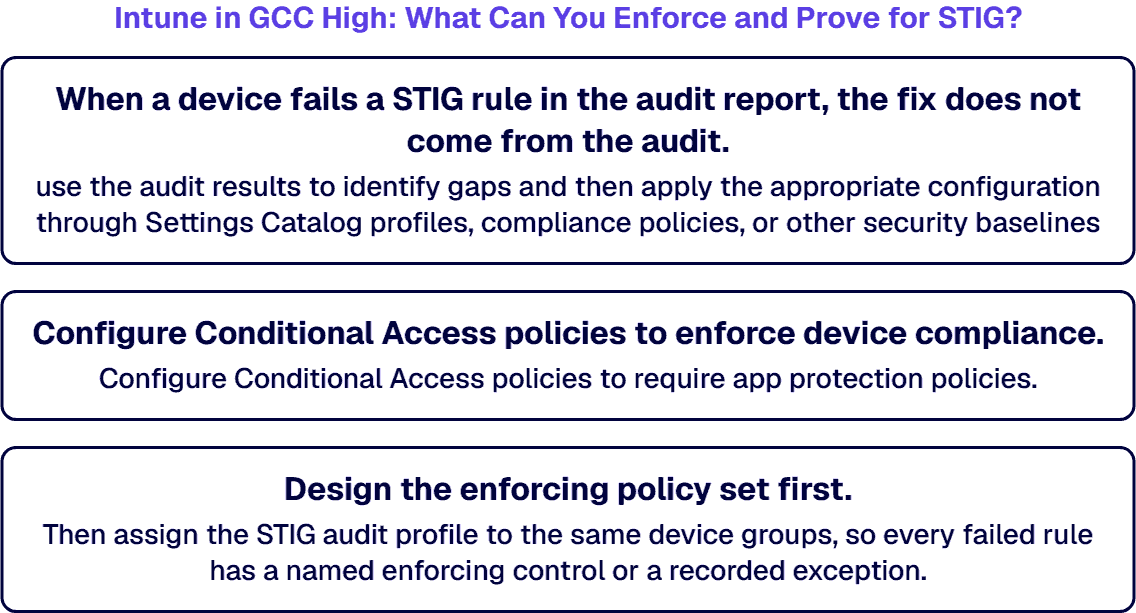
When a device fails a STIG rule in the audit report, the fix does not come from the audit. Microsoft’s STIG audit page tells you to “use the audit results to identify gaps and then apply the appropriate configuration through Settings Catalog profiles, compliance policies, or other security baselines”.
If you layer enforcing baselines, Microsoft’s security baselines page warns that you “might create configuration conflicts for devices that must be investigated and resolved.” That warning is about baselines that set values. The STIG audit page, by contrast, says the audit baseline, because it is read-only, does not conflict with other Intune baselines, compliance policies or device configuration profiles.
For access, Microsoft’s Entra guidance Configure CMMC Level 2 Access Control (AC) controls, dated January 3, 2023 in its metadata and not specific to GCC High, pairs the two directly: “Configure Conditional Access policies to enforce device compliance.” For unmanaged devices it says: “Configure Conditional Access policies to require app protection policies.”
Mobile devices add one condition. Microsoft’s service description sets it for threat defense: “Mobile Threat Defense (MTD) connectors for Android and iOS/iPadOS devices with MTD vendors that also support the GCC High environment can be used.” Confirm GCC High support for any connector before it enters the design.
Design the enforcing policy set first. Then assign the STIG audit profile to the same device groups, so every failed rule has a named enforcing control or a recorded exception.
If the evidence plan names the STIG audit baseline and no one has confirmed the license, the plan has a gap before the first device reports. Microsoft’s Use STIG audit baselines to assess Windows device compliance in Microsoft Intune page says: “The STIG audit baseline requires Intune Advanced Analytics.” and “This feature requires a subscription in addition to Microsoft Intune Plan 1 or Plan 2.”
Microsoft has also changed how Intune Suite capabilities are packaged, and the change does not yet reach government plans. Its What’s new in Microsoft Intune entry for the week of June 29, 2026 says: “This update applies to commercial Microsoft 365 E3 and E5.” and “For Government plans, Intune Suite packaging is planned to align with the equivalent enterprise plans, subject to compliance and regulatory requirements.”
Confirm the Advanced Analytics entitlement in the GCC High tenant before the evidence plan depends on the STIG audit baseline, and do not assume a commercial packaging change has reached a government plan. The Plan 1, Plan 2 and Intune Suite structure itself is set out on the Intune CMMC page, Is Microsoft Intune CMMC Compliant? What It Covers, and What It Does Not.
When an assessor asks for the STIG evidence, the questions are which report, from which date, against which benchmark version. Microsoft’s Use STIG audit baselines to assess Windows device compliance in Microsoft Intune page says Intune produces audit reports per setting and per device, which you can view in the admin center, pull through the Microsoft Graph API or export to CSV. It describes their format this way: “Audit results map to NIST XCCDF (Extensible Configuration Checklist Description Format) result categories, supporting the formal reporting formats that DISA and DoD auditors require.”
Timing belongs in the evidence plan, and according to Microsoft, “Initial results for newly targeted devices can take up to 24 hours to appear.” and “Audit report data isn’t real-time.” For automation, the same page says: “Use the /beta/ endpoint for Graph API calls to STIG audit reporting.”
Schedule the export your system security plan cites, and record with it the baseline version the audit ran against. Treat the dependency on a /beta/ Graph endpoint as a change-risk item in the evidence runbook. The wider list of artifacts an assessor reads, product by product, is covered in Microsoft 365 CMMC Compliance Consulting: Product Scope and Audit Evidence.
If your devices are enrolled in a commercial tenant today, none of them moves to GCC High with the tenant. Microsoft’s Microsoft Intune for US Government GCC High and DoD service description says “the devices need to unenroll from the current tenant, and then re-enroll in the new tenant. There isn’t a built-in way to migrate from the commercial service to the government cloud, and vice versa.”
The provisioning paths on the GCC High side are narrower than a commercial rollout may assume. For Windows Autopilot device preparation, Microsoft says: “Some features are available now, such as user-driven deployments, and some are still in the planning phase”. Its planned table lists “Self-deploying and pre-provisioning mode” and states: “Provisioning modes which require Windows Autopilot registration are not supported.” Its table of features with no plan to support them lists Windows Autopilot and Windows Subscription Activation.
Plan the move in this order:
The migration as a whole, phase by phase, is covered in Microsoft 365 GCC High Migration Checklist: Best Practices for Defense Contractors. The enrollment plan for Windows devices is covered in Intune Migration Checklist.
If one of these conditions holds, settle it before you design around the STIG audit baseline:
Once the first export is filed, the audit keeps running and the results change as devices change. Microsoft’s audit documentation says audit data is not real-time, and that once Intune makes a newer benchmark version available, “you must create a new Audit profile or update your existing profile to use that newer version.”
Someone inside your organization owns the review cadence, the exception register and the move to the next benchmark release. That owner can be your internal endpoint team or an external provider; name the owner in the plan before go-live, not after the first finding.
i3solutions designs and builds the controls and the evidence runbook, and hands them over. It does not take administrative ownership of your Intune tenant, run drift monitoring or manage endpoints on your behalf, as We Do Not Run Your Help Desk. Here Is What i3solutions Does Instead. sets out. Ongoing operation after the handover is a separate Application Managed Services engagement with its own scope; the Intune baseline work itself does not replace the internal team, run open-ended, or create vendor lock-in.
If you want the design built rather than described, i3solutions works on the design and build: the compliance policies and baselines for GCC High, the STIG audit profile and its evidence runbook, the Conditional Access device checks, and the re-enrollment plan, delivered as a project. The GCC High tenant itself comes from a certified AOS-G supplier, and how to vet the firm you work with is covered in Hire a Microsoft 365 GCC High Implementation Firm: How to Vet One Before You Commit a Tenant.
We manage GCC High migrations end-to-end: from eligibility validation and licensing coordination with your AOS-G supplier through identity architecture, data migration, security baseline configuration, and post-migration governance. i3solutions plans and runs these migrations for regulated defense organizations, structuring each phase around the compliance evidence assessors expect.
Delivery is senior and US-based. Governance work across the estate is covered in Embedding Governance into How the Enterprise Operates and Scales.
No. Microsoft’s STIG audit page says “The STIG audit baseline isn’t available in commercial cloud or GCC environments.”, and Microsoft’s service description says “Intune doesn’t have a separate GCC instance.”, so a GCC tenant runs on the commercial service.
No. Microsoft says “The STIG audit baseline is an audit-only tool. It doesn’t configure or enforce settings on devices.” Enforcement comes through Settings Catalog profiles, compliance policies or other security baselines, which Microsoft names as the way to apply configuration after the audit finds gaps.
Microsoft says “The STIG audit baseline requires Intune Advanced Analytics.” and “This feature requires a subscription in addition to Microsoft Intune Plan 1 or Plan 2.” Confirm the entitlement in your GCC High tenant before your evidence plan depends on it.
No. Microsoft lists Remediations among the features that “aren’t available and there’s currently no planning to support these features for GCC High and DoD environments”.
Michael Branson
An operations leader has asked for one picture: assets, events and people on a map, updated as things happen. Your estate already runs on Microsoft, in some cases inside GCC High or Azure Government, and Power BI is in use. A vendor has demonstrated a purpose-built situational awareness product, while an internal team says Power BI and Fabric can carry the same picture. Both may be partly right. The first dashboard mock-up used the Azure Maps visual, which Microsoft’s Power BI feature table marks as unavailable in GCC, GCC High and DoD. The sections of this guide work through the decision one layer at a time, using Microsoft’s own pages as read on 26 September 2026.
You face this decision when a vendor demo sits beside a Power BI tenant the organization already pays for. Build on the Microsoft stack when your data already lands in Azure Government or GCC High, when an IL4 or IL5 boundary is the ceiling you need, and when you are prepared to deliver the map layer as a custom Azure Maps component, because Microsoft lists the Azure Maps visual as unavailable in Power BI for GCC, GCC High and DoD. Look at a purpose-built platform when the map layer must run at Impact Level 6, where the IL6 (Azure Government Secret) column has no entry for Azure Maps, when you need the Azure Maps visual inside a Power BI report in a government cloud on day one, or when there is no Microsoft government estate to reuse.
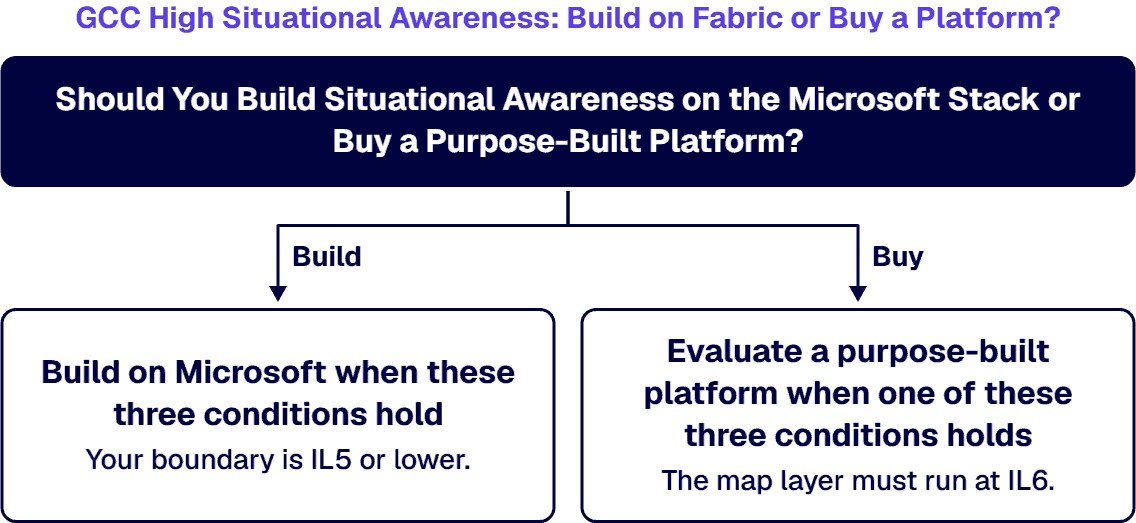
Build on Microsoft when these three conditions hold:
Evaluate a purpose-built platform when one of these three conditions holds:
When the two lists pull in different directions, the boundary condition decides first. An existing Microsoft estate is worth reusing only after the audit-scope table shows the layers you need at the level your contract names; if the map layer must sit at IL6, estate reuse does not change that answer.
When an operations center rebuilds the same picture by hand before each briefing, copying positions and incident notes into slides, a situational awareness platform replaces that manual work with four functions: ingest, fuse, map and alert. Each one maps to a named Microsoft service, and each service has its own government-cloud status.
Ingest. Events arrive continuously from sensors and field systems. Microsoft describes Azure Event Hubs as “a fully managed, real-time data streaming platform that can ingest millions of events per second with low latency.” Inside Microsoft Fabric, Real-Time Intelligence offers the same entry point: “Eventstreams let you collect, transform, and send large amounts of real-time data to different destinations, all without writing code.”
Fuse. Events from different sources have to land in one queryable store before they can share a view. Microsoft calls Azure Data Explorer “a fully managed, high-performance, big data analytics platform that makes it easy to analyze high volumes of data in near real time,” and in Fabric, “Eventhouses are the ideal analytics engine to process data in motion.” Microsoft positions Real-Time Intelligence as “an end-to-end solution for scenarios where you need to respond to events as they happen, process continuously flowing data, or analyze logs.”
Map. The shared view this guide assumes is a map. Azure Maps “is a collection of geospatial services and SDKs that use fresh mapping data to provide geographic context to web and mobile applications.” Fabric also has a map item: “Map in Microsoft Fabric is a dynamic geospatial visualization tool that empowers you to analyze both static and real-time spatial data for deeper intelligence.” Section four explains why this layer is where government builds stall.
Alert. A picture also needs a trigger for events that arrive while the screen is unwatched. In Fabric that function is Activator, which Microsoft’s GCC High page lists as “Activator (All integrations points with RTI)” (section five).
Where these services sit inside a wider Microsoft data estate is covered on the enterprise data integration and analytics architecture page; this page stays on the four functions a live picture needs.
Before a design review, expect the security team to ask one question: which of these services appear in Microsoft’s government audit scope, and at what level. Microsoft answers it in its Azure Government services by audit scope table. The audit-scope table on this page copies its rows for the services a situational awareness build would use, as read on 26 September 2026; the table itself states “Last updated: February 2026”. Microsoft’s legend defines a check as “service is included in audit scope and has been authorized”. An empty cell carries no definition on that page, so this page shows it as “No entry” and nothing more.
| Service (Microsoft’s row name) | FedRAMP High | DoD IL2 | DoD IL4 | DoD IL5WI | DoD IL6 |
|---|---|---|---|---|---|
| Power BI | Included | Included | Included | Included | Included |
| Azure Maps | Included | Included | Included | Included | No entry |
| Event Hubs | Included | Included | Included | Included | Included |
| Data Explorer | Included | Included | Included | Included | Included |
| Stream Analytics | Included | Included | Included | Included | No entry |
Read the column headings in Microsoft’s terms. The page defines “DoD IL5WI = DoD SRG Impact Level 5 Workload Isolation (IL5WI) Provisional Authorization (PA) in Azure Government”, and it adds that in the US Gov regions, “services require extra configuration to meet DoD IL5 compute and storage isolation requirements”. So an IL5 entry describes a workload-isolation authorization that needs that extra configuration; it does not describe a default deployment. The IL6 column is a different cloud: “DoD IL6 = DoD SRG Impact Level 6 Provisional Authorization (PA) in Azure Government Secret”.
Microsoft Fabric is placed differently on the same page. It appears in the Azure public services table, with entries for FedRAMP High and DoD IL2, and it does not appear as a row in the Azure Government table. Fabric in GCC High is described on its own page, covered in section five.
Whether a given workload qualifies at a given level is a determination for your authorizing official and your contract clause. The table tells you what Microsoft lists; it does not tell you that your workload qualifies.
If the mock-up that won the room has a map visual in it, that visual is where a GCC High build first meets a gap. Microsoft’s Power BI for US government customers feature table marks the Azure Maps row as unavailable in GCC, GCC High and DoD, with the legend “The feature isn’t available in the environment, and we don’t have an estimated time frame for delivery.” The Azure Maps Power BI visual documentation says the same thing from the other side: “At this time, Azure Maps is currently available in all countries and regions except:” China and “Azure Government (GCC + GCC High)”.
That limit applies to the Power BI visual. The Azure Maps service itself carries audit-scope entries in Azure Government through IL5 workload isolation, as the audit-scope table on this page shows. The path this page documents for the map layer is a custom map component built on the Azure Maps service in Azure Government. Map platform choices against an Azure Government boundary are covered on the geospatial services page, and the ArcGIS integration work on the Esri consulting and integration services page. For this decision, one narrower step follows: plan the map as its own build item with its own schedule line, because the report visual that made the demo look finished is the one piece Microsoft does not offer in these clouds.
If your program plans to stream events through Fabric in GCC High, plan against what Microsoft’s own page lists. Microsoft’s page Microsoft Fabric for US Government GCC High customers, which carries the line “Last updated on 2026-10-01”, asks organizations to “Complete the Government Community Cloud Eligibility Intake Form to determine whether your organization is eligible.” It also states that “Fabric for GCC High is available only in the following regions:” US Gov Virginia and US Gov Texas.
The same page lists what Real-Time Intelligence includes in GCC High: “KQL queryset, Activator (All integrations points with RTI), eventhouse and KQL database, eventstream, and Real-Time dashboard”. It then draws the boundary in plain words: “Items other than those listed in these tables aren’t currently available in GCC High.” The Map item is not in that list.
What that list means for your schedule and your risk register is your program’s judgment; Microsoft’s list is what this page quotes. If your organization is moving existing Power BI capacity into Fabric in GCC High first, the readiness steps for that move are covered on the Power BI P1 to Fabric in GCC High readiness page.
When the feeds an operations center wants on one screen come from different owners on different schedules (track data, incident reports, sensor events and documents), fusion is the first gap. For a live picture, fusion has two jobs. Sources have to arrive as events rather than as nightly extracts, and they have to resolve into one shared view the operators read from. The method behind governed data fusion is covered on the data fusion and predictive analytics services page.
Three case studies show fusion work behind a shared picture in defense settings. The data fusion platform case study describes a data fusion platform for a US military command with geospatial mapping, heat maps and dashboards; that platform was not a Power BI or Fabric build. The situational awareness case study covers work for an agency within the Department of Defense, and the strategic awareness case study covers a second analytics and fusion engagement.
Some programs should stop the Microsoft build before it starts, and the audit-scope table and the Power BI feature table tell you when.
A purpose-built platform brings its own authorization boundary, which your security team carries for the life of the system. Check the vendor’s own authorization documentation for the level your contract names before you compare anything else; this page makes no statement about any product’s authorization or capability.
When a Microsoft partner writes about building on Microsoft, you should weigh its interest in the answer, so this is what ours rests on. These are the statements we can document, quoted as we can document them:
i3solutions does not hold an authorization of its own and does not issue an ATO for any system; authorization stays with your authorizing official.
The sequence we recommend follows the table, not the demo. Land the operational data in the government environment first and confirm each source arrives as events. Choose the map path against the two Microsoft tables for your environment, audit scope and Power BI feature availability. Then prove the picture with one mission area before scaling it across sites. Where this work sits among wider integration projects is covered on the Microsoft system integration and data management page, and the questions to put to a firm doing government analytics work are on the Power BI consulting for government contractors page.
If your estate is in Azure Government, Microsoft’s audit-scope table, read 26 September 2026, lists Power BI, Event Hubs and Data Explorer at FedRAMP High through DoD IL6, and Azure Maps and Stream Analytics at FedRAMP High through DoD IL5WI. Those services cover ingest and fusion, plus the Azure Maps service for the map; the alert function sits in Fabric’s Activator, which Microsoft’s Fabric for GCC High page (“Last updated on 2026-10-01”) lists as “Activator (All integrations points with RTI)”. The Power BI Azure Maps visual is the gap: Microsoft marks it unavailable in GCC, GCC High and DoD, so the map is built as a custom Azure Maps component.
Not if your report depends on the Azure Maps visual. The feature table on Microsoft’s Power BI for US government customers page marks Azure Maps unavailable in GCC, GCC High and DoD: “The feature isn’t available in the environment, and we don’t have an estimated time frame for delivery.” The Azure Maps visual FAQ lists “Azure Government (GCC + GCC High)” among the exceptions. The Azure Maps service itself is in Azure Government audit scope through IL5 workload isolation, so a custom map component remains possible.
Microsoft lists it, for organizations eligible under Microsoft’s intake form. Microsoft’s Fabric for GCC High page, which reads “Last updated on 2026-10-01”, lists Real-Time Intelligence as “KQL queryset, Activator (All integrations points with RTI), eventhouse and KQL database, eventstream, and Real-Time dashboard”, in US Gov Virginia and US Gov Texas, subject to the Government Community Cloud Eligibility Intake Form. The page also states: “Items other than those listed in these tables aren’t currently available in GCC High.” Map does not appear among the listed items.
Build on Microsoft when your data already lands in Azure Government or GCC High, your boundary is IL5 or lower, and you can deliver the map as a custom Azure Maps component. Buy, or at least evaluate a purpose-built platform, when the map must run at IL6, when the Power BI Azure Maps visual is a day-one requirement in GCC, GCC High or DoD, or when there is no Microsoft government estate to reuse. When those conditions conflict, the boundary requirement in Microsoft’s audit-scope table decides first.
When the map layer must run at IL6: in Microsoft’s audit-scope table, the IL6 (Azure Government Secret) column has no entry for Azure Maps, and Microsoft directs authorization questions for its Secret and Top Secret clouds to your Microsoft account representative. A purpose-built platform also fits when the Power BI Azure Maps visual is needed now in a government cloud, or when no Microsoft government estate exists to reuse. Before comparing anything else, read that vendor’s authorization documentation against the level named in your contract.
Michael Branson
Your CMMC plan relies on Purview DLP to keep Controlled Unclassified Information inside its boundary, and the list of sensitive information types you just opened covers Social Security and card numbers but nothing that says CUI, ITAR or export-controlled. A boundary is only as good as the detector behind it. The scope and evidence side of that plan is covered in Microsoft 365 CMMC Compliance Consulting: Product Scope and Audit Evidence; this page covers the detectors a Purview DLP policy needs before it can recognize CUI.
Microsoft support will not build custom patterns for you or vouch that they meet your obligations, so your own test results are the evidence that they work. Microsoft keeps DLP alert records for a limited time, which decides what you export. Which information is CUI is set by your contracts and the CUI Registry, and whether your controls are enough for a CMMC assessment is your assessor’s determination, not a Purview setting.
When you search Microsoft’s list for a CUI detector, you find the gap before you find a setting. As of October 2026, the Sensitive information type entity definitions page, which Microsoft describes as “a list of all sensitive information type (SIT) entity definitions”, has no entry for Controlled Unclassified Information, ITAR, export-controlled data or DoD categories. Its entries include “U.S. social security number (SSN)”, “Credit card number”, “ABA Routing Number”, “Drug Enforcement Agency (DEA) number” and “Medicare Beneficiary Identifier (MBI) card”.
The pretrained classifiers do not fill the gap. The Trainable classifiers definitions page says “Microsoft Purview comes with multiple pretrained classifiers.”, and none of them is built for CUI. Its one export line belongs to the “Freight documents” classifier, which “Detects documents that authorize the export or import of a good in a specific quantity from source to destination.” That is customs and shipping paperwork, not export-controlled technical data.
If a summary tells you Purview detects CUI out of the box, those two lists say otherwise. Microsoft’s documented route is the custom one, set out in Learn about sensitive information types: “If the preconfigured sensitive information types don’t meet your needs, you can create your own custom sensitive information types that you fully define or you can copy one of the built-in ones and modify it.”
You cannot choose a detector until you know what your CUI looks like, and the categories are not Purview’s to define. According to 32 CFR 2002.4(h), in the eCFR current as of October 15, 2026, “Controlled Unclassified Information (CUI) is information the Government creates or possesses, or that an entity creates or possesses for or on behalf of the Government, that a law, regulation, or Government-wide policy requires or permits an agency to handle using safeguarding or dissemination controls.” According to 32 CFR 2002.4(p), “Among other information, the CUI Registry identifies all approved CUI categories and subcategories, provides general descriptions for each, identifies the basis for controls, establishes markings, and includes guidance on handling procedures.”
So the category list comes from the CUI Registry and your contracts, and which of your information is CUI is determined by your contracting officer and the contract clause, not by a detector. Where that scoping sits in the tenant decision is covered in Does CMMC Require GCC High? What the Rule Actually Requires for Defense Contractors. Export-controlled technical data is one shape a detector must recognize; the program around it is covered in Redesigning an ITAR Export-Control Compliance Program to Be Efficient, Not Just Compliant.
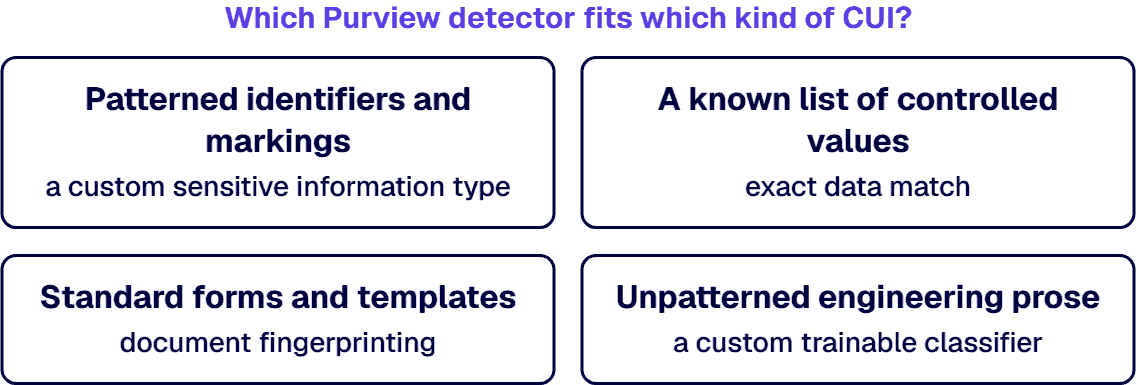
Once you know what you hold, sort it by shape, because the shape decides the detector:
If your CUI carries a recognizable pattern, such as a contract number format or a control marking, a custom sensitive information type is the first detector to build. Microsoft defines its primary element this way: “It can be a regular expression with or without a checksum validation, a keyword list, a keyword dictionary, or a function.” Microsoft adds that “The confidence level reflects how much supporting evidence is detected along with the primary element”, so nearby keywords such as a marking string or a program name are part of how the type is built.
Microsoft’s Sensitive information type limits table sets the ceilings for that build: 500 custom types created through the Microsoft Purview portal, a regular expression of up to 1024 characters, 20 distinct regexes per type and 2048 terms in a keyword list.
Plan for two consequences Microsoft states in Create custom sensitive information types. First, existing content is not found until it is recrawled: “To identify your new custom sensitive information type in existing content, the content must be recrawled.” Second, the pattern is yours to prove: “Microsoft Customer Service & Support can’t assist with creating custom classifications or regular expression patterns.” Microsoft says its support engineers can give limited assistance, such as sample patterns for simulation or troubleshooting a pattern that is not triggering, “However, they can’t provide assurances that any custom content-matching development fulfills your requirements or obligations.” Build a test set of real marked and unmarked documents, record what each type matches and misses, and keep that test report as the detector’s evidence.
When you already hold the list, such as controlled part numbers in an engineering or ERP system, exact data match checks content against those exact values rather than a pattern. According to Microsoft’s Learn about exact data match based sensitive information types, “EDM-based classification enables you to create custom SITs that refer to exact values in a database of sensitive information.” Microsoft adds that “The database can be refreshed daily and can contain up to 100 million rows of data.” and that “Only the hashed values are uploaded to the service, so your sensitive data is never in the open.”
The limit that decides whether your list works is the primary element. Microsoft states: “So that EDM can detect them, primary elements must be discoverable through an existing SIT.” and “Primary elements must follow a defined pattern in order to be detected.” So a controlled part number can anchor an exact data match type only if a sensitive information type, built in or custom, can find its pattern first. A free-text drawing title cannot.
Size the design before you build it. According to Microsoft’s Get started with exact data match sensitive information types in Microsoft Purview, “In EDM, you can create a maximum of 10 schemas.”, and “Because the new experience doesn’t support mapping multiple SITs to the same schema, you’re limited to creating and managing 10 EDM SITs.” The same page says “The system warns you if it finds a primary field mapped to a SIT that detects a broad range of values, called a loosely defined SIT.” Microsoft’s government availability for exact data match is covered in the section on what Microsoft lists for Purview DLP detectors in GCC, GCC High and DoD.
If your CUI arrives on the same forms, or lives in engineering prose no pattern describes, the detector changes. For forms, Microsoft’s Document fingerprinting page says “Document fingerprinting is a Microsoft Purview feature that takes a standard form that you provide and creates a sensitive information type (SIT) based on that form.” and “SITs created from document fingerprinting can be used as a detection method in DLP policies scoped to Exchange, SharePoint, OneDrive, Teams, and Devices.” Its examples of forms you can upload include “Government forms”.
Fingerprints have limits you must plan around. Microsoft says “Documents to be scanned can’t be password protected and must contain all the text from the original form.”, and its list of cases where fingerprinting does not detect sensitive information names “Password protected files”, “Files that contain images only”, “Documents that don’t contain all the text from the original form used to create the document fingerprint” and “Files larger than 4 MB”. The cap on fingerprints, as stated by Microsoft, is “approximately 100 fingerprints per tenant.” For devices, “To use document fingerprinting with devices, Advanced classification scanning and protection must be turned on.” And “When you set the high confidence level to Exact, only files that have exactly the same text as the fingerprint are detected.”
Fingerprinting also carries Microsoft’s one dated license note, quoted as Microsoft wrote it: “If you are an E3 customer, we recommend upgrading to an E5 license. If you choose not to, you won’t be able to modify existing fingerprints or create new ones after April, 2023.” The license decision itself belongs to Microsoft 365 E3 vs E5 Cost: What E5 Really Costs and When to Upgrade.
For prose, a custom trainable classifier is the method Microsoft describes as “well suited to content that can’t be easily identified using either the manual or automated pattern-matching methods.” in Learn about trainable classifiers. The same page sets its limits: “Language limitation: Support for custom classifiers is limited to English.” and “Retraining published custom classifiers isn’t supported.” Its note on data loss prevention is short. “Classifiers only work with items that aren’t encrypted.”
Seeding is the work. Microsoft’s Get started with trainable classifiers says “You need at least 50 positive samples (up to 500) and at least 150 negative samples (up to 1,500) to train a classifier.” and “When seeding content for training or testing custom trainable classifiers, only text-based files are supported.” A process Microsoft marks as in preview “shortens the creation workflow from 12 days to two days.”
Fingerprint the forms, classify the prose, and plan for the files Microsoft says fingerprinting misses: image-only scans and password-protected files.
If your tenant is in GCC, GCC High or DoD, read Microsoft’s government planning tables before you design around a detector. In Plan for Microsoft Purview compliance and risk management solutions: GCC High deployments, Plan for Microsoft Purview compliance and risk management solutions: GCC deployments and Plan for Microsoft Purview compliance and risk management solutions – DoD deployments, Microsoft lists “Exact data match” as “Available” in all three. Named entity sensitive information types are not yet listed as available: “On engineering backlog” in GCC High and “In development” in GCC and DoD.
For Purview DLP itself, all three tables list “Alerts dashboard and alerting experience”, “Endpoint data loss prevention”, “Files (SPO/ODB) and email” and “Teams chat and channel conversations” as “Available”. Each table carries Microsoft’s footnote: “Identified status is subject to change as project plans and priorities are reevaluated.”
The tables carry no row for custom sensitive information types, document fingerprinting or custom trainable classifiers used in Purview DLP. Microsoft’s government tables do not list them, so confirm each one in your own tenant before a design depends on it.
When the first policy that uses a new detector goes live, what you can show about that detector is only what you recorded while testing it. Test each detector against your own marked and unmarked documents before the policy that uses it is enforced; the readiness sequence around that step is set out in Microsoft Purview Deployment Guide: A Readiness Playbook for Regulated Enterprises. Tuning a policy’s thresholds once its detectors exist is a separate step, and this page does not cover it.
The alert record does not wait for you. Microsoft’s Learn about data loss prevention page says: “DLP alerts are available in the Microsoft Defender portal for six months. They’re only available in the Microsoft Purview DLP alerts dashboard for 30 days.” The same page says “You can view the last 30 days of DLP information in Activity Explorer using these preconfigured filters:” and it sets a scope limit for mail: “DLP does not scan or match previously existing email items that are stored in a mailbox or archive.”
Export what an assessor may ask for before it ages out: each detector’s test set and results, the policy configuration that uses it, and the alert records your own retention decision requires.
If one of these conditions describes your estate, settle it before you invest in detectors.
When the plan says Purview DLP holds the line and no one has yet shown what the detectors are, the work is a project with a defined end. i3solutions plans, builds and tests the Purview DLP policies that detect CUI, as project work. Ongoing DLP alert handling after the handover is a separate managed-services engagement with its own scope. This work sits within Embedding Governance into How the Enterprise Operates and Scales.
As of October 2026, Microsoft’s built-in sensitive information types and pretrained classifiers include none built for CUI, so Purview DLP needs detectors you build.
Match the detector to the data: custom types for patterns, exact data match for known values, fingerprints for forms, classifiers for prose.
Microsoft support will not build custom patterns for you or vouch that they meet your obligations, so your own test results are the evidence that they work.
Export what an assessor may ask for before it ages out: each detector’s test set and results, the policy configuration that uses it, and the alert records your own retention decision requires.
Michael Branson
Quick answer. As of September 2026, Microsoft’s current target is to disable network NTLM by default in the next major release of Windows Server and Windows client, a release it has not dated and calls subject to change, while in-market versions of Windows continue to support NTLM, so the practical step now is to turn on enhanced NTLM auditing, read why each NTLM connection happened, and fix or explicitly allow each dependency. NTLMv1 is already blocked in Windows Server 2025 and Windows 11, version 24H2, and, according to Microsoft’s Upcoming changes to NTLMv1 in Windows 11, version 24H2 and Windows Server 2025, Windows updates released on and after October 13, 2026 changed the BlockNtlmv1SSO default to Enforce on devices where that registry value is not set. After the default changes, administrators will be able to re-enable NTLM by policy, but Microsoft’s Retiring NTLM: Frequently asked questions says that ability will narrow over time, and IAKerb and LocalKDC, in Windows Insider preview as of September 2026, will close a number of fallback cases but not all.
The next Windows Server upgrade request will reach your desk with a question attached that no one on the team can answer yet: what still uses NTLM? Microsoft’s Advancing Windows security: Disabling NTLM by default roadmap of January 29, 2026 put network NTLM on a path to default-off, and a penetration test or the security office may already have flagged NTLM in your estate. The answer is sitting in logs Windows already writes, on clients, servers and domain controllers, and it can trace back to a short list of causes. This guide covers what Microsoft has and has not committed to, what is already off, where NTLM hides, how to find it, which fixes are yours to make, what the coming Kerberos features will not fix, and how to test NTLM off with a written exception for everything that stays.
If someone on your team has said this is years away, the honest answer is that no one outside Microsoft knows, because Microsoft has dated the change to a release, not to a calendar day. Microsoft’s Deprecated features for Windows client page recorded the starting point in June 2024: “All versions of NTLM, including LANMAN, NTLMv1, and NTLMv2, are no longer under active feature development and are deprecated.” Microsoft’s January 29, 2026 roadmap, Advancing Windows security: Disabling NTLM by default, explains what that word means: “Deprecated features remain available, but no longer receive updates or enhancements and may be removed in a future release.”
The same roadmap sets out the end state for “the next major Windows Server release and associated Windows client releases”, and Microsoft’s Advancing Windows security: Disabling NTLM by default post lists two changes for that release:
Microsoft’s newest statement is its September 9, 2026 Retiring NTLM: Frequently asked questions, which states: “Our current target for default disablement is the next major release of Server and Client (subject to change).” It gives no year and no version, and neither does this guide. The same FAQ separates that release from the servers you run today: “Default disablement applies to the future release train.” And: “In-market versions of Windows client and Windows Server will continue to support NTLM.”
Disabled is not removed. Microsoft’s Retiring NTLM: Frequently asked questions states that “NTLM is being disabled by default, not removed outright”, that administrators will be able to re-enable NTLM through Group Policy or registry configuration when default disablement ships, and then adds: “Over time, as customer environments mature and dependencies are eliminated, the ability to re-enable NTLM will be narrowed.” Microsoft’s Features removed or no longer developed in Windows Server page states that “NTLMv2 will continue to work but will be removed from Windows Server in a future release.”
This guide’s planning rule: plan to the Windows Server release you will install, not to a calendar date, and treat re-enabling NTLM after that upgrade as a temporary exception with an owner, never as the plan.
The part of this change that does not wait for a future release is NTLMv1, and a team that assumes it has time can find out otherwise on a Wi-Fi or VPN connection. Microsoft’s Deprecated features for Windows client page states: “NTLMv1 is removed starting in Windows 11, version 24H2 and Windows Server 2025.” Microsoft’s Retiring NTLM: Frequently asked questions adds that “NTLMv1 was blocked and rendered non-functional starting with Windows Server 2025 and Windows 11, version 24H2, with related changes rolling out through recent updates.”
What remains is single sign-on that still derives NTLMv1 credentials, and Microsoft’s KB5066470, Upcoming changes to NTLMv1 in Windows 11, version 24H2 and Windows Server 2025, states: “Windows updates released on and after October 13, 2026, strengthen NTLMv1 security by changing the internal default behavior when the BlockNtlmv1SSO registry value is not set”. That change moved the default of the BlockNTLMv1SSO registry key from Audit to Enforce. Four conditions in that KB decide whether it touches you:
Microsoft’s KB5066470, Upcoming changes to NTLMv1 in Windows 11, version 24H2 and Windows Server 2025, also strongly recommends deploying Credential Guard where its requirements are met.
This guide’s planning rule: read event 4024 on your Windows 11, version 24H2 and Windows Server 2025 devices now, decide per network access method, and set the BlockNTLMv1SSO key deliberately rather than inherit the Enforce default.
The upgrade that breaks something rarely breaks the application anyone was worried about; it breaks the scanner, the file share mapped by address, or the service account no one has touched since it was created. Microsoft’s NTLM overview states: “Kerberos version 5 authentication is the preferred authentication method for Active Directory environments, but a non-Microsoft or Microsoft application might still use NTLM.” Microsoft’s Retiring NTLM: Frequently asked questions sorts the reasons into four patterns:
Two cases deserve their own line in the inventory. The first is the address: Microsoft’s Retiring NTLM: Frequently asked questions states that “Kerberos does not natively understand IP addresses, so authentication requests made using an IP address (rather than an SPN) fall back to NTLM.” The second is the boundary: “Cross-domain authentication without a configured trust is a scenario that today requires NTLM.” And standalone machines stay where they are for now: Microsoft’s NTLM overview states that NTLM “is still supported and must be used for Windows authentication with systems configured as a member of a workgroup.”
The reason the security office cares is on Microsoft’s own list in Advancing Windows security: Disabling NTLM by default: “Vulnerability to replay, relay, and pass-the-hash attacks”.
In a regulated estate the usual categories are line-of-business applications with hardcoded authentication, vendor-packaged applications, non-Windows clients and network appliances, embedded devices such as scanners and controllers, file shares reached by address, and service accounts whose SPNs were never registered or were registered twice. This guide’s planning rule: sort the inventory by those four causes, not by server, because each cause has one fix that applies to every row under it.
A team that tries to find NTLM by asking application owners gets a list of what people remember, which is not the same as what Windows logged. Microsoft’s KB5064479, Overview of NTLM auditing enhancements in Windows 11, version 24H2 and Windows Server 2025, describes the logs that answer it directly, and Microsoft’s Retiring NTLM: Frequently asked questions states where they run: “Enhanced NTLM auditing is available for Windows 11, versions 25H2 and 24H2 and Windows Server 2025.” For older servers, the same FAQ said on September 9, 2026: “We are also working on bringing back enhanced auditing to Windows Server 2019 and Windows Server 2022.” Per Microsoft’s KB5064479, enhanced NTLM auditing for Windows Server 2019 and Windows Server 2022 is now available in Windows updates released on and after October 13, 2026.
Microsoft’s KB5064479, Overview of NTLM auditing enhancements in Windows 11, version 24H2 and Windows Server 2025, states: “These logs can be found in Event Viewer under Applications and Services Logs > Microsoft > Windows > NTLM > Operational” and “By default, the events are enabled.” Client and server logging is controlled by the “NTLM Enhanced Logging” policy, and domain-wide logging on domain controllers by the “Log Enhanced Domain-wide NTLM Logs” policy. The events to collect, per the same KB:
A Warning, in the KB’s words, “Indicates a downgrade of NTLM security, such as the use of NTLMv1.” The most useful field is on the client event: the KB’s Usage Id/Reason field “highlights why NTLM authentication was used.” Microsoft’s KB5064479, Overview of NTLM auditing enhancements in Windows 11, version 24H2 and Windows Server 2025, lists the reason values, among them:
One caution from the same KB belongs in the plan. Existing collection is not disturbed: “The enhanced NTLM auditing changes do not affect the current NTLM logs; if the current NTLM auditing logs are enabled, they will continue to be logged.” Microsoft’s Retiring NTLM: Frequently asked questions adds a cross-check that works everywhere, “Security Event ID 4624 shows the authentication package used”, and three working rules: “Give yourself several weeks of data to establish a baseline”, the calling process name is “your remediation worklist”, and “Group findings by root cause (e.g., missing SPN, hardcoded caller, legacy appliance) so you can remediate at scale rather than machine-by-machine.”
This guide’s planning rule: collect on clients, servers and domain controllers, baseline for several weeks, then keep one row per caller with its process, target, reason value, owner and disposition. Windows’ own logs are enough to build that list.
The expensive mistake is waiting for a Windows feature to fix a cause that lives in your own directory or your own code. A hardcoded caller can be the cheapest fix on the list: Microsoft’s Deprecated features for Windows client page states that “Calls to NTLM should be replaced by calls to Negotiate, which tries to authenticate with Kerberos and only falls back to NTLM when necessary,” and Microsoft’s Retiring NTLM: Frequently asked questions states: “In most cases, the fix is the same one-line change: ask for Negotiate instead of NTLM.”
SPNs are yours alone to fix. Microsoft’s Retiring NTLM: Frequently asked questions is direct about it: “we cannot fix missing, duplicate, or malformed SPNs in your directory.” It continues: “This is directory hygiene, and it is work that needs to start now rather than when default disablement lands.” On connections made to an IP address, the same FAQ says: “do not wait for a platform fix here.”
There is a Windows setting for Kerberos to an IP address, and Microsoft’s Kerberos clients allow IPv4 and IPv6 address hostnames in Service Principal Names (SPNs) page sets out why it is a last resort:
For software you do not own, Microsoft’s Retiring NTLM: Frequently asked questions states: “For hardcoded-NTLM in third-party products, open cases with your ISVs so they can plan their own remediation.” Open those cases now; a vendor’s answer is part of the exception record if the fix does not arrive before your upgrade.
An application you move from NTLM onto Kerberos also needs a service account that can use Kerberos’ current encryption types, which is a separate decision this guide does not cover.
This guide’s planning rules: use names, not addresses; register one SPN per service on one account and remove the duplicates; and ask for Negotiate, never NTLM, in anything your team writes or configures.
A plan that assumes a coming Windows feature will absorb the hard cases is a plan that slips when the feature does. In January, Microsoft’s Advancing Windows security: Disabling NTLM by default roadmap targeted the second half of 2026 for these features on Windows Server 2025 and Windows 11, version 24H2 and later. On June 2, 2026, Microsoft’s Reducing NTLM Dependency: IAKerb and LocalKDC in Windows Insider Preview announced both as “coming to client and server public preview later this month for Windows Insiders in the Canary Channel”. The current status is the September 9, 2026 Retiring NTLM: Frequently asked questions: “Both features are currently available in Windows Insider preview builds” and “They will be generally available for Windows Server 2025 and Windows 11 in the coming months.”
What each one does, in the words of Microsoft’s Reducing NTLM Dependency: IAKerb and LocalKDC in Windows Insider Preview:
And what they will not do, from the same Microsoft post: “IAKerb and LocalKDC address many of these gaps (though not all) by extending Kerberos support, reducing reliance on NTLM fallback across customer environments.” It goes further: “These features are designed to address important NTLM fallback scenarios but will not eliminate every remaining NTLM dependency in Windows environments; some scenarios may still require NTLM based on application behavior, infrastructure assumptions, or legacy dependencies.” Asked whether to wait for them, Microsoft’s Retiring NTLM: Frequently asked questions answers: “No, you can start the audit and remediation work today with in-market Windows.”
This guide’s planning rule: pilot IAKerb and LocalKDC in preview where the reason value is 9 (no line of sight to a domain controller) or 2 (a local account), and keep fixing every other row now.
The first time NTLM is off in production should not be the day the new Windows Server goes in. Microsoft’s Advancing Windows security: Disabling NTLM by default roadmap asks organizations to “Begin testing NTLM-off configurations in non-production environments.” Microsoft’s Retiring NTLM: Frequently asked questions sets the order for production: “Pilot NTLM blocking: Use the ring-based approach (start with high-value/privileged accounts and non-critical services) and iterate outward.”
One blocking control ships today. Microsoft’s Block NTLM connections on SMB page states: “Starting with Windows Server 2025 and Windows 11, version 24H2, you have the option to configure SMB to block NTLM.” It also states that “NTLM blocking is an SMB client capability only,” and it provides a “Block NTLM Server Exception List” policy for the servers that still need it. Microsoft’s FAQ also says that “NTLM blocking is being consolidated into a centralized, policy-driven engine.” Microsoft has not yet published how that engine will be configured, so plan around the controls that exist.
This guide’s planning rule: every dependency that keeps NTLM gets a written exception, and each exception records:
A device that will never do Kerberos is a legacy-system decision rather than an authentication fix, and legacy system security consulting covers that decision. Whether an exception record meets an obligation your organization carries is a determination for your compliance counsel or assessor; this guide makes no such claim.
Before you fund an NTLM inventory, check that it is the decision in front of you. Microsoft’s Retiring NTLM: Frequently asked questions is one test for the cases that follow:
Whether your own team or an outside one does the work, ask for evidence against Microsoft’s Retiring NTLM: Frequently asked questions before you accept a plan:
i3solutions is a Microsoft Systems Integrator with nearly 30 years of experience implementing identity and access management solutions for enterprises in regulated industries. That practice is described on identity and access management solutions, and this work sits inside it: the NTLM inventory from the enhanced auditing, the root-cause fixes in the directory and the applications, the ring pilot and the exception record. i3solutions governs identity and access for regulated Microsoft estates with senior, U.S.-based engineers and leaves an audit-defensible record. i3solutions has deep experience implementing identity governance for enterprises in aerospace and defense manufacturing, financial services, and healthcare, including environments with CMMC and ITAR obligations. i3solutions has been a Microsoft Partner with 30 years of enterprise technology delivery experience and has delivered 1,500+ Microsoft engagements across aerospace and defense, financial services, and health sciences.
The work runs as a project, with embedded specialists where your team needs them. An i3solutions project engagement does not by itself include ongoing support of what it delivers, which i3solutions scopes separately as Application Managed Services, and it is not a replacement for the internal team, open-ended scope expansion, or vendor lock-in. The inventory, the exception record and the directory belong to your team, which runs them after the project.
These points summarize the Microsoft pages this guide cites, chiefly the Retiring NTLM: Frequently asked questions:
Microsoft has not set a date. According to Microsoft’s FAQ of September 9, 2026, its current target for default disablement is the next major release of Windows Server and Windows client, subject to change, and it gives no year or version for that release.
Not because of the default change. According to Microsoft’s FAQ, default disablement applies to the future release train, and in-market versions of Windows client and Windows Server will continue to support NTLM. According to Microsoft, NTLMv1 is already blocked in Windows Server 2025, which is a separate change.
Yes, for now. According to Microsoft’s FAQ, administrators will be able to re-enable NTLM through Group Policy or registry configuration when default disablement ships, and the ability to re-enable NTLM will be narrowed over time as dependencies are eliminated. Treat re-enabling as a temporary exception with an owner, not as the plan.
Turn on enhanced NTLM auditing and read the NTLM Operational log. According to Microsoft’s KB5064479, the log is written on clients, servers and domain controllers, and the client event’s Usage Id/Reason field records why NTLM was used, such as a direct call by the application, a local account, an IP address target, a target name duplicated in Active Directory, or no line of sight to a domain controller. According to Microsoft, enhanced NTLM auditing is available for Windows 11, versions 25H2 and 24H2 and Windows Server 2025, and Security Event ID 4624 shows the authentication package used.
According to Microsoft’s KB5066470, Windows updates released on and after October 13, 2026 changed the default of the BlockNTLMv1SSO registry key from Audit to Enforce on devices where that registry value is not set, and the change does not take effect where Windows Credential Guard is enabled. According to the same article, Wi-Fi, Ethernet and VPN deployments using MS-CHAPv2 are examples of what is affected, and manually entering credentials will continue to work in Enforce mode.
No. According to Microsoft, IAKerb and LocalKDC address NTLM fallback gaps, though not all of them, and scenarios can remain that still require NTLM based on application behavior, infrastructure assumptions or legacy dependencies. According to Microsoft’s FAQ of September 9, 2026, both are in Windows Insider preview builds and will reach general availability for Windows Server 2025 and Windows 11 in the coming months.
Michael Branson
The question can arrive from one of two directions. The imaging team reports that new Windows 11 builds will not take the legacy LAPS installer, or an assessor asks how local administrator passwords are managed on the newest devices, and the honest answer is that nothing has changed, on a product Microsoft now calls deprecated. The risk behind the question is the one Microsoft names in What is Windows LAPS?: “Local administrator accounts often share the same password across many devices, which bad actors can exploit to move laterally across your environment.” You may have been told to switch Windows LAPS on and move on, or to move every device to the cloud directory. The harder parts are elsewhere: which directory each device population backs up to, how to cut over without a window where two tools fight over one account or no tool manages it, and who can read those passwords afterwards. This guide sets out what Microsoft documents for each of those decisions, and what it says for GCC High.
If your newest devices will not take the legacy installer, that is Microsoft’s deprecation working as written. In What is Windows LAPS?, last updated on September 16, 2026, Microsoft’s deprecation note says “The legacy Microsoft LAPS product is deprecated as of Windows 11 23H2 and later.” and “Newer OS versions block installation of the legacy Microsoft LAPS Microsoft Installer (MSI) package.” It adds that “Microsoft no longer considers code changes for the legacy Microsoft LAPS product.”
The older devices are not cut off on a date of their own. Microsoft says “Microsoft will continue to support the legacy Microsoft LAPS product on the older versions of Windows (earlier than Windows 11 23H2) that previously supported it.” and “That support ends at the normal end of support for those OS versions.” It gives no separate end date for legacy LAPS, so this guide gives none.
Where the replacement runs is stated in the same note: “Windows LAPS is available on Windows Server 2019 and later, and on supported Windows 10 and Windows 11 clients.” Microsoft also says “The Windows LAPS feature is available at no cost on all supported Windows platforms.” Its recommendation is direct: “We strongly recommend that you begin planning now to migrate your Windows LAPS-capable systems from legacy Microsoft LAPS to the Windows LAPS feature.”
The planning rule that follows: every device that can run Windows LAPS moves. A device whose OS cannot run it stays on legacy LAPS only until that OS reaches its own end of support, and it goes on a written list with an owner, so the exception is tracked rather than forgotten.
If your fleet is a mix of join states, the backup directory is not one decision but one per device population. Microsoft describes what Windows LAPS does in What is Windows LAPS?: “Windows Local Administrator Password Solution (Windows LAPS) is a Windows feature that automatically manages and backs up the password of a local administrator account on your Microsoft Entra-joined or Windows Server Active Directory-joined devices.” The join state then narrows the choice. According to Microsoft, “Devices that are joined only to Microsoft Entra ID can back up passwords only to Microsoft Entra ID.” and “Devices that are joined only to Windows Server Active Directory can back up passwords only to Windows Server Active Directory.”
Hybrid-joined devices are where the decision sits. Microsoft says “Devices that are hybrid-joined (joined to both Microsoft Entra ID and Windows Server Active Directory) can back up their passwords either to Microsoft Entra ID or to Windows Server Active Directory.” and then sets the limit: “You can’t back up passwords to both Microsoft Entra ID and Windows Server Active Directory.” Microsoft’s Intune page, Microsoft Intune support for Windows LAPS, says the same thing from the policy side: “LAPS on Windows devices can be configured to use one directory type or the other, but not both.”
What each directory brings differs. Microsoft says “You can use Windows LAPS to back up passwords to Microsoft Entra ID, encrypt passwords in Windows Server Active Directory, and store your password history.” Microsoft’s settings table in Configure policy settings for Windows LAPS marks the Active Directory password encryption and encrypted password history settings as applicable only when the backup directory is Active Directory. On licensing, Microsoft says “You can back up passwords to Windows Server Active Directory with no other licensing requirements.” and “You can back up passwords to Microsoft Entra ID with a Microsoft Entra ID Free or higher license.” It adds that “Other Microsoft Entra ID or Microsoft Intune features can have other licensing requirements.”
Two Microsoft Entra ID details change the plan. First, directory synchronization is not the route. In Get started with Windows LAPS and Microsoft Entra ID, Microsoft says “Windows LAPS doesn’t rely on Microsoft Entra Connect, and there are no dependencies between these two technologies.” and “Manually synchronizing the on-premises Active Directory Windows LAPS attributes to Microsoft Entra ID won’t result in those attributes showing up in the Microsoft Entra ID or Intune device management portals.” Second, device deletion and device state matter. In Windows Local Administrator Password Solution in Microsoft Entra ID, Microsoft says “Unless you have a custom workflow to retrieve LAPS passwords and store them externally, there’s no method in Microsoft Entra ID to recover the LAPS managed password for a deleted device.” The Intune page adds that “Windows LAPS requires the device to be in an enabled state before password rotation and backup operations can apply.”
Some devices are outside the choice altogether. Microsoft says “Windows LAPS doesn’t support Microsoft Entra workplace-joined clients.” and “Local Administrator Password Solution isn’t supported on non-Windows platforms.”
The planning rules: decide the directory by join state and by who has to retrieve the password when a device cannot reach the network or the cloud; write the directory down for each device population, with the reason; and settle the device deletion process before cutover, so a device record is never deleted while its only password copy sits in Microsoft Entra ID.
If you keep passwords in Active Directory, the directory itself needs work before the first Windows LAPS policy lands. Microsoft’s Get started with Windows LAPS and Windows Server Active Directory, last updated on May 19, 2025, starts with the schema: “Before you can use Windows LAPS, you must update the Windows Server Active Directory schema.” It adds: “It’s a one-time operation for the entire forest.”
Encryption depends on the domain functional level. Microsoft says “If your domain functional level (DFL) is earlier than 2016, you can’t enable Windows LAPS password encryption.” One consequence Microsoft lists is “You can’t configure domain controllers to manage their local DSRM account.” That matters because Windows LAPS covers domain controllers too: in What is Windows LAPS?, Microsoft says “You can also use Windows LAPS to manage and back up the Directory Services Restore Mode (DSRM) account password on your Windows Server Active Directory domain controllers.” The domain controllers’ own versions count as well: “However, any Windows Server 2016 and earlier domain controllers that you run don’t support Windows LAPS.” Microsoft’s page summarizes the combinations in a table, which this guide does not reproduce.
Access has two layers in Active Directory. Microsoft says “When a user is granted permission to query a password from Active Directory that doesn’t automatically imply that the user has permission to decrypt an encrypted password.” The group that can read the password attribute and the group that can decrypt it are separate settings, and both need a name before cutover.
The planning rules: check the domain functional level and every domain controller’s Windows Server version first, because they decide whether encryption and DSRM management are available at all; schedule the schema update as a forest-level change; and design the read group and the decrypt group separately. Without encryption, the password sits in Active Directory in clear text, protected by access control lists, which is the same position legacy LAPS left you in.
If two tools manage the same account during the move, you have created the failure Microsoft warns about. In Get started with Windows LAPS in legacy Microsoft LAPS emulation mode, Microsoft says “Having two entities manage the same account is a security risk and isn’t supported.” It also says “Windows LAPS is always present and active once a device has been joined to either Microsoft Entra ID or Windows Server Active Directory.” So there is no quiet period in which the native feature waits for you.
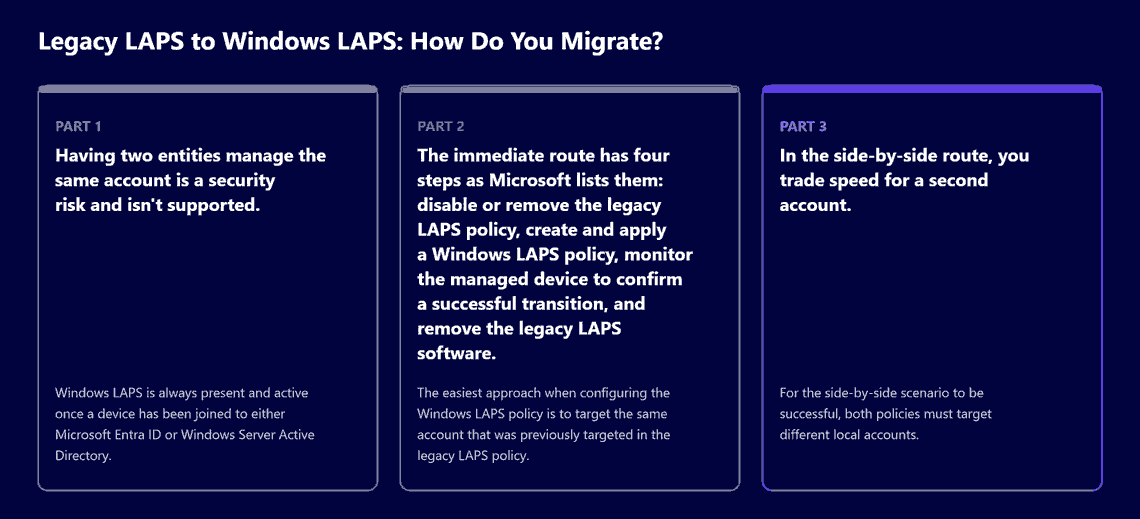
Microsoft’s Migrate to Windows LAPS from legacy LAPS, last updated on May 19, 2025, says “Microsoft recommends migrating from legacy LAPS to Windows LAPS.” and describes two routes.
The immediate route has four steps as Microsoft lists them: disable or remove the legacy LAPS policy, create and apply a Windows LAPS policy, monitor the managed device to confirm a successful transition, and remove the legacy LAPS software. Microsoft says “The first two steps should be performed simultaneously (or as nearly so as possible).” and “The easiest approach when configuring the Windows LAPS policy is to target the same account that was previously targeted in the legacy LAPS policy.” Expect the password to change at once: “When a Windows LAPS policy is first applied, the managed device performs an immediate rotation of the local account password.” Microsoft closes the route with “Once the transition is complete, the final step should be to remove the legacy LAPS software from the managed device.”
In the side-by-side route, you trade speed for a second account. Microsoft says “It’s possible to use both Windows LAPS and legacy LAPS in a side-by-side scenario.” and “For the side-by-side scenario to be successful, both policies must target different local accounts.” The reason is stated plainly: “With this approach, you need to create a second local account since having both a Windows LAPS policy and legacy LAPS policy targeting the same account isn’t supported.” Microsoft’s steps for this route end with removing the legacy LAPS software and then removing the extra account.
Emulation mode is the third thing you will hear about, and Microsoft describes it as a temporary step, not a destination. In What is Windows LAPS?, Microsoft says “Emulation mode has security limitations.” and “Like legacy Microsoft LAPS, it stores passwords in Windows Server Active Directory only in clear-text form, so it can’t use the password encryption or password history features of native Windows LAPS.” Its instruction is “Treat emulation mode as a temporary step, and plan to migrate to native Windows LAPS to take advantage of its security features.” The emulation page adds a limit: “For example, when you run Windows LAPS in legacy Microsoft LAPS emulation mode, you can’t configure Windows LAPS to do tasks like encrypt passwords or save passwords to Microsoft Entra ID.” And it only runs where the legacy extension is gone: “If the legacy CSE is present, Windows LAPS defers to it and disables emulation mode to avoid conflicts.” This guide makes no statement about emulation mode on any particular Windows version, because the Microsoft pages read for it make none.
The planning rules: pick the route per device population; prove before cutover that no account is targeted by both a legacy policy and a Windows LAPS policy; expect an immediate password rotation when the Windows LAPS policy first applies; and schedule removal of the legacy software as a tracked step with its own verification, followed in the side-by-side route by removal of the extra account.
If more than one policy source reaches a device, the outcome is decided by precedence, not by intent. For Microsoft Entra joined devices, Microsoft’s Get started with Windows LAPS and Microsoft Entra ID, last updated on May 12, 2025, says “The preferred option for Microsoft Entra joined devices is to use Microsoft Intune with the Windows LAPS configuration service provider (CSP).” In Deploy Windows LAPS policy with Microsoft Intune, Microsoft says “Intune supports configuration of Windows LAPS on devices through the Local admin password solution (Windows LAPS) profile for endpoint security account protection policy.”
The precedence rule is on the Intune page: “The CSP-based policy from Intune overrides all other sources of LAPS policy, such as from GPOs or a configuration from Legacy Microsoft LAPS.” Microsoft’s settings page says “Although we don’t recommend it, you can administer a device by using multiple policy management mechanisms.” Within Intune itself, Microsoft warns that “Devices that receive multiple Intune policies that include conflicting settings can fail to process policy.”
Two prerequisites sit outside the device policy. Microsoft says “By default Microsoft Entra ID doesn’t allow managed devices to post new Windows LAPS passwords to Microsoft Entra ID.” so the tenant setting has to be turned on before the first policy that backs up to Microsoft Entra ID. And Microsoft’s Intune page lists Microsoft Intune Plan 1, the basic Intune subscription, among the prerequisites for managing Windows LAPS through Intune.
The planning rules: one policy source per device population, written down; turn on the Microsoft Entra tenant setting before the first policy that backs up there; and check that no device receives two Intune LAPS policies with conflicting settings. If the LAPS move is part of taking the whole fleet off Group Policy, that larger move is covered in Intune migration checklist.
When an assessor asks who can see a local administrator password, the answer has to be a list of named groups, not a general reference to administrators. For passwords in Microsoft Entra ID, Get started with Windows LAPS and Microsoft Entra ID tells you to review the membership of the built-in Microsoft Entra roles that have access to those passwords by default, and says of them: “These roles are highly privileged.” In Windows Local Administrator Password Solution in Microsoft Entra ID, Microsoft adds that “Conditional Access policies can be scoped to the built-in roles to protect access to recover local administrator passwords.” This guide names no role; check the current list on Microsoft’s page against your own tenant’s role assignments.
Rotation from the Intune admin center is narrower by design. Microsoft’s Microsoft Intune support for Windows LAPS, last updated on April 15, 2026, says “The Remote tasks action of Rotate Local Admin Password isn’t included by any Intune built-in role or the Microsoft Entra built-in role of Intune Administrator.” and “Instead, use a custom Intune role to assign this permission to users who should have this capability.” The deployment page adds: “Password rotation isn’t supported as Bulk Action.”
For passwords in Active Directory, read and decrypt are separate permissions, as set out in the section on keeping passwords in Active Directory. Password age works the same way in both directories, with one difference: in Configure policy settings for Windows LAPS, Microsoft’s PasswordAgeDays setting has a minimum of one day, and seven days when the backup directory is Microsoft Entra ID. Microsoft also says “Changes to the PasswordAgeDays policy setting have no effect on the expiration time of the current password.” so a shorter age set during cutover does not shorten the password already in place.
The planning rules: name the groups that may read, decrypt and rotate, per directory, before the cutover; put the custom Intune role for rotation in the design rather than granting a broad built-in role; and keep the retrieval audit where the directory keeps it, so the record of who looked at a password comes from a log.
If your tenant is in GCC High, read Microsoft’s cloud statements one at a time, because they are not all on one page. Under the heading “GCC High support”, Microsoft’s Microsoft Intune support for Windows LAPS says “Intune policy for Windows LAPS is supported for GCC High environments.” That sentence covers Intune policy, and it names GCC High only.
For backup to Microsoft Entra ID, Microsoft’s Windows Local Administrator Password Solution in Microsoft Entra ID lists the Azure clouds where the feature is available: Azure Global, Azure Government, and Microsoft Azure operated by 21Vianet. It does not name GCC High. Elsewhere, Microsoft’s Overview: Cross-tenant access with Microsoft Entra External ID, last updated on March 28, 2025, describes Microsoft Azure Government as the cloud that includes the Office GCC-High and DoD clouds.
This guide’s reading, which is not Microsoft’s wording: a GCC High tenant sits in the Azure Government cloud that Microsoft lists for Windows LAPS with Microsoft Entra ID, so backup to Microsoft Entra ID is in scope to plan, and it should be verified in your own tenant before rollout. Backup to Windows Server Active Directory runs against your own domain controllers, so the tenant’s cloud does not change that route. This guide makes no statement about Intune policy for Windows LAPS in DoD tenants, because the Intune sentence on GCC High support names GCC High only.
If your question is a different one, answer it first.
Before you accept a migration plan, internal or external, hold it to these criteria.
If the move has to stand up in front of an assessor, someone has to inventory the estate, make the directory and cutover decisions and hand over a policy your team can run. i3solutions is a Microsoft Systems Integrator with experience implementing identity and access management solutions for enterprises in regulated industries. i3solutions has deep experience implementing identity governance for enterprises in aerospace and defense manufacturing, financial services, and healthcare, including environments with CMMC and ITAR obligations. i3solutions has been a Microsoft Partner with 30 years of enterprise technology delivery experience and has delivered 1,500+ Microsoft engagements across aerospace and defense, financial services, and health sciences.
For a move from legacy LAPS to Windows LAPS, that work is the inventory, the directory choice per device population, the Active Directory readiness work, the cutover plan, the policy source and access design, and the handover. It is delivered as a project by senior, US-based people, with embedded specialists inside your team where it needs them. An i3solutions project engagement does not by itself include ongoing support of what it delivers, which i3solutions scopes separately as Application Managed Services, and it is not a replacement for the internal team, open-ended scope expansion, or vendor lock-in. The wider identity practice is described in identity and access management solutions.
Only on older Windows versions. Microsoft says “Microsoft will continue to support the legacy Microsoft LAPS product on the older versions of Windows (earlier than Windows 11 23H2) that previously supported it.” and “That support ends at the normal end of support for those OS versions.” It also says “The legacy Microsoft LAPS product is deprecated as of Windows 11 23H2 and later.” Microsoft gives no separate end date for legacy LAPS.
No. Microsoft says “You can’t back up passwords to both Microsoft Entra ID and Windows Server Active Directory.” Hybrid-joined devices can back up to either one, and Microsoft’s Intune page says “LAPS on Windows devices can be configured to use one directory type or the other, but not both.”
Yes, against different accounts. Microsoft says “It’s possible to use both Windows LAPS and legacy LAPS in a side-by-side scenario.” and “For the side-by-side scenario to be successful, both policies must target different local accounts.” It also says “Having two entities manage the same account is a security risk and isn’t supported.”
For Intune policy, yes: Microsoft says “Intune policy for Windows LAPS is supported for GCC High environments.” For backup to Microsoft Entra ID, Microsoft lists Azure Government among the clouds where the feature is available and describes Azure Government as including the Office GCC-High and DoD clouds; reading those together as covering a GCC High tenant is this guide’s reading, to verify in the tenant before rollout.
Not for the feature itself. Microsoft says “The Windows LAPS feature is available at no cost on all supported Windows platforms.” and “You can back up passwords to Microsoft Entra ID with a Microsoft Entra ID Free or higher license.” It adds that “Other Microsoft Entra ID or Microsoft Intune features can have other licensing requirements.” Managing Windows LAPS through Intune lists Microsoft Intune Plan 1 as a prerequisite.
Michael Branson
Quick answer. ITAR compliance consultants you bring in to fix a Microsoft estate come in three kinds: export-control counsel, export compliance consultancies and Microsoft government-cloud integration firms. If technical data may have reached a foreign person, engage counsel first, then choose the others by who will touch your data.
If an access review has just found a foreign national in a Teams channel or SharePoint library that holds drawings, or an access list that does not reconcile, your export-control function will ask IT which firm to bring in to fix it. The Directorate of Defense Trade Controls (DDTC) lists “Unauthorized access to technical data” among the examples of common violations on its Report a Violation page, and 22 CFR 120.56 describes a release as including “The use of access information to cause or enable a foreign person, including yourself, to access, view, or possess unencrypted technical data”. Whether a release occurred is a determination for your export-control function and counsel, and this guide does not make it. It covers which kinds of firms to bring in, in what order, and the questions that separate one firm from another. Each regulatory, Microsoft and firm statement in this guide is quoted from its own page as read on October 19, 2026, with its link.
Where the open question is still whether your data is export-controlled at all, that comes first and is covered in the guide to which compliance regime applies.
If technical data may already have reached a foreign person, the order of work matters because of how a voluntary disclosure is built. Under 22 CFR 127.12, a company that discloses should notify DDTC “immediately after a violation is discovered”, and where that first notice is incomplete, “a full disclosure must be submitted within 60 calendar days of the notification”, and a senior officer of the company “may request an extension of time in writing”. The same section asks for “A description of corrective actions already undertaken that clearly identifies the new compliance initiatives implemented to address the causes of the violations”. The remediation work you commission becomes part of what that description covers. Whether to disclose is the company’s decision, taken with counsel; this guide describes the rule and does not advise on it.
Where no release is suspected and the gap is a program that has drifted, the consultancy’s program review can come first, with the integration firm working from its findings.
Export-control law firms advise on whether a release occurred, prepare a voluntary disclosure, and represent the company before DDTC. One example is Torres Trade Law, which describes itself on its home page as an “International Trade & National Security Law Firm” and lists “International Traffic in Arms Regulations (ITAR)” under its Exports practice, alongside a “Corporate & Internal Investigations” practice.
Export compliance consultancies build and review the written program, classify products and data, and train staff. One example is Export Solutions, Inc., whose home page lists “Compliance Program Development”, “Classification Projects” and “Audits & Assessments” among its services and describes “Reviewing your trade compliance program to find areas that need improvement in policies and procedures.”
Microsoft government-cloud and integration firms work in the tenant: Teams channel membership, SharePoint permissions, guest access, identity governance and where files are stored. One example is Summit 7, a firm in Huntsville, Alabama, whose guide “What is ITAR Compliance?” covers export licensing and Microsoft’s government cloud offerings. If you are weighing whether one integrator can carry CMMC, ITAR and DFARS work in a single engagement, that question is answered in Microsoft system integration for CMMC, ITAR and DFARS
CMMC Registered Practitioner Organizations that also advise on ITAR, and large federal systems integrators, take this work as well. Ask each one which of the three roles described in this section it is proposing to fill, and which it expects another firm to fill. The three firms named in this section are examples of their kinds, listed in no order of preference.
Two roles stay inside your company whichever firms you hire. Under 22 CFR 120.67, the rule states: “Empowered official means a U.S. person who”, among other conditions, “Is directly employed by the applicant or a subsidiary in a position having authority for policy or management within the applicant organization”, with the independent authority to “Refuse to sign any license application or other request for approval without prejudice or other adverse recourse”. The decision to disclose, as described in the order of engagement, is the company’s own. An outside firm supports both; it does not hold either.
If you are comparing proposals, these five questions apply to all three kinds of firm. A useful answer names people, documents and rules, not a badge.
The last question carries weight after the engagement ends. DDTC’s Compliance Actions page says consent agreements “often run 3-4 years” and can include conditions such as “Compliance program improvements” and “Appointment of a Special Compliance Official”, which is one reason to ask for records that a later reviewer can follow.
If your firm choice depends on what Microsoft already covers, read Microsoft’s own boundary first. Its ITAR page states: “Microsoft Azure Government and Microsoft Office 365 U.S. Government for Defense provide support for customers with data subject to the ITAR through additional contractual commitments to customers regarding the location of stored data, and limitations on the ability to access such data to US persons.” It adds: “Microsoft provides these assurances for the infrastructure and operational components of these government cloud services, but customers are ultimately responsible for the protection and architecture of their applications within their environments.” It also states: “Customers must sign additional agreements formally notifying Microsoft of their intention to store ITAR-controlled data”.
Teams channel membership, SharePoint library permissions, guest access and sharing links are set in your own tenant, on your side of that boundary, and that is where the integration firm works. Once a firm is chosen, the redesign architecture is set out in our guide to redesigning an ITAR export-control program in Microsoft 365. If the remediation ends in a move to a different Microsoft tenant, choosing the firm for that move is covered in hiring a Microsoft 365 GCC High implementation firm.
If a suspected release is still unfolding and counsel has not been engaged, bringing in an integration firm first puts the order of engagement in reverse. Changes made to access and storage before counsel is engaged become part of the record that counsel later has to describe. Timing also bears on a disclosure: 22 CFR 127.12 applies “only when information is received by the Directorate of Defense Trade Controls for review prior to such time that either the Department of State or any other agency, bureau, or department of the United States Government obtains knowledge of either the same or substantially similar information from another source and commences an investigation or inquiry that involves that information”.
The second case is a data set no one has classified. 22 CFR 120.33 defines technical data to include information “which is required for the design, development, production, manufacture, assembly, operation, repair, testing, maintenance, or modification of defense articles”, including “blueprints, drawings, photographs, plans, instructions, or documentation”. Until your export-control function has said which libraries and channels hold that kind of information, an integration firm has no boundary to scope its access controls against, so the classification work comes first.
When your team brings the tenant side of an ITAR remediation to i3solutions, the work starts from an inventory of who can reach each Teams channel, SharePoint library and Azure resource that your export-control function has identified as holding technical data, and it is scoped to work alongside the counsel and program consultancy you have engaged. i3solutions has deep experience implementing identity governance for enterprises in aerospace and defense manufacturing, financial services, and healthcare, including environments with CMMC and ITAR obligations. i3solutions has delivered enterprise SharePoint and Power Platform programs for aerospace and defense manufacturers, major defense organizations, a financial-services firm, a national healthcare system, and military organizations.
i3solutions is entirely U.S.-based. Every i3solutions employee is U.S.-based, every i3solutions project is U.S.-based, and every technology i3solutions delivers is U.S.-based. That is a statement of where the work happens. Status under 22 CFR 120.62, the first of the five questions for comparing firms, is a separate fact that each firm answers person by person for the people named on your engagement, i3solutions included.
Michael Branson
Quick answer. In an iManage to SharePoint migration, your ethical walls move from the matter to the site, because Purview Information Barriers associate segments with a SharePoint site. Decide which walled matters need their own site, then place and verify the Purview hold on each site before held documents land.
If legal has decided to leave iManage Work for SharePoint Online, the questions that land on IT are what happens to the matter workspaces, the ethical walls and the content on legal hold, and what has to be built before anything moves. This guide takes them in that order. If the decision to leave is still open, start with SharePoint Online vs a Dedicated DMS: How to Decide. The Microsoft and iManage statements in this guide are quoted from Microsoft Learn or from iManage’s own product pages as read on September 26, 2026, with its link.
If your matters live in iManage workspaces today, the first design decision is where each one lands: a site of its own, or a library in a site shared with related matters. iManage describes its model on its iManage Work product page: “iManage Work creates a single source of truth for all documents, emails, and chat conversations, and saves content in a clearly organized and flexible folder structure.” Microsoft’s guidance for SharePoint Online moves away from deep hierarchy. Its Introduction to SharePoint information architecture states: “In the modern SharePoint experience, subsites aren’t recommended.” The same article advises readers to “plan to create one site for each discrete topic, task, or unit of work.”
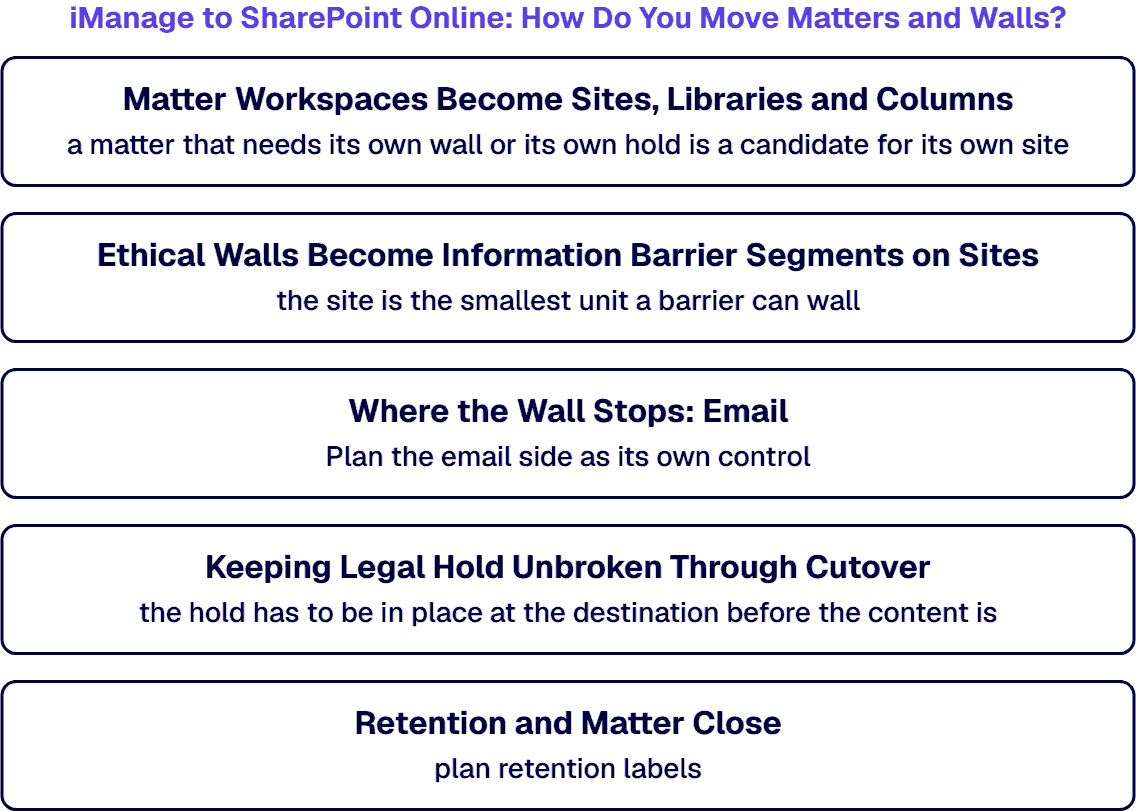
We read that guidance this way for matters; test it in your own tenant before you build on it. A matter is a unit of work, so a matter that needs its own wall or its own hold is a candidate for its own site. Matters that share a client, a team and a wall can sit as libraries in one site, with the matter number, client number and practice area carried as columns so that search and holds can find them. Settle that matter metadata before content moves; Data Classification Before SharePoint Migration: The Classify-First Approach covers that step.
If the plan is to recreate the iManage folder tree inside each library, weigh what the folders cost later. i3solutions has recorded this pattern in its own SharePoint delivery work, in these words: Legal teams report that broken folder structures migrated to SharePoint Online increase legal hold response times by 200 to 400% because content cannot be reliably located or classified.
If your walls run in iManage Security Policy Manager today, start from what they do there. iManage’s Security Policy Manager page says it lets you “Create walls at the client, matter, department, or firm level, including opposing-team walls for M&A and disputes.” It also says: “Policies update themselves as matters open, teams change, and lateral hires arrive, with no manual chase-ups required.”
If your walls move to SharePoint Online, the Microsoft counterpart is Information Barriers. Its Learn about Information Barriers article states: “Microsoft Purview Information Barriers (IB) is a compliance solution that restricts two-way communication and collaboration between groups and users in Microsoft Teams, SharePoint, and OneDrive.” Among its scenarios: “A lawyer’s data obtained from one client can’t be accessed by a lawyer at the same firm who represents a different client.” Its Use Information Barriers with SharePoint article sets the unit: “You associate the segments at the site level (previously called site collection level).” For a site in explicit mode it states: “Only users matching the site’s segments can access and share content.” It also sets the limits: “You can associate up to 100 compatible segments with a site.” and “Your organization can have up to 5,000 segments, and users can be assigned to multiple segments.”
We read the two together this way; check it against your tenant before you design around it. In the words of its Security Policy Manager page, iManage creates walls down to the matter level. A Purview segment is associated with a SharePoint site, so the site is the smallest unit a barrier can wall. A matter that carries its own wall therefore needs a site of its own, and that site’s segments take over the work the matter-level wall did. Opposing-team walls become pairs of segments that an IB policy keeps apart, so decide who owns policy changes before cutover, because Microsoft notes: “If a compliance administrator changes an existing IB policy, the change might affect the compatibility of the segments associated with a site”.
If the plan is to copy the iManage security model onto SharePoint as it stands, rebuild the walls instead. Lift-and-shift migrations typically carry over 60 to 80% of existing permission inconsistencies, creating immediate audit exposure in Microsoft 365 environments rather than resolving the underlying governance debt.
If matter email is filed in iManage today, after the move it lands in a SharePoint library and the site’s segments wall it there. On our reading, the wall does not reach live mail. Microsoft’s Information Barriers article states: “Information barrier (IB) policies can’t restrict communication and collaboration between groups and users in email messages including Exchange Online.” For email, the same article says: “If your organization needs to define and control email communications, consider using Exchange mail flow rules.” Plan the email side as its own control, with the team that runs Exchange Online in your tenant.
If content on legal hold is moving, the hold has to be in place at the destination before the content is. Microsoft’s Create holds in eDiscovery article sets the timing: “After you create an eDiscovery hold, it might take up to 24 hours for the hold to take effect.” It sets two conditions on the site. The first: “To apply a hold to a SharePoint site, the site must have a title.” The second, to avoid potential URL truncation, is that “SharePoint site names stay under 70 characters.” It also warns that “eDiscovery doesn’t continuously monitor location-level changes after a hold is applied.” Where a site’s URL changes after that, the article’s instruction is to “edit the hold policy data sources and reapply or retry the policy so hold status and scope stay accurate.”
The sequence we recommend, built on those sentences:
Before the move, check licensing for the people whose content is held. Microsoft states: “eDiscovery holds require an eligible license on every user whose content you preserve.” If your team has not yet run holds in Purview, Microsoft Purview Technology Readiness Services covers that preparation.
If your matters close on a records schedule, decide first how the destination declares records. iManage’s Records Manager page says that, while users follow their normal workflow, “their filed documents are automatically declared as records in iManage Work and that retention policies are applied to all new content with no additional effort.” In Microsoft Purview, the choice between a retention policy and a retention label matters once content moves between sites. Microsoft’s Learn about retention policies and retention labels article states: “However, the retention settings don’t travel with the content in its new location.” It continues: “If that’s required, use retention labels instead of retention policies.” For matters whose content may move between sites during the transition, plan retention labels.
The file plan itself, and how record series map across, is separate work that this guide does not cover. If your source is Documentum or OpenText rather than iManage, the forthcoming guide Documentum or OpenText Content Server to SharePoint Online: A Migration Guide That Keeps Records Under Microsoft Purview covers that route.
If the plan is to move the content with Microsoft’s own tool, check first what that tool covers. The Migration Manager overview says: “In addition to file shares, use Migration Manager to migrate content from other cloud providers including Google Workspace, Box, Dropbox, and Egynte.” iManage is not on that list, so plan the extraction route as its own workstream and prove it on a pilot matter before committing the estate.
Running both systems for a period is a vendor-supported option. iManage’s Microsoft platform page states: “iManage has multiple connectors available in the Microsoft Power Automate platform.” Microsoft’s List of all Power Apps connectors includes iManage Work and iManage Work for Admins. A phased plan can keep active matters in iManage while closed matters move first, with flows reading from iManage where a process needs both systems.
When your team brings this move to i3solutions, the work is scoped on the SharePoint and Purview side and sized from an inventory of your matters: decide which matters need their own site, map each ethical wall to Information Barrier segments on those sites, place and verify Purview eDiscovery holds on each site before held content lands, choose retention labels for content that may move between sites, and prove the extraction route on a pilot matter. i3solutions implements whatever Microsoft technology a customer needs, SharePoint delivery included: the legal hold and permission carry-over findings quoted above come from i3solutions’ own SharePoint delivery work. i3solutions pre-migration SharePoint assessment engagements run four to six weeks. SharePoint migration consulting describes the problems that assessment is designed to find.
If you are planning the move, design the destination first: decide which matters need their own site, map each ethical wall to Information Barrier segments on those sites, place and verify Purview eDiscovery holds on each site before held content lands, and choose retention labels for content that may move between sites. Then prove the extraction route with one pilot matter and move the rest in phases.
If a wall covers one matter inside a shared repository, Information Barriers can take it over once that matter has its own site, because Microsoft associates segments at the SharePoint site level. Microsoft also states that Information Barrier policies cannot restrict email in Exchange Online, so email needs a separate control.
If content on hold is moving, keep it held without a gap by holding the SharePoint site before the content lands. Create and title each destination site within Microsoft’s site-name length limit, place the Purview eDiscovery hold, allow the delay Microsoft documents before it takes effect, and leave the content in iManage unchanged until the SharePoint hold is verified. If a held site’s URL changes later, edit the hold’s data sources and reapply the policy.
If a matter carries its own ethical wall or its own hold, give it a dedicated site, since Microsoft advises one site for each discrete topic, task or unit of work and Information Barriers apply at the site level. Matters that share a client, a team and a wall can share a site, with the matter number carried as a column.
If you are relying on Information Barriers for email, they do not reach it: Microsoft states that Information Barrier policies cannot restrict communication and collaboration in email messages, including Exchange Online, and suggests Exchange mail flow rules instead. Matter email filed into a walled SharePoint site is covered there by that site’s segments.
Michael Branson
Quick answer. As of October 2026, FINRA’s Remote Inspections Pilot Program under Rule 3110.18 lets a participating firm inspect its offices without an on-site visit until the program’s scheduled end on June 30, 2027, and FINRA’s Board of Governors has approved a proposal to make the program permanent that FINRA says will be filed with the SEC, according to FINRA’s Remote Inspections Pilot Program page and the report from its June 2026 Board of Governors meeting. On either path, a participating firm must document an office-specific risk assessment against the factors FINRA lists and keep written supervisory procedures that name the technology it uses, which in a Microsoft 365 tenant draws on Teams retention to keep the chat and channel record, Purview eDiscovery to search, hold and export it, Purview Communication Compliance as one source of conduct signals, and SharePoint to hold the risk-assessment and procedure documents. A firm that does not participate must still inspect every office of supervisory jurisdiction, branch office and non-branch location on site, according to FINRA.
The compliance team has asked a question the IT team cannot answer from the tenant yet: if FINRA asks how the firm inspected a branch remotely last year, what record shows it? The question has two possible futures attached to it. The pilot’s scheduled end date is June 30, 2027. FINRA’s Board has already voted to make the program permanent, but according to the report from its June 2026 Board of Governors meeting, that vote produced a proposal that “will be filed with the SEC,” not a finished rule. A firm cannot plan around a certain end date, and it cannot plan around a done deal. It can build the evidence that both paths need.
Before any tenant work, the first decision is whether the firm is in the program at all, because the two answers carry different obligations. FINRA’s Regulatory Notice 24-02, which adopted the rule, states that “Rule 3110.18 establishes a voluntary, three-year remote inspections pilot program (Pilot Program) to allow eligible member firms to fulfill their Rule 3110(c)(1) inspection obligation of qualified branch offices, including OSJs and non-branch locations remotely, without an on-site visit to such offices or locations, subject to specified terms.” FINRA’s Remote Inspections Pilot Program page states that the program “began on July 1, 2024 and ends on June 30, 2027.” Participation is an election, not a default: according to FINRA’s Regulatory Notice 24-02, a firm “must affirmatively elect to participate in the Pilot Program by providing FINRA with an” opt-in notice, and it must give an opt-out notice to withdraw.
Those specified terms are where the IT work sits. FINRA’s program page states: “Under the Pilot Program, eligible member firms have the flexibility to satisfy their inspection obligation under Rule 3110(c)(1)(A), (B) and (C) without an on-site visit to the office or location, subject to specified terms that include conducting and documenting a risk assessment, and producing written supervisory procedures for conducting remote inspections and inspection data to FINRA.”
A firm outside the program has no remote option to fall back on. The temporary rule that allowed remote inspections before the pilot is gone: FINRA’s Remote Inspections Pilot Program page states that “FINRA reminds firms that Rule 3110.17, the temporary remote inspections rule, ended on June 30, 2024.” It continues: “Thus, a firm that does not participate in the Pilot Program cannot satisfy its obligations under Rule 3110(c)(1)(A), (B) and (C) remotely.” Citing Regulatory Notice 11-54, the same page states that “such member firm must conduct on-site inspections of each of its offices of supervisory jurisdiction (OSJs), supervisory branch offices, non-supervisory branch offices and non-branch locations” and that requirement is not optional for a firm that has not opted in.
Whether a specific firm or a specific office is eligible is a determination for the firm’s compliance function and counsel against FINRA’s current text, not something this guide decides.
A remote inspection that cannot show why that office was judged safe to inspect remotely is the failure this section exists to prevent. FINRA’s Remote Inspections Pilot Program page states that “A firm that participates in the Pilot Program (Pilot Program participant) must conduct and document a risk assessment for that office or location.” It adds that “Rule 3110.18(b)(2) enumerates a non-exhaustive list of factors a Pilot Program participant must consider as part of the risk assessment.” FINRA’s page lists those factors as follows:
The list is FINRA’s and it is non-exhaustive; the assessment must also take in the Rule 3110.12 factors and any higher-risk activity or person at that office, according to FINRA’s program page. And the assessment can point the other way: according to FINRA, “a Pilot Program participant should conduct on-site inspections or make more frequent use of unannounced, on-site inspections for high-risk offices or locations or where there are indicators of irregularities or misconduct” such as red flags.
A Microsoft 365 tenant does not perform any of this. What it can do is hold part of the evidence each factor is judged on, for the offices whose business runs through it. Three connections are direct:
Everything else on FINRA’s list, such as the product mix, the customer base and who is under heightened supervision, comes from the firm’s own books, registration and supervision records, which can sit entirely outside Microsoft 365. The firm’s compliance function performs the assessment and owns its conclusion; Microsoft’s tools keep and surface part of the evidence.
When the procedures describe remote inspections in general terms and never say which systems the inspector used, the gap sits in the first item FINRA lists. According to FINRA’s Remote Inspections Pilot Program page, Rule 3110.18 sets out areas a participant’s written supervisory procedures must cover, and they include:
For the IT Director, the first item is the one that lands on the IT desk. If the inspection reads Teams chats and channel messages, the procedures should say so, and say how long they are kept. If it searches and exports content across mailboxes, Teams and SharePoint, the procedures should name Purview eDiscovery as the tool that does it and who in compliance holds the permission. If Communication Compliance is one of the risk-based systems the firm relies on, it belongs under that item by name. The procedures are the firm’s own document, written and approved by its compliance function; the IT team’s job is to make sure what they say about the technology matches how the tenant is configured.
According to FINRA’s program page, participants in Pilot Years 2 through 4 must provide FINRA with the written supervisory procedures for conducting remote inspections and quarterly inspection data on set dates, so a mismatch between the procedures and the tenant is not a private problem.
The inspection is the moment the tenant’s settings stop being theoretical. A remote inspector reviewing a branch needs that office’s communications and documents for the period under review, found, preserved and exported. Microsoft’s Learn about eDiscovery page describes the tool for that step: “Use Microsoft Purview eDiscovery to identify, review, and manage content in Microsoft 365 services to support your investigations.” The same page lists Exchange Online, Microsoft Teams, Microsoft 365 Groups, OneDrive, SharePoint and Viva Engage as the supported services.
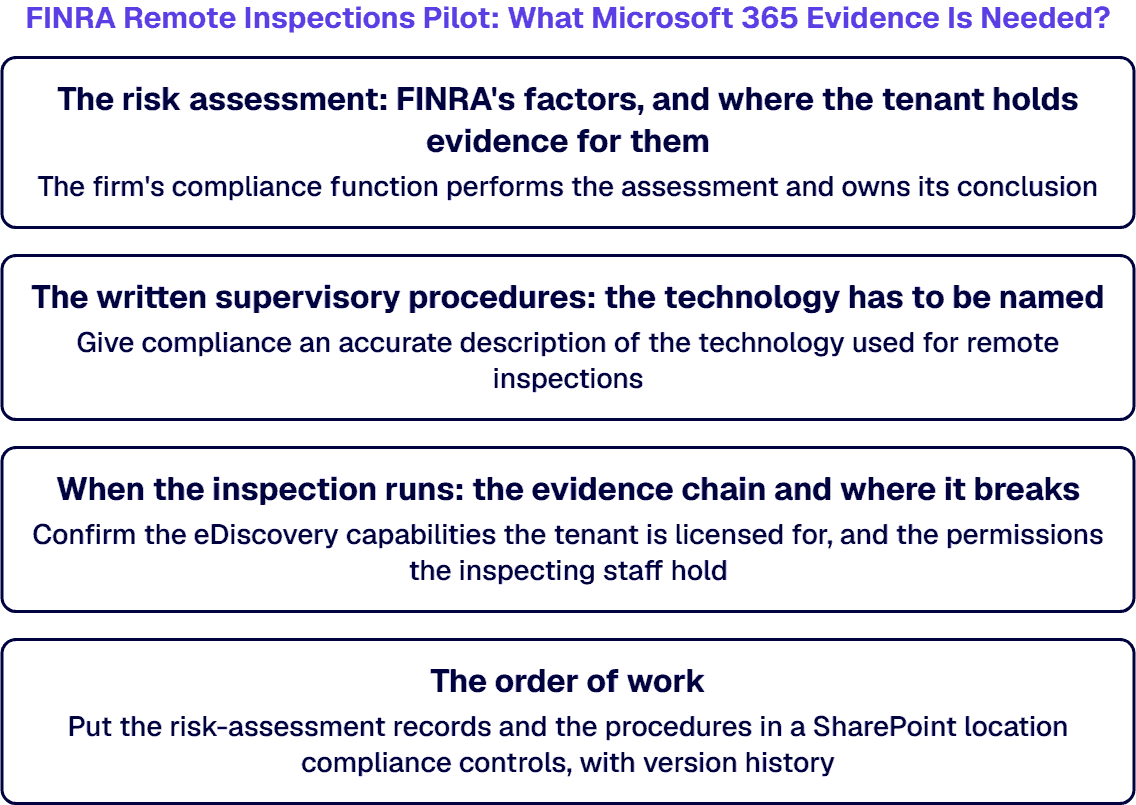
In practice the chain breaks in two predictable places.
First, retention: eDiscovery can only find what is still there. Microsoft’s Manage retention policies for Microsoft Teams page states that “The start of the retention period for these actions is always based on when a message is created.” It also states what happens when a user edits or deletes a message under a retain policy: “Although users no longer see their edited or deleted messages in Teams, data from these messages is stored in a secured location designed for eDiscovery searches by compliance administrators.” That protection only exists if a retain policy covers the user. Check the Teams retention period against the firm’s own inspection cycle for each office, before assuming the chat history an inspector needs will still be there when the inspection runs.
Second, the eDiscovery tier. Microsoft’s Learn about eDiscovery page ties its premium case-management and analysis features to specific subscriptions. Confirm which eDiscovery capabilities the tenant is licensed for, and that the compliance staff who run inspections hold the permissions to use them, before the procedures describe a search-and-export workflow the tenant cannot run. Which license includes which eDiscovery feature is a separate question from this guide’s.
If a firm reads only FINRA’s program page, it will plan for an ending that may not come; if it reads only the headlines about the Board vote, it will plan for a rule that does not exist yet. FINRA’s report from its June 2026 Board of Governors meeting lists remote inspections among “the rule proposals approved by the Board, which will be filed with the SEC,” and states: “The proposal would make permanent the Remote Inspections Pilot Program before it expires to preserve the ability of member firms to conduct remote inspections of their offices.” The same report states: “The proposal is informed by the data collected during the pilot program, incorporates feedback received in response to Regulatory Notice 25-07 and recognizes the evolution of the modern workplace.” Regulatory Notice 25-07 is FINRA’s request for comment on modernizing its rules for the organization and operation of member workplaces.
Two things are true at once as of October 2026. FINRA’s Board has approved a proposal to make the program permanent. And FINRA’s Remote Inspections Pilot Program page, read for this guide on the same day, still describes a voluntary three-year program ending on June 30, 2027, with no reference to the Board’s vote. No primary source read for this guide shows the SEC acting on the proposal, so this guide states the status as FINRA states it and nothing further. Check FINRA’s current pages for the proposal’s status before any decision that depends on it.
What this means for the tenant is the useful part: nothing in the evidence chain depends on which path wins. If the program ends on June 30, 2027 and no permanent rule replaces it, the firm needs a clean record of how its remote inspections were run while it participated. If a permanent rule is approved, the firm keeps running remote inspections and keeps needing the same risk-assessment record, procedures and retrievable evidence, subject to whatever terms the final rule sets.
If the firm is weighing its next step, the nearest decision is not the end date. FINRA’s Remote Inspections Pilot Program page sets out the remaining Pilot Year 4 dates:
According to FINRA’s program page, Pilot Year 4 filings for a firm that joins at the December 27, 2026 deadline are “First filings not due until April 15, 2027,” so the procedures that describe the technology need to be right before that date, whichever path the program takes afterwards.
Before anything in the tenant changes, settle the order. The sequence in this section is this guide’s own recommendation, drawn from the requirements on FINRA’s Remote Inspections Pilot Program page and Microsoft’s documented behavior described in this guide; it is not a sequence FINRA or Microsoft publishes.
Some readers arrive at this guide with a different problem, and it is worth saying so before they spend time on this one. A firm that has never participated in the pilot and has no plan to has a simpler obligation: the program is voluntary, and according to FINRA’s Remote Inspections Pilot Program page, a non-participant cannot meet its inspection obligation remotely and must inspect every office on site. The tenant still matters to that firm, but for its ordinary recordkeeping, which is a separate duty from inspections and is not covered in this guide. A reader who wants certainty that remote inspections will still be allowed after June 30, 2027 will not find it in any source read for this guide; the honest answer is a Board-approved proposal that FINRA says will be filed with the SEC, not a settled rule. A reader whose question is the ongoing review of correspondence and communications, rather than the periodic inspection of an office, is asking about a different part of Rule 3110. And a firm that is also regulated by the New York Department of Financial Services, or that handles export-controlled technical data in Teams, carries separate obligations on separate schedules that this page does not address.
Whoever does this work with you, inside the firm or outside it, hold it to these criteria, stated as what they should be able to show you:
No supervisory-technology product or firm is named or compared in that work.
i3solutions plans and runs governed Azure and Microsoft 365 migrations with senior, U.S.-based engineers. For a remote-inspection program, that means a project, with embedded specialists where the firm’s team needs them, that configures Teams retention, Purview eDiscovery and Communication Compliance, and SharePoint as the evidence chain, and gives the compliance function an accurate description of that technology for the risk assessments and procedures it writes and signs itself. i3solutions maps governance to named control families, enforces it in the platform through Entra ID, Purview, and Azure Policy, and evidences it continuously rather than reconstructing it at audit. i3solutions governs identity and access for regulated Microsoft estates with senior, U.S.-based engineers and leaves an audit-defensible record. i3solutions has been a Microsoft Partner with 30 years of enterprise technology delivery experience and has delivered 1,500+ Microsoft engagements across aerospace and defense, financial services, and health sciences.
The supervision stays with the firm. An i3solutions project engagement does not by itself include ongoing support of what it delivers, which i3solutions scopes separately as Application Managed Services, and it is not a replacement for the internal team, open-ended scope expansion, or vendor lock-in. i3solutions does not perform the risk assessment, write the written supervisory procedures, or run the inspection program; those remain the firm’s compliance function’s own work and judgment.
For the Purview implementation engagement itself, see Microsoft Purview compliance consultants. For the wider governance picture, including the broader broker-dealer questions, see enterprise governance and compliance solutions.
Every fact in this section is drawn from FINRA’s Remote Inspections Pilot Program page, the report from its June 2026 Board of Governors meeting and Microsoft’s pages cited in this guide, all re-read in October 2026:
For a firm that does not participate in the pilot, yes. According to FINRA, the temporary remote inspections rule ended on June 30, 2024, and a firm outside the Remote Inspections Pilot Program cannot meet its inspection obligation remotely and must inspect its offices of supervisory jurisdiction, branch offices and non-branch locations on site.
According to FINRA, the program began on July 1, 2024 and is scheduled to end on June 30, 2027. FINRA’s Board of Governors has also approved a proposal to make the program permanent, which FINRA says will be filed with the SEC, so the end date holds only if no permanent rule replaces it.
According to FINRA’s report from its June 2026 Board of Governors meeting, the Board approved a proposal that would make the program permanent before it expires, informed by pilot data and Regulatory Notice 25-07 feedback, and that proposal will be filed with the SEC. That is a Board-approved proposal, not a completed rule change.
According to FINRA, a participating firm must conduct and document a risk assessment for each office or location, considering the factors in Rule 3110.18(b)(2), and its written supervisory procedures must cover areas that include the methodology, including technology, used for remote inspections and procedures for escalating significant findings.
According to Microsoft, Teams retention policies keep or delete chat and channel messages for a set period, Purview eDiscovery identifies, reviews and manages content across services including Teams and SharePoint, and Purview Communication Compliance provides tools for detecting regulatory compliance and business conduct violations. They hold and surface evidence; the firm’s compliance function performs the assessment.
No. According to Microsoft, Communication Compliance provides tools for detecting regulatory compliance and business conduct violations in communications, which is ongoing review, while a Rule 3110.18 remote inspection is the periodic inspection of an office under FINRA’s program, with its own risk assessment and written supervisory procedures.
Michael Branson
As of October 2026, Section 508’s Revised 508 Standards require a federal agency’s public-facing content to conform to WCAG 2.0 Level A and AA, and Microsoft states that Power Pages conforms to the newer WCAG 2.2 standard and to the Section 508 guidelines defined by the GSA. SharePoint Online appears in the in-scope services table of Microsoft’s U.S. Section 508 page, and Microsoft says its Accessibility Conformance Reports assess products against WCAG levels A and AA criteria, but no Microsoft page read for this guide states a SharePoint-specific WCAG version the way the Power Pages page does. Neither statement covers what your agency builds on the platform: templates, forms, uploaded documents and customizations remain yours to test, and Microsoft’s own Power Pages guidance makes the person who changes Liquid templates and content snippets responsible for the accessibility of what they add.
A GSA or OMB accessibility review is on the calendar, a complaint has arrived, or a new public-facing portal is about to launch, and the answer offered in the room is that Microsoft already covers Section 508. That answer is true about something. The work in front of you is finding out what it is true about, because the platform your portal runs on and the pages, forms and documents your team or a contractor put on it are two different things, and a reviewer tests the site the public uses.
If the portal is public-facing, it is inside the law’s reach. Section508.gov’s Web Content Overview states that “Section 508 applies to public facing websites, extranet, and internal websites such as intranet sites.” Its own examples of covered web content include “A web portal to view Social Security benefits”, which is the same kind of site a citizen-facing Power Pages or SharePoint portal is.
The U.S. Access Board defines the term in its Revised 508 Standards material: “Public-facing content refers to electronic information and data that a Federal agency makes available directly to the general public.” That is the part of Section 508 this guide is about.
Section 508 also has an employee side, and it is a separate obligation. Microsoft’s U.S. Section 508 page describes it as agencies procuring, maintaining and using technology so that federal employees with disabilities have comparable access to data and technology. An internal SharePoint site can carry that obligation even when it is not public-facing, so keep the two lists apart when you scope the work.
None of this is new. The Access Board’s page records that “compliance with the section 508-based standards is not required until January 18, 2018”, and that date is long past. The requirement is standing and already in force, so the question a reviewer asks is not whether you are ready for a future date but whether the portal you serve today conforms.
When a reviewer asks which standard the portal is measured against, the answer is in the U.S. Access Board’s Revised 508 Standards, published at 36 CFR Part 1194 and reproduced on the Board’s own page. The Board states that “Compliance with these standards is mandatory for Federal agencies subject to Section 508 of the Rehabilitation Act of 1973, as amended”. For electronic content, the technical requirement is one sentence: “Electronic content shall conform to Level A and Level AA Success Criteria and Conformance Requirements in WCAG 2.0”.
Section508.gov says the same thing in plainer words on its Web Content Overview: “Websites must conform to the Section 508 Standards and the W3C Web Content Accessibility Guidelines (WCAG) 2.0 Level AA.”
The planning rule that follows: treat WCAG 2.0 Level A and AA as the regulatory floor your portal is tested against. A supplier may state conformance to a later WCAG version for its own product, and that statement is about the product. It does not change the version the Revised 508 Standards name, and it does not test your content.
If someone in the room says Microsoft already covers Section 508, the platform statements they mean are real, and each one says exactly what it covers. On its Accessibility in Power Pages page, last updated April 22, 2025, Microsoft states: “Power Pages conforms to the WCAG 2.2 accessibility standard.” On the same page it states: “Power Pages conforms to the Section 508 guidelines defined by the US GSA.” Both are Microsoft’s statements about its product. WCAG 2.2 is the version Microsoft names for Power Pages; the Revised 508 Standards still name WCAG 2.0 for your content, and nothing on this page turns one into the other.
For SharePoint Online the evidence is a list, not a sentence. Microsoft’s U.S. Section 508 page, last updated June 2, 2026, carries an Office 365 applicability table whose Commercial row names SharePoint Online and Power Apps among its in-scope services. The page explains why it exists: “To assist government customers in making procurement decisions, Microsoft publishes Accessibility Conformance Reports describing the extent to which our products and services support the criteria of Section 508.” No page read for this guide states a SharePoint-specific WCAG version, so this guide does not supply one. The report for the product is where that detail lives.
Microsoft’s Accessibility Conformance Reports page describes what those reports are: “Microsoft Accessibility Conformance Reports (ACRs) document the degree of conformance to global accessibility standards of products, services, and accessibility features.” It states that “Microsoft assesses products and services against WCAG levels A and AA criteria.” It describes the method as well: “Microsoft evaluates products and services using the Department of Homeland Security (DHS) Trusted Tester program, Version 5, which creates a common testing approach for determining conformance to Section 508.” Microsoft writes most new reports on the Voluntary Product Accessibility Template (VPAT), and its page explains where each report lists the version of the standards it was assessed against. The page describes Microsoft’s method; it does not publish a pass or fail result for Power Pages or SharePoint Online, and this guide does not claim one.
The planning rule: a platform conformance statement or report is a starting reference for the parts Microsoft built. It is never a substitute for testing the finished site your agency serves.
Your agency’s additions are where the gap sits, and Microsoft says so on the same Power Pages page. Its section on Liquid templates and content snippets reads: “When custom HTML and Use Liquid content are added to your Power Pages site, accessibility must be taken into consideration. The person making the changes to the Liquid templates and Content snippets is responsible for ensuring that the content they add is accessible.”
Its next sentence names a third WCAG version, and it applies to customizations: “It’s important to make sure that customizations adhere to the required policies, such as WCAG 2.1, US Section 508, or ETSI EN 301 549.” That is Microsoft’s guidance for what you build on Power Pages, as Microsoft wrote it. It sits beside, and does not replace, the WCAG 2.0 Level A and AA requirement the Revised 508 Standards set for your agency’s content, or the WCAG 2.2 statement Microsoft makes about the platform itself.
Embedded reports follow the same logic. The page says that “as a Power BI report and dashboard author, you should make sure your Power BI reports and dashboards are accessible.” On Microsoft’s U.S. Section 508 page, in the Office 365 section that carries the SharePoint Online listing, Microsoft adds: “Your organization is wholly responsible for ensuring compliance with all applicable laws and regulations.”
The planning rule: everything your agency adds is your agency’s testing scope. That means custom pages and templates, Liquid code and content snippets, forms and their error messages, uploaded PDFs and other documents, embedded reports, third-party embeds and any content a contractor built on your behalf. Microsoft’s statement about the platform covers none of those.
Before any test runs, know what the portal serves. The Access Board’s definition of public-facing content tells you where to start the inventory, and the version the Revised 508 Standards name tells you what to test it against. Microsoft’s description of its own evaluation is a useful reference for coverage: “Along with Trusted Tester, our evaluation is commonly supported by automated testing; manual testing; testing with assistive technology; and functional testing by individuals with disabilities.” That describes Microsoft’s method for its products; your plan applies the same kinds of coverage to your site.
If one of these situations is yours, the work starts somewhere else:
When you assign the work in-house, to a contractor or to an outside team, hold it to the same criteria:
i3solutions scopes this work as a project: an inventory of the portal’s public-facing content and the customizations built on Power Pages or SharePoint, a testing plan that names automated, manual and assistive-technology coverage against WCAG 2.0 Level A and AA, and a remediation scope your team can fund and track, with embedded specialists where your team needs them. i3solutions has been a Microsoft Partner with 30 years of enterprise technology delivery experience and has delivered 1,500+ Microsoft engagements across aerospace and defense, financial services, and health sciences. Delivery is senior and US-based. An i3solutions project engagement does not by itself include ongoing support of what it delivers, which i3solutions scopes separately as Application Managed Services, and it is not a replacement for the internal team, open-ended scope expansion, or vendor lock-in. The conformance determination stays with your agency’s Section 508 Program Manager and contracting officer.
This guide is part of i3solutions’ governance and compliance work.
Yes, when the site is content your agency makes available to the public. Section508.gov states that Section 508 applies to public facing websites, extranet and internal websites, and the U.S. Access Board defines public-facing content as electronic information and data a federal agency makes available directly to the general public. The platform the site runs on does not change that.
WCAG 2.0 Level A and AA. The Revised 508 Standards require electronic content to conform to Level A and Level AA success criteria and conformance requirements in WCAG 2.0, and Section508.gov restates the requirement for websites as WCAG 2.0 Level AA.
Microsoft states that Power Pages conforms to the WCAG 2.2 accessibility standard and to the Section 508 guidelines defined by the US GSA. That is Microsoft’s statement about the platform. Your agency’s own templates, forms, documents and customizations are outside it, and Microsoft’s page makes the person who changes Liquid templates and content snippets responsible for the accessibility of what they add.
No. A platform statement covers what Microsoft built. The Revised 508 Standards apply to the content your agency serves, Microsoft’s Power Pages guidance says customizations should adhere to policies such as WCAG 2.1 or US Section 508, and Microsoft’s Section 508 page says your organization is wholly responsible for compliance with applicable laws and regulations. The finished site still needs your own testing.
An Accessibility Conformance Report documents the degree of conformance of a product or service to accessibility standards. Microsoft writes most new reports on the Voluntary Product Accessibility Template (VPAT) and assesses products against WCAG levels A and AA criteria using the DHS Trusted Tester program, Version 5. A report describes the product, not your site, so your agency still tests its own pages, forms, documents and customizations.
By Michael Branson
As of September 2026, Microsoft’s native path for moving identities onto Entra ID exists in a government tenant: its Microsoft Entra feature availability reference lists both Microsoft Entra Connect sync engines, cloud and federated authentication, Conditional Access, Privileged Identity Management and Microsoft Entra ID Governance as available in Azure for US Government, and what changes is the directory the identities land in, since Microsoft’s identity planning guide for Azure Government says Office 365 GCC was designed to use Microsoft Entra Public, describes Microsoft Entra Government as a common choice for GCC High and DoD, and says managing an Azure Government subscription requires identities from Microsoft Entra Government. Design around the exclusions before the first wave: according to Microsoft’s comparison of Azure Government and global Azure, Trusted IPs is not supported in Azure Government and Conditional Access named locations take its place; according to Microsoft’s B2B guide for government and national clouds, B2B collaboration is not enabled by default across national cloud boundaries until both tenants set it up in Microsoft cloud settings; and according to Microsoft’s cross-tenant synchronization overview, cross-cloud synchronization does not carry the manager attribute or groups. A financial-services tenant in the commercial cloud meets none of those exclusions, but both kinds of tenant share the same evidence rule: according to Microsoft’s diagnostic settings guide and its Entra data retention reference, logs might take up to three days to start appearing in their destination and retention changes are not retroactive, so route sign-in and audit logs before cutover.
Every Microsoft fact in these takeaways is drawn from Microsoft’s identity planning guide for Azure Government, its feature availability reference, its comparison of Azure Government and global Azure, its B2B guide for government and national clouds, its cross-tenant synchronization overview, its diagnostic settings guide and its Entra data retention reference, each re-read on drafting day:
Someone has just asked which migration tool the government tenant needs. It is a fair question with the wrong subject. The tenant you are moving into decides more than the tool does: it decides which Microsoft directory the identities land in, which Entra features behave differently on day one, and whether the record of the move exists when the assessor or examiner asks for it. Microsoft’s own documents, cited with each page’s visible update date, answer most of that before any tool is chosen. This guide sets out the directory decision, the Microsoft capability that moves each identity source, what the government clouds leave out, what changes for a financial-services tenant, and the evidence to switch on before the first wave.
The failure that costs the most is discovering mid-migration that the identities went into the wrong directory. Government clouds are not settings inside the commercial cloud. According to Microsoft’s national clouds reference (last updated January 15, 2025), “National clouds are physically isolated instances of Azure.” The same page states: “All the national clouds authenticate users separately in each environment and have separate authentication endpoints.” An identity lives in one of them, and the choice follows it into every application and subscription it touches.
Which directory depends on which government service you run. Microsoft’s identity planning guide for Azure Government (last updated October 12, 2023) says the Office 365 GCC environment was designed to use Microsoft Entra Public, and describes Microsoft Entra Government as a common choice when an organization already has a Microsoft Entra Government tenant to support Office 365 GCC High or DoD, or is creating a new tenant in Microsoft Entra Government. The hard requirement on that page is for Azure Government subscriptions. Asked whether an Azure Government subscription can be managed from a commercial directory, the same guide answers: “No, the ability to manage Azure Government subscriptions requires identities sourced from a directory in Microsoft Entra Government.” It adds that “If you have both Azure Public and Azure Government subscriptions, separate identities for both are required.”
That is how two tenants appear without anyone deciding to create them. According to the same Microsoft identity planning guide, “Now, many Office 365 GCC customers have two Microsoft Entra tenants: one from the Microsoft Entra subscription that supports Office 365 GCC and the other from their Azure Government subscription, with identities in both.” Applications follow the same split: Microsoft’s national clouds reference states that “To integrate applications with the Microsoft identity platform in a national cloud, you’re required to register your application separately in each Azure portal that’s specific to the environment.”
Three neighboring decisions are answered elsewhere. If the organization has not yet settled which Microsoft 365 government cloud it needs, start with Microsoft 365 GCC vs GCC High: Which Government Cloud Does Your Organization Need?. If the plan is a GCC High tenant, its phases are set out in Microsoft 365 GCC High Migration Checklist: Best Practices for Defense Contractors. If Azure subscriptions and workloads are moving too, that move is covered in Azure Government Migration: What Moving from Azure Commercial Actually Takes.
Before any wave, write down which directory each population lands in, and which applications must be registered in which cloud.
When someone asks which tool to buy, the real question can be which source is hard to move. Microsoft’s Microsoft Entra feature availability reference (last updated January 15, 2026) lists, for Azure for US Government, directory synchronization with Microsoft Entra Connect (sync and cloud sync), cloud authentication by password hash synchronization or pass-through authentication, federated authentication, multifactor authentication, Conditional Access, Privileged Identity Management, access reviews, entitlement management, lifecycle workflows and API-driven inbound provisioning as available, and states that “Microsoft Entra ID Governance is available in the US Government community cloud (GCC), GCC-High, and Department of Defense cloud environments.” Microsoft’s resources for migrating applications to Microsoft Entra ID (last updated May 31, 2024) and its cross-tenant synchronization overview (last updated May 29, 2026) cover the rest. Read together, they give one Microsoft capability per source:
No third-party migration tool is named, compared or recommended, and no claim is made that any tool is needed or not needed for a compliance decision. This guide says what Microsoft’s own capabilities cover in each cloud, according to Microsoft’s feature availability reference. If someone proposes a non-Microsoft tool for a source, ask for the Microsoft capability it replaces and the reason, in writing.
For each source, name the Microsoft capability that moves it and the person who signs off the wave.
A wave fails when it assumes a commercial behavior that the government cloud does not have. A Conditional Access design that leans on trusted IP ranges is the common case. According to Microsoft’s comparison of Azure Government and global Azure (last updated August 21, 2025), “Trusted IPs isn’t supported in Azure Government.” The same page gives the replacement in the next sentence: “Instead, use Conditional Access policies with named locations to establish when multifactor authentication should and shouldn’t be required based off the user’s current IP address.” For consumer-facing sign-in, the same comparison states that “Azure Active Directory B2C is not available in Azure Government.” Moving that kind of sign-in is its own project.
Guests from the other cloud are the second case. Microsoft’s B2B guide for government and national clouds (last updated July 7, 2025) states that “B2B collaboration isn’t enabled by default across national cloud boundaries, but you can use Microsoft cloud settings to establish mutual B2B collaboration”, so both tenants have to configure it before a cross-cloud guest can sign in. For invitations inside Azure US Government, the same guide warns: “If you invite a user outside of these groups (for example, if the user is in a tenant that isn’t part of the Azure US Government cloud or doesn’t yet support B2B collaboration), the invitation fails or the user can’t redeem the invitation.” Collaboration in GCC High is narrower again: Microsoft’s Office 365 GCC High and DoD service description (last updated August 3, 2026) states that “Users in GCC-High will be able to share only with other organizations in GCC-High.” How to share controlled unclassified information with primes and subcontractors in each partner’s cloud is a separate subject from the migration.
Synchronized identities are the third case. According to Microsoft’s cross-tenant synchronization overview, cross-cloud synchronization is supported, but the same page names two things it does not carry: “Synchronization of the manager attribute isn’t currently supported in cross-cloud synchronization.” and “Synchronizing groups across cloud environments such as Azure commercial, Azure Government, and Azure in China isn’t supported.” Any access rule, approval flow or group-based assignment that depends on a synchronized manager or group has to be rebuilt on the target side, and every synchronized user carries Microsoft’s source-tenant license condition for cross-cloud synchronization.
Microsoft’s feature availability reference lists further features that are unavailable or partial in Azure for US Government; they are set out, with the verification questions to ask about them, in The Buyer’s Guide to Evaluating IAM Implementation Firms for Regulated Industries. If the move is from one tenant to another after a deal, rather than onto Entra ID from another source, that case is covered in Managing Dual-Tenant Microsoft Complexity After a Merger or Acquisition.
Before the pilot wave, check every Conditional Access policy, guest population and synchronized attribute against the government-cloud exclusions.
A bank, insurer or capital-markets firm moving identities onto Entra ID in the commercial cloud faces a different risk from the government contractor. The government-cloud exclusions are stated by Microsoft for Azure Government and the national clouds, which Microsoft’s national clouds reference describes as “physically isolated instances of Azure.” A tenant in the commercial cloud is not in one of them, so the directory split, the Trusted IPs gap and the cross-cloud guest defaults do not arise. The per-source map of Microsoft capabilities still applies, source by source.
What does not get easier is the record. The examiner’s question is rarely which tool moved the identities; it is what happened to access during the move and who approved it. No financial regulator’s authentication, retention or examination expectation is in scope; those belong to your compliance team and your examiner. What this guide does say is that the design effort saved on government-cloud exceptions is best spent on the evidence to keep, switched on before the first wave rather than reconstructed after it.
Treat the commercial design as settled by the per-source map, and put the time into the evidence plan.
The evidence gap no one plans for is the first wave’s. Entra sign-in and audit logs are routed by diagnostic settings, and the routing has to exist before the events you want to keep. According to Microsoft’s diagnostic settings guide (last updated June 16, 2025), “Using diagnostic settings in Microsoft Entra ID, you can integrate logs with Azure Monitor, stream logs to an event hub, or archive logs to a storage account.” The same guide sets the order: “You must have a destination set up prior to configuring diagnostic settings.” And it sets the lag: “It might take up to three days for the logs to start appearing in the destination.”
Changing retention later does not recover what was lost. Microsoft’s Entra data retention reference (last updated March 25, 2026) states that “Log retention changes aren’t retroactive.” It also states that “Microsoft Entra ID audit and sign-in logs are separate from the Microsoft 365 Unified Audit Log (UAL).” An evidence plan that reads only the Unified Audit Log therefore misses the identity record of the move. How long each log is kept, and how to export it, is its own decision. Where the move retires federation, Microsoft’s staged rollout guide (last updated September 15, 2026) notes that “We’ve enabled audit events for the various actions we perform for Staged Rollout:” and those events belong in the same destination.
The evidence set is this guide’s planning recommendation for the tenant owner, not a Microsoft or regulator requirement:
Because Microsoft’s diagnostic settings guide says logs might take up to three days to start appearing, create the destination and the diagnostic setting at least three days before the pilot wave, and name who keeps the record.
If your question is not about the move itself, this guide is the wrong starting point, and where to go instead depends on the case. If the real question is which third-party migration tool to buy, this guide does not compare tools; it says only what Microsoft’s own capabilities cover. If the move is a tenant consolidation after a merger or acquisition, Managing Dual-Tenant Microsoft Complexity After a Merger or Acquisition is the place to start. If the question is whether on-premises Active Directory or cloud-only Entra ID should be the identity authority for a CMMC assessment boundary, that is a scoping decision this guide does not make. If Azure workloads are moving to Azure Government as well as identities, the workload move has its own page, on Azure Government migration. If someone wants a statement that a tool or a tenant is compliant, no Microsoft page read for this guide says that, and the determination belongs to the tenant owner and its assessor or examiner. And a DoD component with identity requirements of its own should read them from its own sources; they are out of scope.
Whoever does this work with you, inside the organization or outside it, hold it to these criteria, stated as what they should be able to show you:
No firm, supplier or tool is named or compared in that work.
i3solutions has done hundreds of Okta to Entra ID conversions. i3solutions governs identity and access for regulated Microsoft estates with senior, U.S.-based engineers and leaves an audit-defensible record. i3solutions has deep experience implementing identity governance for enterprises in aerospace and defense manufacturing, financial services, and healthcare, including environments with CMMC and ITAR obligations.
For a move onto Entra ID in a government or financial-services tenant, that means a project, with embedded specialists where your team needs them, that decides the landing directory, maps each source to the Microsoft capability that moves it, designs around the government-cloud exclusions and switches on the evidence before the first wave.
We manage GCC High migrations end-to-end: from eligibility validation and licensing coordination with your AOS-G supplier through identity architecture, data migration, security baseline configuration, and post-migration governance. i3solutions plans and runs these migrations for regulated defense organizations, structuring each phase around the compliance evidence assessors expect. The GCC High tenant itself is provisioned by your AOS-G supplier, and i3solutions works alongside that supplier.
i3solutions is a Microsoft partner that has delivered 1,500+ implementations across aerospace and defense, financial services, and health sciences. An i3solutions engagement does not produce managed-service ownership, a replacement for the internal team, open-ended scope expansion, or vendor lock-in.
For how this fits the wider identity program, see Establish Identity as a Governed Enterprise Capability.
No. According to Microsoft’s identity planning guide for Azure Government, the Office 365 GCC environment was designed to use Microsoft Entra Public. Microsoft describes Microsoft Entra Government as a common choice when an organization has a Microsoft Entra Government tenant to support Office 365 GCC High or DoD.
No. According to Microsoft, the ability to manage Azure Government subscriptions requires identities sourced from a directory in Microsoft Entra Government, and an organization with both Azure Public and Azure Government subscriptions needs separate identities for both.
Yes, with conditions. According to Microsoft, cross-cloud synchronization such as public cloud to Azure Government is supported, but synchronization of the manager attribute isn’t currently supported, groups are not synchronized across cloud environments, and each synchronized user must have a Microsoft Entra ID Governance or Microsoft Entra Suite license in the home or source tenant.
No. According to Microsoft, Trusted IPs isn’t supported in Azure Government; Microsoft says to use Conditional Access policies with named locations instead.
Before the first wave. According to Microsoft, a destination must be set up before diagnostic settings are configured, logs might take up to three days to start appearing in the destination, and log retention changes aren’t retroactive.

US-Based Microsoft System Integrator | Est. 1997
© i3solutions. All rights reserved.
US-Based Microsoft System Integrator | Est. 1997
© i3solutions. All rights reserved.


